
This page is not an official page of the app or its developer, but an independent editorial publication created for informational and commentary purposes. Unless expressly stated otherwise, neither the app nor its developer is affiliated with, endorsed by, sponsored by, authorized by, or otherwise officially connected with MWM, Apple, Google Play, the app publisher, or the app's developer, and nothing on this page implies that the app was developed using MWM's services. Any trademarks, logos, screenshots, and other content remain the property of their respective owners.


Luck Jingle
Turn notes, labels, and photos into instant stickers. Connect via Bluetooth to organize your home, level up your journal, and make every day more aesthetic.
Downloads
120K+User Rating
Total Ratings
100Publisher
Category
UtilitiesLocales
21Latest Version
3.1.0Size
114.2 MBFirst Released
Jun 1, 2020Bring Your Ideas to Life Instantly
The ultimate companion for your thermal printer. Whether you are organizing your home, upgrading your journal, or studying for finals, Luck Jingle makes printing fun, inkless, and effortless.
Smart Labeling & Organization
Create custom labels for your pantry, storage bins, or office supplies. Choose from various adhesive paper types to keep your life organized and aesthetic.
Creative Journaling & DIY
Turn your favorite photos and digital notes into vintage-style stickers. Perfect for bullet journaling, scrapbooking, and adding a personal touch to your gifts.
Frequently Asked Questions
Everything you need to know about Luck Jingle
What is the Luck Jingle app?
Luck Jingle is a portable printing app designed for daily life. It connects to a printer via Bluetooth and supports various thermal paper types to make printing easier.
How does Luck Jingle connect to a printer?
Luck Jingle connects to a printer via Bluetooth. The app's profile section, under 'My device', indicates the connection status.
What types of paper does Luck Jingle support for printing?
Luck Jingle supports optional note paper, label paper, full adhesive paper, partial adhesive paper, and other thermal paper types for printing.
Can Luck Jingle print documents from files?
Yes, Luck Jingle can print documents from files. It supports printing Word, PDF, Excel, and PPT file formats directly from the app.
Does Luck Jingle have label editing features?
Yes, Luck Jingle includes comprehensive label editing features. Users can add text, images, stickers, barcodes, and QR codes, with tools like rotate and undo, on the 'Lable edit' screen.
Can Luck Jingle scan documents?
Yes, Luck Jingle can scan documents. The app provides dedicated features for 'Document Scan' and 'Certificates Scan' on its home screen.
Does the Luck Jingle app offer pre-designed templates?
Yes, the Luck Jingle app offers pre-designed templates. These include various options for schedules, punch lists, work plans, and daily plans, found within the 'Material' section.
What kind of images can Luck Jingle print?
Luck Jingle can print pictures. It offers specific features such as 'Picture Print', 'Jigsaw priting', and 'Portrait anime' for various image printing needs.
Does Luck Jingle have OCR functionality?
Yes, Luck Jingle features OCR (Optical Character Recognition) functionality. An 'OCR' option is available on the app's home screen for text recognition.
The following screenshots and description are sourced directly from the app's official store listing and are the property of the app developer.
App Store
Screenshots
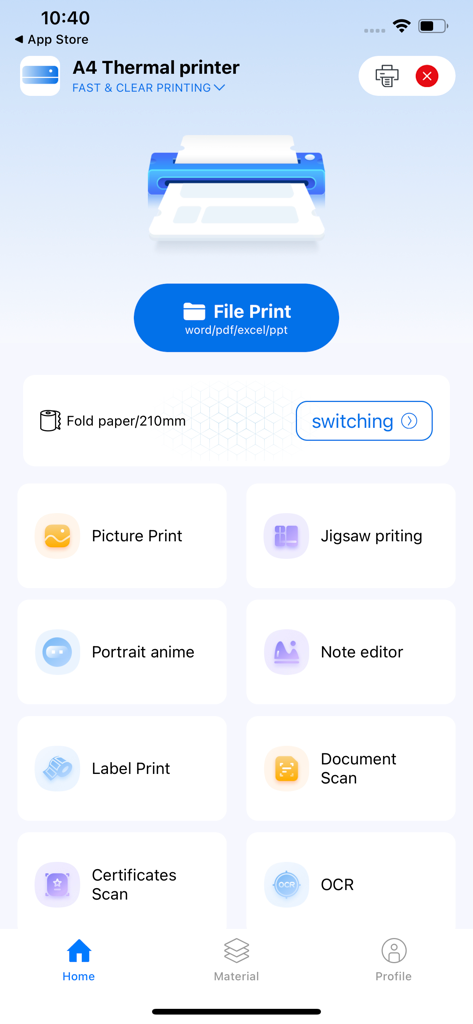
Luck Jingle app home screen with thermal printing options for files and labels
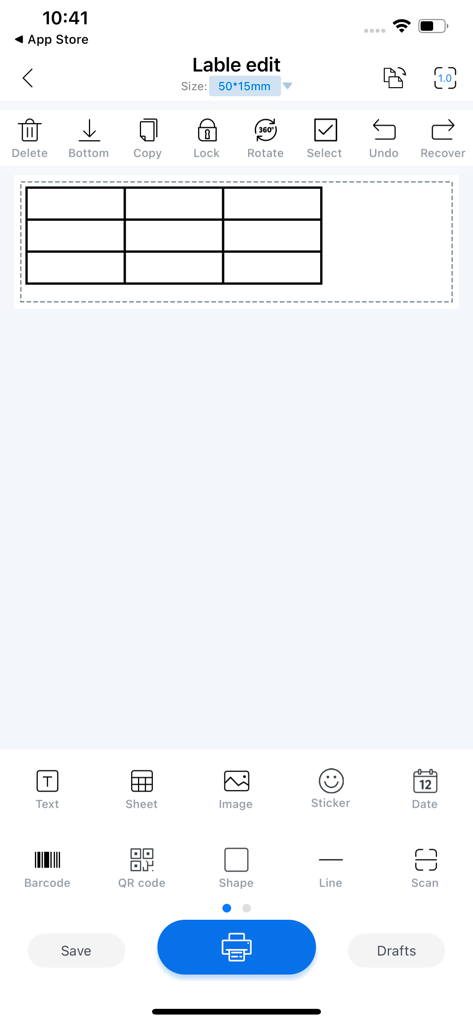
Mobile app interface of Luck Jingle showing a label editor with tools for creating custom stickers and grids for thermal printing
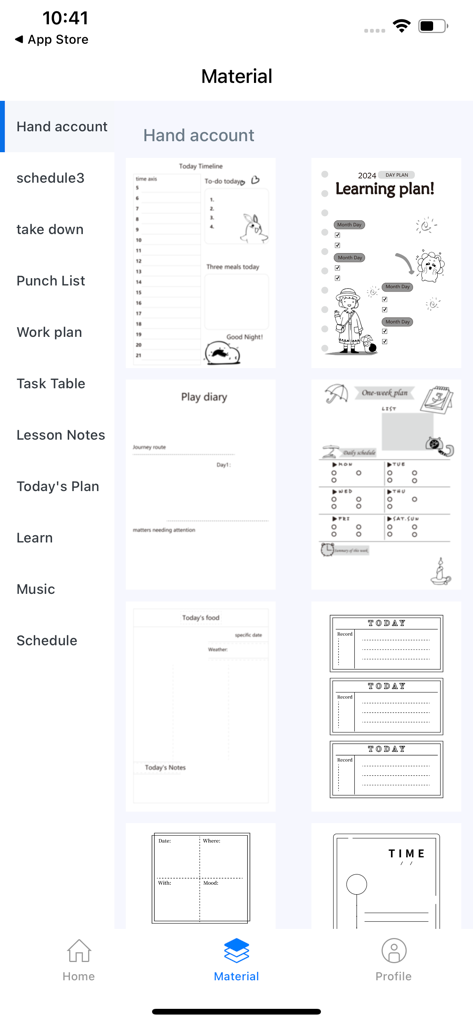
Luck Jingle app screen showing a library of printable journal and planner templates for thermal printers
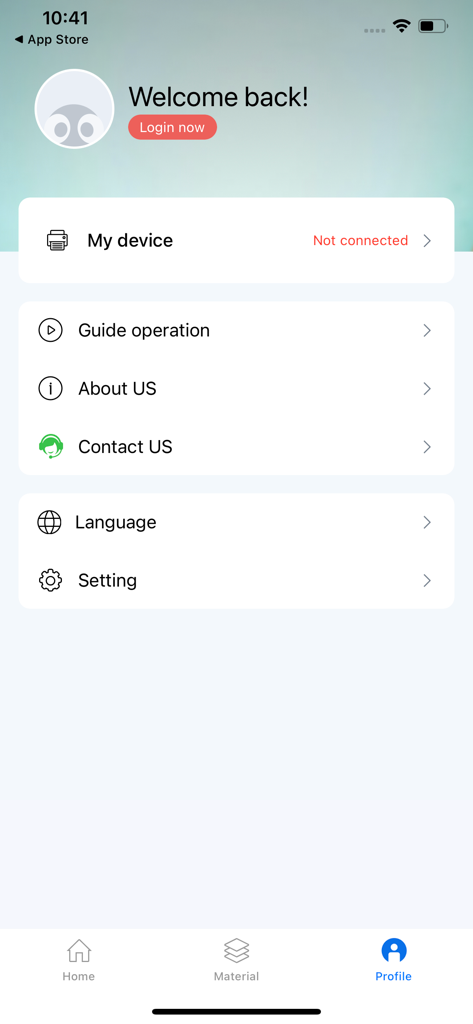
The profile settings screen of the Luck Jingle app showing device connection status and account options.
Description
Download
More Like This
Apps with similar features and user experience

instax mini Link
FUJIFILM Corporation

instax mini Evo
FUJIFILM Corporation

Canon Mini Print
Canon U.S.A., Inc.

Polaroid
Polaroid International B.V.

SELPHY Photo Layout
Canon Inc.

KODAK Photo Printer
Prinics Co., Ltd

Phomemo
PHOMEMO PTE. LTD.

Epson Creative Print
Seiko Epson Corporation

HP Sprocket
C&A Marketing Inc.
This page is not an official page of the app or its developer, but an independent editorial publication created for informational and commentary purposes. Unless expressly stated otherwise, neither the app nor its developer is affiliated with, endorsed by, sponsored by, authorized by, or otherwise officially connected with MWM, Apple, Google Play, the app publisher, or the app's developer, and nothing on this page implies that the app was developed using MWM's services. Any trademarks, logos, screenshots, and other content remain the property of their respective owners.