Measure Map Pro
Measure Map Pro
Download on App Store

This page is not an official page of the app or its developer, but an independent editorial publication created for informational and commentary purposes. Unless expressly stated otherwise, neither the app nor its developer is affiliated with, endorsed by, sponsored by, authorized by, or otherwise officially connected with MWM, Apple, Google Play, the app publisher, or the app's developer, and nothing on this page implies that the app was developed using MWM's services. Any trademarks, logos, screenshots, and other content remain the property of their respective owners.


Logo of Measure Map Pro
Download on App Store

Measure Map Pro

The ultimate mapping utility for engineers, contractors, and landowners. Calculate complex perimeters and areas with earth-curvature accuracy and export instantly to AutoCAD, KML, and GIS formats.

Key Figures

Downloads

99K+

User Rating

4.4/5

Total Ratings

2K+

Publisher

Blue Blink One, SL

Category

Utilities

Locales

10

Latest Version

13.10.5

Size

239.0 MB

First Released

Jun 22, 2011
Features

Professional Mapping in the Palm of Your Hand

Replace your tape measure with high-resolution satellite technology. Save hours on site visits by calculating precise areas, perimeters, and distances directly from your mobile device.

Laser-Sharp Precise Measurements

Account for the earth’s curvature while measuring anything from small building footprints to massive thousand-acre ranches with sub-meter accuracy.

Industry-Standard Exporting

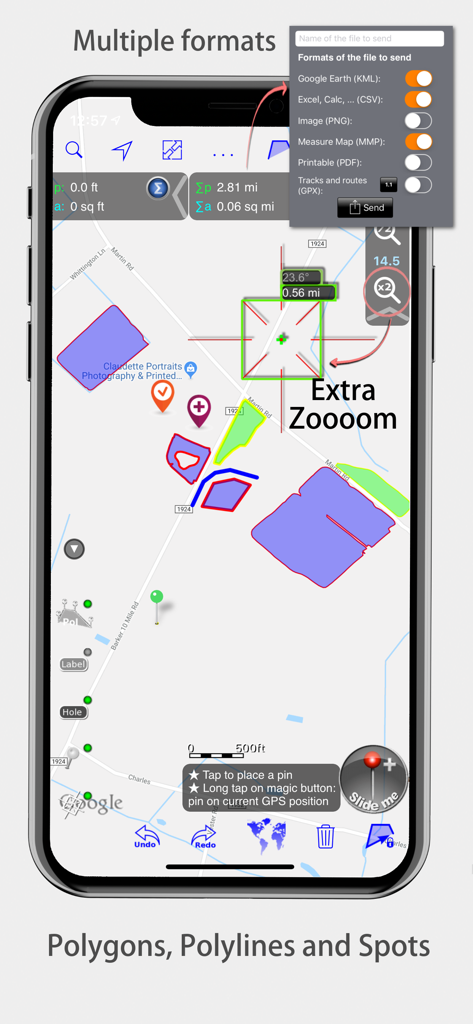
Instantly export your data to AutoCAD (DXF), Shapefiles (SHP), KML, or CSV to seamlessly integrate field measurements into your professional CAD or GIS workflow.

The following screenshots and description are sourced directly from the app's official store listing and are the property of the app developer.

App Store

Screenshots
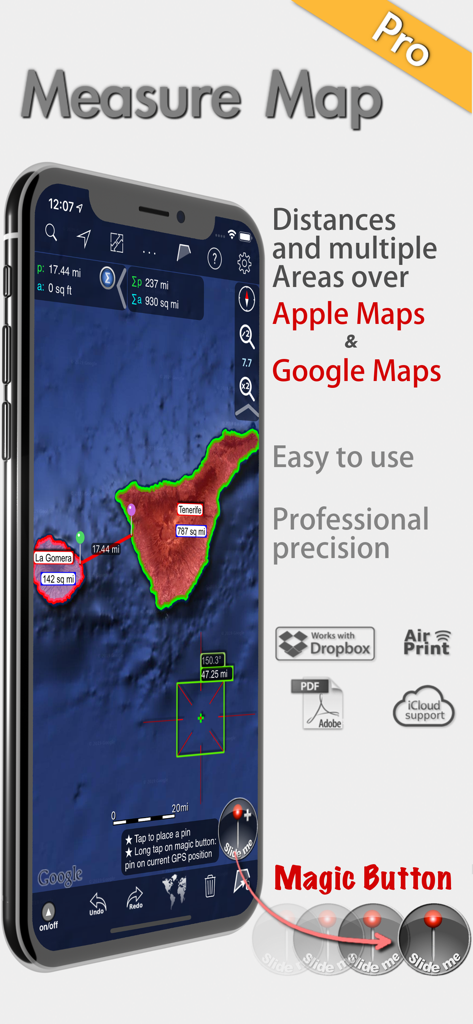
Measure Map Pro - Measure Map Pro app showing professional area and distance measurements on satellite maps
Measure Map Pro app showing professional area and distance measurements on satellite maps

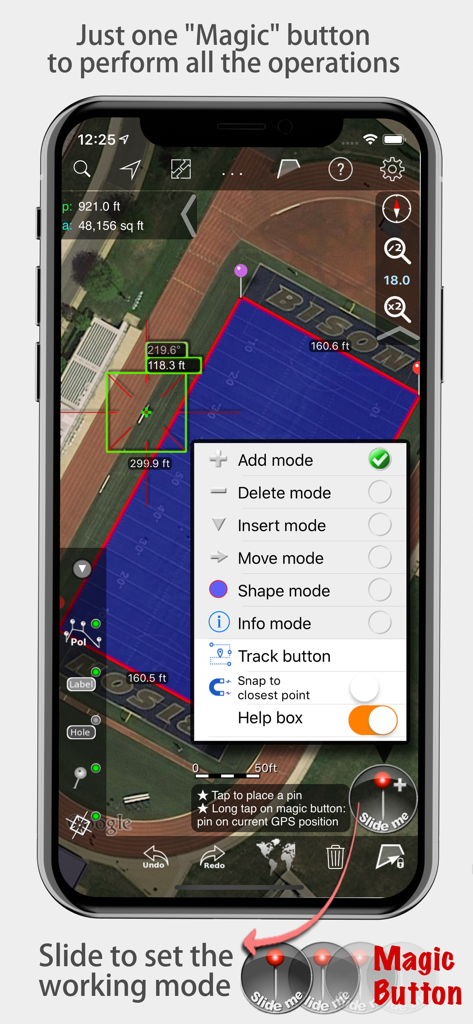
Measure Map Pro - Measure Map Pro app displaying area and distance measurements on a satellite map with the magic button menu open
Measure Map Pro app displaying area and distance measurements on a satellite map with the magic button menu open

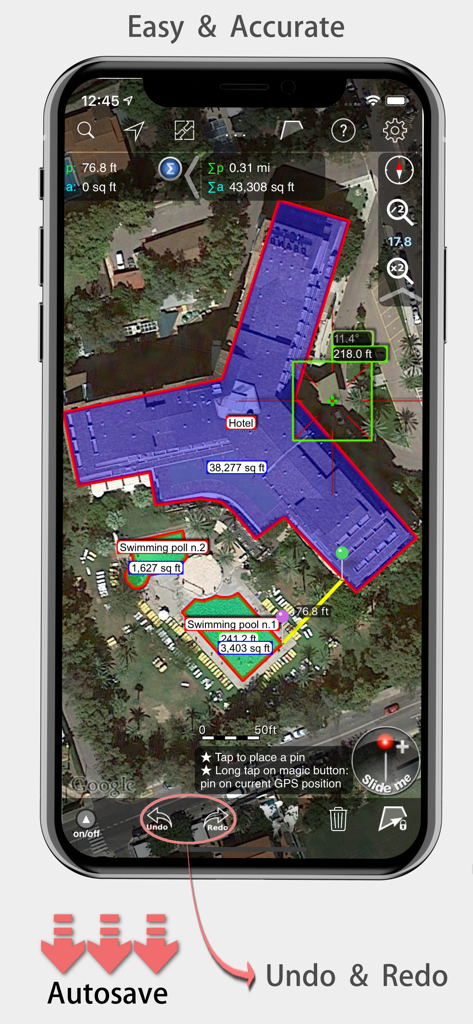
Measure Map Pro - Measure Map Pro mobile app displaying precise area and distance measurements of a hotel building on a satellite map.
Measure Map Pro mobile app displaying precise area and distance measurements of a hotel building on a satellite map.

Measure Map Pro - Measure Map Pro interface showing map polygons and export formats
Measure Map Pro interface showing map polygons and export formats

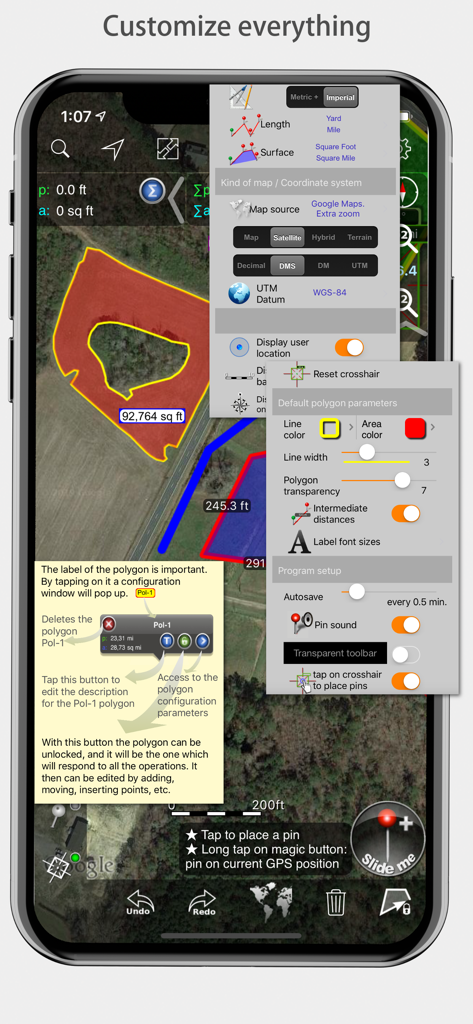
Measure Map Pro - Measure Map Pro mobile app interface showcasing various customization menus for measurements and map styles

Measure Map Pro mobile app interface showcasing various customization menus for measurements and map styles

Description

Measure Map Pro lets you quickly and easily measure multiple distances, perimeters and areas with laser sharp precision!. Use it for small areas or large, then share with coworkers. Click “...More” to learn why you should download this App today! Calculate surface areas, buildings, plots, floors, forest areas or dimensions for fencing, sports tours, trips or anything you need for field work without having to go to the spot to take measurements. Only one finger to calculate with astonishing accuracy all these measurements over satellite images. That’s what Measure Map Pro is for, to put a powerful, portable measuring tool right in the palm of your hand. Your iPhone, iPod touch or iPad can now provide you with totally precise measurements of any distance, from as small as one tenth of a meter to as big as thousands of kilometers or miles, even taking the curvature of the earth’s surface into account when measuring. It does all that, fast and effortlessly. Just one "magic" button for all the operations to easily place points without loosing it's professional accuracy. Some impressive features you get in Measure Map Pro (some of them via in-app purchase): * Autosave * Attractive, smooth, easy navigation and use * For iPhone and iPad * Apple or G00GLE Maps with extra zoom level. * Displays Maps View: Map, Satellite, Hybrid and Terrain. * Undo and redo operations as needed * AirPrint and iCloud support * More maps with extra zoom level through in-app purchase: Bing, Here, and ArcGIS. And Open Street, Open Cycle, World Street and more in the future * Operations: Add, delete intermediate pins, insert between pins, move pins, get info. * Circles and rectangles * Multiple areas and routes on screen * Display of altitude above sea level, azimuth and angle * Calculates azimuth or bearing * Search for current location, text (villages, places of interest, etc.) * Length units: meters, kilometers, feet, yards, miles, nautical miles, ken, ri, bù, lǐ * Surface units: square meters and kilometers, ares, hectares, square foot, square yards, square miles, acres, fanegas (Valencian, Castilian or Colombian), tsubo, bu, so, lí, mǔ * Intermediate distances between pins can be displayed * Attach pictures to points * Ability to select color and thickness of the perimeter line. * Ability to select the color and transparency of the selected area. * Working format: Measure Map, KMZ, KML (G00GLE Earth), CSV (Excel), Autocad (DXF), Shape (SHP), GPX, Image (PNG) and PDF * Export and import of surfaces and routes via e-mail, iTunes, AirDrop and Dropbox. * Save to photo album * Download surfaces and routes from the Internet. * Calculates multiple areas and routes simultaneously * Ability to create inner polygons as "holes". * Drawing of shapes: circle and rectangle. * More maps with extra zoom level through in-app purchase * Calculates azimuth or bearing * Attach pictures to points * Displays altitude above sea level, azimuth and angle. * Imports KML, KMZ and GPX format files besides exporting them. * Track mode: drops pins on current GPS position at regular intervals. (Continued use of GPS running in the background can dramatically decrease battery life) * Coordinate system DM * Apple Pencil drawing mode (with iPad Pro) * Image layers If precise measurements are important to you, this is the app you need. You won’t find one that is better, more accurate and easier to use.

Download

Download on App Store

This page is not an official page of the app or its developer, but an independent editorial publication created for informational and commentary purposes. Unless expressly stated otherwise, neither the app nor its developer is affiliated with, endorsed by, sponsored by, authorized by, or otherwise officially connected with MWM, Apple, Google Play, the app publisher, or the app's developer, and nothing on this page implies that the app was developed using MWM's services. Any trademarks, logos, screenshots, and other content remain the property of their respective owners.