
This page is not an official page of the app or its developer, but an independent editorial publication created for informational and commentary purposes. Unless expressly stated otherwise, neither the app nor its developer is affiliated with, endorsed by, sponsored by, authorized by, or otherwise officially connected with MWM, Apple, Google Play, the app publisher, or the app's developer, and nothing on this page implies that the app was developed using MWM's services. Any trademarks, logos, screenshots, and other content remain the property of their respective owners.

Microsoft OneNote
Scattered thoughts plague productivity. It arms users with the ability to capture, structure, and access any piece of information, turning mental clutter into actionable intelligence.
Downloads
50M+User Rating
Total Ratings
4.5MPublisher
Category
ProductivityLocales
33Latest Version
16.107.3Size
350.1 MBFirst Released
Jan 18, 2011Microsoft OneNote: Core Capabilities Overview
An analytical review of features powering digital note-taking and collaborative productivity.
Cross-Device Synchronization
The app ensures that all notes are synchronized across various devices, allowing users to access their content anytime, anywhere, regardless of their current location or the device they are using.
Real-time Collaboration
This tool features shared notepads, enabling multiple users to work together simultaneously on the same notes, fostering team productivity and efficient group work.
Versatile Digital Note-Taking
It provides a digital notepad environment for capturing thoughts, discoveries, and ideas, simplifying planning, and tracking important information across various formats.
Robust Organization & Search
The app offers powerful organizational tools to structure notes effectively, quickly find recent entries, and pin frequently used pages for immediate access.
Microsoft Ecosystem Integration
It integrates seamlessly with the broader Microsoft Office experience when users sign in with their Microsoft Account, enhancing workflow for those already invested in the ecosystem.
Ink & Drawing Capabilities
The app supports handwritten notes and drawings with various pen options and a 'Convert to Shapes' mode, allowing users to utilize a stylus or touchscreen for visual note-taking.
Frequently Asked Questions
Everything you need to know about Microsoft OneNote
Is Microsoft OneNote available for free?
Yes, Microsoft OneNote is free on iPhone and many other devices. Users can get started by downloading the app and signing in with a Microsoft or work/school account.
How does Microsoft OneNote allow me to access notes across devices?
Microsoft OneNote syncs your notes via OneDrive, allowing access to them anytime, anywhere, and across all your devices. This ensures your notes are always available whether at home or on the go.
Can I secure my notes in Microsoft OneNote with a password?
Yes, Microsoft OneNote allows users to secure their notes with a password. Additionally, it supports using Touch ID for quick and secure access to protected notes.
What organizational features does Microsoft OneNote offer for my notes?
Microsoft OneNote provides powerful organizational tools, allowing users to quickly arrange notes in a personalized way. It also helps find recent notes fast and pin frequently used pages.
Does Microsoft OneNote support drawing and handwriting?
Yes, Microsoft OneNote supports drawing and handwriting, particularly on iPad. It offers various pen colors and settings, and a 'Convert to Shapes' mode for automatically perfecting hand-drawn shapes.
Can I use sticky notes with Microsoft OneNote?
Yes, Microsoft OneNote allows users to quickly save thoughts and ideas using colorful sticky notes. These sticky notes sync across devices, providing access from anywhere, anytime.
How can I collaborate with others using Microsoft OneNote?
Microsoft OneNote facilitates collaboration by allowing users to work together in a shared notepad. Notes are saved to the cloud (OneDrive, SharePoint) and can be accessed and shared on any device.
Does Microsoft OneNote allow capturing images from documents or whiteboards?
Yes, Microsoft OneNote integrates with Office Lens. This feature enables users to save pictures of whiteboards, photos, or printed documents directly into their notes, with automatic cropping.
Are there subscriptions available within the Microsoft OneNote app?
Yes, monthly Microsoft 365 subscriptions are available for purchase within the Microsoft OneNote app. These are charged to your App Store account and renew automatically.
What is the data privacy policy for Microsoft OneNote?
Microsoft OneNote is subject to a separate privacy statement and terms. Data used with the app may be accessible to Microsoft or third-party publishers, and processed in the United States or other countries.
The following screenshots and description are sourced directly from the app's official store listing and are the property of the app developer.
App Store
Screenshots
Unified Home Experience
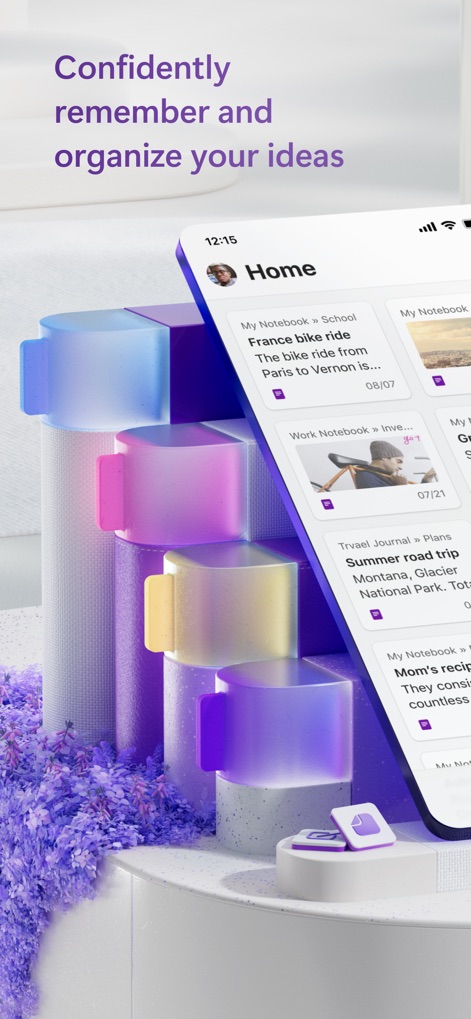
The app provides a clean "Home" interface, displaying recent notebooks and offering an intuitive "+" button for quick note creation.

Efficient Note Navigation
Users can seamlessly navigate between "Home", "Search", and "Notebooks" tabs, quickly accessing specific notes presented in clear cards with titles and dates.

Mobile Productivity At Hand
This tool presents a well-organized mobile interface, featuring distinct "Travel Journal" and "Work Notebook" sections, each with clear titles and dates for easy overview.

Seamless Cross-Platform Sync
The app showcases consistent functionality across its desktop interface, complete with a comprehensive ribbon menu, and its mobile view, enabling flexible access to notes like "Bike Fix Day".

Structured Information Hub
The "Notebooks" view empowers users to organize content effectively, displaying distinct "Administration" and "Meetings" sections, each clearly defined with color-coded tabs.

Enriched Visual Documentation
This tool facilitates the creation of comprehensive notes like "Summer road trip", incorporating large embedded images and detailed descriptive text for thorough information capture.

Dynamic Goal Management
The app supports robust daily planning, exemplified by the "Yearly health goals" note featuring an interactive checklist and customizable checkboxes for personal tracking.

Collaborative Trip Planning
Users can meticulously plan events such as a "France bike ride" by integrating embedded maps with hand-drawn annotations and a detailed checklist for preparation.
Description
Download
More Like This
Apps with similar features and user experience

Notion: Notes, Tasks, AI
Notion Labs, Incorporated

Freenotes®: AI Notes Taking
Hangzhou Free Notes Technology Co., Ltd

Structured - Daily Planner
unorderly GmbH

Google Tasks: Get Things Done
Google LLC

TickTick:To-Do List & Calendar
Appest Limited

Noteful: Notes & PDF Markup
Noteful Technologies Ltd

Todoist: To Do List & Calendar
Doist Inc.

To do list MinimaList & Widget
Inner Grow Limited

monday.com - Work Platform
monday.com Ltd.
This page is not an official page of the app or its developer, but an independent editorial publication created for informational and commentary purposes. Unless expressly stated otherwise, neither the app nor its developer is affiliated with, endorsed by, sponsored by, authorized by, or otherwise officially connected with MWM, Apple, Google Play, the app publisher, or the app's developer, and nothing on this page implies that the app was developed using MWM's services. Any trademarks, logos, screenshots, and other content remain the property of their respective owners.