
This page is not an official page of the app or its developer, but an independent editorial publication created for informational and commentary purposes. Unless expressly stated otherwise, neither the app nor its developer is affiliated with, endorsed by, sponsored by, authorized by, or otherwise officially connected with MWM, Apple, Google Play, the app publisher, or the app's developer, and nothing on this page implies that the app was developed using MWM's services. Any trademarks, logos, screenshots, and other content remain the property of their respective owners.

Microsoft To Do
Overwhelmed by your to-do list? This app transforms daily chaos into actionable control, ensuring every priority gets its due.
Downloads
12.5M+User Rating
Total Ratings
957.5KPublisher
Category
ProductivityLocales
34Latest Version
2.169Size
157.8 MBFirst Released
Apr 19, 2017Microsoft To Do: Core Productivity Features Analysis
An evaluation of key functionalities enhancing personal and collaborative task management within the Microsoft ecosystem.
Seamless Microsoft 365 Integration
The app seamlessly integrates with Microsoft 365 services, enabling users to sync tasks with Outlook, compile tasks from various Microsoft apps, and benefit from secure hosting within the Microsoft ecosystem.
Personalized Daily Planning (My Day)
It offers a 'My Day' feature, providing a focused daily planner with intelligent suggestions for relevant tasks, assisting users in prioritizing and structuring their daily workflow.
Cross-Platform Accessibility & Sync
This tool ensures tasks and lists are accessible and synchronized across all user devices, allowing for continuous task management regardless of location or device.
Collaborative List Sharing
It allows users to share lists with friends, family, or colleagues, facilitating collaborative task management with real-time notifications for changes, fostering teamwork and shared responsibilities.
Flexible Reminders and Due Dates
It provides options to set one-time or recurring due dates and reminders for tasks, ensuring users stay on track and meet deadlines effectively.
Task Sub-steps & Attachments
The app enables users to break down complex tasks into manageable steps and attach files up to 25MB, enhancing clarity, organization, and completeness for individual tasks.
Intelligent Task Suggestions
The app offers intelligent suggestions that recommend relevant tasks from across various lists, aiding users in identifying and adding important items to their 'My Day' plan.
Customizable Themes & Modes
Users can personalize their lists with customizable themes, backgrounds, and dark mode options, improving user experience and visual comfort during task management.
Frequently Asked Questions
Everything you need to know about Microsoft To Do
What is Microsoft To Do?
Microsoft To Do is a task management application designed to help users organize their day-to-day, manage lists, take notes, set reminders, and improve productivity. It includes personalized day planner tools like My Day and Suggestions.
Is Microsoft To Do a free application?
Yes, Microsoft To Do is free to use. It is available across all your devices to help you organize and simplify your plans without any cost.
Can I use Microsoft To Do on multiple devices?
Yes, Microsoft To Do supports cross-device usage. Users can quickly capture and retrieve lists and tasks on any device by syncing them via Microsoft 365, ensuring access anywhere.
How does Microsoft To Do help organize daily tasks?
Microsoft To Do organizes daily tasks through "My Day" and "Suggestions." These personalized day planner tools provide intelligent recommendations for relevant tasks from across your lists, helping users focus effectively.
Can I share task lists with other people in Microsoft To Do?
Yes, Microsoft To Do allows users to share lists and tasks with friends, family, colleagues, and classmates. The app provides notifications when others create, complete, or remove tasks in shared lists.
What customization options are available in Microsoft To Do?
Microsoft To Do offers various customization options. Users can personalize their lists by choosing colorful themes, dark mode, backgrounds, and adding emoji to make them unique and visually appealing.
Does Microsoft To Do integrate with other Microsoft services?
Yes, Microsoft To Do integrates with Microsoft 365 services. It syncs tasks between Outlook and To Do, enabling users to flag emails as tasks and compile tasks from various Microsoft 365 apps and services.
Are tasks and lists in Microsoft To Do secure?
Yes, tasks and lists in Microsoft To Do are hosted securely on the Microsoft 365 service. This ensures the reliability and privacy of your data, providing a protected environment for your information.
Does Microsoft To Do have Apple Watch support?
Yes, Microsoft To Do supports Apple Watch. The application is available on Apple Watch, allowing users to manage their tasks and view their lists directly from their wrist.
Can I add notes and files to tasks in Microsoft To Do?
Yes, Microsoft To Do allows users to add notes to any task. You can also attach files up to 25MB, providing comprehensive context and details for your tasks within the application.
The following screenshots and description are sourced directly from the app's official store listing and are the property of the app developer.
App Store
Screenshots
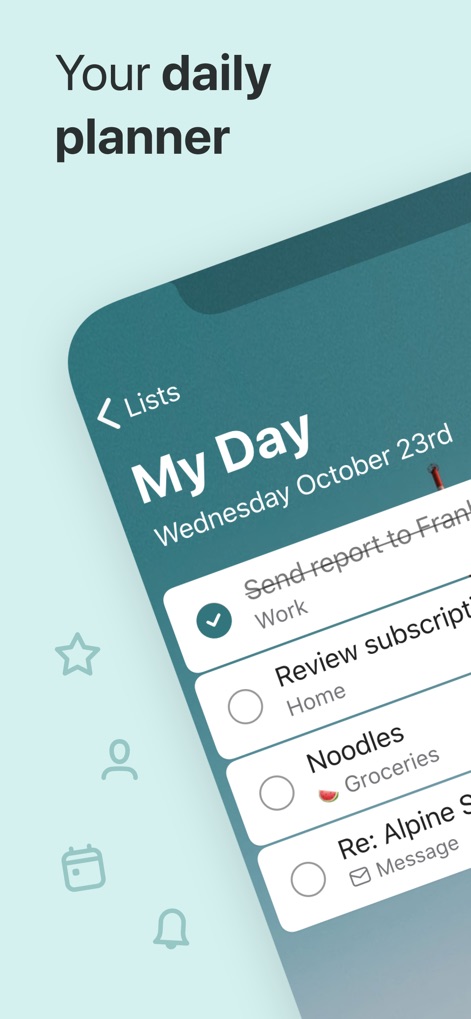
Daily Planning Simplified
Explore how the app's intuitive "My Day" feature organizes daily tasks with clear checkboxes and contextual categories like "Work" or "Groceries."

Collaborative Task Management
Observe how users can prioritize tasks with star icons and visualize team involvement through integrated user avatars within shared lists.
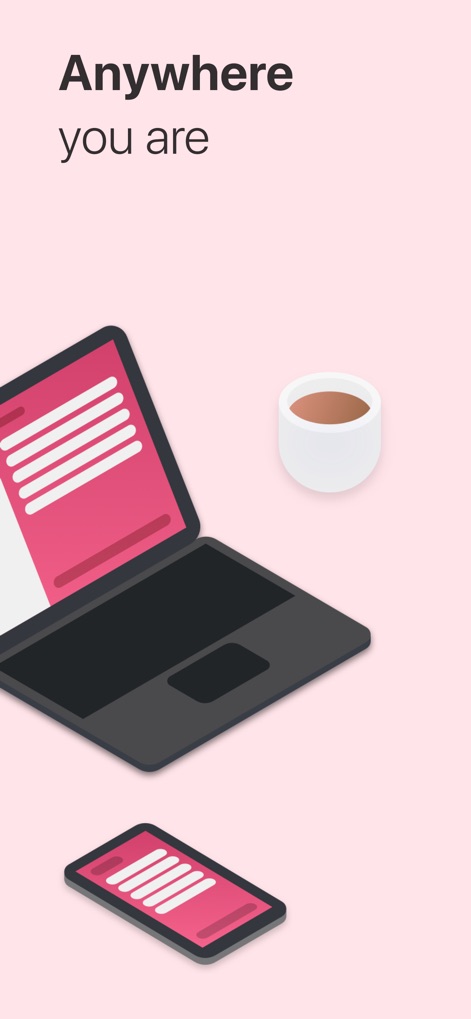
Seamless Cross-Platform
This tool ensures consistent productivity across devices, showcasing the synchronized interface on both smartphone and laptop displays.
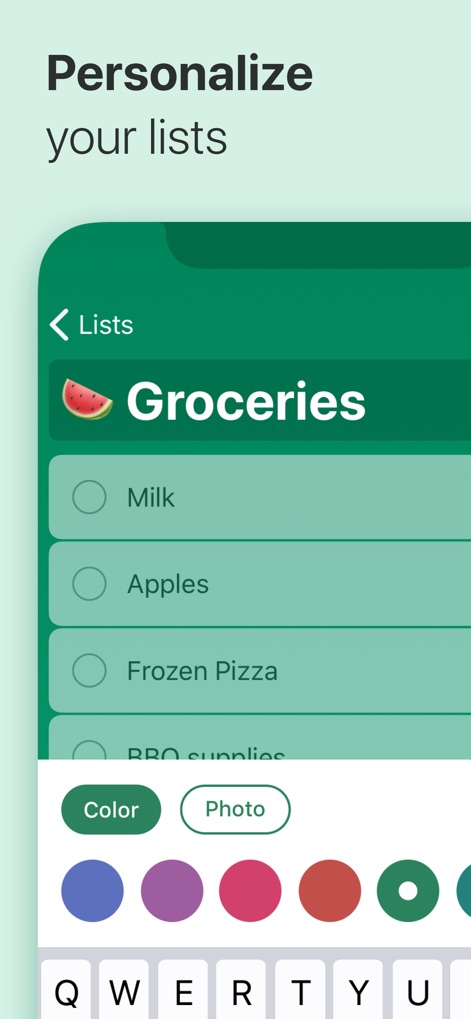
Personalize Your Flow
The app empowers users to tailor their experience with customizable list themes through various color options and engaging emoji integration in titles.
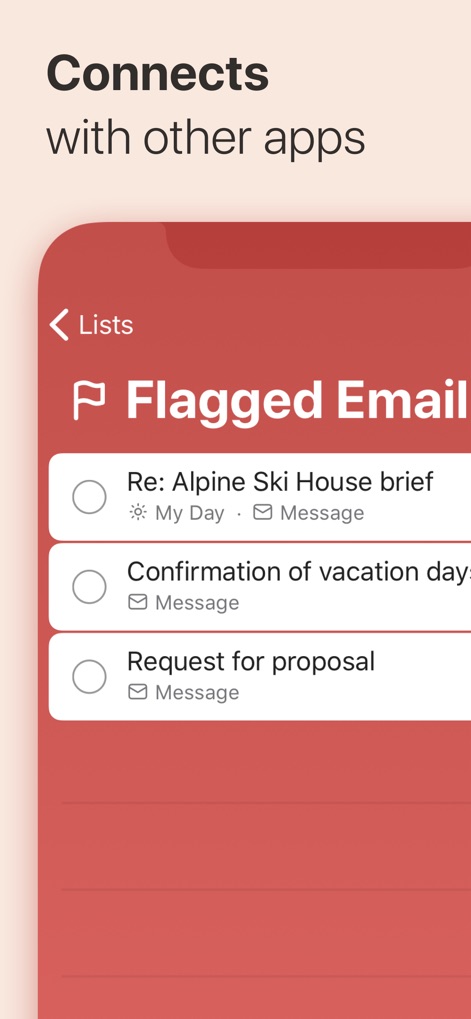
Integrated Productivity Hub
Witness the app's powerful synergy with other platforms, enabling users to transform flagged emails into actionable tasks within dedicated lists.

Wearable Task Control
Experience the convenience of managing tasks on the go, with the Apple Watch app displaying your "My Day" overview and current task counts.
Description
Download
More Like This
Apps with similar features and user experience

Notion: Notes, Tasks, AI
Notion Labs, Incorporated

Freenotes®: AI Notes Taking
Hangzhou Free Notes Technology Co., Ltd

Structured - Daily Planner
unorderly GmbH

Google Tasks: Get Things Done
Google LLC

TickTick:To-Do List & Calendar
Appest Limited

Noteful: Notes & PDF Markup
Noteful Technologies Ltd

Todoist: To Do List & Calendar
Doist Inc.

To do list MinimaList & Widget
Inner Grow Limited

monday.com - Work Platform
monday.com Ltd.
This page is not an official page of the app or its developer, but an independent editorial publication created for informational and commentary purposes. Unless expressly stated otherwise, neither the app nor its developer is affiliated with, endorsed by, sponsored by, authorized by, or otherwise officially connected with MWM, Apple, Google Play, the app publisher, or the app's developer, and nothing on this page implies that the app was developed using MWM's services. Any trademarks, logos, screenshots, and other content remain the property of their respective owners.