MobiPDF: The Expert PDF Editor, Scanner & Converter
Streamline your workflow with the all-in-one professional toolkit. Scan to editable PDF, eSign contracts, convert to Office formats, and secure your sensitive documents with industry-leading encryption—all from your mobile device.
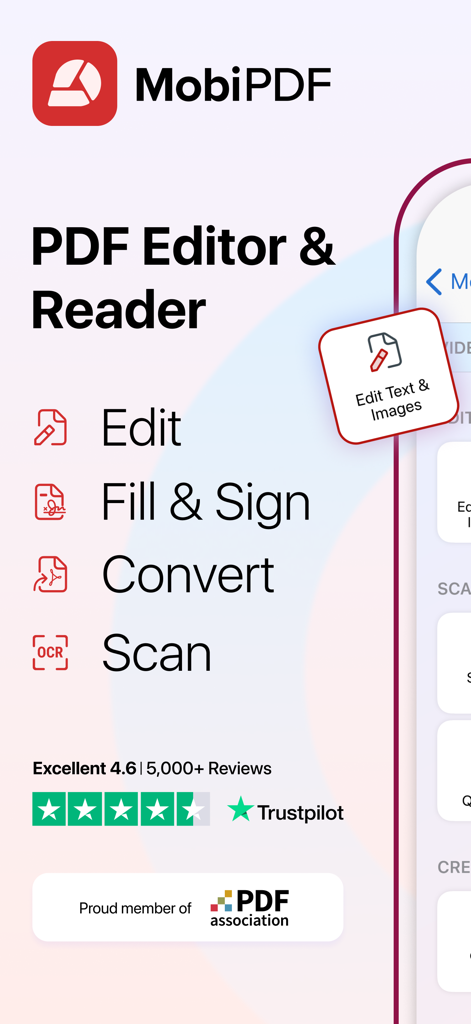
MobiPDF app highlighting key features like edit fill and sign convert and scan with a high Trustpilot rating
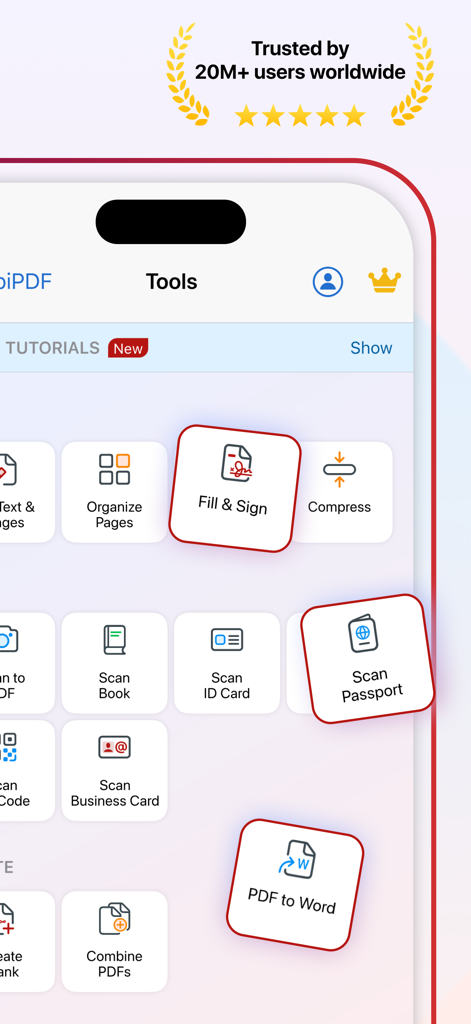
MobiPDF app interface displaying productivity tools including fill and sign scan passport and pdf to word conversion
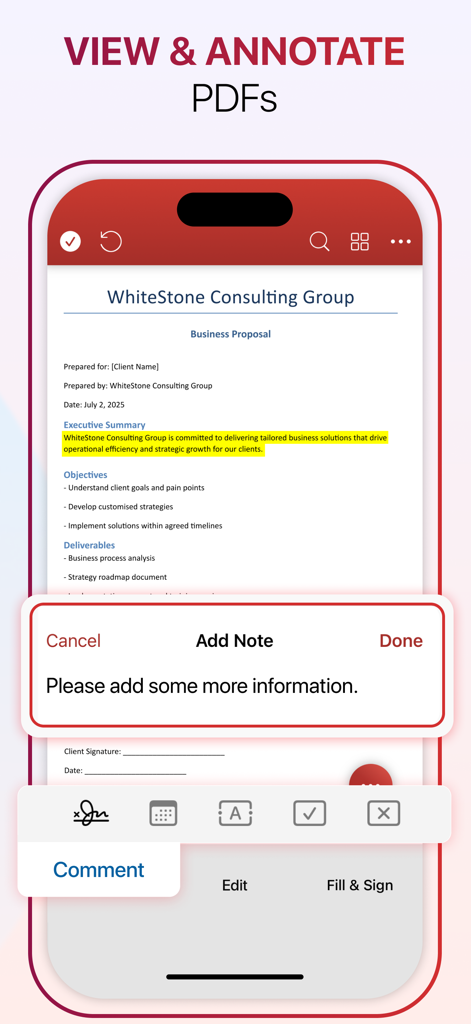
MobiPDF mobile app interface showing how to view and annotate a business proposal with highlights and notes.
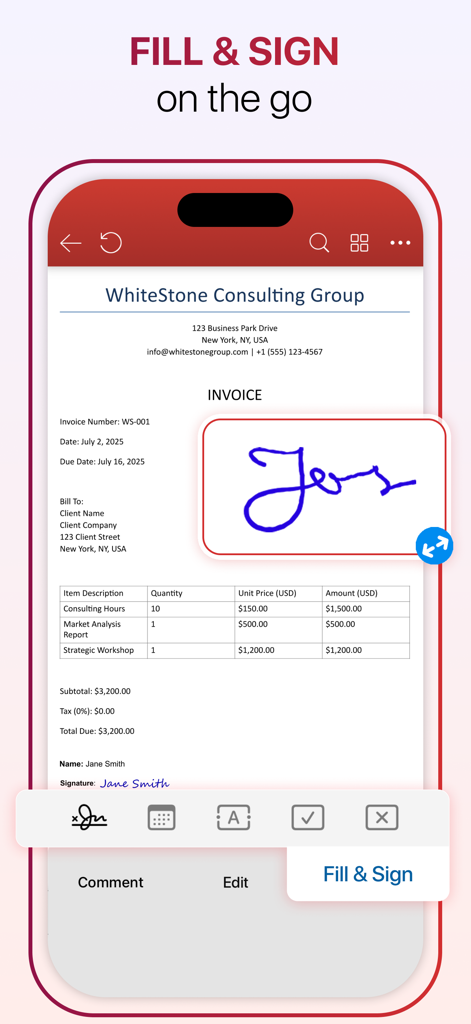
MobiPDF app interface showing a digital signature being added to a professional invoice on a mobile screen
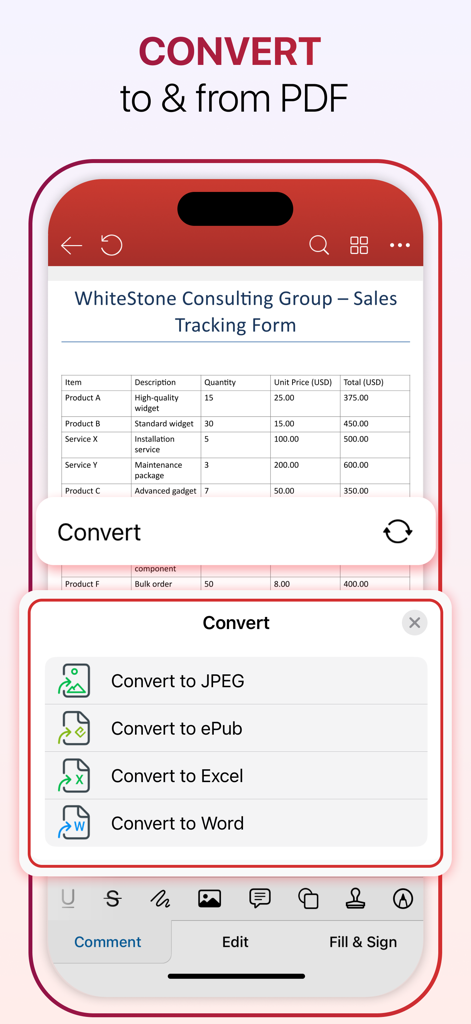
MobiPDF app interface showing options to convert PDF documents to Word Excel JPEG and ePub formats.
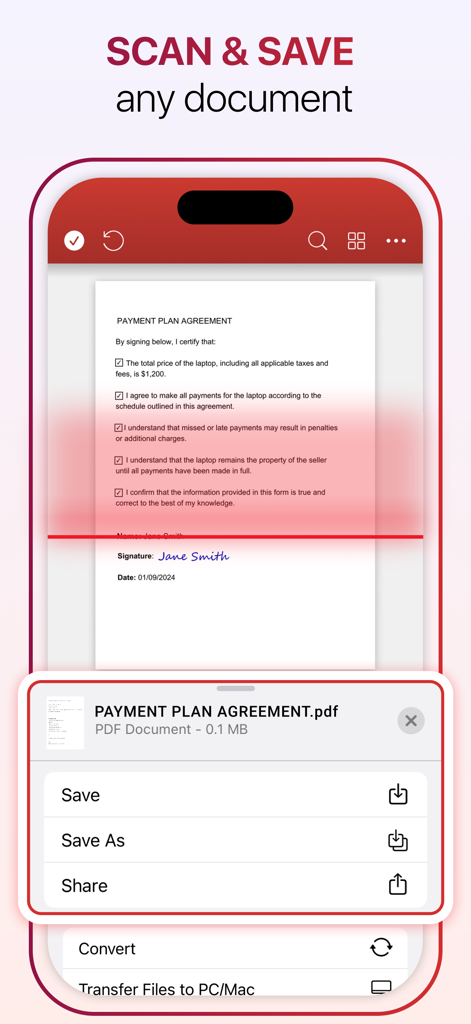
MobiPDF mobile app interface showing the scan and save feature with a payment plan agreement document
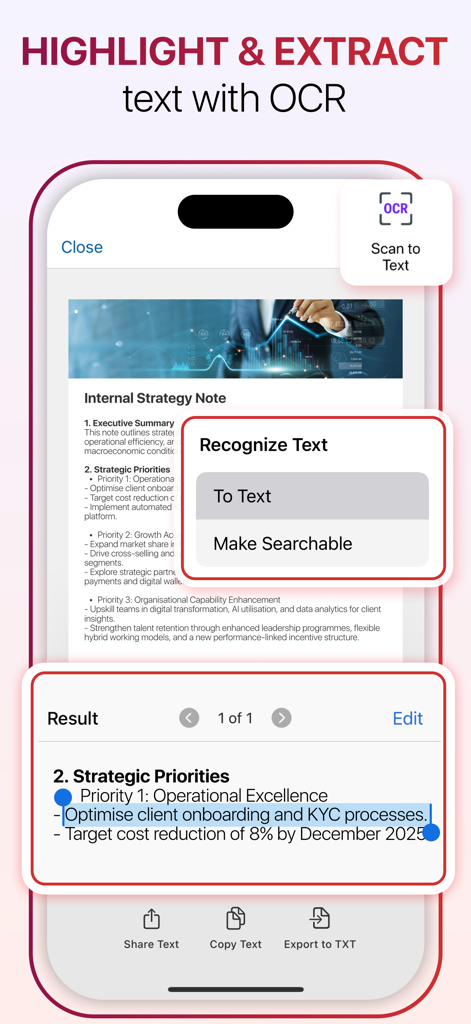
MobiPDF app screen showing how to highlight and extract text from a document using OCR.
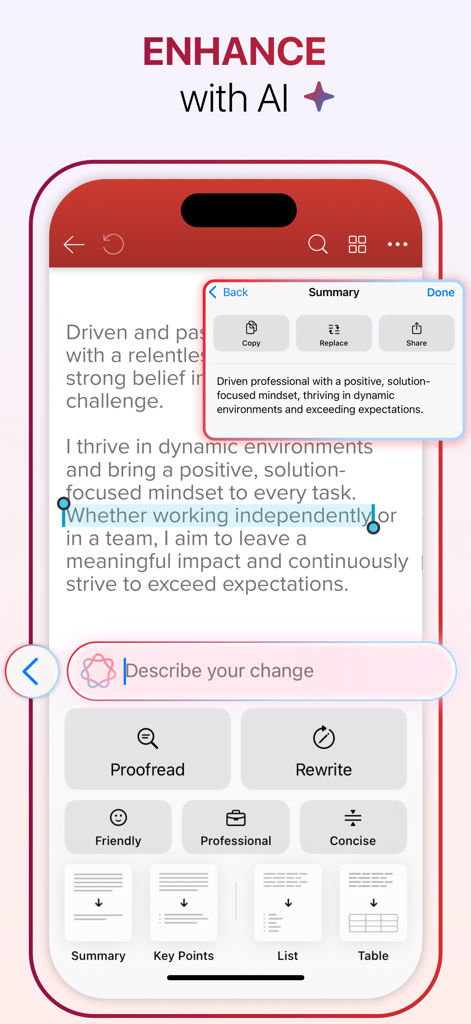
Smartphone screen showing MobiPDF AI features to summarize and rewrite document text
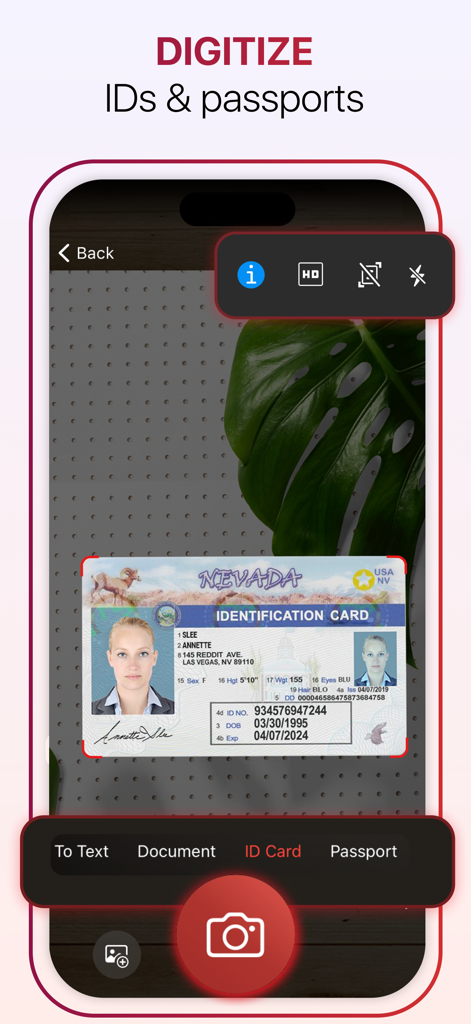
A smartphone using MobiPDF to scan and digitize a Nevada identification card.
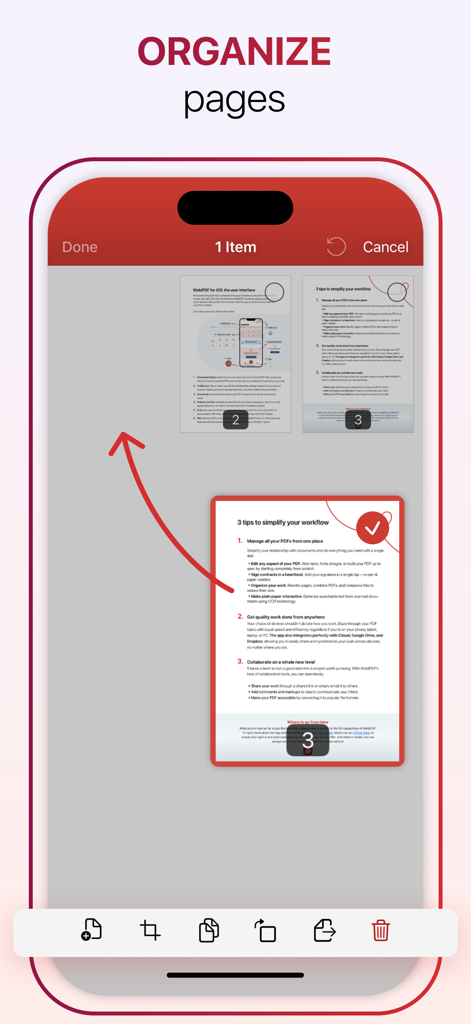
Interface of the MobiPDF app showing how to organize and rearrange PDF pages on a mobile device
Professional PDF Tools for Your Mobile Workflow
The tools that make this app stand out, trusted by 2M+ users.
✍️
Complete Mobile Editing
Modify text, images, and layouts directly on your device with the same control you have on a computer.
📸
Smart Scan & OCR
Transform physical paperwork into searchable, editable digital assets instantly using high-precision text recognition.
🔒
Secure Sign & Protect
Execute contracts with professional e-signatures and safeguard sensitive data using industry-leading encryption.
About the app
Everything you need to know about MobiPDF・PDF Text Editor・Reader.
Description
MobiPDF Editor and Scanner gives you a powerful collection of expert tools and features to quickly and easily view, review, edit, create, and secure PDFs on your phone, wherever you are.
MobiPDF is a proud member of the PDF Association.
SCAN TO PDF
Capture clear scans of your paper documents and convert them into editable PDF files. With MobiPDF, you can scan a variety of documents: from receipts, contracts, invoices, notes, certificates, and reports to IDs, passports, books and business cards.
RECOGNIZE TEXT (OCR)
Utilize OCR technology to recognize text from scans and images and easily share the recognized text by email, messaging apps, or upload it to the cloud.
EDIT PDF FILES
Access one of the most advanced mobile PDF editors on the market and edit PDFs, create blank PDFs, and insert, remove, or modify various document aspects including text, pictures, signatures, comments, drawings, certificates, and more.
FILL AND SIGN
Fill out and share forms and eSign documents, and contracts on the go with advanced support for fillable PDFs, enabling you to draw your signature directly on documents or reuse saved electronic signatures while making all the changes you need.
PRINT PDFs
Print PDF documents wirelessly straight from your phone.
CONVERT PDFs
Convert PDFs to Word, Excel, PowerPoint, or ePub formats while preserving the original layout and formatting, and save Word, Excel, PowerPoint, and ePub files as PDFs for easy sharing. Enjoy reliable conversion of PNG and JPEG images into editable PDF files or use the free PNG and JPEG converter within MobiPDF to easily turn PDF documents into images.
PROTECT PDFs
Protect your sensitive documents with passwords to lock, encrypt, and restrict user access and utilize digital certificates for authenticity validation.
BACK-UP YOUR SCANS AND PDFs
Log into your account to access 5GB of free cloud storage on MobiDrive. Upgrade to MobiPDF Premium for an additional 50GB of storage.
VIEW AND COMMENT
Enhance your reading experience with MobiPDF's advanced PDF viewer and easily switch different page modes or enable Read More for distraction-free reading. Easily add comments, use drawing tools, highlight and markup text, insert stamps, or attach files to your PDF.
ORGANIZE PAGES IN PDFs
Enjoy full control over your PDF documents: view, rearrange, insert, delete, extract, duplicate, and rotate pages or merge PDFs into one to create your perfectly organized PDF layout.
PRICING & SUBSCRIPTIONS
MobiPDF offers auto-renewable subscriptions.
● Your free trial subscription will automatically renew to a paid subscription unless you cancel at least 24 hours before the end of the free trial period.
● Any unused portion of a free trial period (if offered) will be forfeited when you purchase a premium subscription.
● You can cancel a free trial or subscription anytime through your iTunes account settings. This must be done 24 hours before the end of a free trial or subscription period to avoid being charged. The cancellation will take effect the day after the last day of the current subscription period, and you will be downgraded to the free service.
Help Centre: https://support.mobisystems.com/hc/en-us/sections/20794399449757-iOS
Privacy Policy: https://mobisystems.com/en-us/terms-of-use
Terms of Use: https://mobisystems.com/en-us/privacy-policy
Latest Version
6.1
Size
235.0 MB
First Released
Jan 19, 2021
Ready to Master Your Documents on the Go?
Join over 2 million professionals using MobiPDF to scan, edit, and sign documents with expert-level precision—anytime, anywhere.
FAQ
Frequently Asked Questions
Everything you need to know about MobiPDF・PDF Text Editor・Reader

What is MobiPDF?
MobiPDF is a mobile PDF editor and scanner. It provides expert tools to view, review, edit, create, and secure PDF files directly on your phone, offering a comprehensive solution for PDF management.
Can I edit text and images in PDF files using MobiPDF?
Yes, MobiPDF allows you to edit PDF files. You can insert, remove, or modify various document aspects including text, pictures, signatures, comments, drawings, and certificates using its advanced mobile PDF editor.
Does MobiPDF include OCR technology?
Yes, MobiPDF integrates OCR (Optical Character Recognition) technology. This feature recognizes text from scans and images, allowing users to easily share the recognized text by email, messaging apps, or upload it to the cloud.
How can I sign documents with MobiPDF?
MobiPDF provides a "Fill and Sign" feature that enables users to fill out forms and eSign documents and contracts on the go. You can draw your signature directly on documents or reuse saved electronic signatures.
Can MobiPDF convert PDF files to other formats?
Yes, MobiPDF converts PDFs to Word, Excel, PowerPoint, and ePub, preserving original layouts. It also converts Word, Excel, PowerPoint, and ePub files to PDF, and PNG/JPEG images to editable PDFs or turns PDFs into images.
Does MobiPDF offer cloud storage?
Yes, MobiPDF provides 5GB of free cloud storage on MobiDrive when you log into your account. Users can upgrade to MobiPDF Premium for an additional 50GB of cloud storage.
How do MobiPDF subscriptions work?
MobiPDF offers auto-renewable subscriptions. A free trial automatically converts to a paid subscription unless canceled at least 24 hours before its period ends, manageable through your iTunes account settings.
Can MobiPDF scan physical documents?
Yes, MobiPDF allows you to capture clear scans of paper documents such as receipts, contracts, invoices, IDs, passports, and books, converting them into editable PDF files.
Does MobiPDF allow for organizing PDF pages?
Yes, MobiPDF offers full control over PDF page organization. Users can view, rearrange, insert, delete, extract, duplicate, and rotate pages, or merge multiple PDFs into one document.
Can I secure my PDF documents with MobiPDF?
Yes, MobiPDF allows you to protect sensitive documents with passwords to lock, encrypt, and restrict user access. It also supports the use of digital certificates for authenticity validation.
What annotation features does MobiPDF provide?
MobiPDF's advanced viewer enhances reading with comments, drawing tools, highlighting, text markup, stamps, and file attachments. It also supports different page modes for distraction-free reading.
Is MobiPDF a member of the PDF Association?
Yes, MobiPDF is a proud member of the PDF Association, indicating its commitment to industry standards and best practices in PDF technology.
How do I cancel my MobiPDF free trial?
To cancel your MobiPDF free trial, you must do so through your iTunes account settings at least 24 hours before the free trial period ends to avoid being charged.
Does MobiPDF use AI features?
Yes, MobiPDF enhances documents with AI features. These include proofreading, rewriting, summarizing text, generating key points, lists, and tables directly within your documents.
App information, icons, screenshots, and descriptions displayed on this page are sourced from the Apple App Store and are the property of their respective developers. Download estimates and rankings are based on MWM's proprietary models and may not reflect actual figures. This page is provided for informational and analytical purposes only.
Believe this page infringes your intellectual property? File a dispute