
This page is not an official page of the app or its developer, but an independent editorial publication created for informational and commentary purposes. Unless expressly stated otherwise, neither the app nor its developer is affiliated with, endorsed by, sponsored by, authorized by, or otherwise officially connected with MWM, Apple, Google Play, the app publisher, or the app's developer, and nothing on this page implies that the app was developed using MWM's services. Any trademarks, logos, screenshots, and other content remain the property of their respective owners.


MR Star
Beyond basic control, MR Star makes your lights dance to your whims, transforming dull rooms into vibrant experiences.
Downloads
250k+User Rating
Total Ratings
91Publisher
Category
LifestyleLocales
15Latest Version
1.1.1Size
31.7 MBFirst Released
Jan 19, 2022An evaluation of core functionalities and user benefits for connected LED illumination.
MR Star: Smart Home Lighting Control Analysis
Smart Life Mode Automation
It allows users to activate a 'smart life mode,' providing advanced automation for LED lighting, enabling scheduled changes, responsive effects, and integrated smart home routines to enhance daily living.
Dynamic Color & Brightness Control
The app provides comprehensive control over smart LED lights, enabling users to precisely adjust colors, brightness levels, and color temperatures for personalized ambiance and dynamic illumination.
Personalized Scene Creation
It enables users to create and save custom lighting scenes, facilitating quick transitions between various moods and activities, from vibrant party settings to relaxing ambient glows.
Bluetooth Device Management
This tool features robust Bluetooth connectivity, allowing seamless pairing and control of compatible smart LED lighting devices, ensuring a reliable foundation for smart home integration.
Frequently Asked Questions
Everything you need to know about MR Star
What is the MR Star app?
The MR Star app is a controller application designed to connect and manage Bluetooth devices. It activates smart life modes to enhance users' quality of life.
How does the MR Star app connect to smart devices?
The MR Star app connects to smart devices using Bluetooth technology. This enables control and interaction with compatible hardware, improving the user experience.
Can MR Star control smart light colors?
Yes, the MR Star app controls smart light colors. It features a color wheel, brightness slider, and preset color options to customize connected devices.
What light modes are available in the MR Star app?
The MR Star app offers various light modes, including Basic, Transition, Flowing Water, and Running. Users can also adjust speed and enable an Automatic Cycle for dynamic lighting.
Does the MR Star app support microphone input for lighting effects?
Yes, the MR Star app supports microphone input. Users can choose between the phone's internal or an external microphone to interact with lighting effects, visualized by a waveform.
Can I set on/off timers for devices using the MR Star app?
Yes, the MR Star app provides timer functionality. Users can schedule specific times to turn devices on or off, with options to select particular days of the week.
Does MR Star play music?
Yes, the MR Star app includes music playback features. It provides controls for playing, pausing, skipping tracks, and managing a playlist within the application.
How do I bind new devices to the MR Star app?
The MR Star app allows binding new devices. Users can view already bound devices and utilize a scan function to discover and connect new Bluetooth-enabled hardware.
The following screenshots and description are sourced directly from the app's official store listing and are the property of the app developer.
App Store
Screenshots

Explore MR Star's intuitive color wheel for dynamic hue selection and precisely adjust brightness with the integrated slider.
Color Control Hub
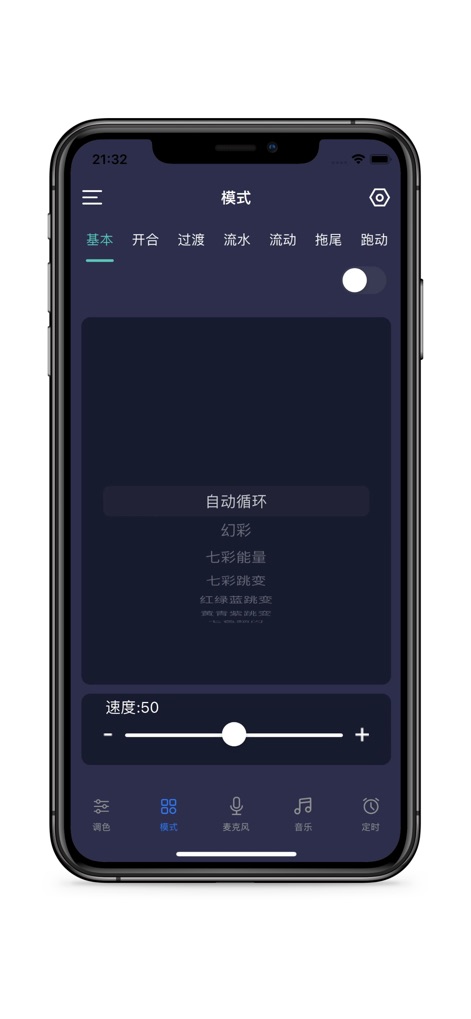
Discover a variety of captivating lighting modes through the mode selection tabs and fine-tune effect intensity with the speed slider.
Dynamic Light Modes
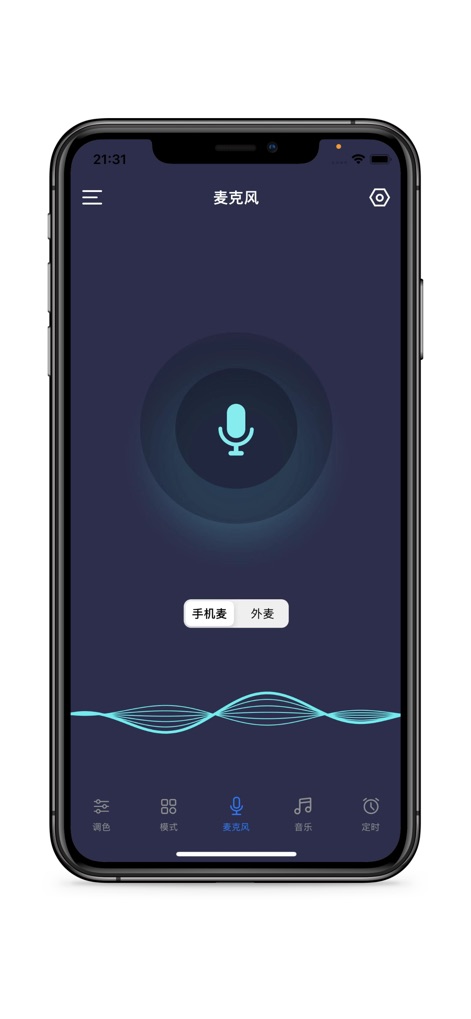
Experience lights that respond to sound with the microphone input and visualize audio activity through the dynamic waveform display.
Sound Reactive Lighting

Easily manage connected Bluetooth devices, reviewing bound devices and initiating new device scans for seamless integration.
Device Management
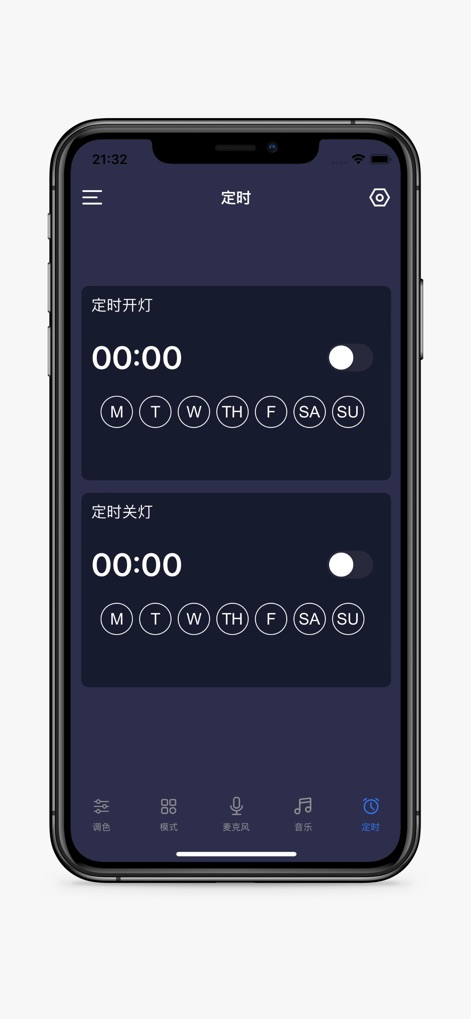
Set precise schedules for lights to turn on and off automatically, leveraging the intuitive time selectors and flexible day-of-week toggles.
Automated Lighting Schedules

Enjoy seamless music integration with clear playback controls and easily navigate through tracks using the comprehensive playlist display.
Integrated Music Playback
Description
Download
More Like This
Apps with similar features and user experience

小米音箱
Beijing Xiaomi Co., Ltd

Starlink
Space Exploration Technologies Corp.

Bambu Handy
Shanghai Lunkuo Technology Co., Ltd

DREO
HESUNG INNOVATION LIMITED

My Verisure
Securitas Direct

Whisker
Automated Pet Care Products Inc.

geeni
Merkury Innovations LLC

ADT+
ADT LLC

X-Sense Home Security
X-Sense USA LLC.
This page is not an official page of the app or its developer, but an independent editorial publication created for informational and commentary purposes. Unless expressly stated otherwise, neither the app nor its developer is affiliated with, endorsed by, sponsored by, authorized by, or otherwise officially connected with MWM, Apple, Google Play, the app publisher, or the app's developer, and nothing on this page implies that the app was developed using MWM's services. Any trademarks, logos, screenshots, and other content remain the property of their respective owners.