
This page is not an official page of the app or its developer, but an independent editorial publication created for informational and commentary purposes. Unless expressly stated otherwise, neither the app nor its developer is affiliated with, endorsed by, sponsored by, authorized by, or otherwise officially connected with MWM, Apple, Google Play, the app publisher, or the app's developer, and nothing on this page implies that the app was developed using MWM's services. Any trademarks, logos, screenshots, and other content remain the property of their respective owners.

MTools BLE RFID Reader
Take full control of ChameleonUltra, PN532, and Magic Cards directly from your iPhone. Read, write, and simulate Mifare tags with a professional-grade GUI designed for advanced field research and penetration testing.
Downloads
12K+User Rating
Total Ratings
100Publisher
Category
UtilitiesLocales
1Latest Version
152.02.02Size
49.8 MBFirst Released
Sep 19, 2020Advanced Hardware Control for Security Experts
The ultimate mobile suite for ChameleonUltra, PN532, and Magic Card management—designed for professionals who need precision in the field.
Unified Device Management
Take full control of ChameleonUltra slots, PN532 modules, and Pixl.js firmware via a streamlined BLE interface.
Advanced Tag Cloning
Write to Gen1A through Gen4 Magic Cards with hex-level dump editing and comprehensive UID/SAK/ATQA configuration.
The following screenshots and description are sourced directly from the app's official store listing and are the property of the app developer.
App Store
Screenshots
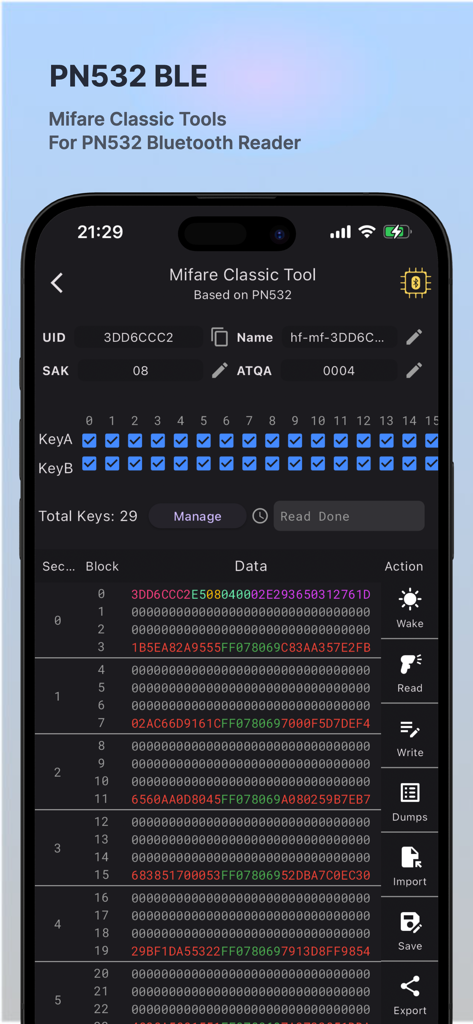
MTools BLE RFID Reader app displaying the Mifare Classic Tool interface with hex data and tag information
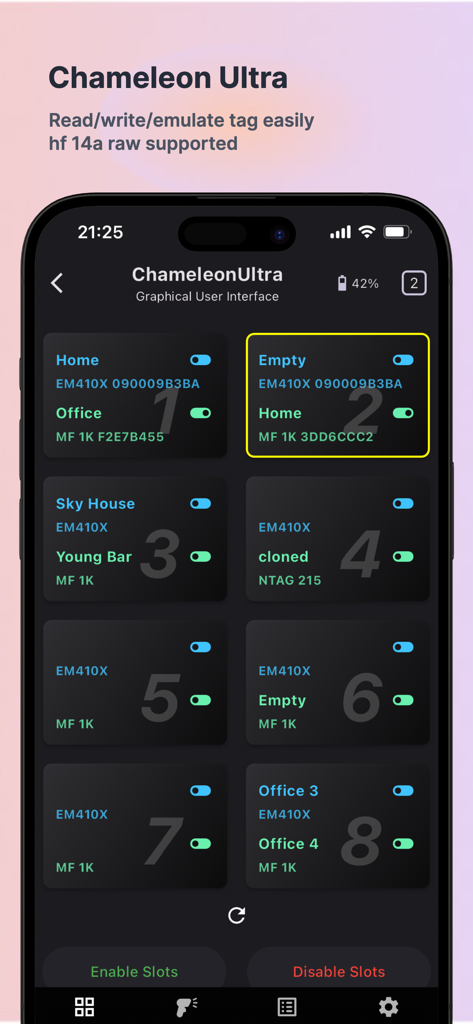
ChameleonUltra slot manager interface in MTools BLE app for managing and emulating RFID tags
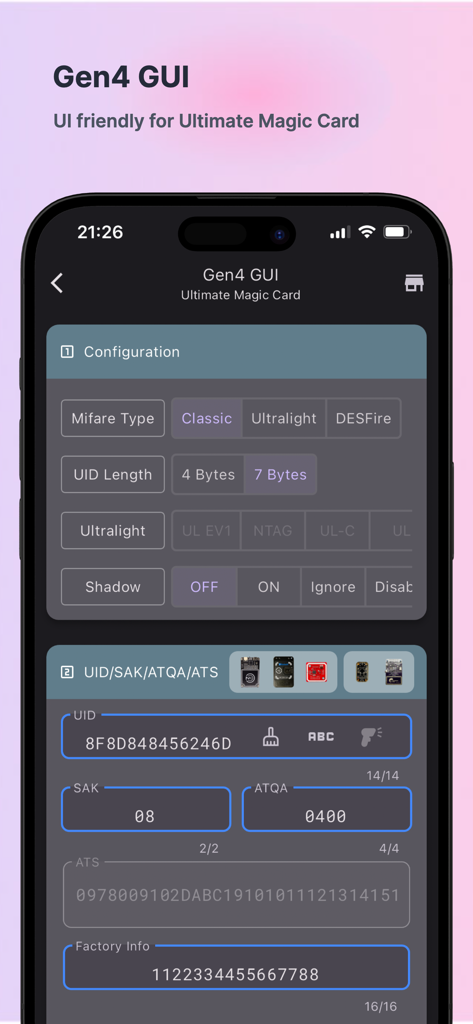
Gen4 GUI interface for configuring Ultimate Magic Cards and RFID tag settings
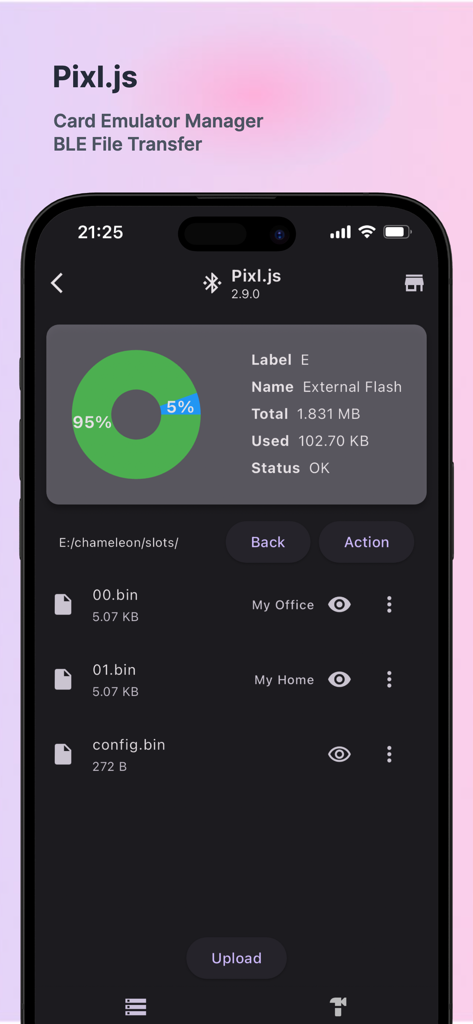
MTools BLE app interface showing Pixl.js card emulator manager with storage statistics and binary files list.
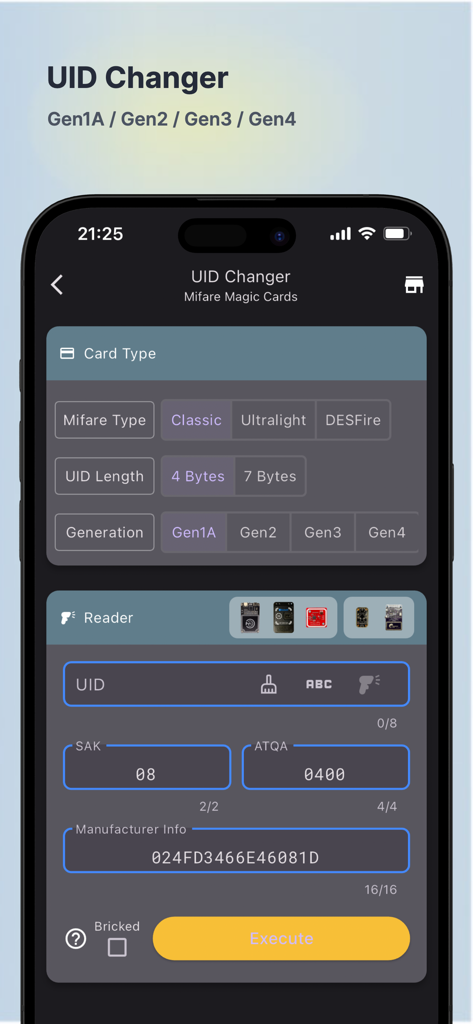
UID Changer interface for Mifare Magic Cards in the MTools BLE RFID Reader app
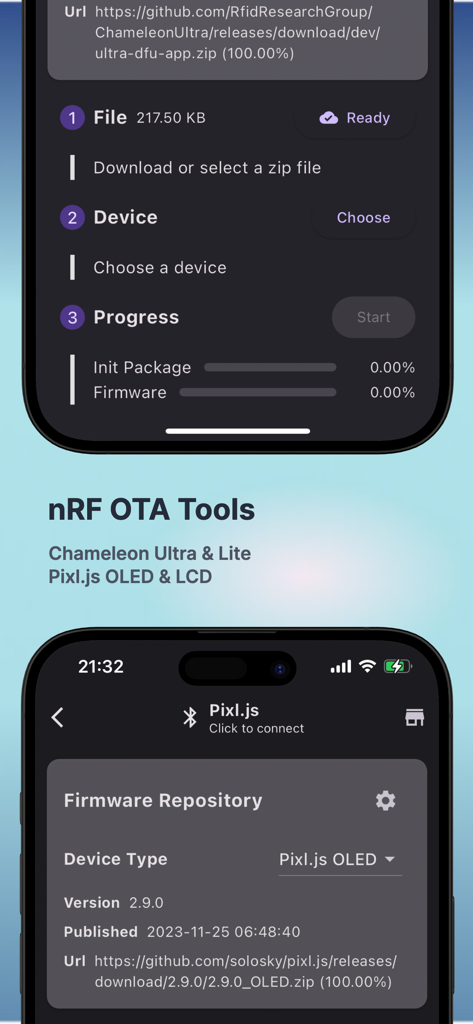
MTools BLE app screen displaying nRF OTA tools for firmware updates on Chameleon Ultra and Pixl.js hardware
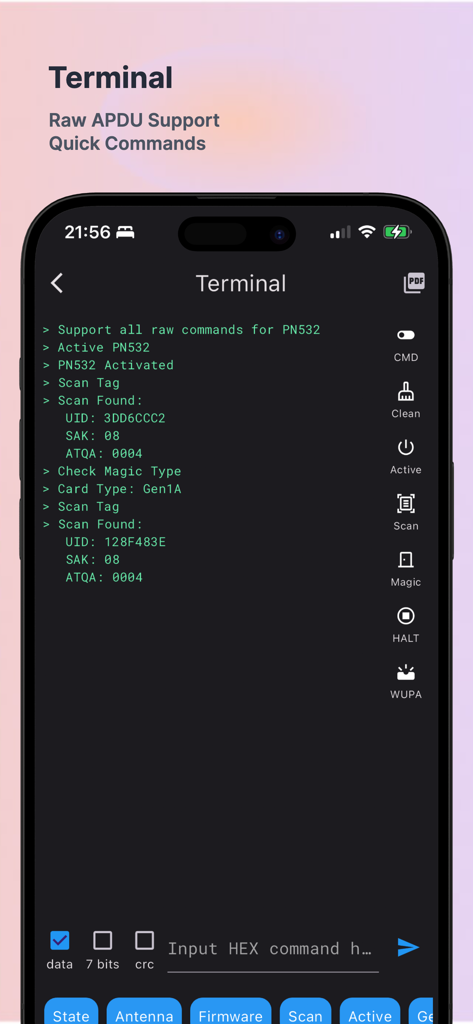
Terminal interface of MTools BLE RFID Reader showing raw APDU command logs and tag scan results
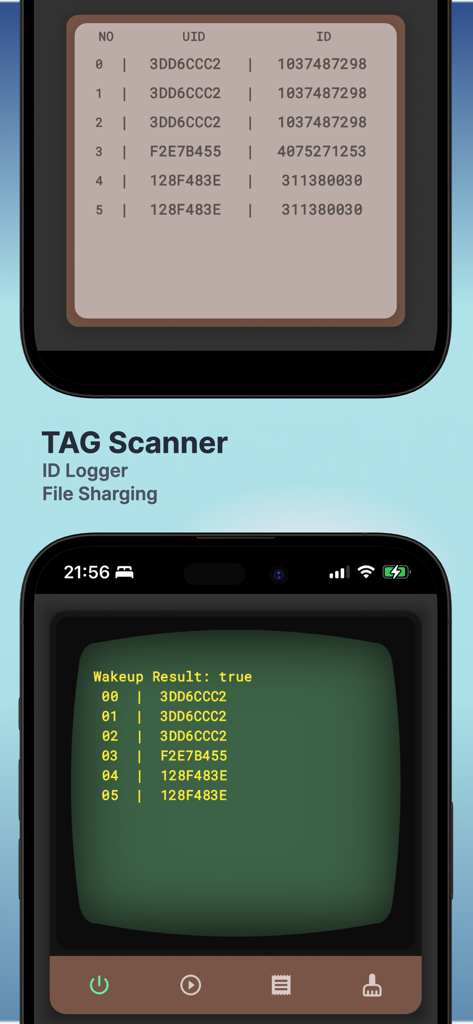
Tag Scanner interface of MTools BLE RFID Reader showing scanned tag IDs and UIDs in a logger
Description
Download
More Like This
Top-ranked apps in the same category

Google LLC

Google Chrome
Google LLC

中国移动(手机营业厅)
China Mobile Online Services Co., Ltd.

Google Authenticator
Google LLC

CNH do Brasil
Servicos e Informacoes do Brasil

Cleanup: Phone Storage Cleaner
DEEP FLOW SOFTWARE SERVICES - FZCO

gov.br
Servicos e Informacoes do Brasil

中国电信-全国统一官方服务平台
CHINA TELECOM Corporation Ltd.

Microsoft Edge: AI Browser
Microsoft Corporation
This page is not an official page of the app or its developer, but an independent editorial publication created for informational and commentary purposes. Unless expressly stated otherwise, neither the app nor its developer is affiliated with, endorsed by, sponsored by, authorized by, or otherwise officially connected with MWM, Apple, Google Play, the app publisher, or the app's developer, and nothing on this page implies that the app was developed using MWM's services. Any trademarks, logos, screenshots, and other content remain the property of their respective owners.