
This page is not an official page of the app or its developer, but an independent editorial publication created for informational and commentary purposes. Unless expressly stated otherwise, neither the app nor its developer is affiliated with, endorsed by, sponsored by, authorized by, or otherwise officially connected with MWM, Apple, Google Play, the app publisher, or the app's developer, and nothing on this page implies that the app was developed using MWM's services. Any trademarks, logos, screenshots, and other content remain the property of their respective owners.

MultiTimer: Stopwatch + Timer
Break free from the limits of your native clock with unlimited simultaneous timers and a precision stopwatch. Designed for the busy multitasker, our large, glanceable display and reliable alerts ensure you never miss a beat in the kitchen, the gym, or the office.
Downloads
35K+User Rating
Total Ratings
600Publisher
Category
UtilitiesLocales
27Latest Version
1.10.5Size
90.6 MBFirst Released
Feb 7, 2019Master Every Minute of Your Busy Day
Stop settling for basic clock apps. Timer Plus is built for high-performance multitaskers who need professional-grade precision for cooking, fitness, and productivity.
Unlimited Multi-Timing
Manage your kitchen, laundry, and work deadlines all at once. Run independent timers simultaneously to keep your entire household on schedule.
High-Visibility Display
Large, bold numbers and a visual progress bar make it easy to track your remaining time from across the room or gym floor at a single glance.
Frequently Asked Questions
Everything you need to know about MultiTimer: Stopwatch + Timer
What are the main features of the MultiTimer: Stopwatch + Timer app?
MultiTimer: Stopwatch + Timer provides an easy-to-use timer with unlimited timers, sound alerts, and a flashing display. It also includes a stopwatch with a lap feature and clear lap display.
Can I set multiple timers simultaneously in MultiTimer app?
Yes, the MultiTimer app allows users to add and run unlimited timers simultaneously. This feature helps manage various tasks efficiently.
Does MultiTimer: Stopwatch + Timer include a stopwatch function?
Yes, MultiTimer: Stopwatch + Timer features a stopwatch with a lap function and a clear display showing lap times and total time in minutes, seconds, and milliseconds.
How does MultiTimer: Stopwatch + Timer alert me when a timer finishes?
The MultiTimer app alerts users when a timer ends by making a noise and displaying a flashing screen, eliminating the need to constantly monitor the phone.
Can I customize the appearance of the MultiTimer app?
Yes, the MultiTimer app supports themes. Users can switch to different visual styles, including a dark mode, to personalize the app's appearance.
How do I switch between the timer and stopwatch functions in MultiTimer: Stopwatch + Timer?
Users can switch between the timer and stopwatch functions with just one tap within the MultiTimer app interface for quick navigation.
Is it easy to start a timer in the MultiTimer app?
Yes, starting a timer in the MultiTimer app is simple. Users just set the desired time and press the play button to begin.
What units of time does the MultiTimer app display for the stopwatch?
The stopwatch in MultiTimer: Stopwatch + Timer displays time in minutes, seconds, and milliseconds, providing precise measurements for tracking.
The following screenshots and description are sourced directly from the app's official store listing and are the property of the app developer.
App Store
Screenshots
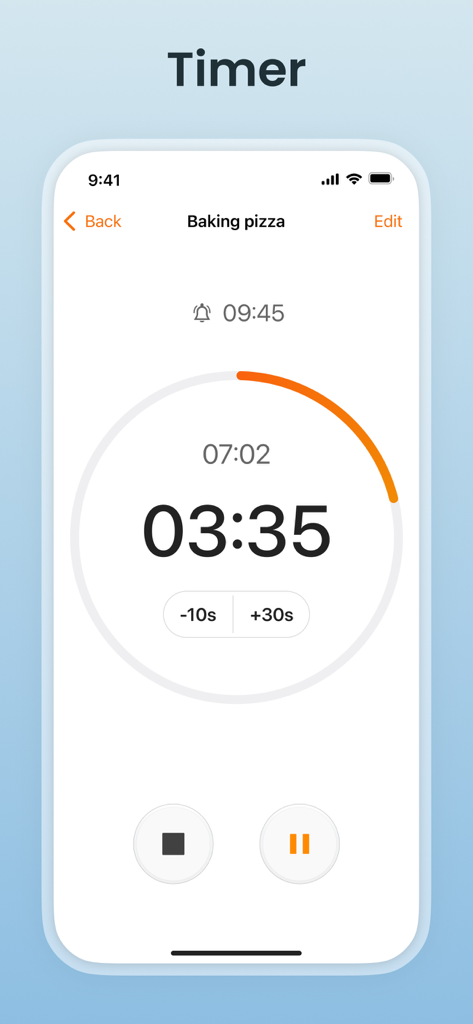
Active countdown timer for baking pizza on the MultiTimer app interface
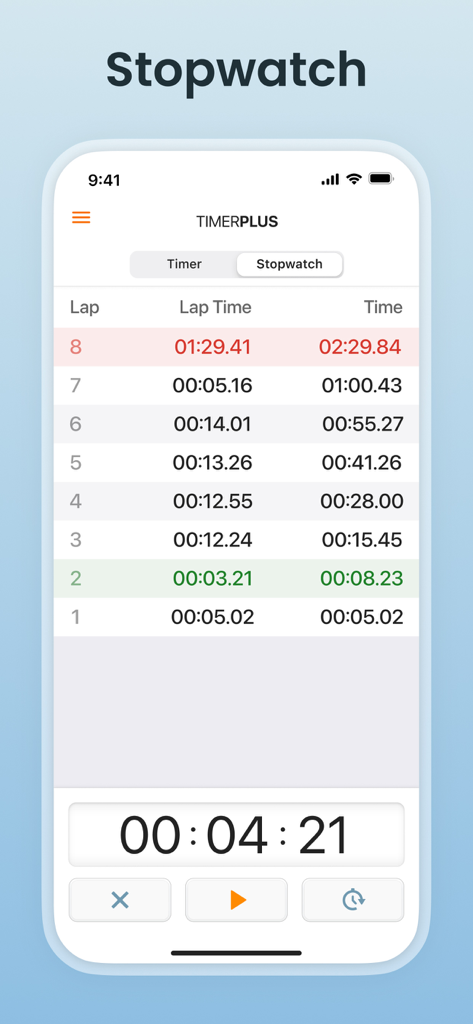
MultiTimer app stopwatch screen showing a list of eight recorded laps with lap times and a large digital display at the bottom.
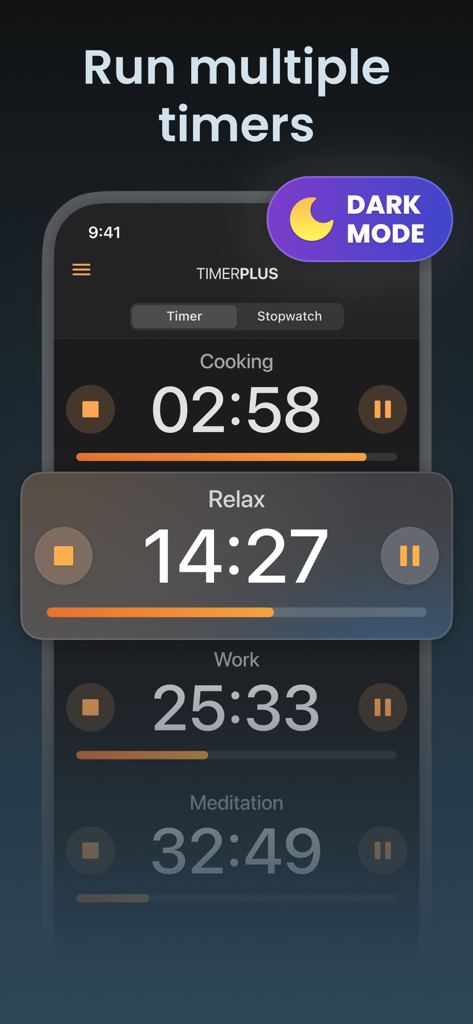
MultiTimer app interface in dark mode showing multiple simultaneous timers for cooking and work
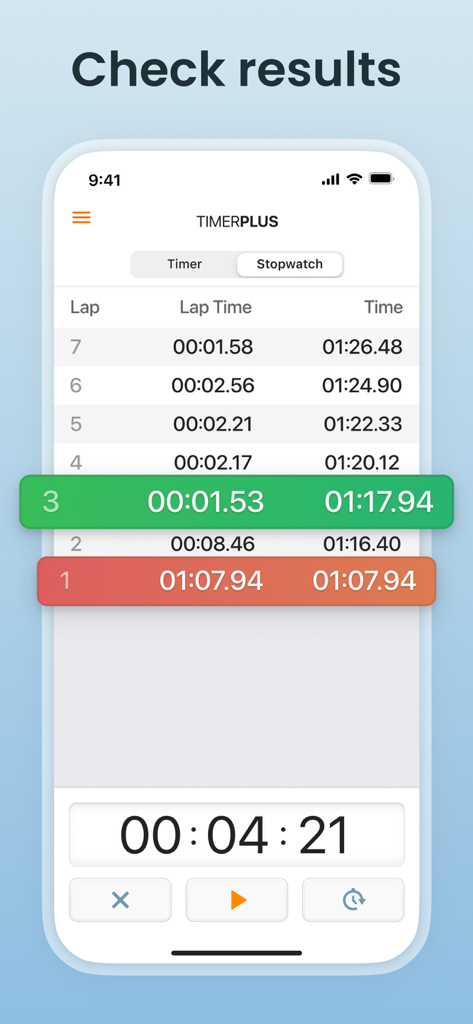
MultiTimer app stopwatch interface showing a list of lap times with color highlights for performance tracking.
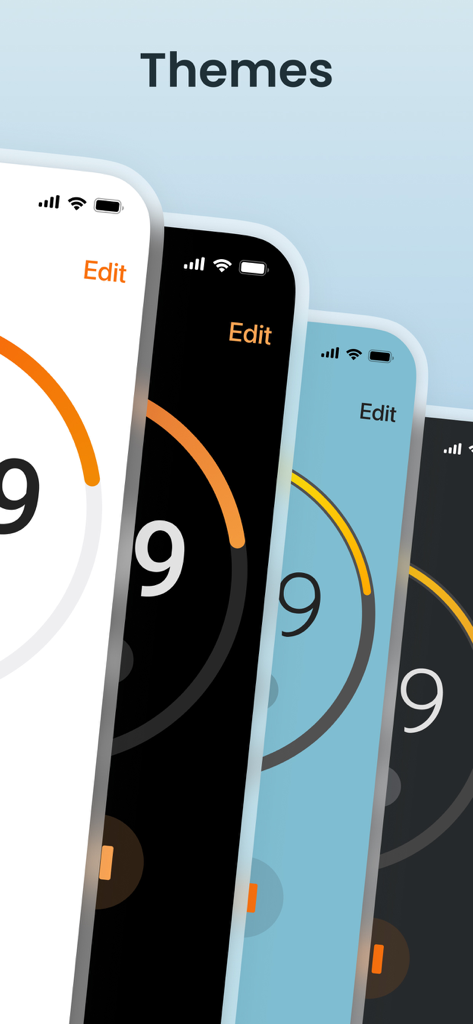
Different color theme options for the MultiTimer app interface
Description
Download
More Like This
Top-ranked apps in the same category

Google LLC

Google Chrome
Google LLC

中国移动(手机营业厅)
China Mobile Online Services Co., Ltd.

Google Authenticator
Google LLC

CNH do Brasil
Servicos e Informacoes do Brasil

Cleanup: Phone Storage Cleaner
DEEP FLOW SOFTWARE SERVICES - FZCO

gov.br
Servicos e Informacoes do Brasil

中国电信-全国统一官方服务平台
CHINA TELECOM Corporation Ltd.

Microsoft Edge: AI Browser
Microsoft Corporation
This page is not an official page of the app or its developer, but an independent editorial publication created for informational and commentary purposes. Unless expressly stated otherwise, neither the app nor its developer is affiliated with, endorsed by, sponsored by, authorized by, or otherwise officially connected with MWM, Apple, Google Play, the app publisher, or the app's developer, and nothing on this page implies that the app was developed using MWM's services. Any trademarks, logos, screenshots, and other content remain the property of their respective owners.