My Scans PRO, pdf scanner app

My Scans PRO, pdf scanner app

Download on App Store
Logo of My Scans PRO, pdf scanner app

My Scans PRO: The Ultimate Mobile PDF Scanner for Professionals

Transform your iPhone into a high-powered paperless office. Effortlessly scan, OCR, and fax documents with secure cloud sync and intelligent organization.

Publisher

TOP APP d.o.o.

Category

Productivity

Downloads

362K+

User Rating

4.8/5

Total Ratings

24K+

Locales

20

Efficiency Visualized

Discover the interface used by 362K+ users.
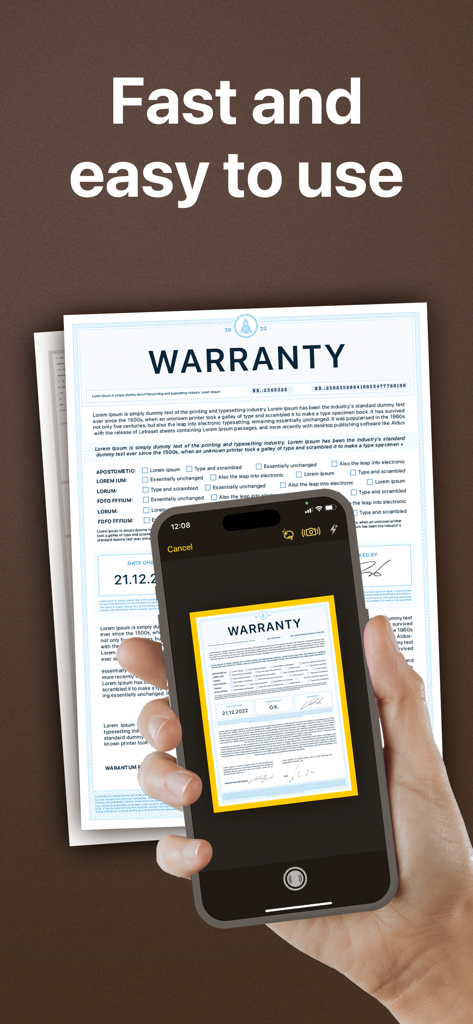
A person using a smartphone to scan a warranty document with automatic edge detection in the My Scans PRO app

A person using a smartphone to scan a warranty document with automatic edge detection in the My Scans PRO app

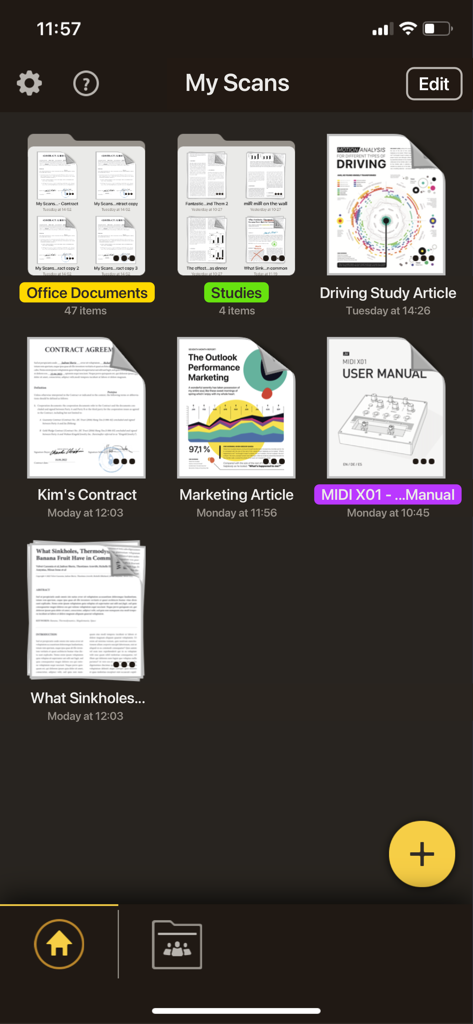
My Scans PRO app main screen showing a grid of organized document folders and scanned PDF files like contracts and manuals.

My Scans PRO app main screen showing a grid of organized document folders and scanned PDF files like contracts and manuals.

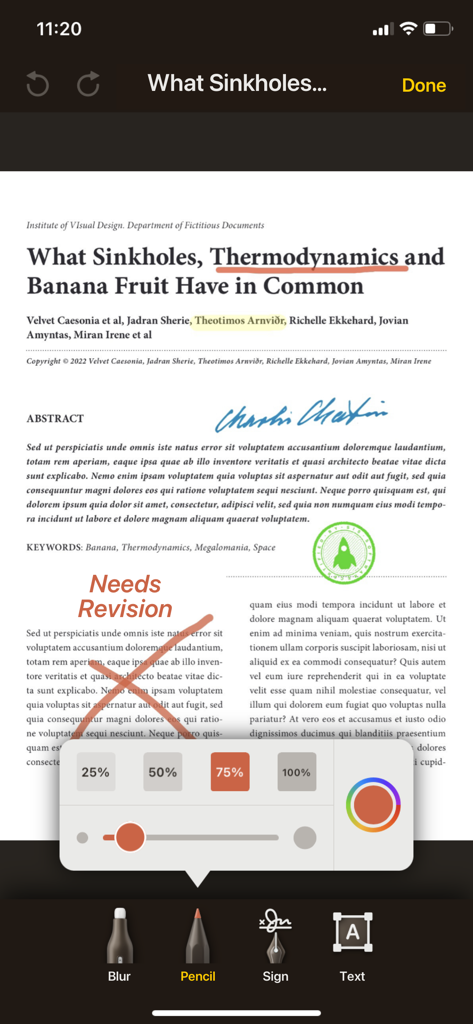
An iPhone interface showing document annotation tools in My Scans PRO with text highlighting and red pencil marks on a PDF.

An iPhone interface showing document annotation tools in My Scans PRO with text highlighting and red pencil marks on a PDF.

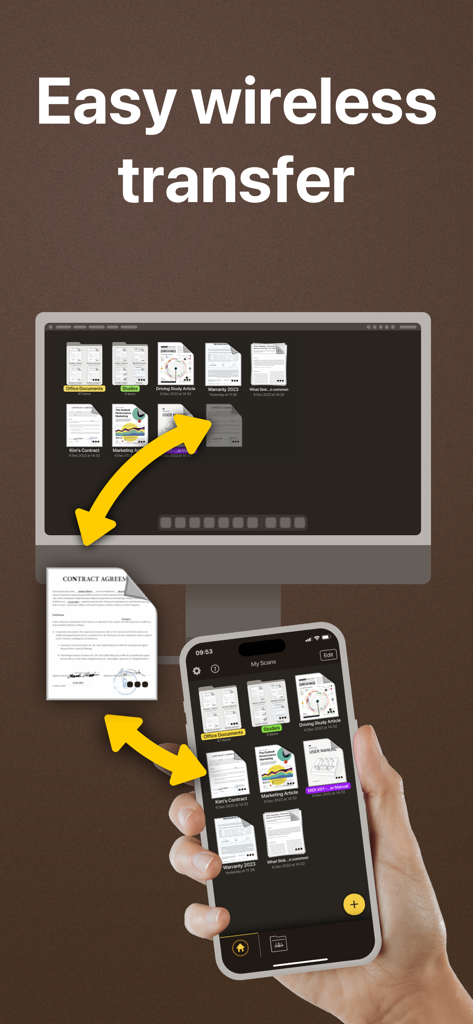
Easy wireless transfer and synchronization of scanned documents between an iPhone and a desktop computer

Easy wireless transfer and synchronization of scanned documents between an iPhone and a desktop computer

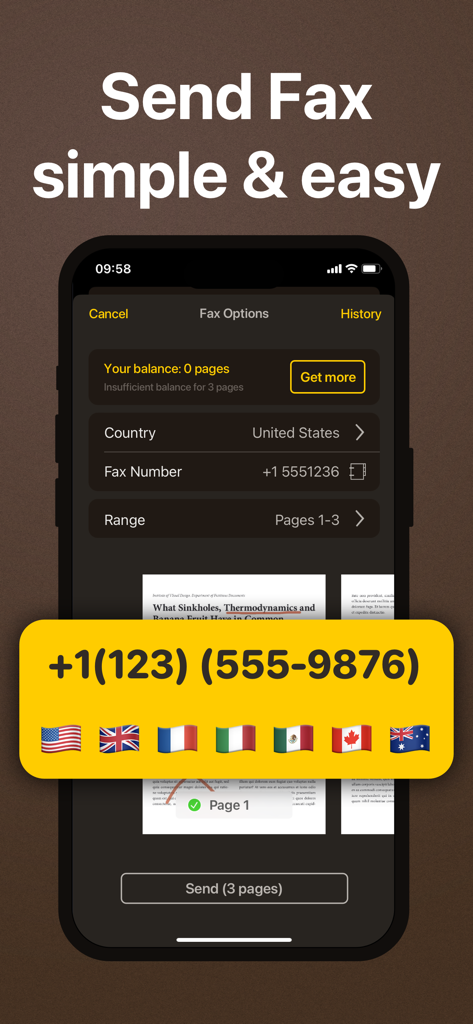
Mobile app interface for sending faxes with international support in My Scans PRO.

Mobile app interface for sending faxes with international support in My Scans PRO.

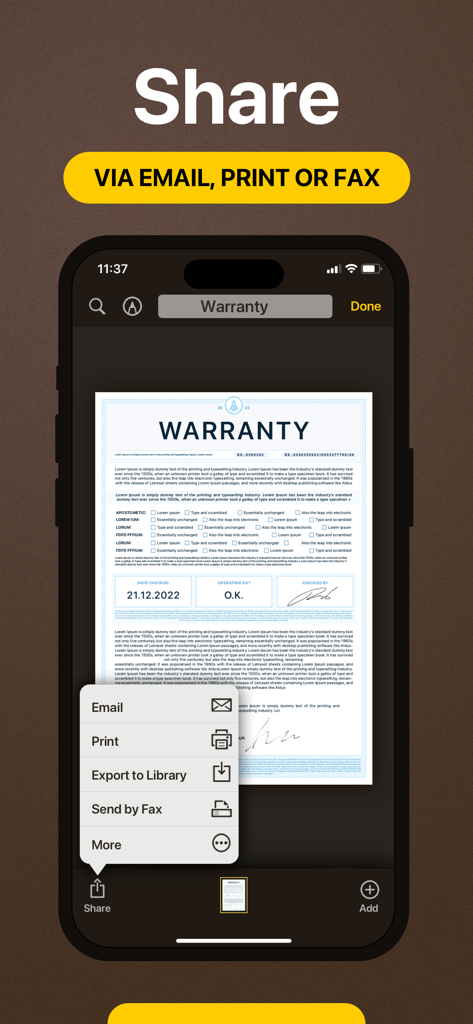
iPhone screen showing options to share email print or fax a scanned warranty document in My Scans PRO

iPhone screen showing options to share email print or fax a scanned warranty document in My Scans PRO

Your Complete Mobile Office

The tools that make this app stand out, trusted by 362K+ users.

🔍

Smart OCR & Searchable PDFs

Automatically detect edges and transform photos into high-quality PDFs where every word is searchable and easy to find.

☁️

Seamless Cloud Synchronization

Access your files on iPhone, iPad, or any web browser. Keep your documents backed up and ready wherever you work.

📠

Built-in Fax & Secure Sharing

Skip the office hardware and send documents via fax directly from the app or share encrypted links for professional collaboration.

About the app

Everything you need to know about My Scans PRO, pdf scanner app.

Description

My Scans is the best Document Scanner and Document organiser for iPhone and iPad! It is super simple to use. Just take a photo of a document, invoice, business card, bill, contract or memo and save it. My Scans will do the rest. It detects edges and converts photos to a (searchable **) PDF document. You can send documents by email or print them anytime you want **. With My Scans Cloud you can synchronise documents between your devices, access files on your computer via a Web browser, collaborate with others using shared folders and share or receive files through Download and Receive links *. From now on you will have all the documents you always need in your pocket! Main features: - Automatic document edge detection and crop - Create searchable PDF document ** - Multiple pages in a single document - Amazing file and folder organiser - Share your documents as Images / PDFs ** - Print documents from the device ** - Send documents via built in fax. - Search the document ** - Cloud collaboration (group documents) * - Cloud sharing (share only link to files and folders) * - Cloud backup * - Cloud access documents via browser (no app needed) * - Synced documents on multiple devices * Top App Cloud features: - Cloud collaboration (group projects) - Cloud sharing (share only link to files and folders) - Cloud backup - Cloud access projects via browser (no app needed) - Synced projects on multiple devices Top App Cloud Subscription: - $2.99/month or $19.99/year - Payment will be charged to your iTunes Account at confirmation of purchase - Subscription automatically renews unless auto-renew is turned off at least 24-hours before the end of the current period - Account will be charged for renewal within 24-hours prior to the end of the current period, and identify the cost of the renewal - Subscriptions may be managed by the user and auto-renewal may be turned off by going to the user's Account Settings after purchase - No cancellation of the current subscription is allowed during active subscription period - Privacy policy and Terms of service: http://www.topapp.si/privacy/ * Only available if Top App Cloud service is enabled. ** Only available when My Scans Free is upgraded to full version or in PRO version of My Scans

Latest Version

5.08

Size

111.0 MB

First Released

Dec 21, 2014

Take Your Entire Office Anywhere

Join over 362,000 professionals who trust My Scans PRO to scan, search, and fax with frictionless efficiency. Start your paperless journey today.

Download on App Store

App information, icons, screenshots, and descriptions displayed on this page are sourced from the Apple App Store and are the property of their respective developers. Download estimates and rankings are based on MWM's proprietary models and may not reflect actual figures. This page is provided for informational and analytical purposes only.

Believe this page infringes your intellectual property? File a dispute