Net Nanny Parental Control App

Net Nanny Parental Control App


Download on App Store
Logo of Net Nanny Parental Control App

Net Nanny®: Smart Protection for Every Child’s Digital Journey

Join thousands of parents who trust our real-time web filtering, screen time management, and GPS location tracking to provide ultimate peace of mind in a digital world.

Download on App Store

Publisher

Zift Software LLC

Category

Lifestyle

Downloads

31K+

User Rating

2.7/5

Total Ratings

400

Locales

3

A Glimpse Inside

Discover the interface used by 31K+ users.
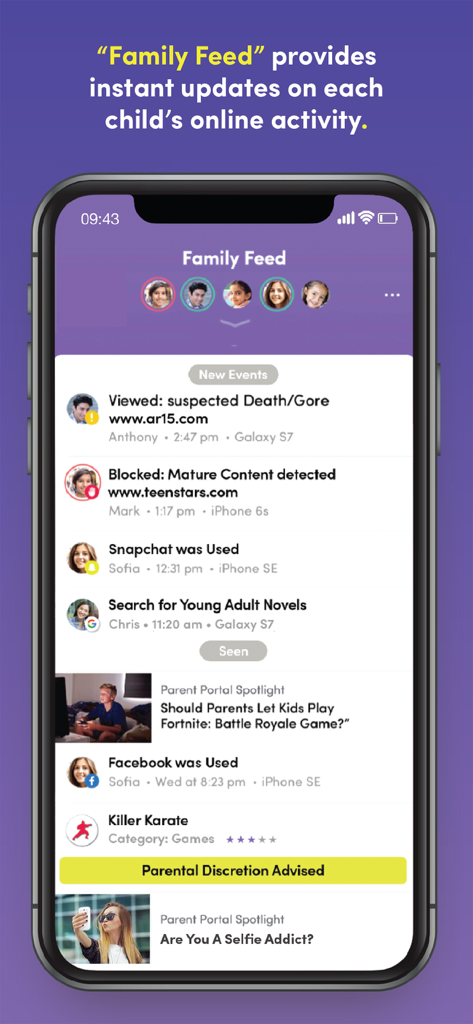
Smartphone screen displaying the Net Nanny Family Feed with real-time notifications about children's internet usage and content alerts

Smartphone screen displaying the Net Nanny Family Feed with real-time notifications about children's internet usage and content alerts

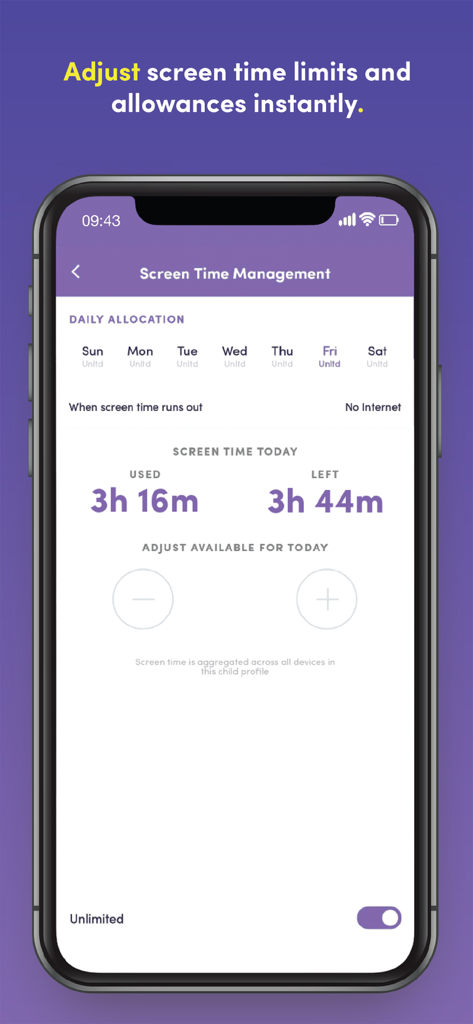
Interface of the Net Nanny app showing screen time limits and daily allocation for a child

Interface of the Net Nanny app showing screen time limits and daily allocation for a child

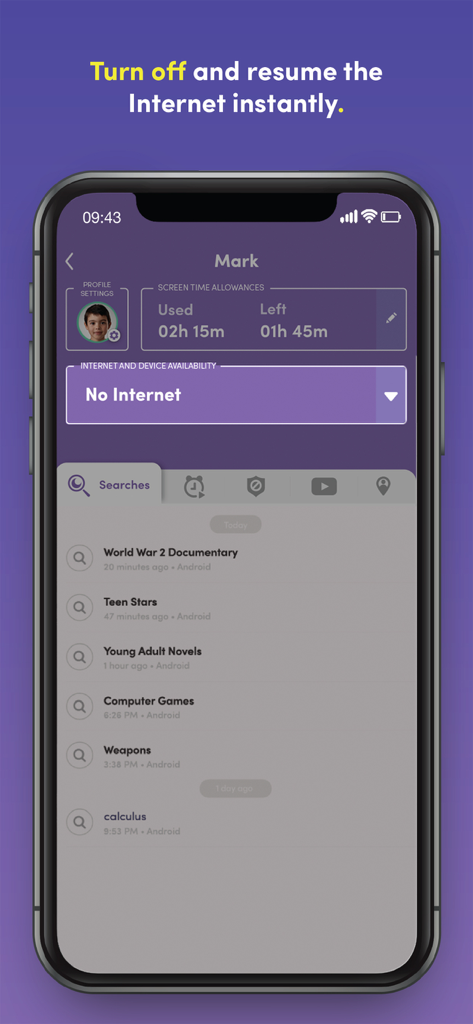
Net Nanny app interface showing how to turn off the internet and monitor a childs search history

Net Nanny app interface showing how to turn off the internet and monitor a childs search history

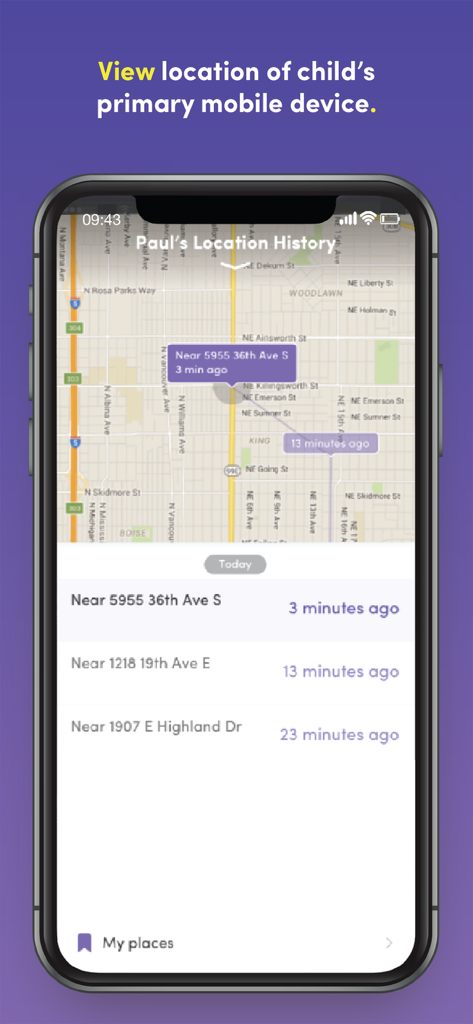
Net Nanny parental control app interface showing a map with a childs location history and timestamps

Net Nanny parental control app interface showing a map with a childs location history and timestamps

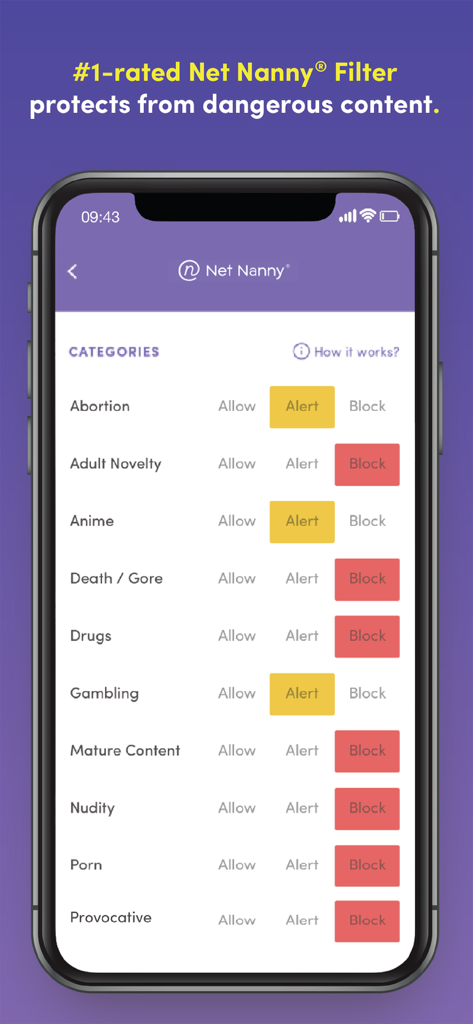
Net Nanny app interface showing content filtering settings for categories like porn and gambling

Net Nanny app interface showing content filtering settings for categories like porn and gambling

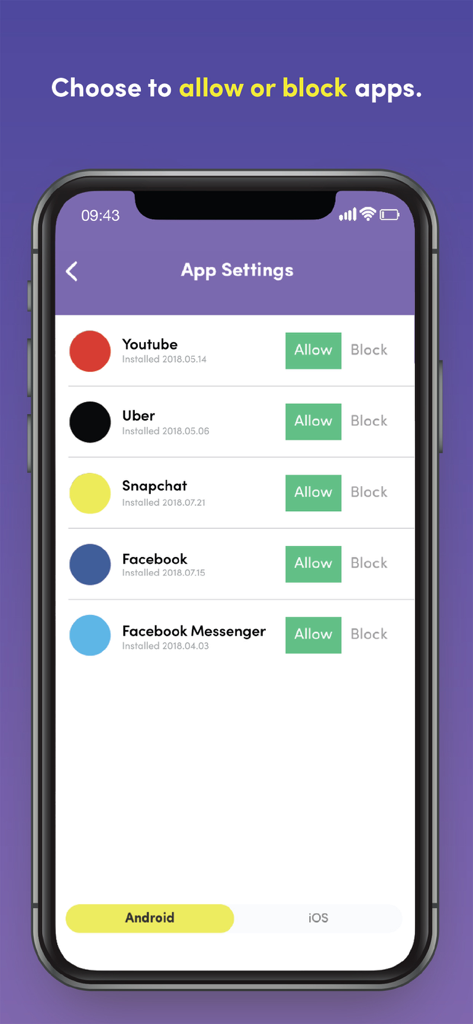
Interface showing options to allow or block apps like YouTube and Facebook in Net Nanny

Interface showing options to allow or block apps like YouTube and Facebook in Net Nanny

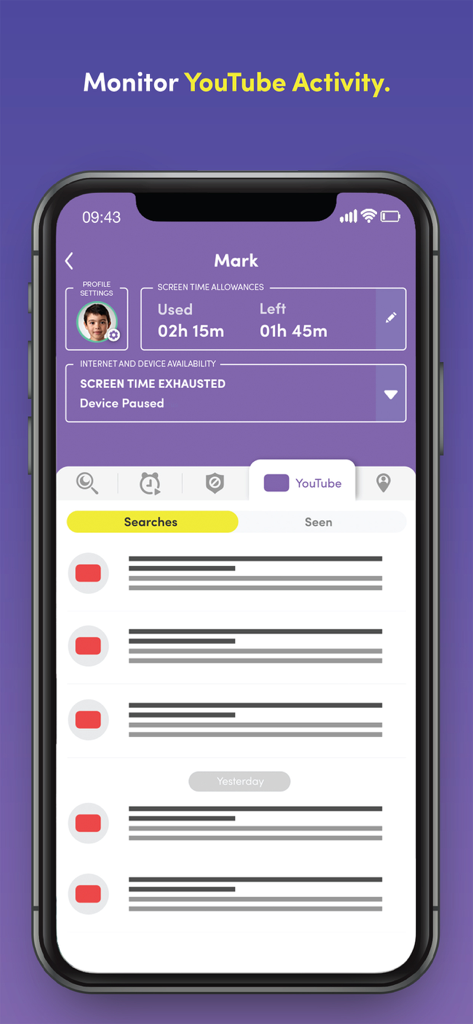
Net Nanny app screen displaying a child's YouTube search history and screen time allowance status

Net Nanny app screen displaying a child's YouTube search history and screen time allowance status

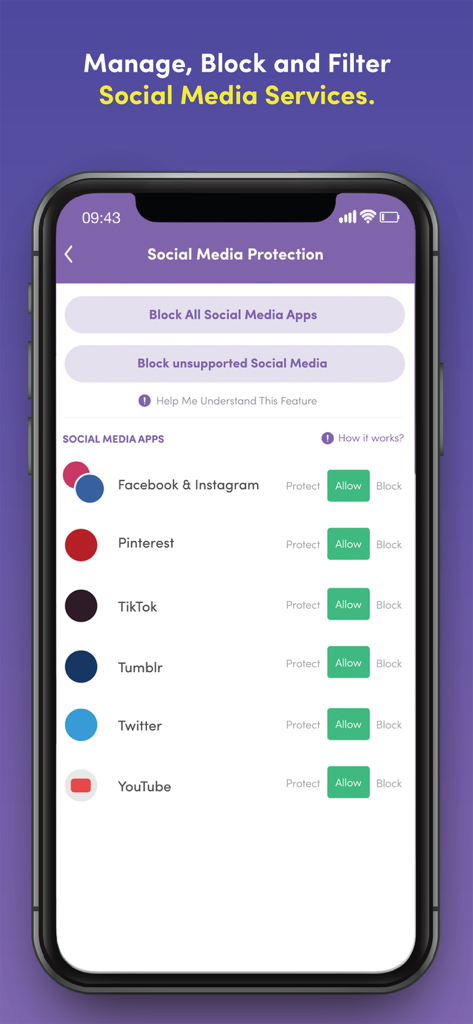
Net Nanny app interface showing options to manage and block social media services like TikTok and Facebook

Net Nanny app interface showing options to manage and block social media services like TikTok and Facebook

Complete Peace of Mind for Modern Parents

The tools that make this app stand out, trusted by 31K+ users.

🛡️

Smart Real-Time Filtering

Unlike basic blockers, our award-winning technology analyzes web pages in real-time, instantly shielding your children from pornography, violence, and dangerous content.

No-Stress Screen Time Limits

End the arguments by setting daily allowances or using the instant 'Internet Pause' to get their attention when it’s time for dinner or homework.

📍

Live Family Location Map

Always know where your child is with real-time GPS tracking and location history, giving you visibility into their safety in the physical world too.

Review Analysis

Insights from user reviews.

Sentiment Score

24%
Negative

Summary

Users report a predominantly negative experience with the app, citing critical flaws across its functionality and support. Key issues include persistent bugs, slow performance, and widespread incompatibility, particularly affecting iOS devices, including iPhone 11 and newer models, and after recent iPhone updates, often rendering the app unusable. Many parental control features, such as content blocking and screen time limits, are reported as ineffective or easily bypassed, directly contradicting advertising claims. While some users appreciate the no-hassle refund policy and acknowledge responsive customer service, this is frequently undermined by an inability to resolve issues, leading to frustration, unfulfilled promises, and difficult setup processes.

Common Themes

App Features & Concept(3)
Refund Policy(2)
Location Tracking(1)
Customer Support Responsiveness(1)
Specific Content Blocking(1)

About the app

Everything you need to know about Net Nanny Parental Control App.

Description

Net Nanny’s newest update is here! With the all-new Net Nanny® Parental Control app for screen time parenting, you’ll have the visibility to track in real-time the online and app activity of each child in your family, while also protecting your children from online dangers. With Net Nanny’s amazing new Family Feed, you’ll see: • Instant reporting of Internet searches • Updates on apps used • Instant alerts that your child may have viewed Pornography, Drugs, Weapons, Suicide or other inappropriate content Ever wonder how much time your kids use their device? Net Nanny® lets parents see the daily total of each child’s screen time. Net Nanny® also gives parents the ability to adjust screen time limits and allowances instantly. Do you ever argue with your child when it’s time for dinner or when they have had too much screen time? From your phone, Net Nanny® enables you to turn off the Internet instantly so you can get their attention and limit screen time. Ever worry where your child is? With Net Nanny®, you can view each child’s location with a Family Map. Imagine the peace of mind if you had a parental control app that could... • Give you a list of apps your child has used • Act as an app blocker when you need it to • Act as a porn blocker and block other bad content like violence with the best internet filter! With Net Nanny®, you can be sure you have the best protection available to shield your kids from online dangers. Not all filters are created equal. Unlike most filters that block entire sites, the award-winning Net Nanny® filtering technology looks at individual web page content and determines in real time if it is safe for your child. You’ll have complete control over the settings that will guide the monitoring, and appropriate filtering, of your kids’ devices. Whenever Net Nanny® determines there might be an unsafe situation for your child – such as accessing dangerous app or web content – you will be notified immediately. Net Nanny® allows parents to know, and then allow or block, the apps their child has downloaded on their device. With Net Nanny® you can enhance child safety with family locator. You can see where your child has been via family search GPS tracking by mapping their location history, and if your child loses their device, you can trace its most recent locations. Welcome to the all-new Net Nanny®, the best app for screen time parenting! ------------- Net Nanny® lets you create a free account directly from this App. You can purchase a Net Nanny® 1-year subscription using Apple’s In-App Purchase inside the Net Nanny® parent app. Net Nanny® is available with an annual subscription. Upon purchase, the Net Nanny® subscription begins immediately and a payment will be charged to iTunes Account at confirmation of purchase. The Net Nanny® subscription will auto-renew on an annual basis unless auto-renew is turned off at least 24-hours before the end of the current period. You can turn off the auto-renew for this subscription at any time by going to your iTunes Account Settings. Terms of service: https://www.netnanny.com/support/terms-conditions/ Privacy policy: https://www.netnanny.com/support/privacy-policy/ ------------- FAQS? Need assistance? Please visit us at: https://netnanny.com /support/ Please note: This app is the Net Nanny® Parent App for iOS and should be installed on the device a parent will use to monitor, configure and interact with their children’s mobile devices, providing the family link to understand your child’s digital life. After installing and opening this App you will be prompted to create a new account.

Latest Version

10.0.66

Size

48.1 MB

First Released

Apr 18, 2017

Ready to Secure Your Child’s Digital World?

Join thousands of parents and get the peace of mind you deserve. Download Net Nanny today to manage screen time, block harmful content, and keep your family safe.

Download on App Store

App information, icons, screenshots, and descriptions displayed on this page are sourced from the Apple App Store and are the property of their respective developers. Download estimates and rankings are based on MWM's proprietary models and may not reflect actual figures. This page is provided for informational and analytical purposes only.

Believe this page infringes your intellectual property? File a dispute