
This page is not an official page of the app or its developer, but an independent editorial publication created for informational and commentary purposes. Unless expressly stated otherwise, neither the app nor its developer is affiliated with, endorsed by, sponsored by, authorized by, or otherwise officially connected with MWM, Apple, Google Play, the app publisher, or the app's developer, and nothing on this page implies that the app was developed using MWM's services. Any trademarks, logos, screenshots, and other content remain the property of their respective owners.


NetHome Plus
Take total control of your comfort from anywhere. Optimize your energy bills, customize your sleep with intelligent temperature curves, and manage your air quality with one powerful app.
Downloads
1M+User Rating
Total Ratings
57K+Publisher
Category
UtilitiesLocales
25Latest Version
5.37.1Size
78.4 MBFirst Released
Jul 14, 2015Master Your Home Comfort From Anywhere
NetHome Plus transforms your smartphone into a powerful climate controller, combining remote access, energy efficiency, and personalized comfort for the modern home.
Instant Remote Access
Take control of your home climate from the office or on the go. Adjust settings remotely to ensure your space is perfectly cooled or warmed before you even arrive.
Intelligent Sleep Curves
Wake up refreshed with customized temperature profiles. The Sleep Curve feature automatically adjusts the air quality and temperature throughout the night for optimal rest.
Frequently Asked Questions
Everything you need to know about NetHome Plus
What is NetHome Plus?
NetHome Plus is an application that controls smart air conditioners compatible with smart Wi-Fi modules. It connects to an open cloud service for comfort, efficiency, and safety.
Can I remotely control my air conditioner with NetHome Plus?
Yes, NetHome Plus provides remote control functionality. Users can obtain and modify their home air quality from anywhere using the app.
Does NetHome Plus offer scheduling features?
Yes, NetHome Plus includes Time Scheduling. This feature allows users to set appointments for automatic switching of their smart air conditioner.
How does the Sleep Curve feature work in NetHome Plus?
The NetHome Plus Sleep Curve feature allows users to customize their comfortable sleep settings. It enables adjustment of the set temperature for the next 8 hours, ensuring personalized comfort.
Can NetHome Plus control other smart home devices besides air conditioners?
Yes, NetHome Plus controls various smart home appliances. Screenshot #1 shows the app managing devices such as Dehumidifiers, Humidifiers, and Air to water units, in addition to AC.
Does NetHome Plus support voice control?
Yes, NetHome Plus supports voice control. The app integrates with platforms like Google Home, allowing users to control their products using voice commands.
Can I check the status of my smart products with NetHome Plus?
Yes, NetHome Plus includes a smart diagnosis feature. This "Check" function allows users to determine the state of their product, identifying if it is normal or abnormal.
Does NetHome Plus offer a new user experience?
Yes, NetHome Plus provides a new user experience. It features special functions and an interactive UI design to enhance user interaction and control.
The following screenshots and description are sourced directly from the app's official store listing and are the property of the app developer.
App Store
Screenshots
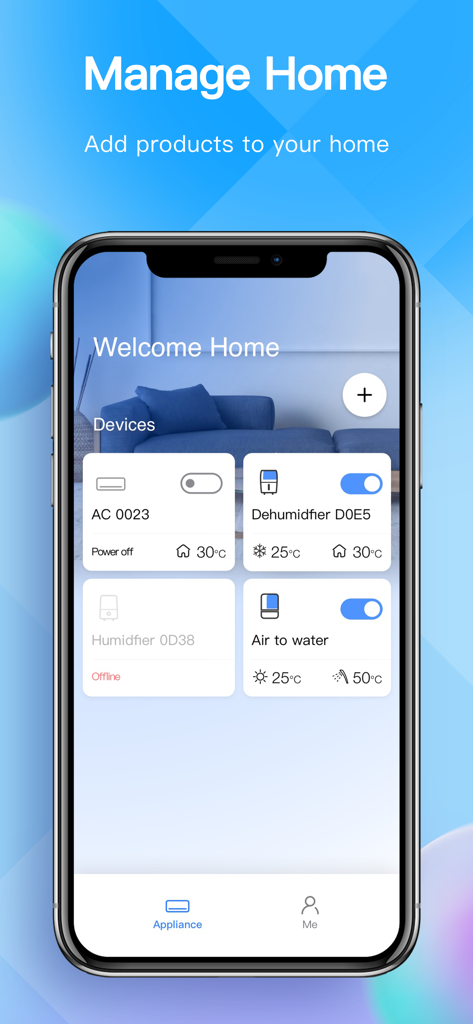
NetHome Plus app dashboard showing smart home device management for air conditioning and dehumidifiers
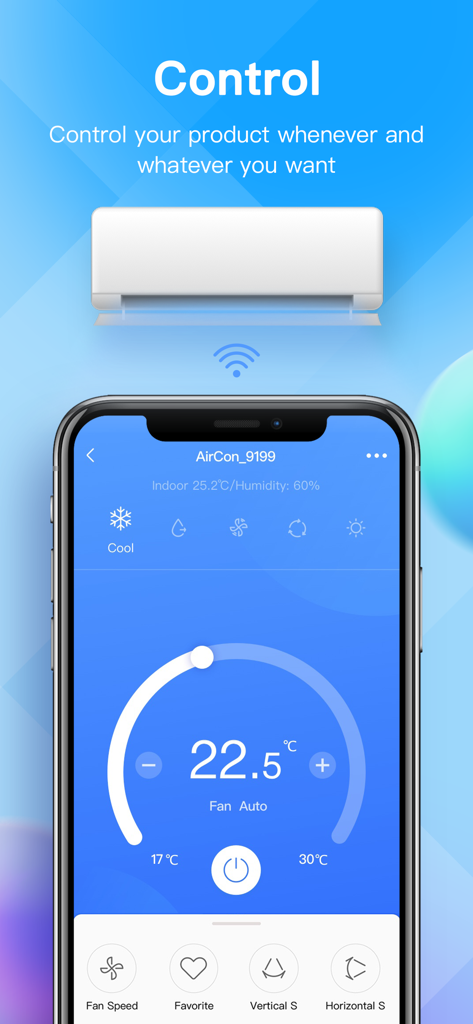
NetHome Plus app interface for remote air conditioner control on a smartphone
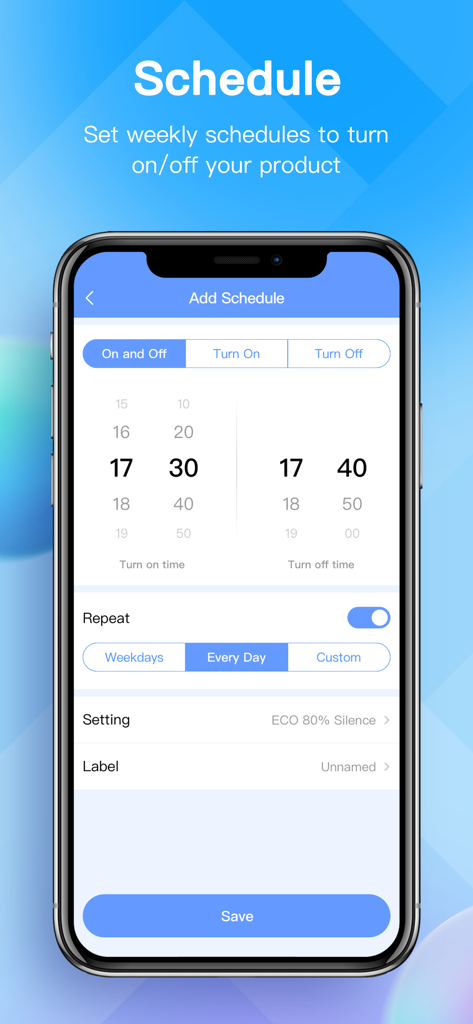
Interface for setting weekly schedules for smart air conditioners in the NetHome Plus app
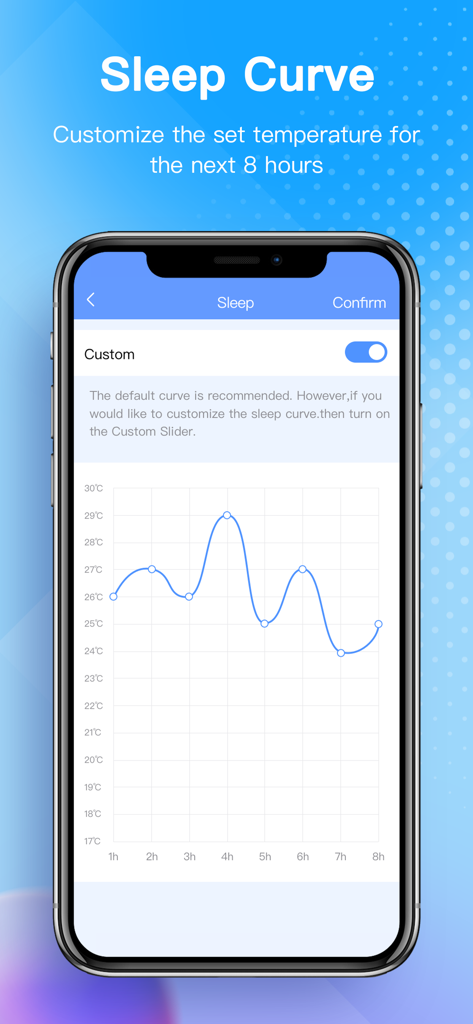
Interface of NetHome Plus showing sleep curve temperature settings over eight hours
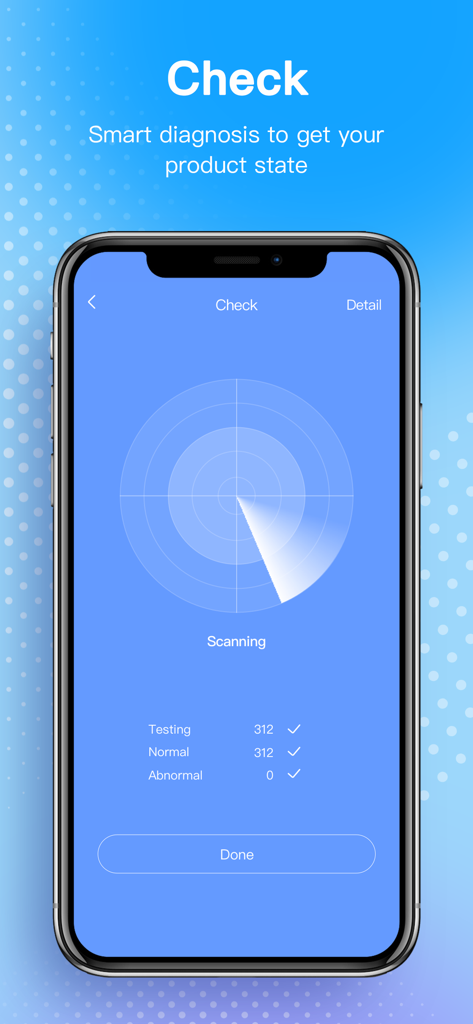
NetHome Plus app interface showing a smart diagnosis scan to check the status and health of a connected air conditioner.
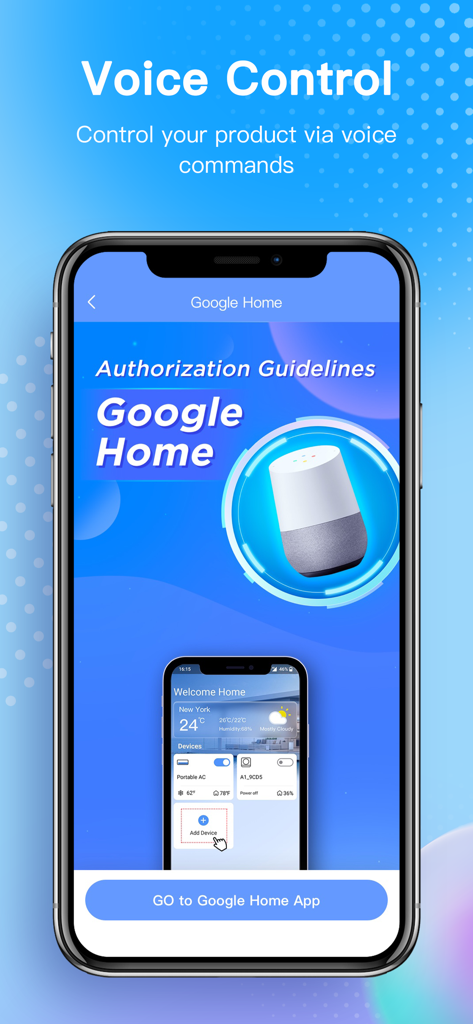
NetHome Plus mobile app showing voice control integration with Google Home
Description
Download
More Like This
Apps with similar features and user experience
Universal AC Remote Control +
JOKOPRO LTD

Sensi
Copeland LP

tado°
tado GmbH

Netatmo Energy
Netatmo

SkyportHome
Goodman Global Holdings, Inc.
Total Connect Comfort
Resideo Technologies, Inc.

ViCare
Viessmann IT Service GmbH
Panasonic Comfort Cloud
Panasonic Holdings Corporation
Ariston NET
Ariston SpA
This page is not an official page of the app or its developer, but an independent editorial publication created for informational and commentary purposes. Unless expressly stated otherwise, neither the app nor its developer is affiliated with, endorsed by, sponsored by, authorized by, or otherwise officially connected with MWM, Apple, Google Play, the app publisher, or the app's developer, and nothing on this page implies that the app was developed using MWM's services. Any trademarks, logos, screenshots, and other content remain the property of their respective owners.