
This page is not an official page of the app or its developer, but an independent editorial publication created for informational and commentary purposes. Unless expressly stated otherwise, neither the app nor its developer is affiliated with, endorsed by, sponsored by, authorized by, or otherwise officially connected with MWM, Apple, Google Play, the app publisher, or the app's developer, and nothing on this page implies that the app was developed using MWM's services. Any trademarks, logos, screenshots, and other content remain the property of their respective owners.

Universal AC Remote Control +
Stop searching for lost remotes and dead batteries. Instantly control any air conditioner brand, set smart schedules, and manage your home comfort directly from your smartphone.
Downloads
5M+User Rating
Total Ratings
152K+Publisher
Category
UtilitiesLocales
25Latest Version
4.0Size
111.7 MBFirst Released
Oct 4, 2024Ultimate Comfort in the Palm of Your Hand
Say goodbye to lost remotes and dead batteries. Our universal controller turns your iPhone into a smart command center for your home or office climate.
Universal Brand Compatibility
A single, powerful replacement for remotes from almost any manufacturer. Perfect for managing multiple units without the clutter of physical remotes.
Smart Scheduling & Efficiency
Take control of your energy bills. Set automated work schedules so your space is perfectly cooled or heated exactly when you need it to be.
Frequently Asked Questions
Everything you need to know about Universal AC Remote Control +
What is the Universal AC Remote Control + app?
The Universal AC Remote Control + app allows users to control their air conditioner using a smartphone, managing functions like on/off, temperature, fan speed, and airflow direction.
What air conditioner functions can Universal AC Remote Control + manage?
The Universal AC Remote Control + app can turn the AC on/off, adjust temperature, fan speed, airflow direction, and select operating modes including cooling, heating, or ventilation.
Is Universal AC Remote Control + compatible with all AC models?
Yes, the Universal AC Remote Control + app supports most air conditioner models from various manufacturers, making it a versatile tool for climate management.
Can I schedule my AC with Universal AC Remote Control +?
Yes, the Universal AC Remote Control + app allows users to create a work schedule for their air conditioner, providing automated climate control.
How does the Universal AC Remote Control + app connect to my AC?
The Universal AC Remote Control + app connects to your AC by scanning for devices on the same network. The air conditioner must be connected to the same Wi-Fi network as your iPhone.
Does Universal AC Remote Control + offer a free trial?
Yes, the Universal AC Remote Control + app offers trial subscriptions. After a 3-day trial period, the subscription automatically renews unless canceled before its conclusion.
How do subscriptions work for Universal AC Remote Control +?
The Universal AC Remote Control + app offers auto-renewing subscriptions. Payment is charged to your Apple ID upon purchase confirmation, with renewals occurring 24 hours before the period ends.
How can I cancel my Universal AC Remote Control + subscription?
You can manage and turn off auto-renewal for your Universal AC Remote Control + subscription after purchase by accessing your App Store account settings. Cancellations are possible at any time.
Does Universal AC Remote Control + support heating and cooling modes?
Yes, the Universal AC Remote Control + app supports multiple operating modes including cooling, heating, ventilation, and dry, allowing comprehensive climate control.
Where can I find the privacy policy for Universal AC Remote Control +?
The privacy policy for Universal AC Remote Control + is available at https://jokorpoapp.com/policy.html.
The following screenshots and description are sourced directly from the app's official store listing and are the property of the app developer.
App Store
Screenshots
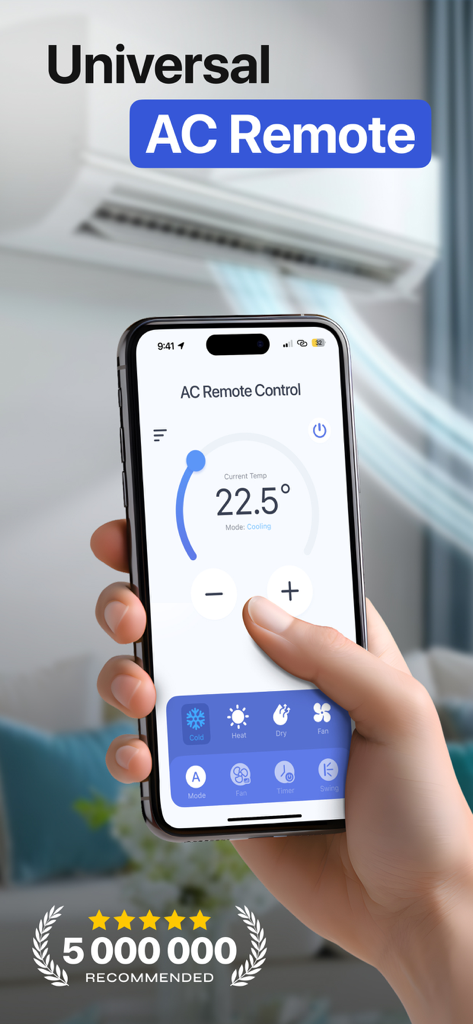
A hand holding a smartphone displaying the Universal AC Remote Control app interface to adjust temperature and cooling modes
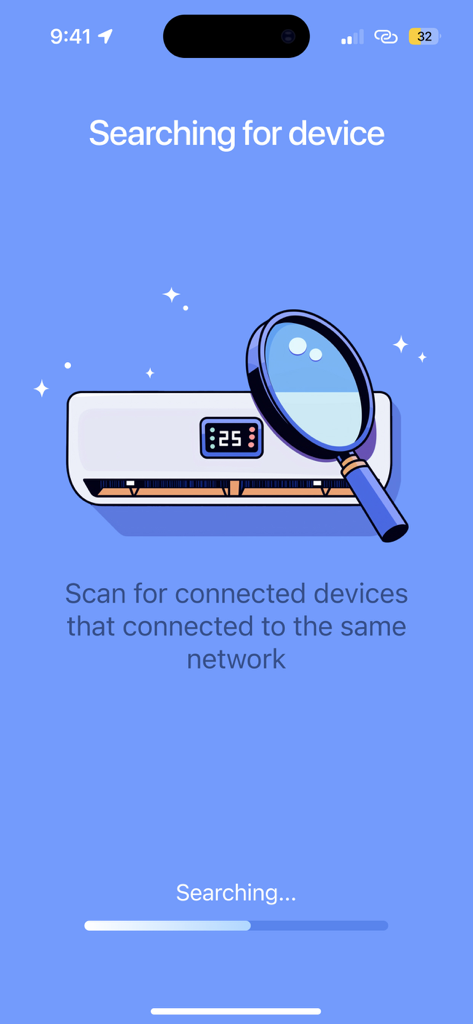
Smartphone app screen showing a search for air conditioning units on the same network with a magnifying glass illustration.
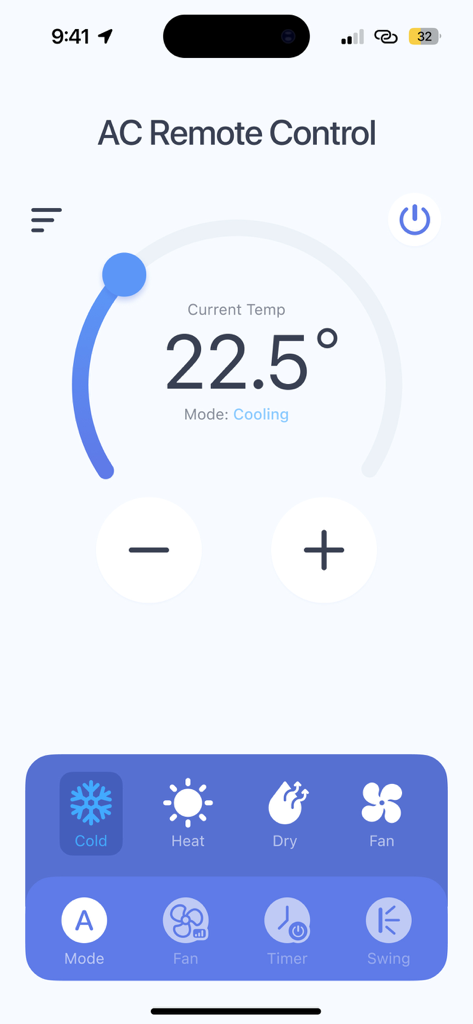
Smartphone screen showing the Universal AC Remote Control app interface with temperature and mode settings
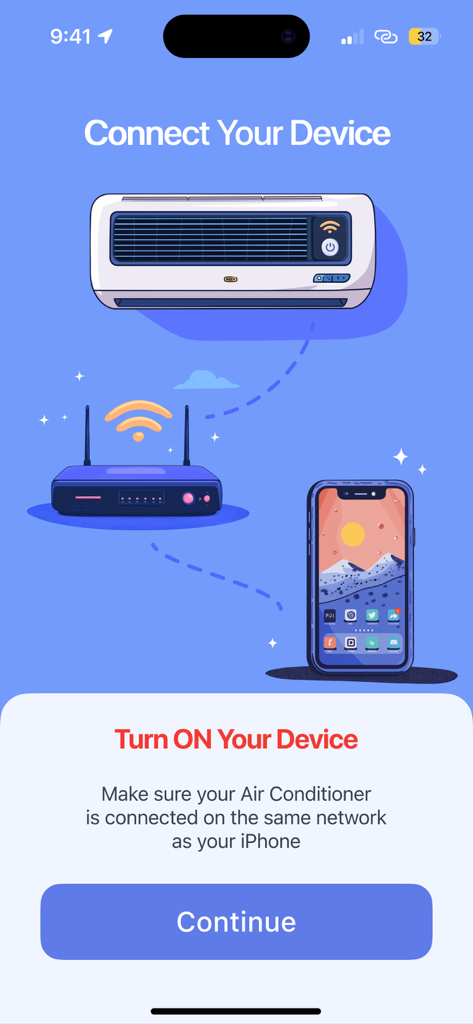
An app interface illustrating the connection between an air conditioner, a router, and a smartphone.
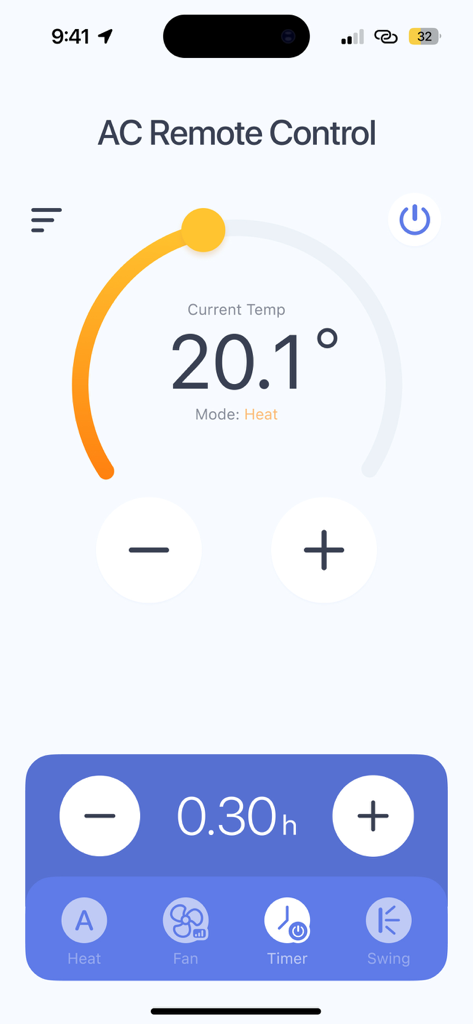
Universal AC Remote Control app interface showing temperature settings and timer
Description
Download
More Like This
Apps with similar features and user experience

Sensi
Copeland LP

tado°
tado GmbH
NetHome Plus
Guangdong Meizhi Compressor Co., Ltd.

Netatmo Energy
Netatmo

SkyportHome
Goodman Global Holdings, Inc.
Total Connect Comfort
Resideo Technologies, Inc.

ViCare
Viessmann IT Service GmbH
Panasonic Comfort Cloud
Panasonic Holdings Corporation
Ariston NET
Ariston SpA
This page is not an official page of the app or its developer, but an independent editorial publication created for informational and commentary purposes. Unless expressly stated otherwise, neither the app nor its developer is affiliated with, endorsed by, sponsored by, authorized by, or otherwise officially connected with MWM, Apple, Google Play, the app publisher, or the app's developer, and nothing on this page implies that the app was developed using MWM's services. Any trademarks, logos, screenshots, and other content remain the property of their respective owners.