
This page is not an official page of the app or its developer, but an independent editorial publication created for informational and commentary purposes. Unless expressly stated otherwise, neither the app nor its developer is affiliated with, endorsed by, sponsored by, authorized by, or otherwise officially connected with MWM, Apple, Google Play, the app publisher, or the app's developer, and nothing on this page implies that the app was developed using MWM's services. Any trademarks, logos, screenshots, and other content remain the property of their respective owners.


ViCare
Take command of your Viessmann system from anywhere. Optimize your energy usage, automate your daily routine, and enjoy the peace of mind that comes with a perfectly heated home.
Downloads
967K+User Rating
Total Ratings
134K+Publisher
Category
LifestyleLocales
26Latest Version
3.37.2Size
576.9 MBFirst Released
Oct 24, 2016Smart Control for Your Modern Home
Designed for the eco-conscious homeowner who demands efficiency, comfort, and peace of mind. ViCare puts your heating system's power in the palm of your hand.
Optimize Every Cent
Reduce energy costs with smart scheduling that adapts to your lifestyle, ensuring you never pay to heat an empty house during your commute or travels.
Seamless Remote Access
Whether you are at the office or landing at the airport, adjust your home's temperature instantly from your iPhone for perfect comfort upon arrival.
Frequently Asked Questions
Everything you need to know about ViCare
What is the ViCare app?
The ViCare app connects to your Viessmann heating system, allowing remote control via the internet. It provides an intuitive interface for convenient heating management directly from your smartphone.
How does the ViCare app help save energy costs?
Yes, the ViCare app helps save energy costs. Users can store daily schedules and set preferred room temperatures, automatically reducing energy consumption, especially when away from home.
What are the main features of the ViCare app?
The ViCare app displays heating status, allows setup of key functions, stores daily routines, views outside temperature history, and offers shortcuts like "I want hot water" or "I'm away."
Can ViCare control my heating system remotely?
Yes, the ViCare app enables remote control of your Viessmann heating system via the internet. It provides a simple graphical user interface for managing heating functions from your smartphone.
What are the requirements to use the ViCare app?
The ViCare app requires an internet-compatible Viessmann heating system, or a Viessmann Vitoconnect WLAN module, or a Viessmann heating system with an integrated Internet interface.
Does the ViCare app show energy usage?
Yes, the ViCare app displays energy usage. Screenshot #4, titled "Analiz," shows a graph of "Enerji dengesi" detailing "Enerji tüketimi" (Energy consumption) and "Termal çıktı" (Thermal output) over time.
Can I set a daily heating schedule with the ViCare app?
Yes, the ViCare app allows you to set daily heating schedules. Screenshot #5 illustrates a time program where users define preferred temperatures and time blocks for different days to optimize comfort and savings.
Does the ViCare app provide weather information?
Yes, the ViCare app provides current weather information and outside temperature history. Screenshot #2 shows live weather conditions, while Screenshots #7 and #8 display detailed forecasts and historical temperature data.
Can ViCare provide the current status of my heating system?
Yes, the ViCare app displays the current status of your heating system. Screenshot #2 shows "Your installation is doing well" and provides temperature readings for "Heating circuit 1" and Domestic Hot Water (DHW).
Does the ViCare app have a holiday program?
Yes, the ViCare app includes a dedicated holiday program. This feature allows users to configure specific heating settings for extended periods when they are away from home, enhancing convenience and efficiency.
The following screenshots and description are sourced directly from the app's official store listing and are the property of the app developer.
App Store
Screenshots
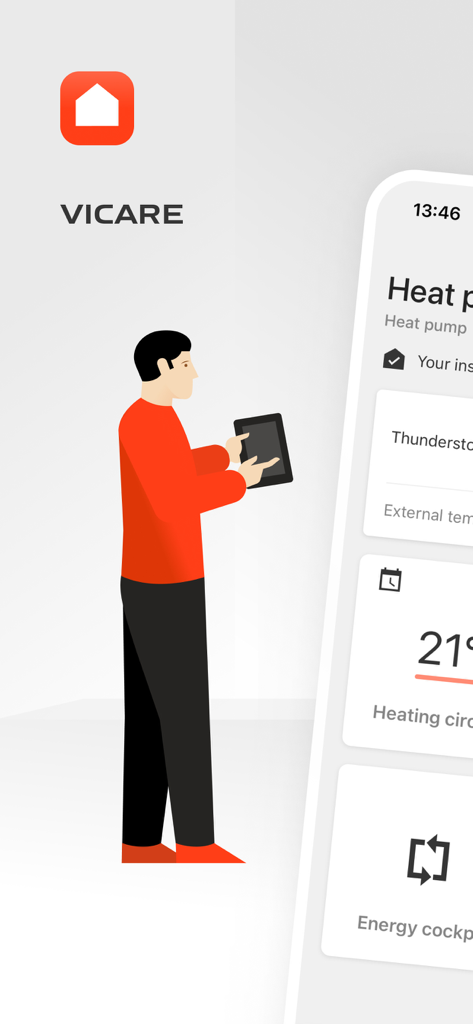
An illustration of a homeowner managing their heating system through the ViCare app on a tablet.
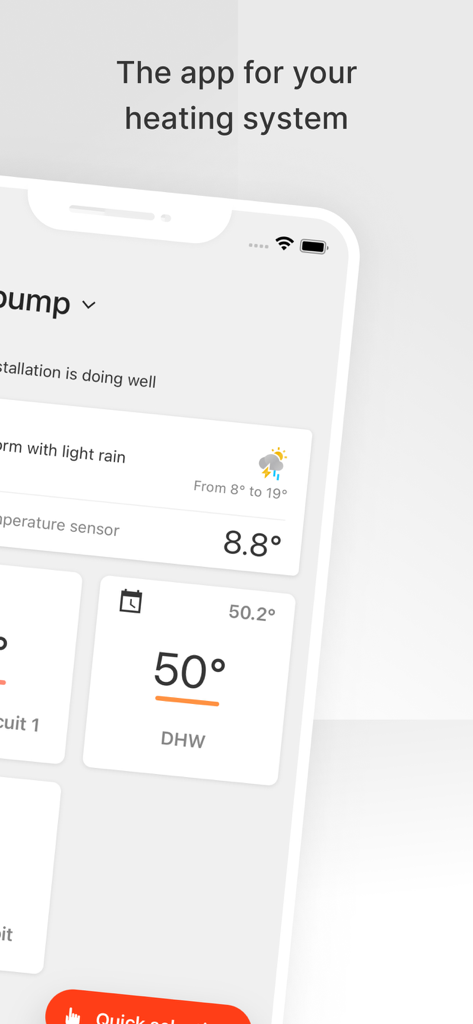
ViCare app interface displaying home heating status and water temperature control
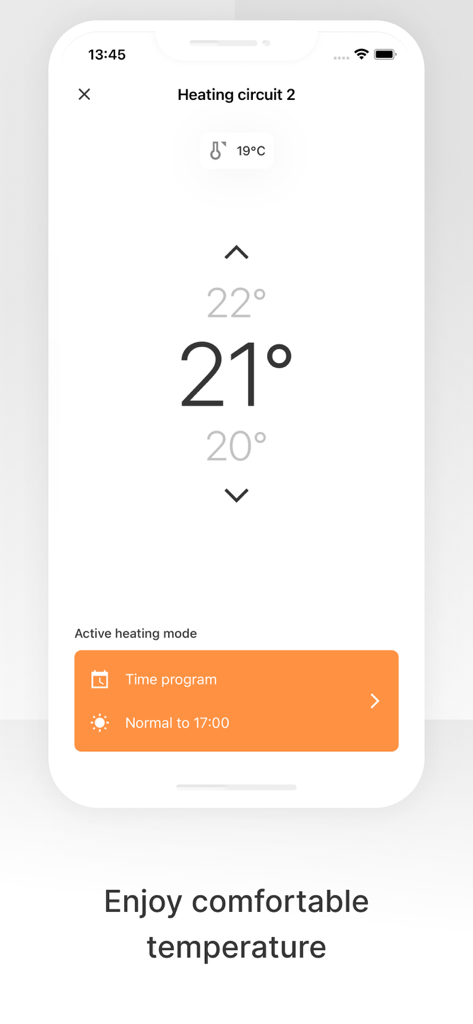
ViCare app interface showing temperature settings and active heating mode for a smart home
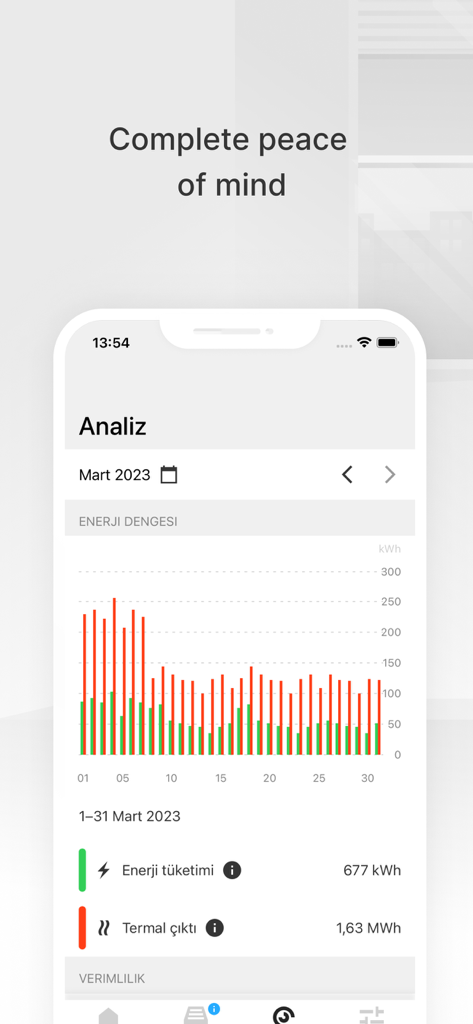
ViCare app screen showing a monthly energy consumption bar chart for a heating system
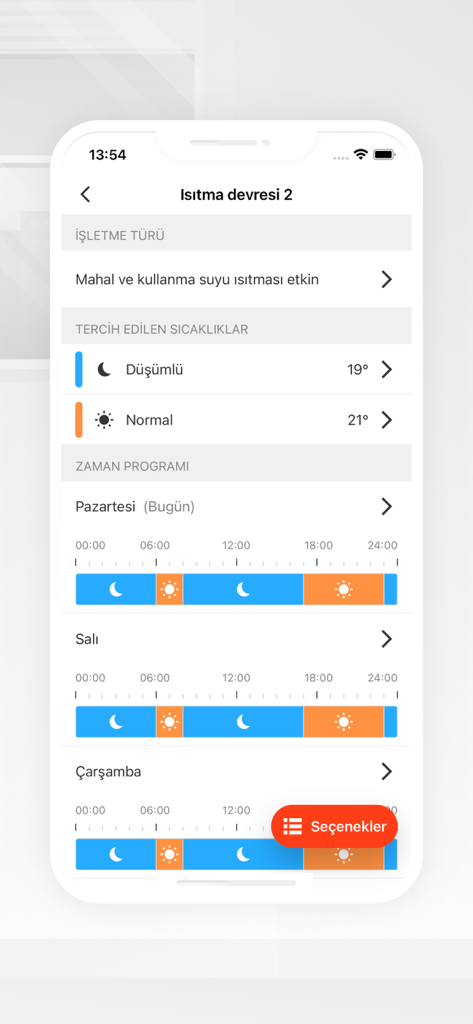
Smartphone screen showing the weekly heating schedule and temperature settings in the ViCare app
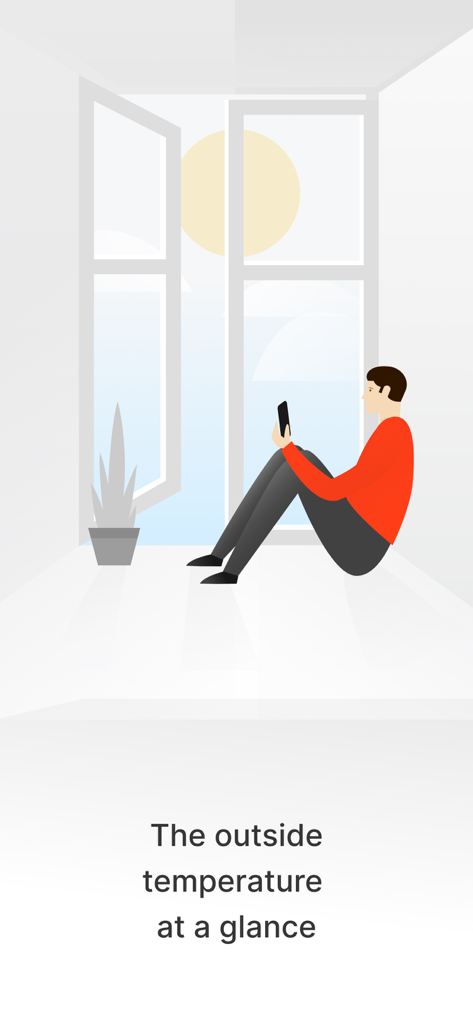
An illustration showing a man sitting by a window checking the outside temperature on his smartphone using the ViCare app
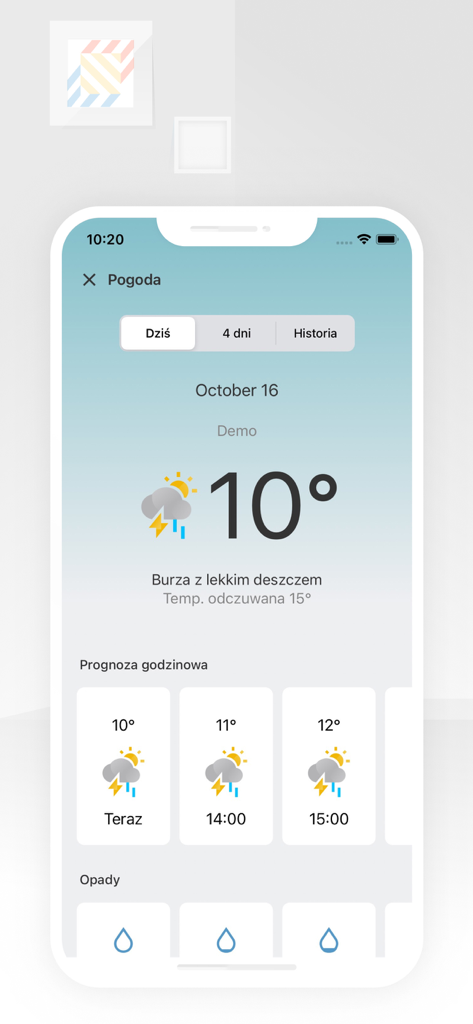
ViCare mobile app screen displaying a weather forecast with current temperature and hourly outlook
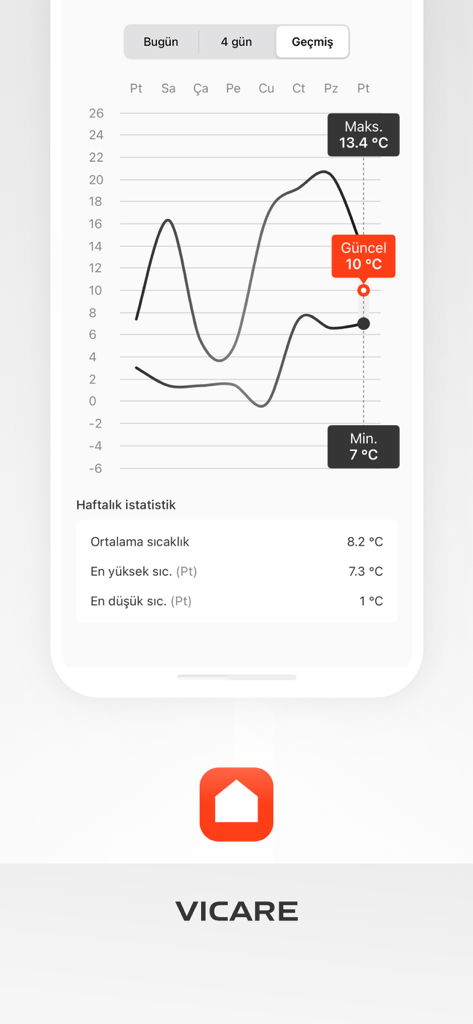
ViCare app interface showing a temperature history graph and weekly heating statistics.
Description
Download
More Like This
Apps with similar features and user experience
Universal AC Remote Control +
JOKOPRO LTD

Sensi
Copeland LP

tado°
tado GmbH

NetHome Plus
Guangdong Meizhi Compressor Co., Ltd.

Netatmo Energy
Netatmo

SkyportHome
Goodman Global Holdings, Inc.
Total Connect Comfort
Resideo Technologies, Inc.
Panasonic Comfort Cloud
Panasonic Holdings Corporation
Ariston NET
Ariston SpA
This page is not an official page of the app or its developer, but an independent editorial publication created for informational and commentary purposes. Unless expressly stated otherwise, neither the app nor its developer is affiliated with, endorsed by, sponsored by, authorized by, or otherwise officially connected with MWM, Apple, Google Play, the app publisher, or the app's developer, and nothing on this page implies that the app was developed using MWM's services. Any trademarks, logos, screenshots, and other content remain the property of their respective owners.