
This page is not an official page of the app or its developer, but an independent editorial publication created for informational and commentary purposes. Unless expressly stated otherwise, neither the app nor its developer is affiliated with, endorsed by, sponsored by, authorized by, or otherwise officially connected with MWM, Apple, Google Play, the app publisher, or the app's developer, and nothing on this page implies that the app was developed using MWM's services. Any trademarks, logos, screenshots, and other content remain the property of their respective owners.


Sensi
Experience the ultimate balance of convenience and efficiency with easy DIY installation, smart scheduling, and remote access designed to lower your energy bills.
Downloads
1M+User Rating
Total Ratings
245K+Publisher
Category
LifestyleLocales
1Latest Version
9.5.1Size
60.0 MBFirst Released
Jan 21, 2014Designed for Your Comfort and Savings
Experience the perfect balance of contractor-grade reliability and modern smart home convenience with features built for the real world.
Seamless Remote Access
Manage your home temperature from anywhere with an intuitive app designed for your busy lifestyle.
Significant Energy Savings
Reduce utility costs using flexible 7-day scheduling, geofencing, and detailed energy usage reports.
Frequently Asked Questions
Everything you need to know about Sensi
What is the Sensi app used for?
The Sensi app allows users to control their Sensi Smart Thermostat remotely. It provides complete management of home comfort settings from any location, anytime.
Is the Sensi Smart Thermostat compatible with smart home systems?
Yes, the Sensi Smart Thermostat is compatible with major smart home platforms. It integrates with Amazon Alexa, Google Assistant, Apple HomeKit, and SmartThings for connected device control.
Does the Sensi app require a c-wire for thermostat installation?
A c-wire is not typically required for most Sensi thermostat installations. However, it is mandatory for Apple HomeKit, heat-only, cool-only, and heat pump systems.
Can I set a custom schedule with the Sensi app?
Yes, the Sensi app supports flexible 7-day scheduling. Users can create customizable temperature schedules for both weekdays and weekends to optimize home comfort.
Does the Sensi app provide maintenance reminders?
Yes, the Sensi app offers service reminders. Users receive notifications to change air filters and perform HVAC maintenance, ensuring system longevity and efficiency.
What features are available in the Sensi app for home comfort control?
The Sensi app features remote temperature control, 7-day scheduling, usage reports, service reminders, geofencing, smart alerts, and humidity control. It provides comprehensive home comfort management.
How does the Sensi app assist with thermostat installation?
The Sensi app simplifies installation with clearly illustrated, in-app instructions. It guides users step-by-step through the process, making it accessible even for first-time installers.
The following screenshots and description are sourced directly from the app's official store listing and are the property of the app developer.
App Store
Screenshots
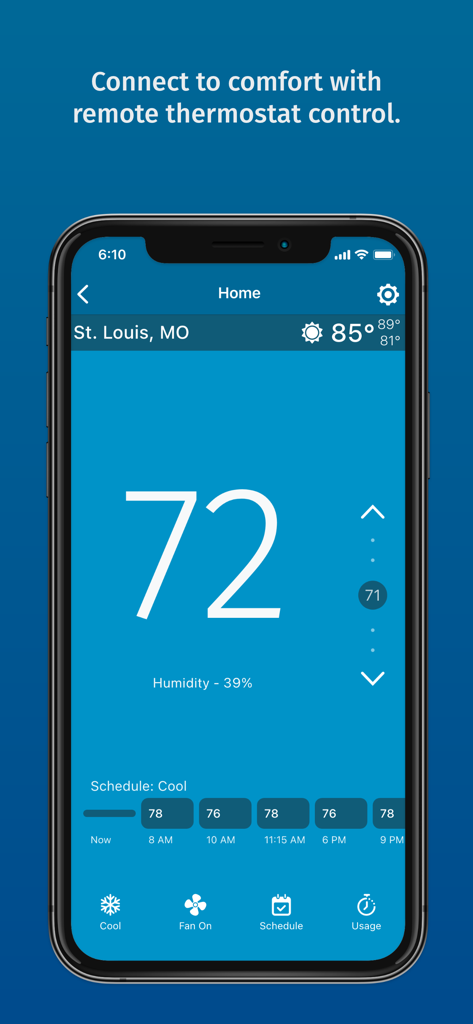
Sensi mobile app interface showing current indoor temperature humidity levels and cooling schedule
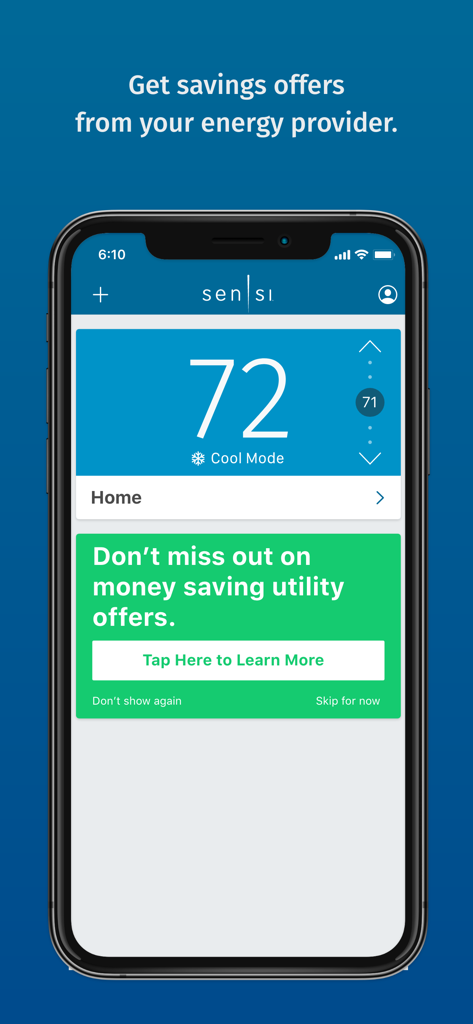
Sensi smart thermostat app display showing temperature control and utility energy saving offers
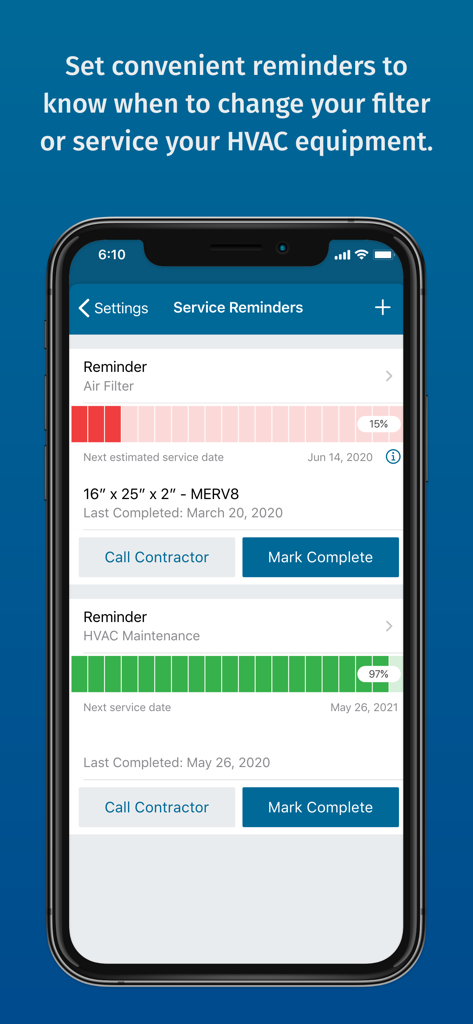
Sensi app screen showing HVAC maintenance and air filter replacement reminders
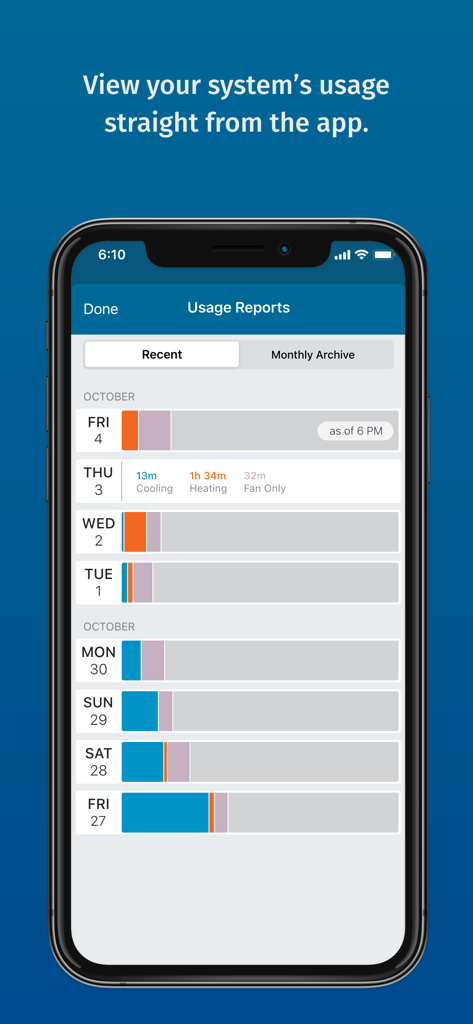
Sensi app usage reports screen showing daily HVAC system activity for heating and cooling
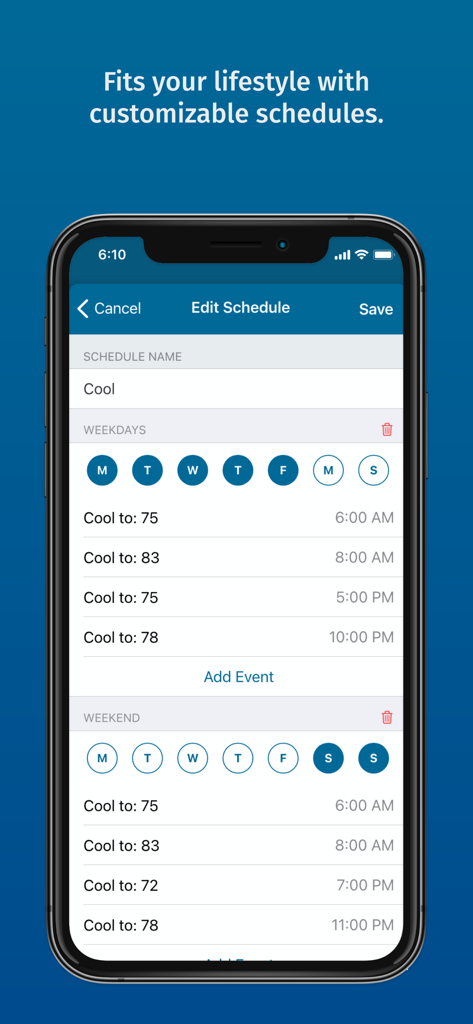
Sensi app screen showing customizable weekly and weekend thermostat cooling schedules.
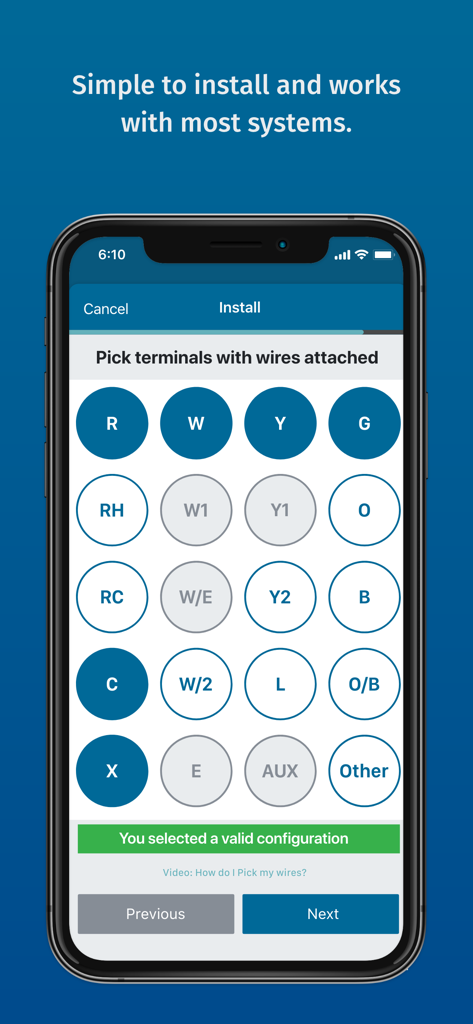
A mobile screen from the Sensi app guiding users through HVAC wiring terminal selection during installation.
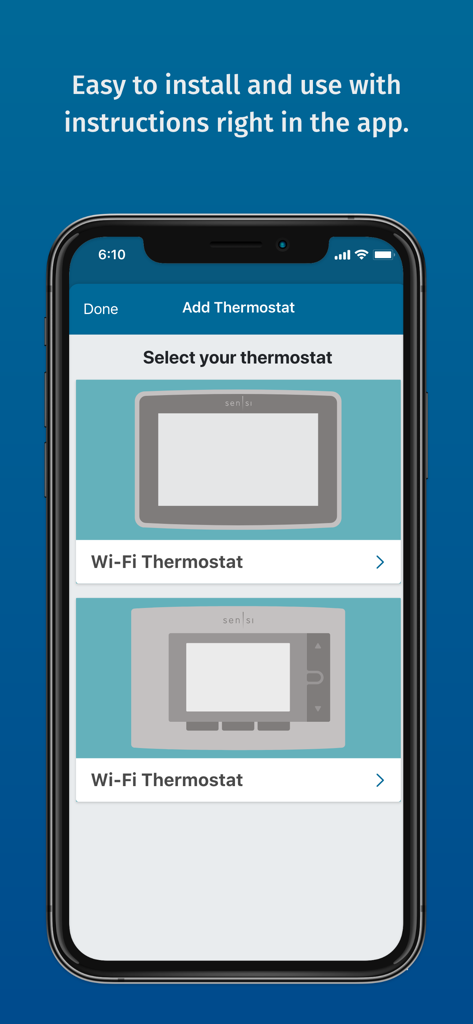
Sensi app screen showing the selection process for adding a new Wi-Fi thermostat
Description
Download
More Like This
Apps with similar features and user experience
Universal AC Remote Control +
JOKOPRO LTD

tado°
tado GmbH

NetHome Plus
Guangdong Meizhi Compressor Co., Ltd.

Netatmo Energy
Netatmo

SkyportHome
Goodman Global Holdings, Inc.

Total Connect Comfort
Resideo Technologies, Inc.

ViCare
Viessmann IT Service GmbH

Panasonic Comfort Cloud
Panasonic Holdings Corporation

Ariston NET
Ariston SpA
This page is not an official page of the app or its developer, but an independent editorial publication created for informational and commentary purposes. Unless expressly stated otherwise, neither the app nor its developer is affiliated with, endorsed by, sponsored by, authorized by, or otherwise officially connected with MWM, Apple, Google Play, the app publisher, or the app's developer, and nothing on this page implies that the app was developed using MWM's services. Any trademarks, logos, screenshots, and other content remain the property of their respective owners.