Next Up Pro - Interval Timer
Download on App Store

This page is not an official page of the app or its developer, but an independent editorial publication created for informational and commentary purposes. Unless expressly stated otherwise, neither the app nor its developer is affiliated with, endorsed by, sponsored by, authorized by, or otherwise officially connected with MWM, Apple, Google Play, the app publisher, or the app's developer, and nothing on this page implies that the app was developed using MWM's services. Any trademarks, logos, screenshots, and other content remain the property of their respective owners.

Logo of Next Up Pro - Interval Timer
Download on App Store

Next Up Pro - Interval Timer

Take total control of your training with a sleek, fully customizable timer designed for high-performers. Seamlessly bridge time and rep-based intervals with an ad-free, minimal interface that syncs across all your devices.

Key Figures

Downloads

0

User Rating

1.0/5

Total Ratings

0

Publisher

Alysha Kwok

Category

Utilities

Locales

8

Latest Version

9.1.1

Size

20.3 MB

First Released

May 22, 2023
Features

Precision Tools for High-Performance Living

Experience the ultimate interval timer designed for those who demand total control, aesthetic clarity, and seamless organization across their entire fitness routine.

Hybrid Routine Customization

Effortlessly mix time-based drills and rep-based sets in a single workflow, giving you total flexibility for HIIT, CrossFit, or strength training.

Immersive Pro Display

Transform your iPad or iPhone into a high-visibility gym station with full-screen mode, custom colors, and auto-scrolling visual cues.

The following screenshots and description are sourced directly from the app's official store listing and are the property of the app developer.

App Store

Screenshots
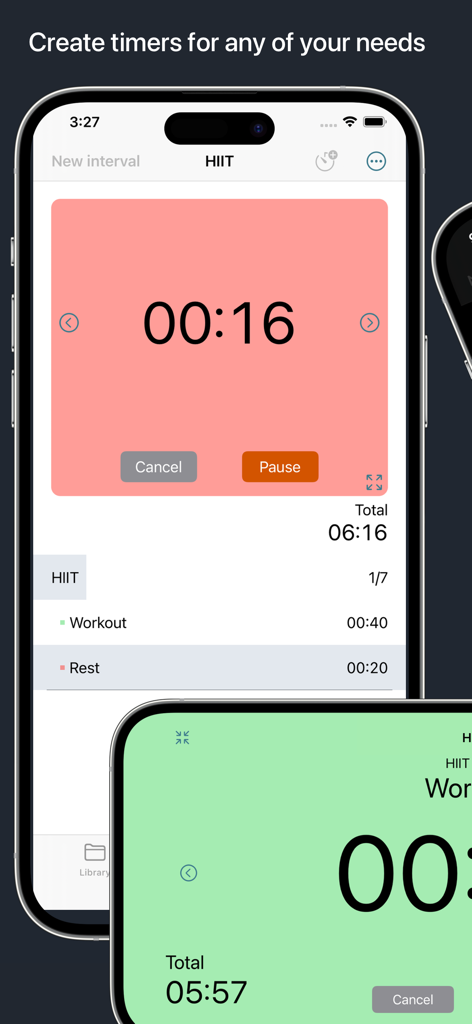
Next Up Pro - Interval Timer - Next Up Pro app displaying a HIIT workout routine with a large countdown timer and detailed interval list.
Next Up Pro app displaying a HIIT workout routine with a large countdown timer and detailed interval list.

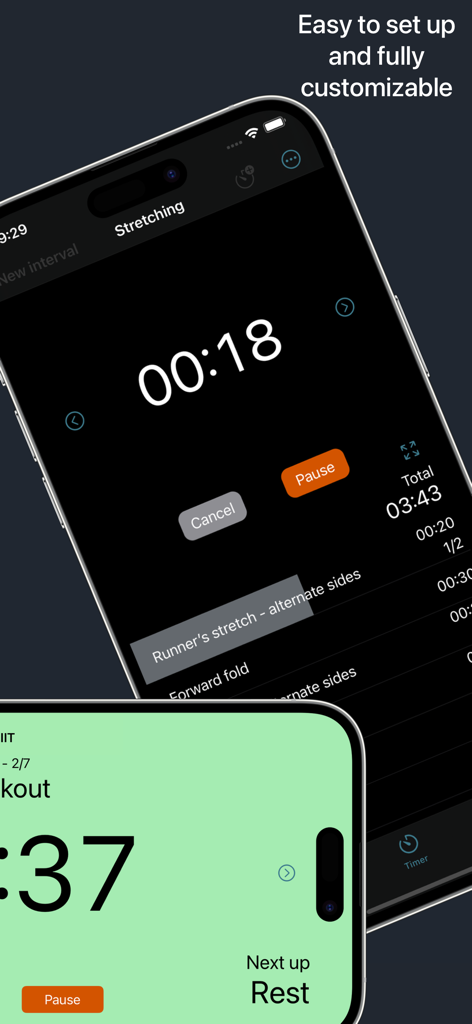
Next Up Pro - Interval Timer - Next Up Pro interval timer interface showing a stretching routine and countdown
Next Up Pro interval timer interface showing a stretching routine and countdown

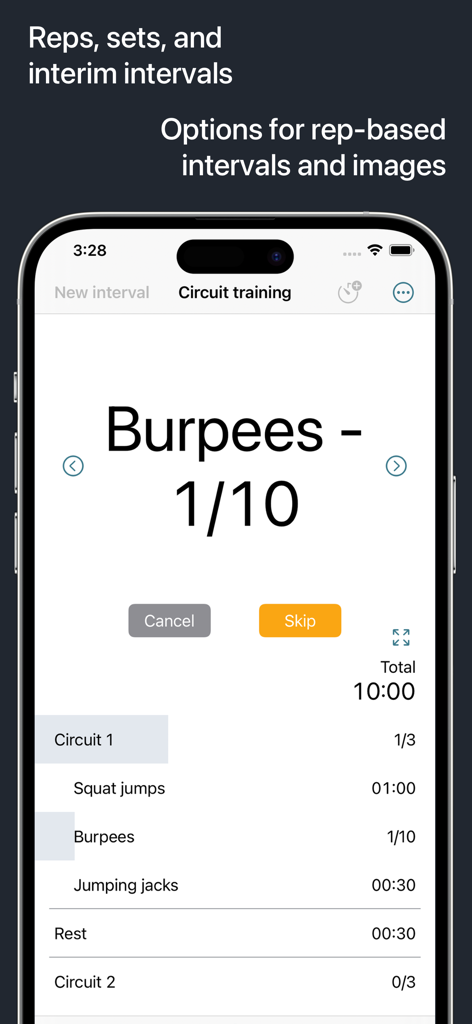
Next Up Pro - Interval Timer - Next Up Pro interval timer app displaying a burpee rep counter and circuit training list.
Next Up Pro interval timer app displaying a burpee rep counter and circuit training list.

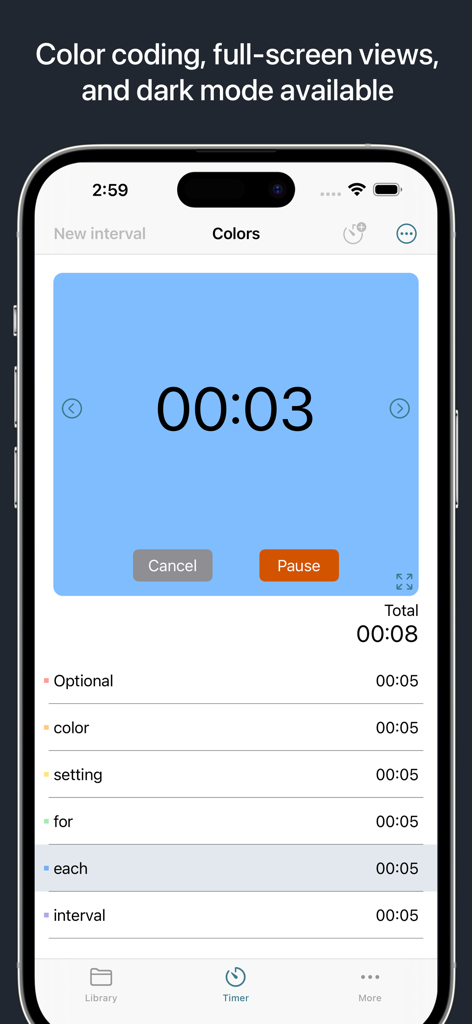
Next Up Pro - Interval Timer - Next Up Pro interval timer screen displaying color coded intervals and a large countdown
Next Up Pro interval timer screen displaying color coded intervals and a large countdown

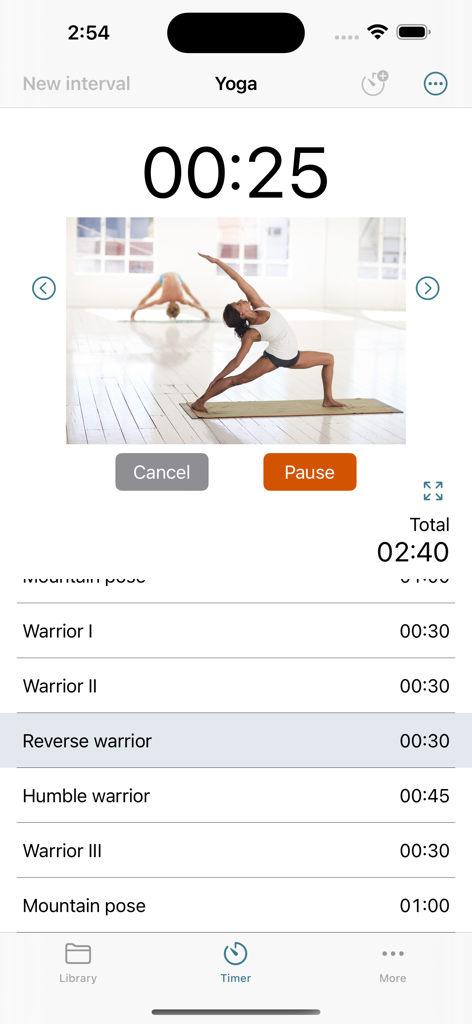
Next Up Pro - Interval Timer - Next Up Pro app interface showing a yoga interval timer with a list of poses and a custom exercise image.
Next Up Pro app interface showing a yoga interval timer with a list of poses and a custom exercise image.

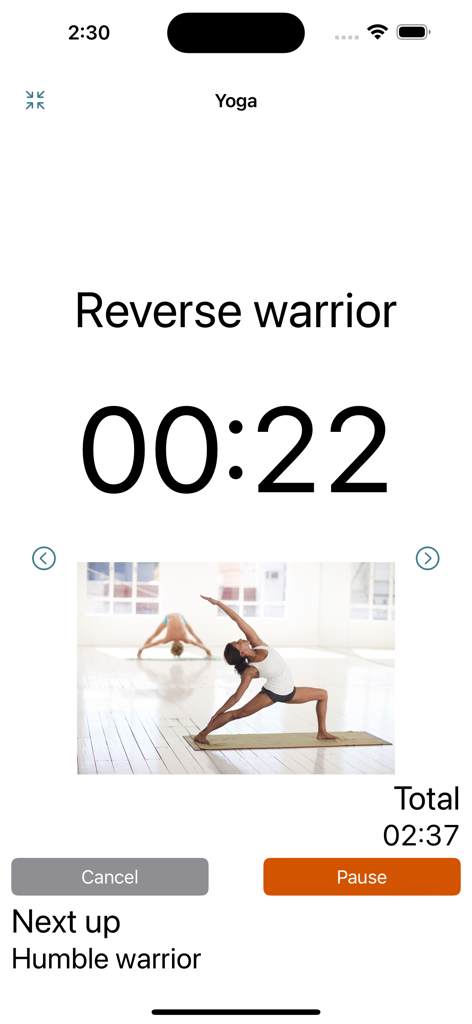
Next Up Pro - Interval Timer - Next Up Pro interval timer interface showing a yoga session for the reverse warrior pose with a countdown timer.
Next Up Pro interval timer interface showing a yoga session for the reverse warrior pose with a countdown timer.

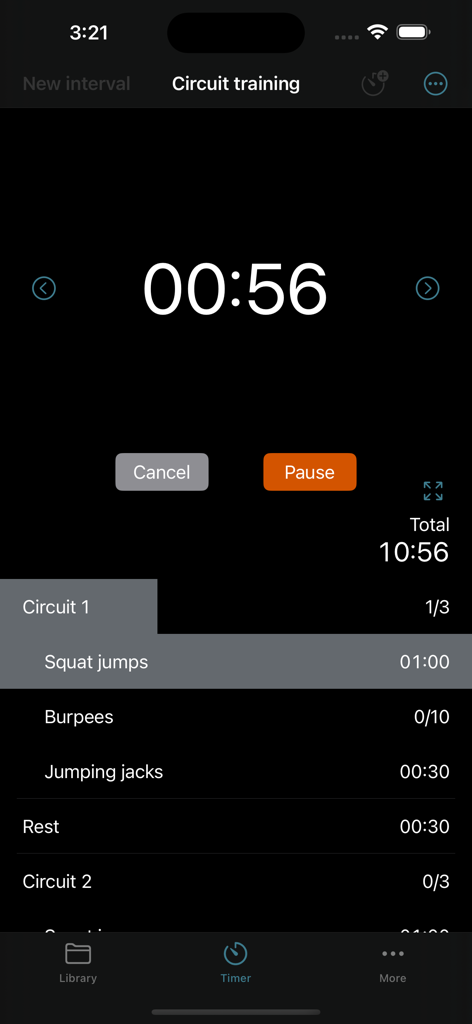
Next Up Pro - Interval Timer - Next Up Pro interval timer interface showing a circuit training workout session in dark mode
Next Up Pro interval timer interface showing a circuit training workout session in dark mode

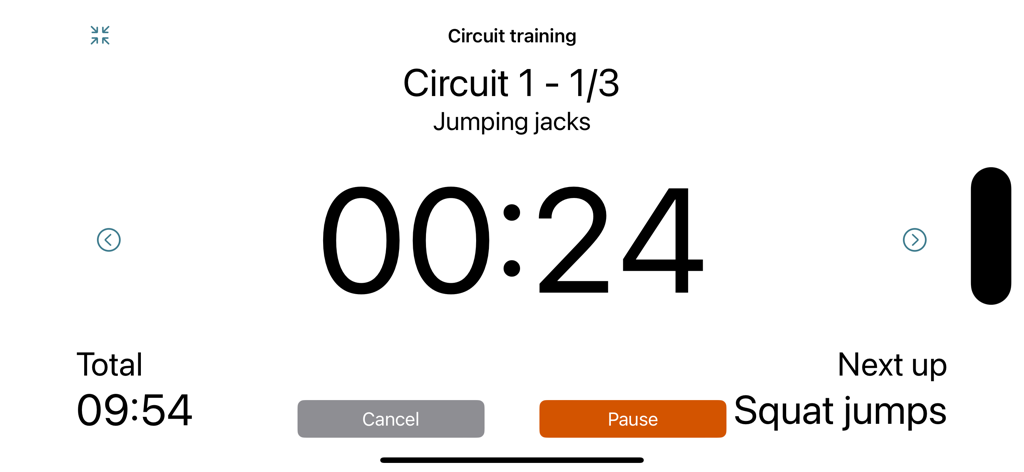
Next Up Pro - Interval Timer - Landscape view of Next Up Pro interval timer showing jumping jacks circuit.
Landscape view of Next Up Pro interval timer showing jumping jacks circuit.

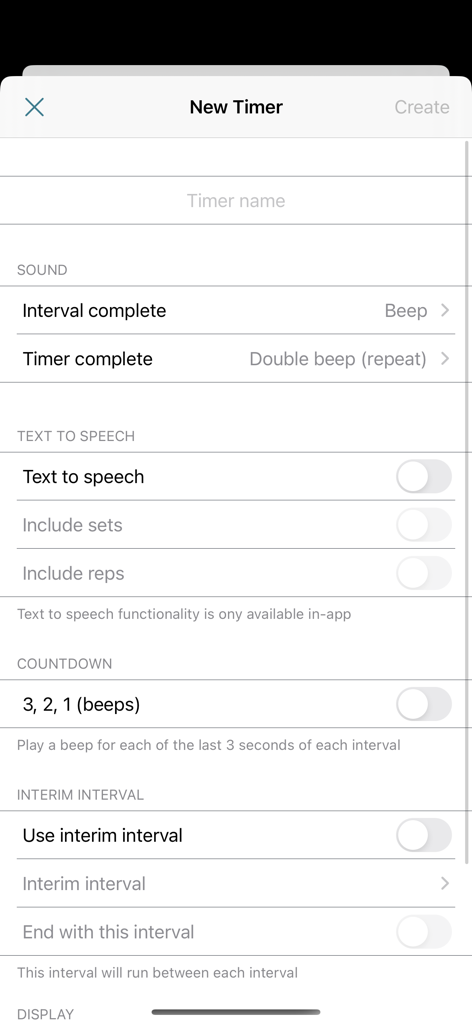
Next Up Pro - Interval Timer - Configuration screen for a new interval timer with settings for text to speech sounds and interim intervals
Configuration screen for a new interval timer with settings for text to speech sounds and interim intervals

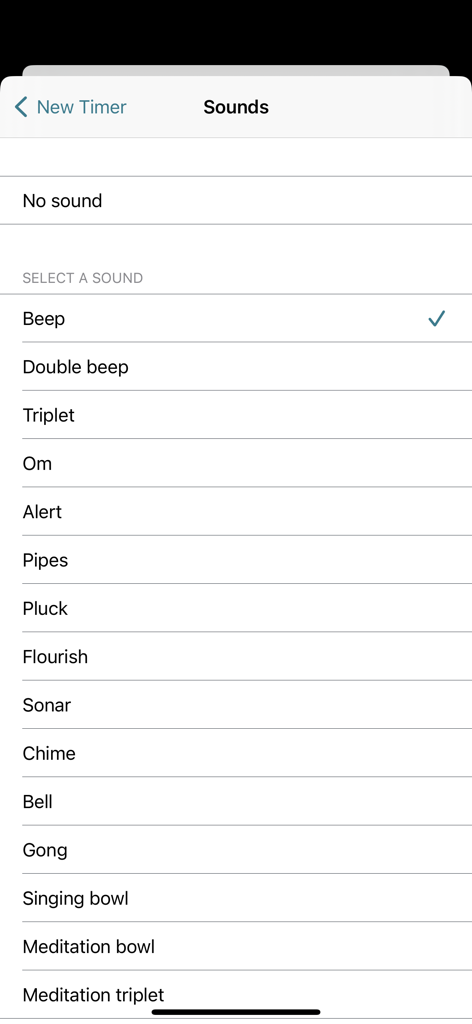
Next Up Pro - Interval Timer - A menu listing various notification sounds for intervals in the Next Up Pro app

A menu listing various notification sounds for intervals in the Next Up Pro app

Description

Customize Your Intervals, Your Way A fully customizable interval timer: Create your intervals. Specify reps, sets, colours and sounds. Tailor it to your purpose and needs. Minimal design and easy to use. Options for rep-based intervals and images. Display options: Choose to run your timer in a detailed view that auto-scrolls through intervals or a full-screen mode for a larger, easily visible display. Both modes support portrait and landscape orientations. Visual details: In detailed view, running intervals and sets are highlighted, providing a clear visual cue. For intervals with multiple reps, the highlighted area indicates the percentage completed. Set optional background colours on intervals for a visual cue. Light and dark mode versions are available and will adapt to your preferences set on your device. Quick actions: Set an interim intervals that will automatically be added between intervals. Optionally, end your timer with the interim interval. Skip or backtrack through intervals using intuitive arrow buttons. Swipe actions allow for easy deletion and duplication of intervals and sets. Automatically sync timers across all your devices! Share your timers with others! --- Interval Timer Pro features: • Unlimited Timers: Create as many timers as you like, with unlimited intervals. • Time-based and Rep-based Intervals: Create intervals based on time or reps, offering maximum flexibility. • Description, Length, and Reps: Set the details of each interval, customizing it to your precise requirements. • Interim Intervals: Quickly set up timers by adding interim intervals that run between each interval. • Interval Sets: Group intervals into sets and specify the desired number of set reps. • Interval Customization: Differentiate intervals with background colors, images/photos, and sounds. • Time Display: View countdown of each interval and total remaining time, with an option to display total elapsed time. • Sound Options: Enable countdown beeps, set interval/timer sounds, and/or enable text to speech. • Progress and Highlighting: View progress with highlighted current intervals and reps completed. • Start from Any Interval: Choose which interval to start the timer from, providing maximum control. • User-friendly Actions: Effortlessly manage intervals with swipe actions for deletion and duplication. Duplicate button allows for easy copying of intervals, sets, and timers. Arrow buttons enable smooth navigation between intervals. • Background Notifications: Run timers in the background and receive alerts for interval changes and timer completion. • Organize with Folders: Create folders to organize and easily access your timers. • Orientation and Display: Enjoy portrait and landscape orientations, and full-screen mode for a larger timer display. • Light and Dark Mode: Seamlessly switch between light and dark mode to suit your preference. • Sync and Share: Sync timers across devices and choose to share timers and folders with other users. Sharing via email includes a direct download link and instructions. --- Privacy Policy: https://alysha.dev/interval-timer-privacy-policy Terms of Use: https://alysha.dev/interval-timer-terms-of-use

Download

Download on App Store

This page is not an official page of the app or its developer, but an independent editorial publication created for informational and commentary purposes. Unless expressly stated otherwise, neither the app nor its developer is affiliated with, endorsed by, sponsored by, authorized by, or otherwise officially connected with MWM, Apple, Google Play, the app publisher, or the app's developer, and nothing on this page implies that the app was developed using MWM's services. Any trademarks, logos, screenshots, and other content remain the property of their respective owners.