
This page is not an official page of the app or its developer, but an independent editorial publication created for informational and commentary purposes. Unless expressly stated otherwise, neither the app nor its developer is affiliated with, endorsed by, sponsored by, authorized by, or otherwise officially connected with MWM, Apple, Google Play, the app publisher, or the app's developer, and nothing on this page implies that the app was developed using MWM's services. Any trademarks, logos, screenshots, and other content remain the property of their respective owners.


Notability: AI Notes & PDF app
Information overload kills productivity. This app grants users an immediate, AI-powered command over their knowledge, transforming raw input into strategic insight.
Downloads
25M+User Rating
Total Ratings
1.8MPublisher
Category
ProductivityLocales
21Latest Version
16.1Size
392.4 MBFirst Released
Apr 1, 2010Notability: Core Features for Enhanced Digital Note-Taking
An analysis of key functionalities driving productivity and academic success for students and professionals.
AI-Powered Content Summarization & Study Tools
This tool features advanced AI capabilities to generate automated summaries of notes and audio recordings, create personalized quizzes, and facilitate interactive Q&A with note content, significantly enhancing study efficiency and meeting preparedness.
Advanced Digital Note-Taking & Document Annotation
The app provides a versatile environment for creating comprehensive notes, combining handwritten input, typed text, images, and sketches, along with robust tools for annotating PDFs, textbooks, and presentations directly.
Real-time Audio Recording & Transcription
It allows users to record audio during lectures or meetings, with real-time transcription and automatic synchronization of audio to written notes, ensuring no critical information is missed and facilitating easy review.
Universal Search Functionality
The app enables quick information retrieval through its powerful search feature, which can locate content across handwritten notes, typed text, audio transcripts, and imported PDF documents.
Seamless Cross-Device Synchronization
It ensures that all notes and documents are accessible and synchronized across multiple platforms, including iPad, iPhone, Mac, and web, providing flexibility and continuity for users on the go.
Intuitive Organization with Subjects & Folders
The app facilitates efficient organization of academic and professional materials through customizable folders and subjects, helping users manage vast amounts of information effectively.
Frequently Asked Questions
Everything you need to know about Notability: AI Notes & PDF app
What is Notability and what does it do?
Notability is an AI notes and PDF app designed to enhance thinking, learning, and work. It allows users to take handwritten notes, annotate documents, record audio, and organize information effectively in one place.
Is the Notability app free to use?
Yes, Notability is free to download and use for basic note-taking functionalities. An upgraded subscription is available for unlimited note-taking, AI-powered tools, and advanced features like live audio transcripts.
Does Notability offer live audio transcription?
Yes, Notability provides live audio transcripts that sync with your notes in real-time. This feature is included with an upgraded Notability subscription, ensuring no important details are missed during recordings.
How does Notability assist students with studying and exams?
Notability helps students with personalized quizzes, flashcards for active recall, and a 'Chat with your notes' feature to review concepts. It also allows annotating lecture slides and textbook PDFs.
What devices are compatible with the Notability app?
Notability supports seamless access across multiple Apple devices. Users can access their notes on iPad, iPhone, Mac, and through a web interface, ensuring productivity across platforms.
Does Notability include handwriting recognition?
Yes, Notability offers handwriting recognition, allowing users to search across their handwritten notes. This feature, along with math conversion, is available as part of an upgraded subscription.
Can I annotate PDF documents using Notability?
Yes, Notability allows users to mark up and handwrite directly on PDFs, DOCs, presentations, reports, and other documents. It supports importing various file types for annotation.
The following screenshots and description are sourced directly from the app's official store listing and are the property of the app developer.
App Store
Screenshots
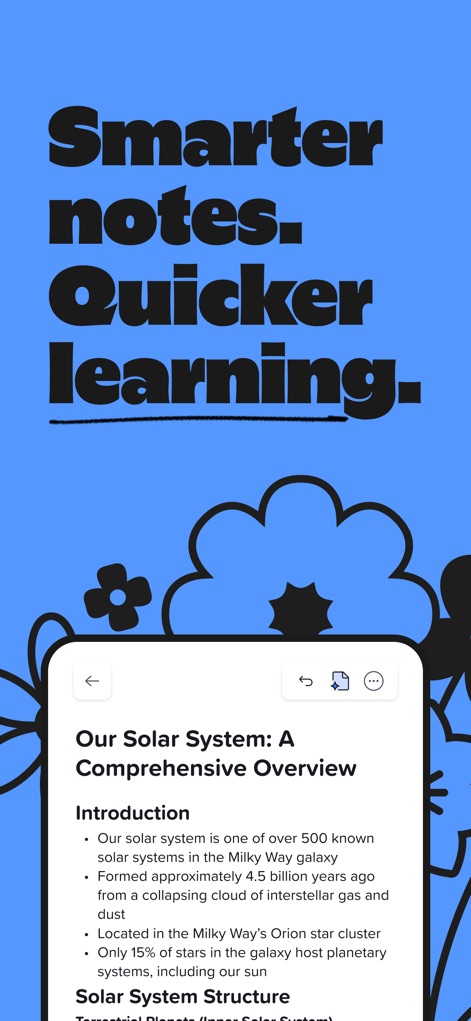
Dynamic Note Canvas
Discover how the app integrates diverse content types within a single organized page, showcasing comprehensive text display and intuitive navigation controls for efficient note management.
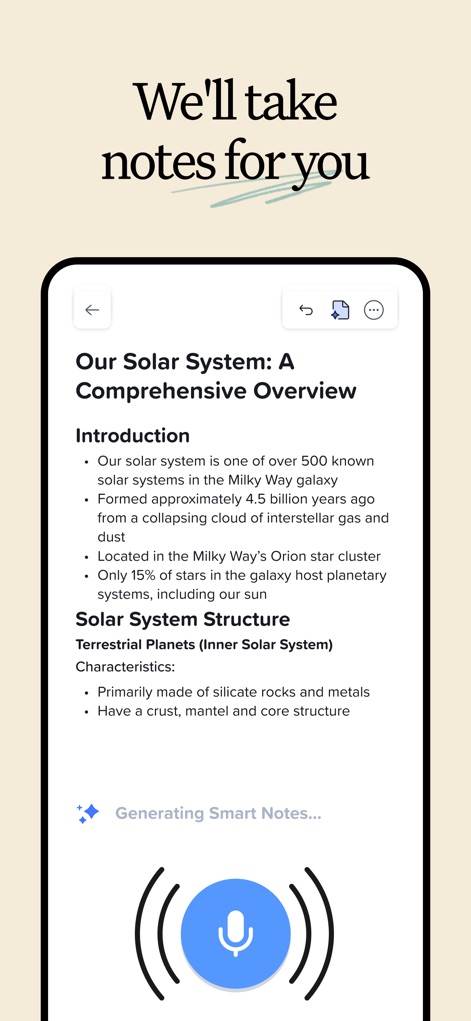
Intelligent Note Generation
Explore the app's capability to generate smart notes automatically, clearly indicated by the 'Generating Smart Notes...' prompt and the active microphone icon.
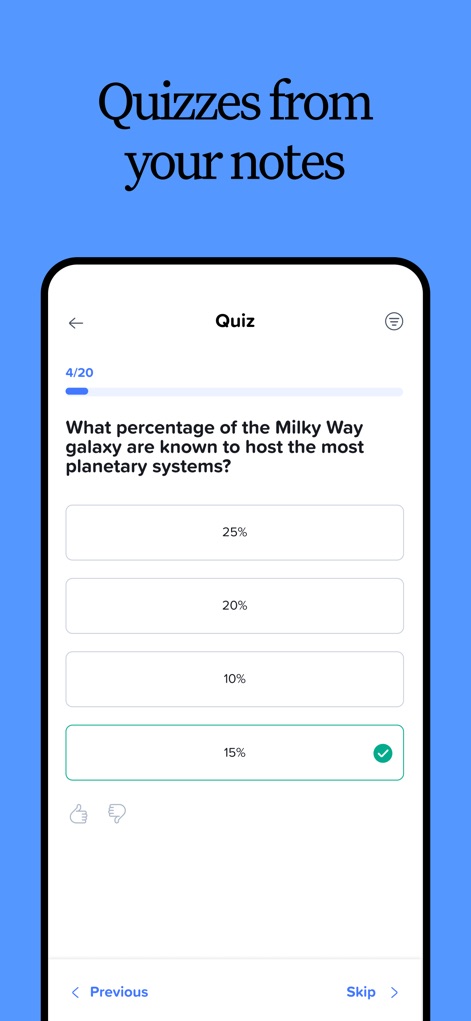
Interactive Quiz Creation
Witness how users can create and engage with interactive quizzes directly from their notes, featuring a clear multiple-choice format and a progress indicator like '4/20'.
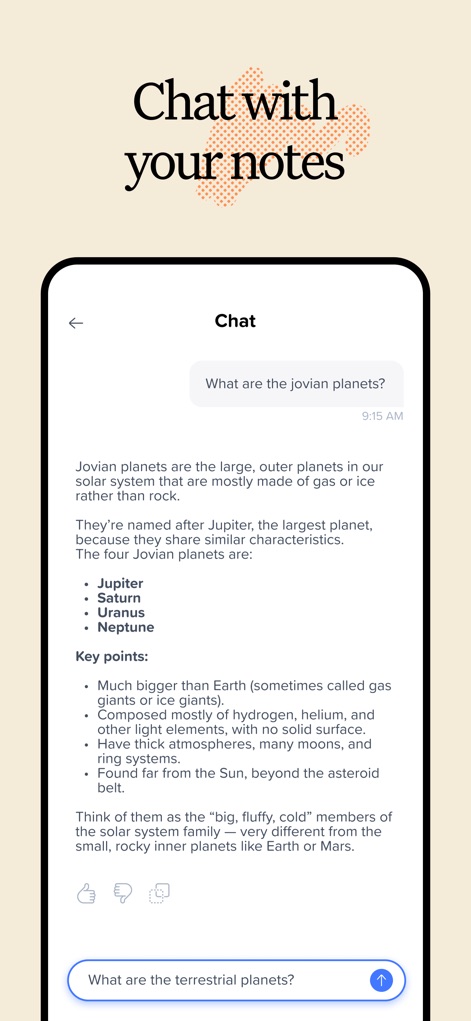
Conversational Note AI
Observe the innovative 'Chat with your notes' feature, allowing users to interact with their content through a natural conversational interface and a dynamic input field for queries.
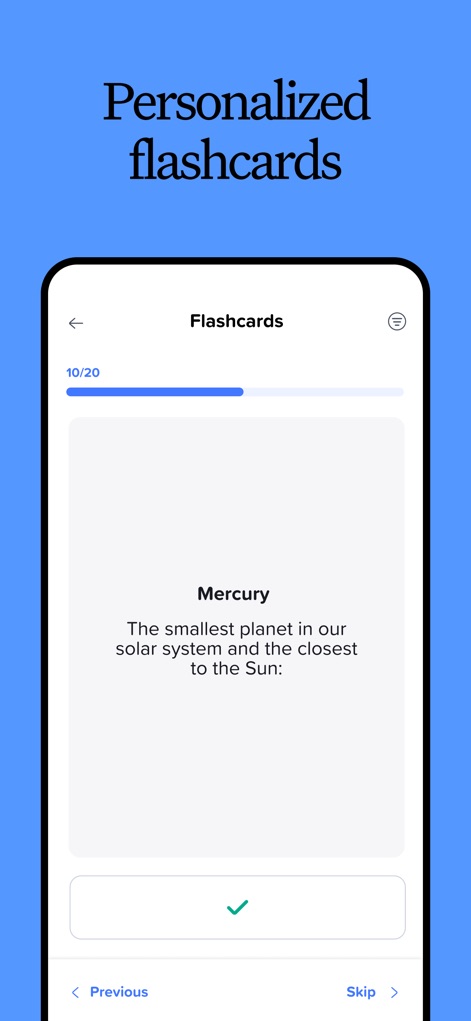
Personalized Study Flashcards
Examine the app's personalized flashcard system, which presents key concepts like 'Mercury' and tracks study progress with indicators such as '10/20' for effective active recall.
Description
Download
More Like This
Apps with similar features and user experience

Notion: Notes, Tasks, AI
Notion Labs, Incorporated

Freenotes®: AI Notes Taking
Hangzhou Free Notes Technology Co., Ltd

Structured - Daily Planner
unorderly GmbH

Google Tasks: Get Things Done
Google LLC

TickTick:To-Do List & Calendar
Appest Limited

Noteful: Notes & PDF Markup
Noteful Technologies Ltd

Todoist: To Do List & Calendar
Doist Inc.

To do list MinimaList & Widget
Inner Grow Limited

monday.com - Work Platform
monday.com Ltd.
This page is not an official page of the app or its developer, but an independent editorial publication created for informational and commentary purposes. Unless expressly stated otherwise, neither the app nor its developer is affiliated with, endorsed by, sponsored by, authorized by, or otherwise officially connected with MWM, Apple, Google Play, the app publisher, or the app's developer, and nothing on this page implies that the app was developed using MWM's services. Any trademarks, logos, screenshots, and other content remain the property of their respective owners.