
This page is not an official page of the app or its developer, but an independent editorial publication created for informational and commentary purposes. Unless expressly stated otherwise, neither the app nor its developer is affiliated with, endorsed by, sponsored by, authorized by, or otherwise officially connected with MWM, Apple, Google Play, the app publisher, or the app's developer, and nothing on this page implies that the app was developed using MWM's services. Any trademarks, logos, screenshots, and other content remain the property of their respective owners.

Notebloc Scanner - Scan to PDF
Join millions of students and professionals who digitize notes, receipts, and sketches with zero watermarks, unlimited pages, and free OCR—all without expensive subscriptions.
Downloads
1M+User Rating
Total Ratings
10K+Publisher
Category
ProductivityLocales
3Latest Version
3.11Size
99.5 MBFirst Released
Feb 28, 2016Scan Smarter, Not Harder
Professional-grade scanning tools designed for students and freelancers to digitize, organize, and share documents in seconds.
Unlimited Free Scanning
Create high-quality PDFs without watermarks, subscription fees, or restrictive page limits.
Perfect Perspective Correction
Automatically align scans and adjust lighting to make handwritten notes and receipts look professional.
Frequently Asked Questions
Everything you need to know about Notebloc Scanner - Scan to PDF
Is Notebloc Scanner free to use?
Yes, Notebloc Scanner is a free document scanner app offering unlimited usage for digitizing and editing documents on iPhone and iPad.
What are the main features of Notebloc Scanner?
Notebloc Scanner features include scanning documents to PDF, batch scanning, OCR for text extraction in 16 languages, image editing, and organizing scanned files. It also automatically corrects perspective.
Does Notebloc Scanner include OCR functionality?
Yes, Notebloc Scanner includes Optical Character Recognition (OCR) to extract text from images in English and 15 other languages. Users can copy, edit, or share the extracted text.
Can Notebloc Scanner process multiple pages at once?
Yes, Notebloc Scanner supports batch scanning, allowing users to scan multiple pages consecutively into a single document. This feature is 100% free with the app.
Does Notebloc Scanner add watermarks to scanned documents?
No, Notebloc Scanner allows users to scan documents without any watermarks. This ensures clean and professional-looking digital copies of your files.
Can I organize my documents within the Notebloc Scanner app?
Yes, Notebloc Scanner provides tools to organize notes, homework, exams, and other documents. Users can keep their files well-structured within the application.
How does Notebloc Scanner improve scanned document quality?
Notebloc Scanner automatically corrects perspective and light conditions in scanned documents. This feature ensures that notes, drawings, and other files become legible and clear.
The following screenshots and description are sourced directly from the app's official store listing and are the property of the app developer.
App Store
Screenshots
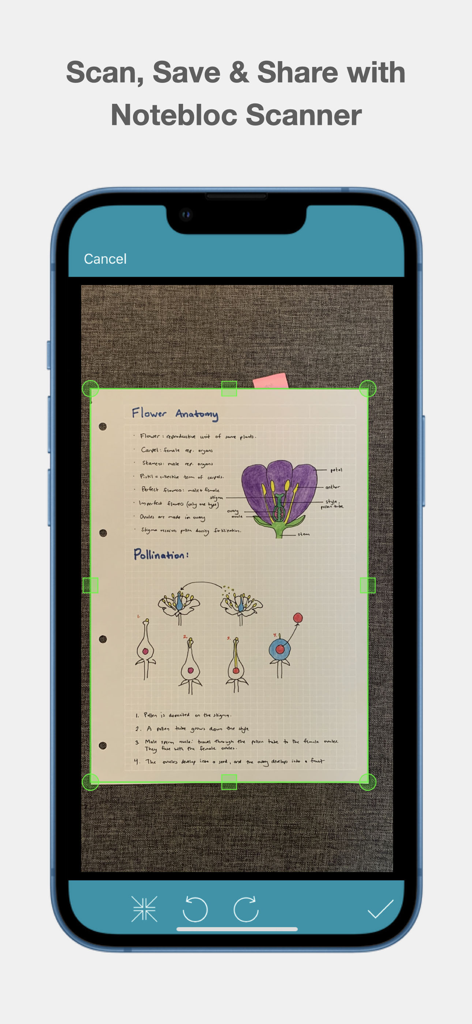
Smartphone screen using Notebloc Scanner to digitize handwritten biology notes with green crop markers
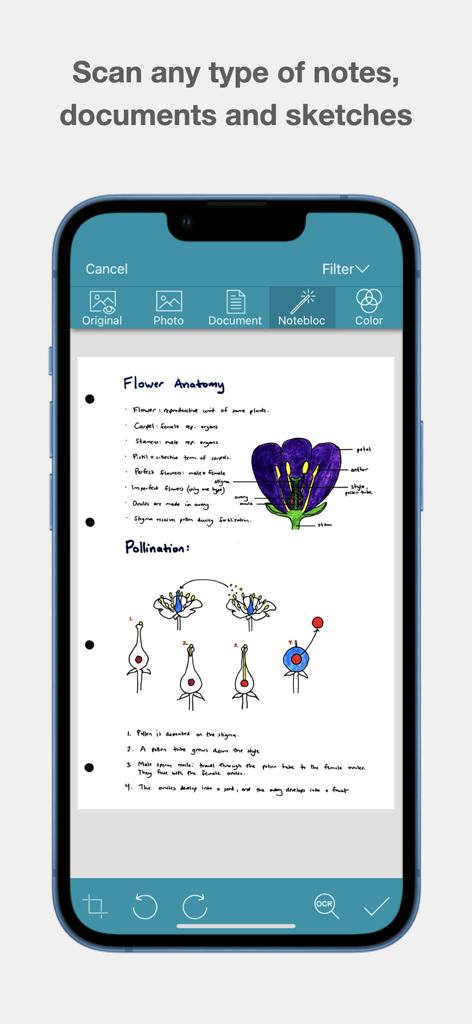
Interface of Notebloc Scanner app with a scanned document of biology notes and flower anatomy sketches
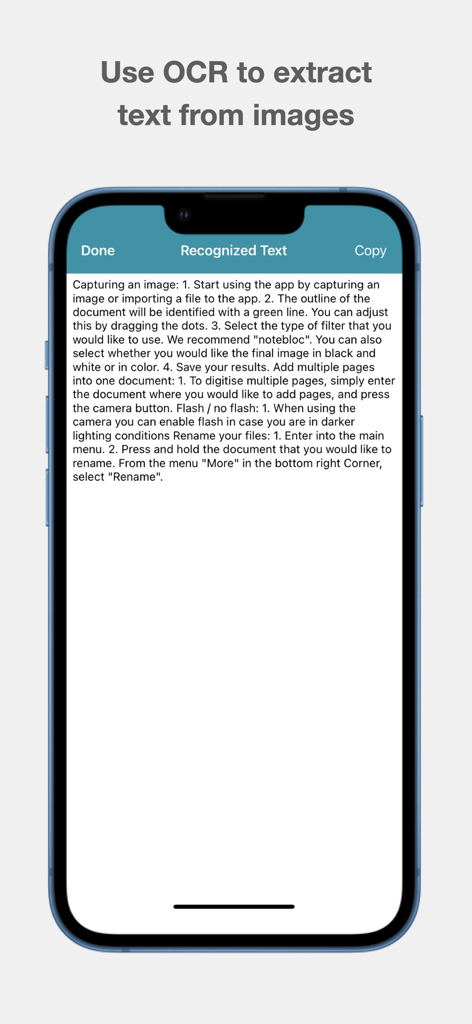
Screenshot of Notebloc Scanner app displaying the OCR feature extracting text from a scanned document
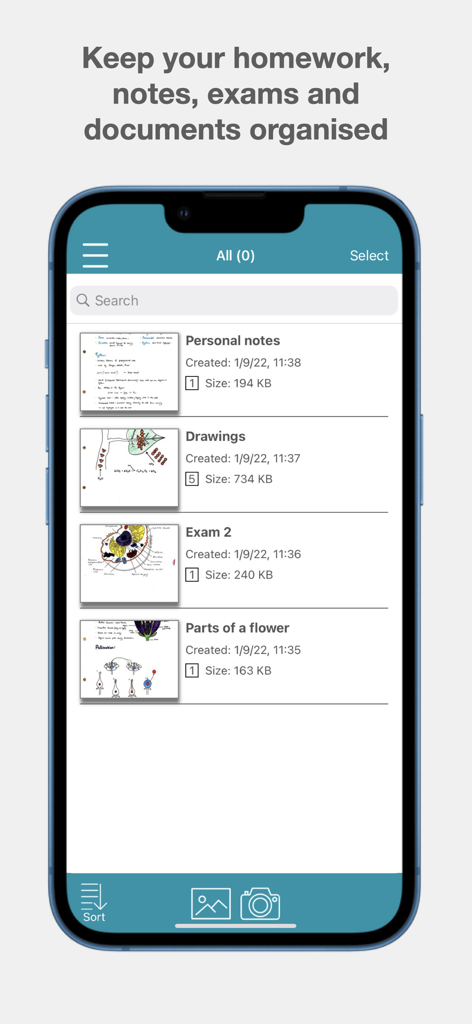
Interface of Notebloc Scanner app showing organized folders for notes drawings and exams
Description
Download
More Like This
Apps with similar features and user experience

PDF PRO Scan Image & Documents
Balzo srl

The PDF Scanner, PDF editor HQ
NEXT K.U.M. LTD

CamScanner - PDF Scanner App
INTSIG Information Co., Ltd

Adobe Scan: PDF & OCR Scanner
Adobe Inc.

WPS Office: PDF, Docs, Sheets
KINGSOFT OFFICE SOFTWARE CORPORATION LIMITED

iLovePDF - PDF Editor & Scan
ILOVEPDF S.L.

Scanner App: Genius Scan
The Grizzly Labs

Microsoft Lens: PDF Scanner
Microsoft Corporation

Clear Scan: Doc Scanner App
INDY MOBILE APP COMPANY LIMITED
This page is not an official page of the app or its developer, but an independent editorial publication created for informational and commentary purposes. Unless expressly stated otherwise, neither the app nor its developer is affiliated with, endorsed by, sponsored by, authorized by, or otherwise officially connected with MWM, Apple, Google Play, the app publisher, or the app's developer, and nothing on this page implies that the app was developed using MWM's services. Any trademarks, logos, screenshots, and other content remain the property of their respective owners.