Notebooks – Write and Organize
Download on App Store

This page is not an official page of the app or its developer, but an independent editorial publication created for informational and commentary purposes. Unless expressly stated otherwise, neither the app nor its developer is affiliated with, endorsed by, sponsored by, authorized by, or otherwise officially connected with MWM, Apple, Google Play, the app publisher, or the app's developer, and nothing on this page implies that the app was developed using MWM's services. Any trademarks, logos, screenshots, and other content remain the property of their respective owners.

Logo of Notebooks – Write and Organize
Download on App Store

Notebooks – Write and Organize

Build your second brain with a powerful Markdown editor, task manager, and file organizer in one. Take full control of your data with standard file formats and no proprietary lock-in.

Key Figures

Downloads

124K+

User Rating

4.7/5

Total Ratings

2K+

Publisher

Alfons Schmid

Category

Productivity

Locales

4

Latest Version

12.8.4

Size

45.1 MB

First Released

Jan 20, 2020
Features

The Ultimate Workspace for Knowledge Professionals

Stop switching between fragmented apps. Notebooks merges professional text editing, file organization, and task management into one sophisticated, future-proof environment built for your 'Second Brain'.

Future-Proof Data Sovereignty

Own your data forever. All documents are stored in standard formats like Plain Text and Markdown, ensuring your files remain accessible and readable across any device or platform without vendor lock-in.

Advanced Knowledge Management

Construct your personal Wiki or Zettelkasten using Wiki-style links, deep nested folders, and full-text search. Connect disparate ideas and organize complex research with professional-grade precision.

The following screenshots and description are sourced directly from the app's official store listing and are the property of the app developer.

App Store

Screenshots
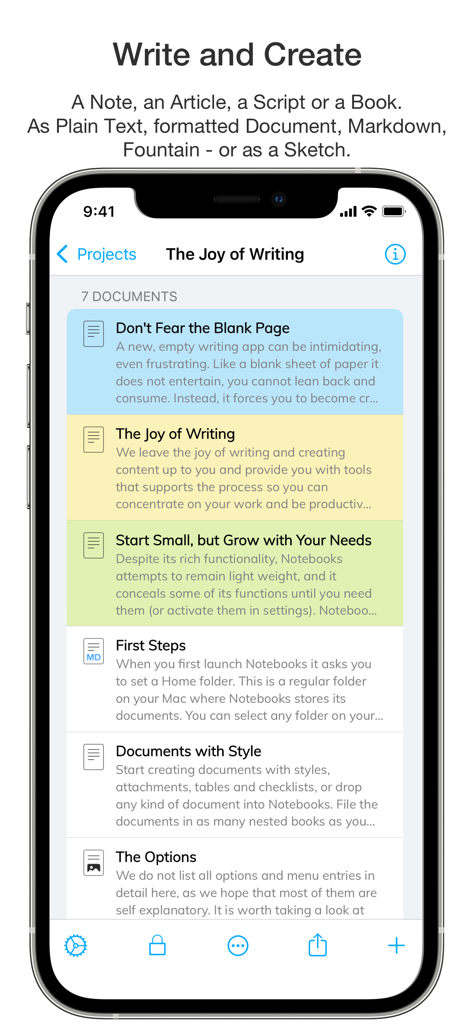
Notebooks – Write and Organize - iPhone screen showing a list of organized documents and notes in the Notebooks app with color-coded categories.
iPhone screen showing a list of organized documents and notes in the Notebooks app with color-coded categories.

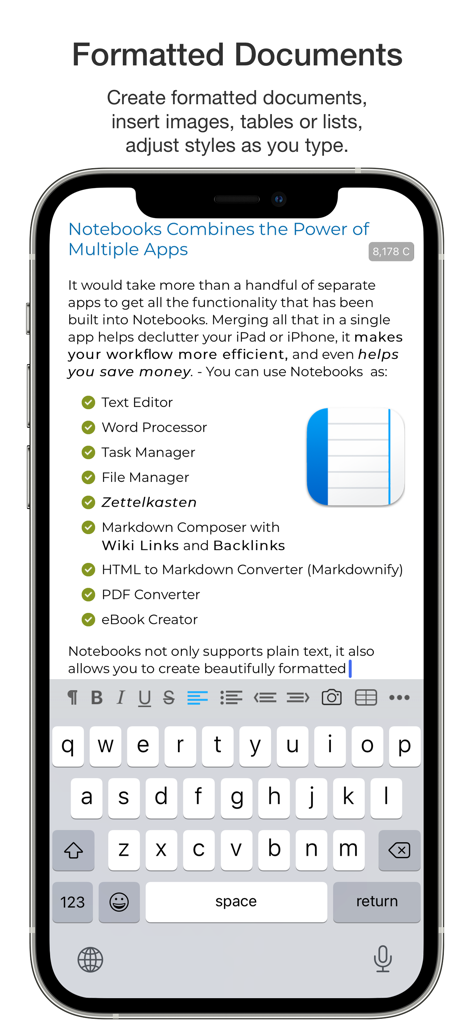
Notebooks – Write and Organize - A mobile screen showing the Notebooks app interface with a formatted document and a checklist of features like task manager and markdown composer.
A mobile screen showing the Notebooks app interface with a formatted document and a checklist of features like task manager and markdown composer.

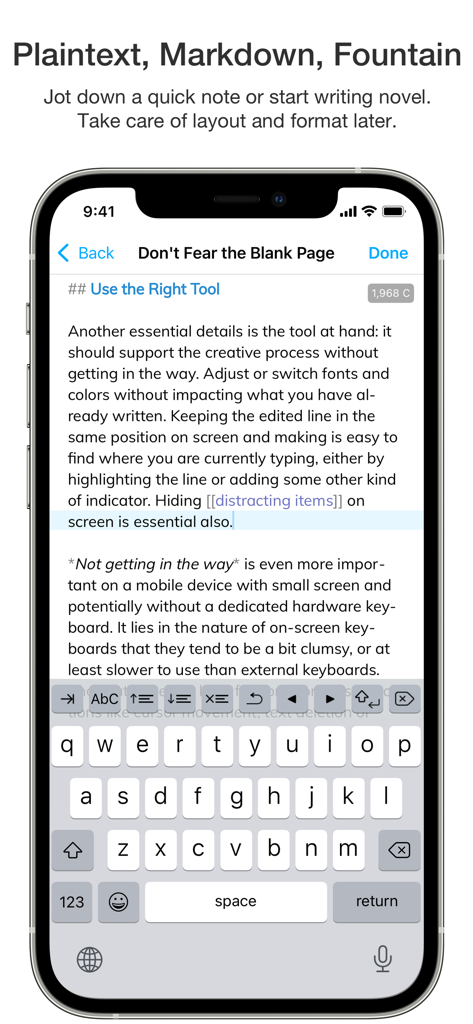
Notebooks – Write and Organize - iPhone screen displaying the Notebooks app interface with a Markdown text editor and on-screen keyboard
iPhone screen displaying the Notebooks app interface with a Markdown text editor and on-screen keyboard

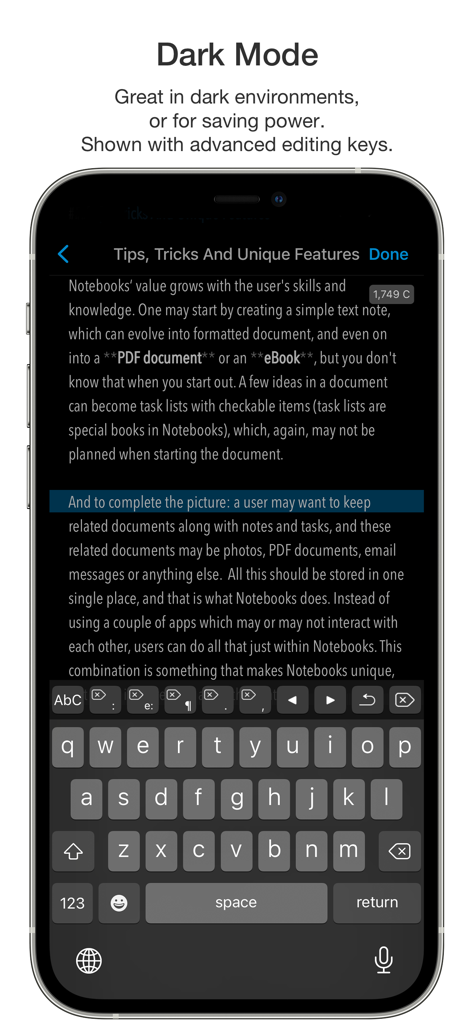
Notebooks – Write and Organize - iPhone screenshot of the Notebooks app in dark mode showing the text editor and advanced editing keyboard
iPhone screenshot of the Notebooks app in dark mode showing the text editor and advanced editing keyboard

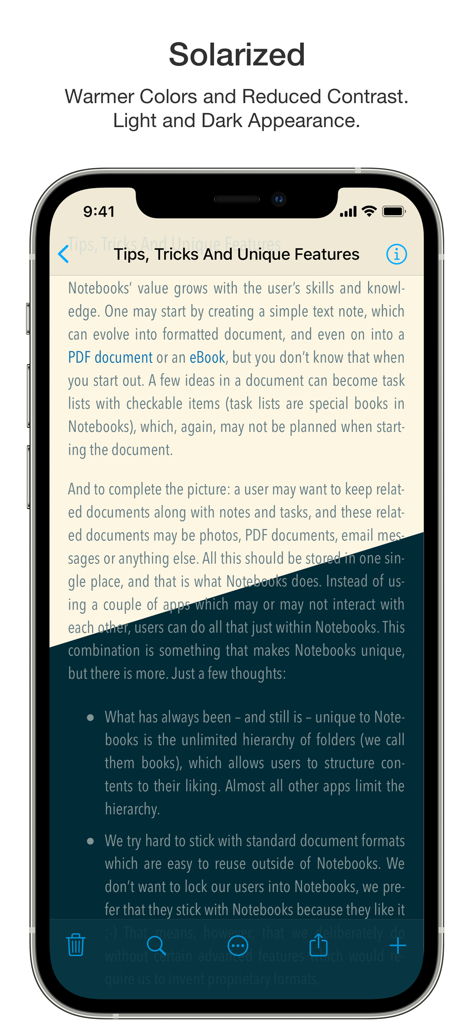
Notebooks – Write and Organize - The Notebooks app displaying a document titled Tips, Tricks And Unique Features using the Solarized color theme for improved readability.
The Notebooks app displaying a document titled Tips, Tricks And Unique Features using the Solarized color theme for improved readability.

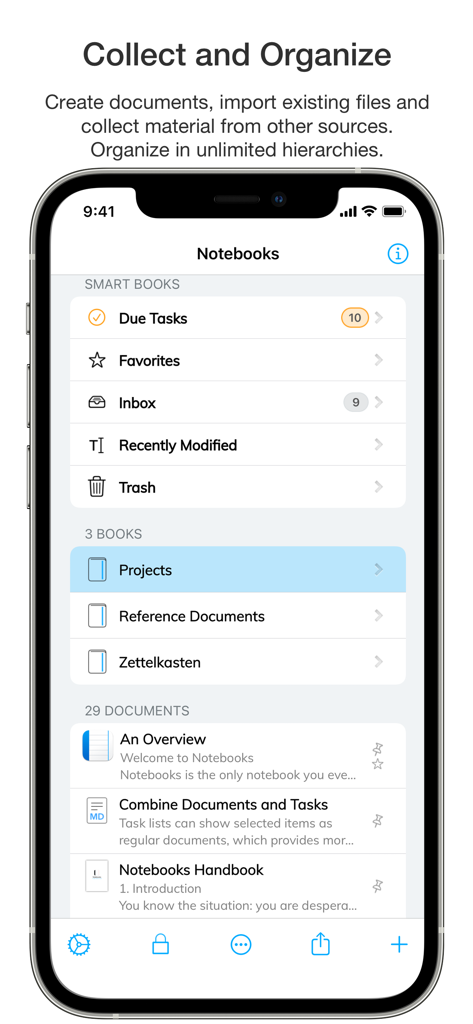
Notebooks – Write and Organize - Main screen of the Notebooks app showing smart books and document organization on an iPhone
Main screen of the Notebooks app showing smart books and document organization on an iPhone

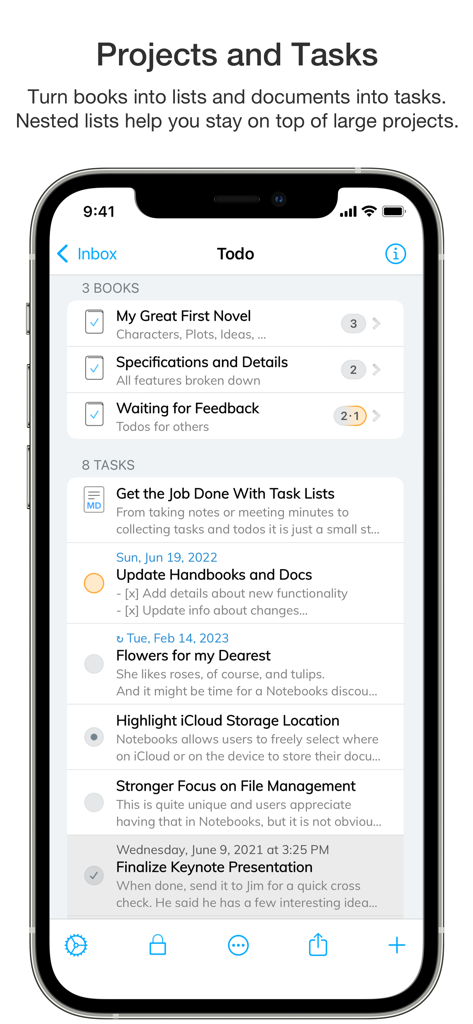
Notebooks – Write and Organize - Smartphone screen showing project organization and task lists in the Notebooks app
Smartphone screen showing project organization and task lists in the Notebooks app

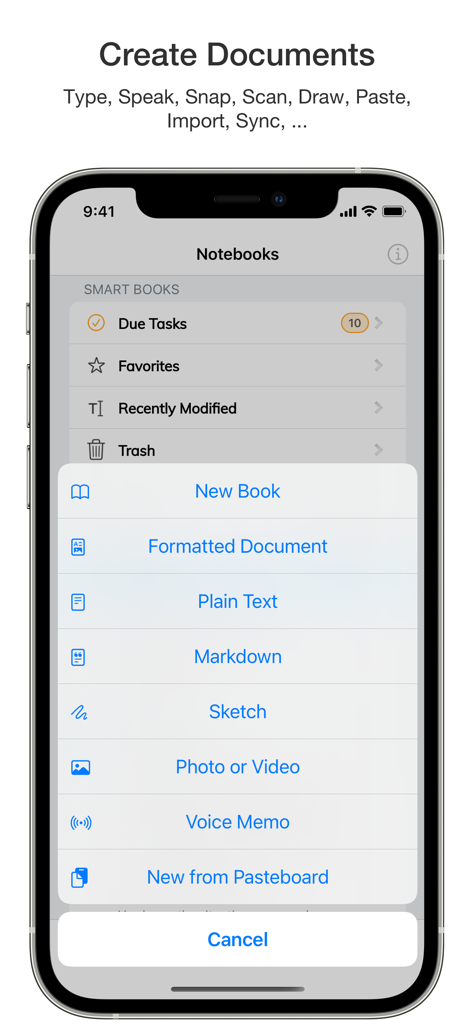
Notebooks – Write and Organize - iPhone screen showing the creation menu in the Notebooks app with options for new books, formatted documents, and markdown files
iPhone screen showing the creation menu in the Notebooks app with options for new books, formatted documents, and markdown files

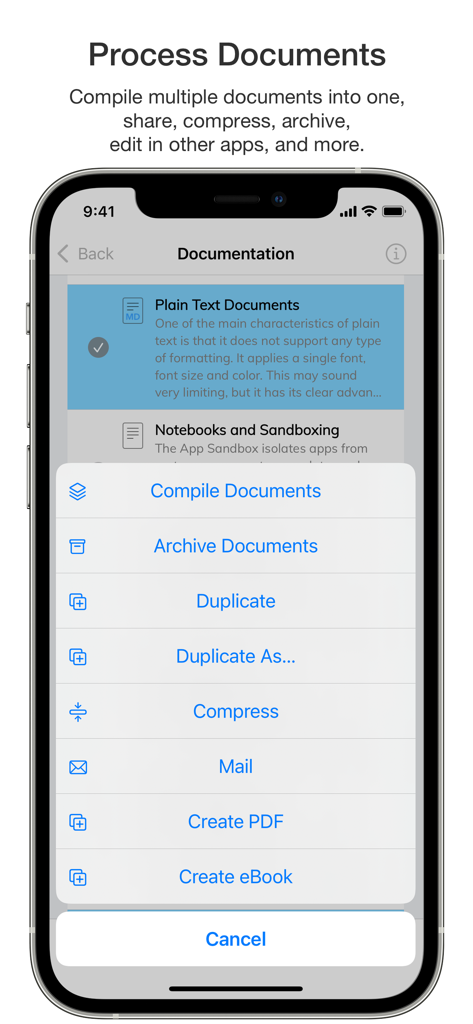
Notebooks – Write and Organize - A mobile screen showing the Notebooks app document processing menu with options to compile, archive, and create PDFs.
A mobile screen showing the Notebooks app document processing menu with options to compile, archive, and create PDFs.

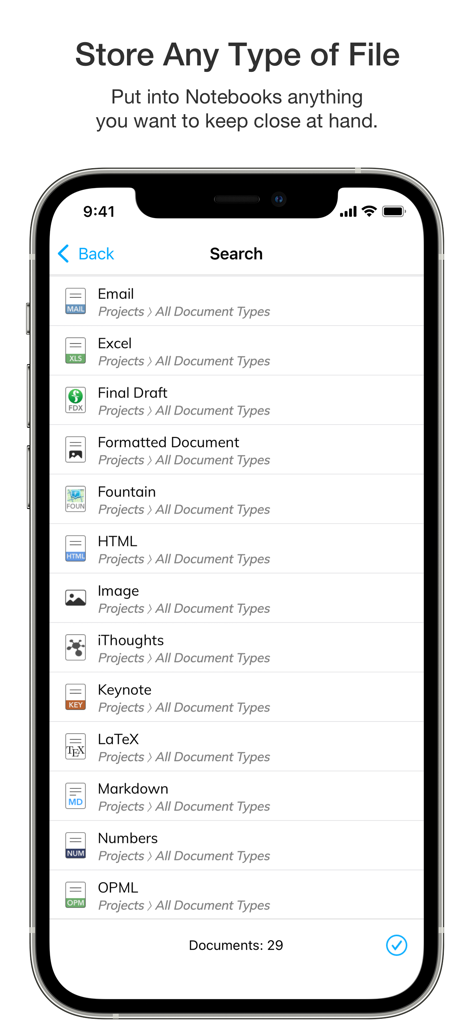
Notebooks – Write and Organize - A search list in the Notebooks app displaying various supported file formats including Email, Excel, HTML, and Markdown.

A search list in the Notebooks app displaying various supported file formats including Email, Excel, HTML, and Markdown.

Description

Notebooks is a comprehensive writing app with a powerful text and Markdown editor, which you can use as personal Wiki, Zettelkasten, file and document organizer, task manager, PDF/eBook creator and much more—all in one place. You can seamlessly transform quick notes into actionable tasks, combine text fragments into chapters of a book, organize research material, and keep business documents separate from personal diaries without ever switching apps. Stay focused and unleash your creativity with Notebooks’ versatile and intuitive features. - You'll quickly come to appreciate this unique combination of features. • Notebooks stores all your documents as regular files in standard formats. You are always in control of your documents, never need to worry about how to export them, and they remain compatible across devices and over time. • Create formatted documents with styles, attachments, tables or checklists, and add a table of contents if you like. Choose between a variation of ready made document styles, or create your own, if you want. • Write your documents in plain text and allow Notebooks to automatically handle lists, highlight and center the current line on screen, automatically insert closing characters for (, {, [, " and more. - Plain text is a universal format which can be used on any device without any specific software. • Use Markdown to create formatted documents from plain text. Notebooks supports *MultiMarkdown* and its own flavor of *Discount*. – Click any word in a formatted Markdown text and start writing at that position. You can even create checklists (- [ ]) and tick them off in formatted view. Syntax highlighting and a set of dedicated extra keyboard keys make Markdown editing easy. • Use your Apple Pencil to sketch ideas or annotate images and PDF documents. • Use Notebooks' advanced editing capabilities to work on documents which are stored in other apps. • Compile selected documents or the contents of whole books into a single document, an eBook or a PDF document. • Link between documents in Notebooks. In Markdown you can even use Wiki style links ([[ ]]). When clicking a link to a document which does not yet exist, Notebooks suggests to create it. And when you move or rename documents, Notebooks makes sure the links remain intact. • Create as many books as you need to structure your projects and details. Nest books as deep as you like, there is no limit in Notebooks. If you ever loose track, Notebooks' full text search helps you quickly turn up even the most hidden document. • Turn books into task lists to display document as tasks which can be ticked off. Assign due dates and alerts, and divide projects into nested sub projects, which makes them easier to handle. • For simple lists you can use checklists in formatted documents and Markdown. • Assign Context tags to books and documents to create shortcuts that are accessible for a smart book at Notebooks' top level. – Notebooks can even extract context tags from the contents of documents as you create them. • Import all documents and files you want to keep close at hand, no matter whether PDF, email, web pages, MS Office or iWorks, photos, videos, music and more. • Scan documents and extract text using OCR (iOS 13) • Sync files between iPads, iPhones, Mac or PC. With all these features, Notebooks may quickly become your go-to repository for everything you want to keep close at hand. User Comments: “Notebooks is a wonderful App, which is so much better than the dozen other note apps I tried. It is sophisticated, in an unassuming way, so that you find yourself greatly rewarded and being productive without sacrificing time/effort to the App. I cannot tell you how much productivity I have gained. I am having a huge amount of fun, I use it constantly, more than the phone on my iPhone in fact." “You are GTD in every way that makes it efficient and makes me efficient.”

Download

Download on App Store

This page is not an official page of the app or its developer, but an independent editorial publication created for informational and commentary purposes. Unless expressly stated otherwise, neither the app nor its developer is affiliated with, endorsed by, sponsored by, authorized by, or otherwise officially connected with MWM, Apple, Google Play, the app publisher, or the app's developer, and nothing on this page implies that the app was developed using MWM's services. Any trademarks, logos, screenshots, and other content remain the property of their respective owners.








