
This page is not an official page of the app or its developer, but an independent editorial publication created for informational and commentary purposes. Unless expressly stated otherwise, neither the app nor its developer is affiliated with, endorsed by, sponsored by, authorized by, or otherwise officially connected with MWM, Apple, Google Play, the app publisher, or the app's developer, and nothing on this page implies that the app was developed using MWM's services. Any trademarks, logos, screenshots, and other content remain the property of their respective owners.


Notes+ : Notes for Pencil
Experience realistic handwriting paired with elite AI features. Instantly generate summaries, quizzes, and flashcards to master your subjects faster and more efficiently than ever before.
Downloads
7M+User Rating
Total Ratings
102K+Publisher
Category
EducationLocales
23Latest Version
6.2.3Size
130.4 MBFirst Released
Jan 20, 2023The Ultimate Edge for High-Achievers
Notes+ goes beyond digital handwriting. It is a comprehensive AI-driven ecosystem designed for students and professionals who need to master complex information at speed.
AI-Powered Study Engine
Instantly transform long lectures into summaries, quizzes, and flashcards. Turn hours of study into minutes of high-impact review.
Integrated Research Workflow
Summarize YouTube videos, convert web pages to PDFs, and sync everything across your devices without ever leaving your digital notebook.
Frequently Asked Questions
Everything you need to know about Notes+ : Notes for Pencil
What is Notes+ : Notes for Pencil?
Notes+ : Notes for Pencil is a digital note-taking application that offers a realistic writing experience with various tools and AI-powered features for enhanced productivity and organization.
Can Notes+ : Notes for Pencil import files?
Yes, Notes+ : Notes for Pencil can seamlessly import files from Windows or Mac. It also converts web pages to PDFs for import, allowing users to sync notes across iPad and iPhone.
Does Notes+ : Notes for Pencil include AI tools?
Yes, Notes+ : Notes for Pencil includes several AI tools such as an AI Summary Generator, AI Quiz Generator, AI Flashcard Generator, AI Audio Transcription, and AI NoteSnap Pen.
What is the price of the AI One monthly subscription in Notes+ : Notes for Pencil?
The AI One monthly subscription in Notes+ : Notes for Pencil costs US$12.99/month and includes 6 AI tools. This pricing applies to users in the United States.
How does auto-renewal work for Notes+ : Notes for Pencil subscriptions?
Notes+ : Notes for Pencil subscriptions automatically renew unless turned off at least 24 hours before the current period ends. Your iTunes account is charged for renewal within 24 hours prior to the end of the period.
Does Notes+ : Notes for Pencil offer password protection for notes?
Yes, Notes+ : Notes for Pencil features robust password protection to keep your notes secure. This capability ensures the privacy and safety of user information within the application.
Can Notes+ : Notes for Pencil transfer real-time photos to iPad?
Yes, Notes+ : Notes for Pencil allows real-time photo transfer to iPad. This feature enables users to capture and integrate physical documents or projected content directly into their notes.
Is there a built-in calculator in Notes+ : Notes for Pencil?
Yes, Notes+ : Notes for Pencil includes a built-in calculator. This tool helps users easily solve math problems directly within the app, boosting productivity during note-taking sessions.
Does Notes+ : Notes for Pencil support viewing documents in split view?
Yes, Notes+ : Notes for Pencil supports viewing the same document in a split view. Its Dual Pages function allows simultaneous display, which enhances productivity and multitasking for users.
Can users access the web without leaving Notes+ : Notes for Pencil?
Yes, users can access the web without ever leaving the Notes+ : Notes for Pencil app. This feature facilitates seamless research and information gathering directly within the note-taking environment.
The following screenshots and description are sourced directly from the app's official store listing and are the property of the app developer.
App Store
Screenshots
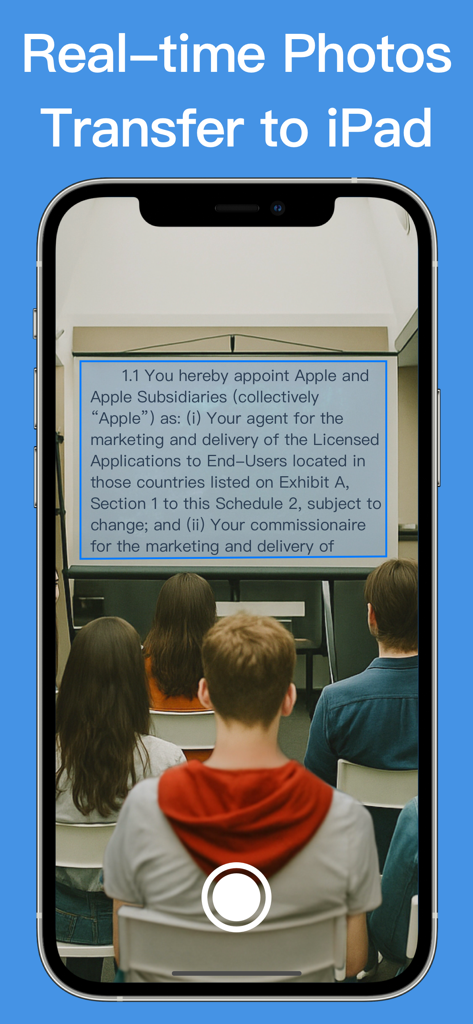
Capture and transfer classroom notes from iPhone to iPad in real time
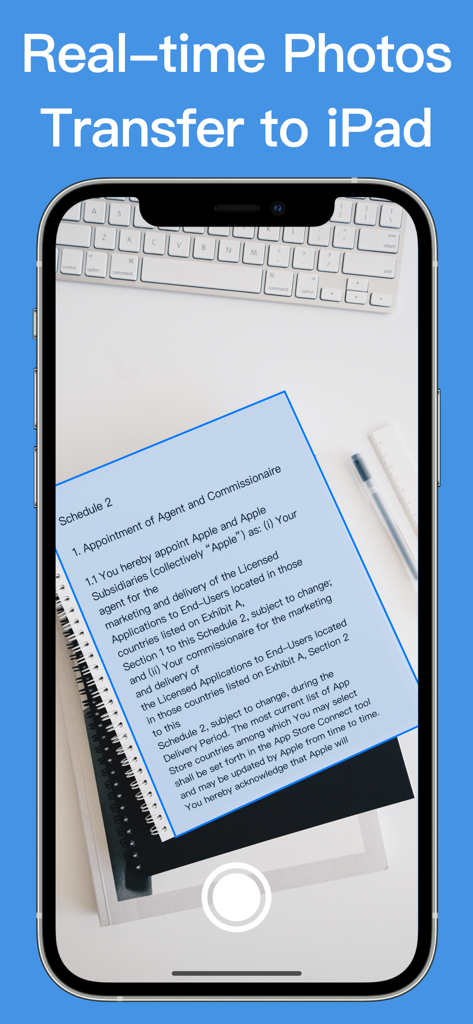
iPhone scanning a paper document for real-time transfer to an iPad
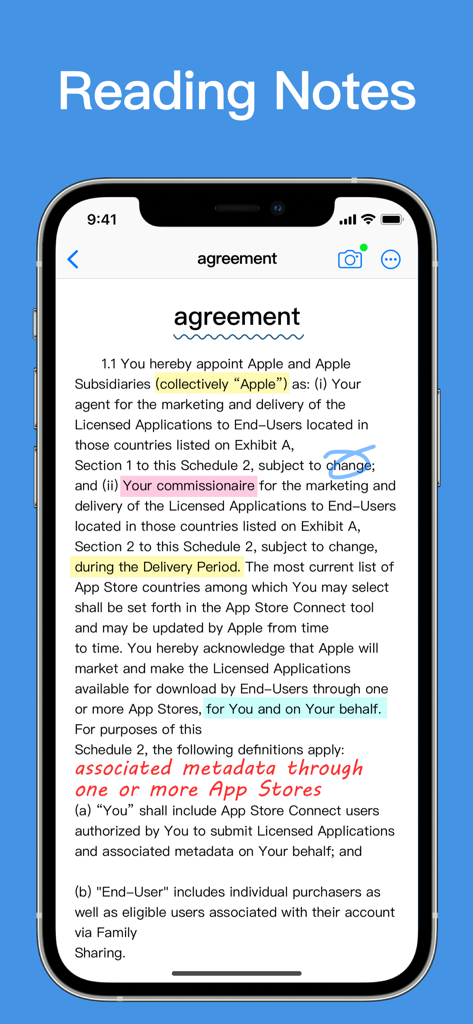
Reading and annotating a document with highlights and handwriting in the Notes plus app on an iPhone.
Description
Download
More Like This
Apps with similar features and user experience

Notion: Notes, Tasks, AI
Notion Labs, Incorporated

Freenotes®: AI Notes Taking
Hangzhou Free Notes Technology Co., Ltd

Structured - Daily Planner
unorderly GmbH

Google Tasks: Get Things Done
Google LLC

TickTick:To-Do List & Calendar
Appest Limited

Noteful: Notes & PDF Markup
Noteful Technologies Ltd

Todoist: To Do List & Calendar
Doist Inc.

To do list MinimaList & Widget
Inner Grow Limited

monday.com - Work Platform
monday.com Ltd.
This page is not an official page of the app or its developer, but an independent editorial publication created for informational and commentary purposes. Unless expressly stated otherwise, neither the app nor its developer is affiliated with, endorsed by, sponsored by, authorized by, or otherwise officially connected with MWM, Apple, Google Play, the app publisher, or the app's developer, and nothing on this page implies that the app was developed using MWM's services. Any trademarks, logos, screenshots, and other content remain the property of their respective owners.