
This page is not an official page of the app or its developer, but an independent editorial publication created for informational and commentary purposes. Unless expressly stated otherwise, neither the app nor its developer is affiliated with, endorsed by, sponsored by, authorized by, or otherwise officially connected with MWM, Apple, Google Play, the app publisher, or the app's developer, and nothing on this page implies that the app was developed using MWM's services. Any trademarks, logos, screenshots, and other content remain the property of their respective owners.


Object Removal AI - AI Retouch
Effortlessly remove photobombers, expand your backgrounds, and swap outfits with a single tap. Join over 1 million creators using pro-grade AI to elevate their social media aesthetic.
Downloads
1M+User Rating
Total Ratings
6K+Publisher
Category
Graphics & DesignLocales
17Latest Version
6.2.1Size
109.8 MBFirst Released
Feb 1, 2023Your All-in-One AI Photo Studio
From removing photobombers to expanding your canvas for social media, get studio-quality results in seconds without the learning curve.
One-Tap Object Removal
Instantly delete photobombers, distracting objects, or watermarks with AI-powered precision and seamless blending.
Smart AI Expand
Perfectly resize photos for Instagram or TikTok by letting AI intelligently fill in the background to fit any aspect ratio.
Frequently Asked Questions
Everything you need to know about Object Removal AI - AI Retouch
What is Object Removal AI - AI Retouch?
Object Removal AI - AI Retouch is an app that removes unwanted objects, people, and blemishes from photos. It uses powerful AI features like AI Fill, AI Expand, and AI Replace to create perfect results.
How do I remove objects using Object Removal AI - AI Retouch?
Object Removal AI offers three modes: AI Auto-Select, Brush, and Lasso. AI Auto-Select automatically detects unwanted objects, while Brush and Lasso modes allow manual selection and removal.
Can Object Removal AI remove text from images?
Yes, Object Removal AI - AI Retouch can remove unwanted text from photos. The app's object removal feature specifically targets text, logos, and watermarks for clean image editing.
Can I remove people from my photos with Object Removal AI?
Yes, Object Removal AI - AI Retouch removes unwanted people from photos. The app provides AI Auto-Select, Brush, and Lasso modes for precise person removal, as demonstrated in the app.
What is AI Generative Fill in Object Removal AI?
AI Generative Fill in Object Removal AI intelligently recognizes the scene and seamlessly fills gaps after element removal. It matches colors, lighting, and atmosphere for natural, professional-quality results.
How does AI Replace work in Object Removal AI?
AI Replace in Object Removal AI modifies specific photo areas with simple prompts. It changes outfits, hairstyles, or surrounding elements in seconds, enabling creative and personalized image alterations.
Can Object Removal AI expand photos for social media?
Yes, Object Removal AI's AI Expand feature expands photo boundaries and automatically fills new space with relevant details. It supports resizing for social media platforms like Instagram and TikTok.
Does Object Removal AI have a background removal feature?
Yes, Object Removal AI has a background removal feature. It quickly identifies and removes backgrounds, allowing users to replace them or easily cut out subjects from their pictures.
How does Object Removal AI improve image quality?
Object Removal AI uses an "AI Enhance" feature to clear low-quality images. This function brings cherished memories into vivid focus by improving image clarity and detail.
Can I adjust photo settings in Object Removal AI?
Yes, Object Removal AI allows users to adjust photo settings. This includes customizing brightness, saturation, and color temperature for the subject, background, or both to achieve a perfectly balanced image.
Can Object Removal AI remove blemishes?
Yes, Object Removal AI - AI Retouch removes blemishes from photos. This capability is part of its comprehensive object removal features designed to refine and perfect images.
Where can I find the privacy policy for Object Removal AI?
The privacy policy for Object Removal AI - AI Retouch is available on the app's official website. It can be found at: https://collart.app/photo_enhancer_privacy_policy.html.
What are the terms of use for Object Removal AI?
The terms of use for Object Removal AI - AI Retouch are accessible via the official link provided: https://collart.app/photo_enhancer_terms_of_service.html. Users should review these terms for app usage guidelines.
How can I contact support for Object Removal AI?
To contact support for Object Removal AI - AI Retouch, users can send an email to support@collart.app. This is the designated channel for questions or comments regarding the app.
The following screenshots and description are sourced directly from the app's official store listing and are the property of the app developer.
App Store
Screenshots
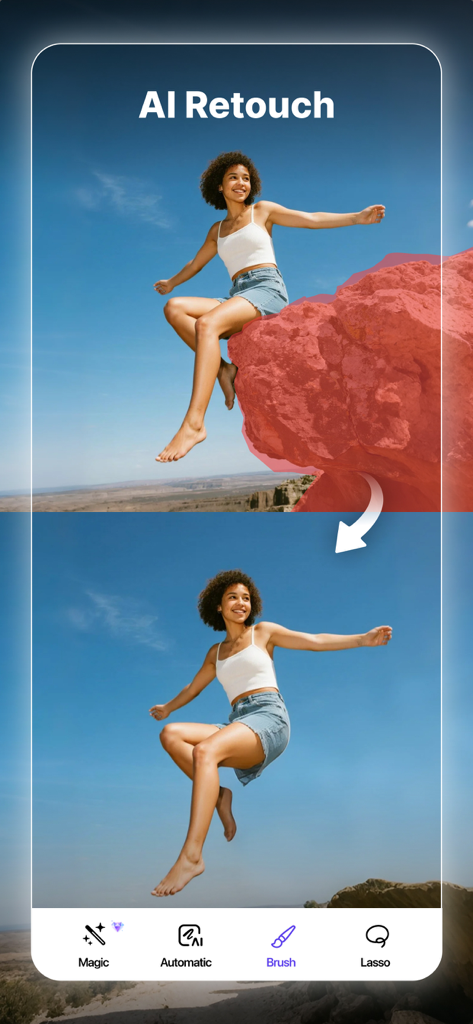
Before and after comparison of removing a large rock from a photo using AI Retouch app
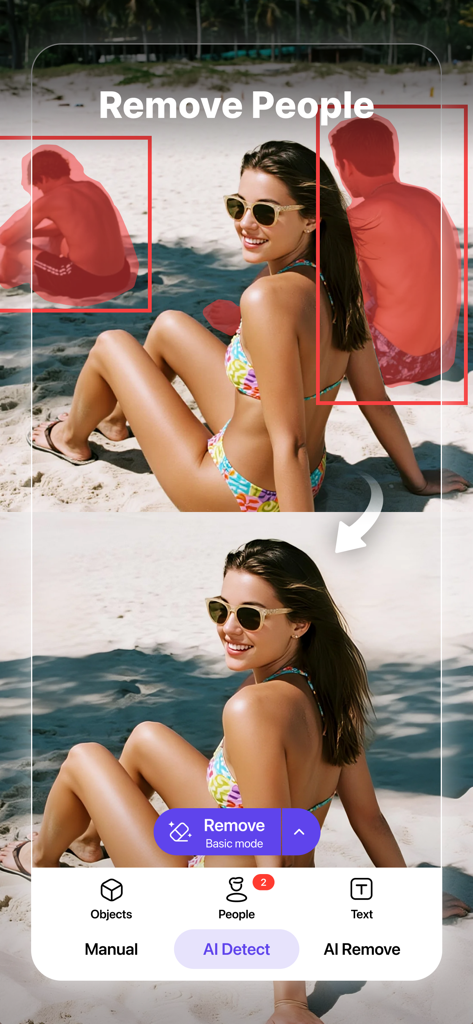
Before and after comparison of removing people from a beach photo using AI retouching
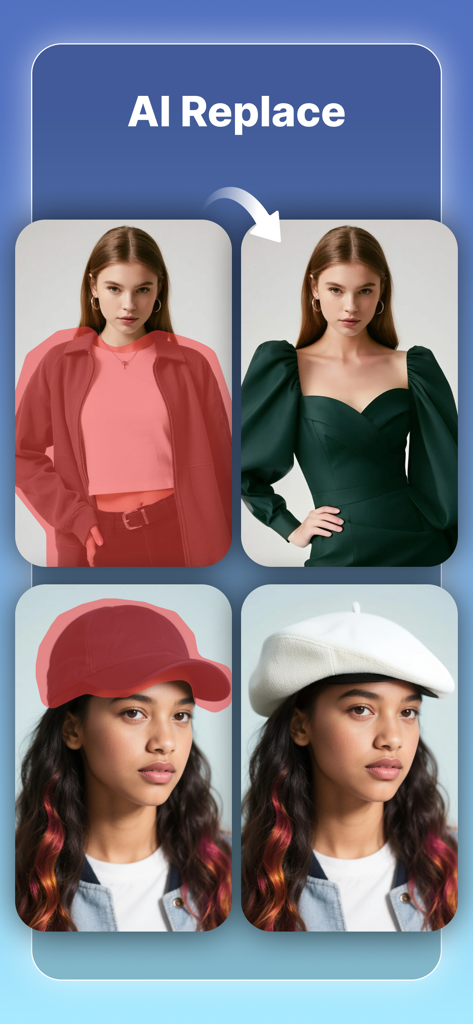
A demonstration of the AI Replace feature showing a woman's jacket replaced by a dress and a baseball cap replaced by a white beret.
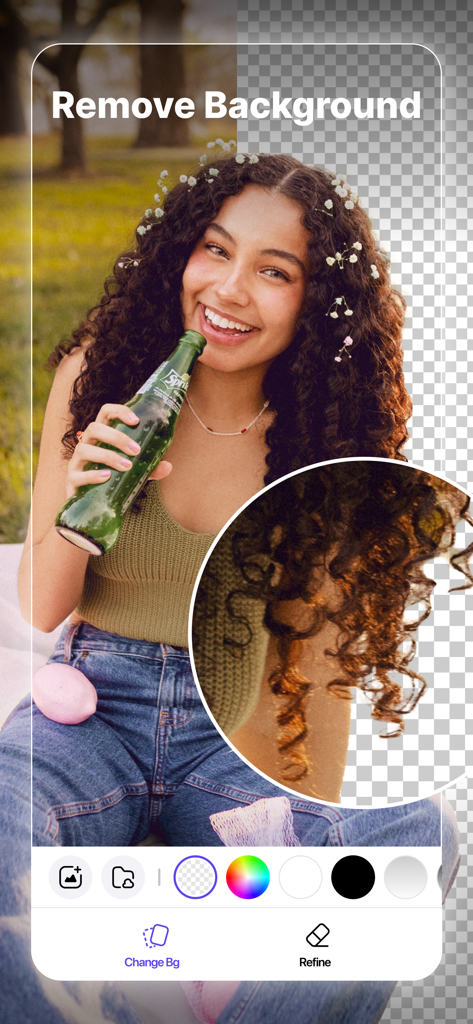
A mobile app interface showing the AI background removal feature on a portrait of a woman.
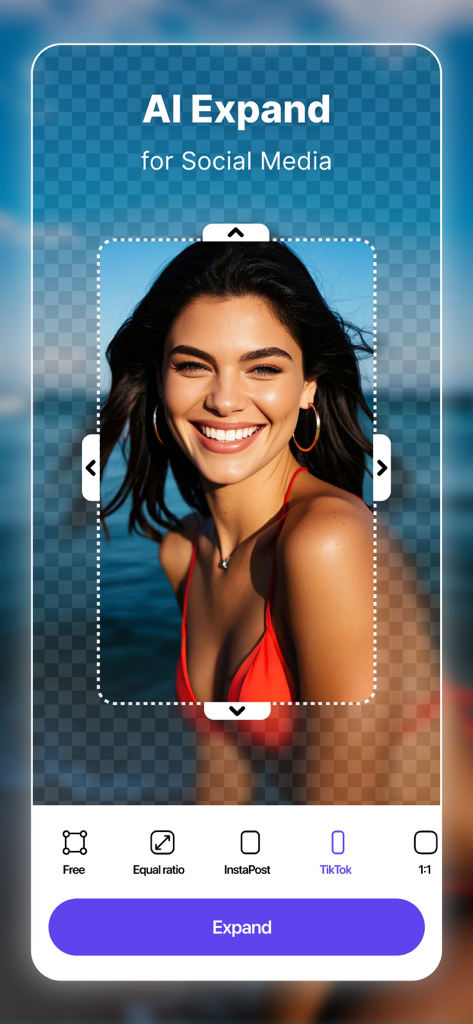
AI Expand feature resizing a portrait photo for TikTok and social media platforms
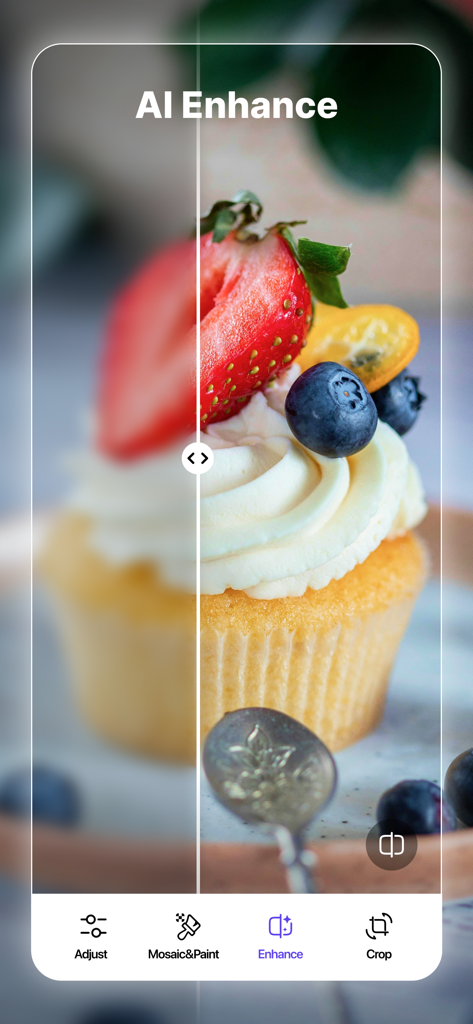
Before and after comparison of a cupcake photo using the AI Enhance feature to sharpen a blurry image
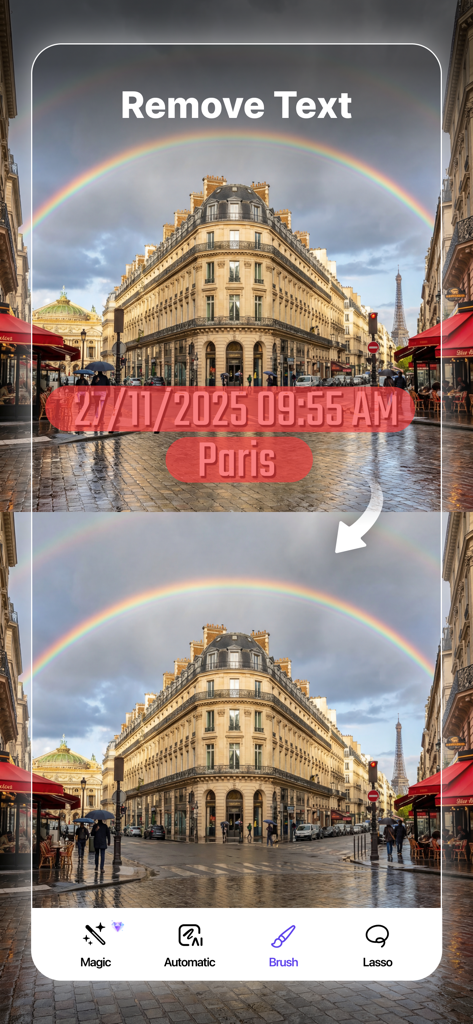
Before and after demonstration of removing a timestamp and text from a photo of a Paris street using AI
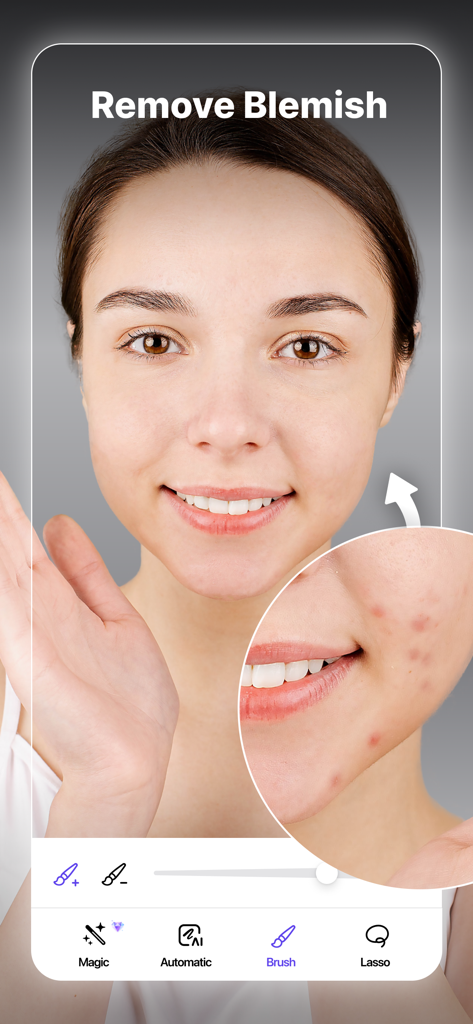
AI photo retouching interface showing the removal of skin blemishes on a portrait

Before and after comparison of photo enhancement using exposure and contrast tools in the Object Removal AI app
Description
Download
More Like This
Apps with similar features and user experience

EPIK - AI Photo & Video Editor
SNOW Corporation

Citrus: AI 1 Tap Perfect Photo
Wemagine.ai LLP

SnapEdit: Photo Editor AI
SilverAI Joint Stock Company

Background Eraser 〜 Stickers
handyCloset Inc.

PhotoScan by Google Photos
Google LLC

Magic Eraser - Remove Object
Creatix Technology Global Limited

Magic Eraser Background Editor
Honk Honk Punch Pty Ltd

ProKnockOut-Cut Paste Photos
Shenzhen Qianhai Happy Tour Network Technology Co., Ltd.

Background Eraser - Remove BG*
SHANTANU PTE. LTD.
This page is not an official page of the app or its developer, but an independent editorial publication created for informational and commentary purposes. Unless expressly stated otherwise, neither the app nor its developer is affiliated with, endorsed by, sponsored by, authorized by, or otherwise officially connected with MWM, Apple, Google Play, the app publisher, or the app's developer, and nothing on this page implies that the app was developed using MWM's services. Any trademarks, logos, screenshots, and other content remain the property of their respective owners.