Office Word: Edit Word Docs

Office Word: Edit Word Docs

Download on App Store
Logo of Office Word: Edit Word Docs

Office Word: Edit Word Docs – Create, Edit, and Convert on the Go

Transform your iPhone into a powerful mobile workstation. Whether you're a freelancer, student, or professional, streamline your workflow with expert templates and seamless PDF conversion in seconds.

Publisher

Current Transmission Limited

Category

Business

Downloads

400K+

User Rating

4.6/5

Total Ratings

5K+

Locales

16

Professionalism on the Move

Discover the interface used by 400K+ users.
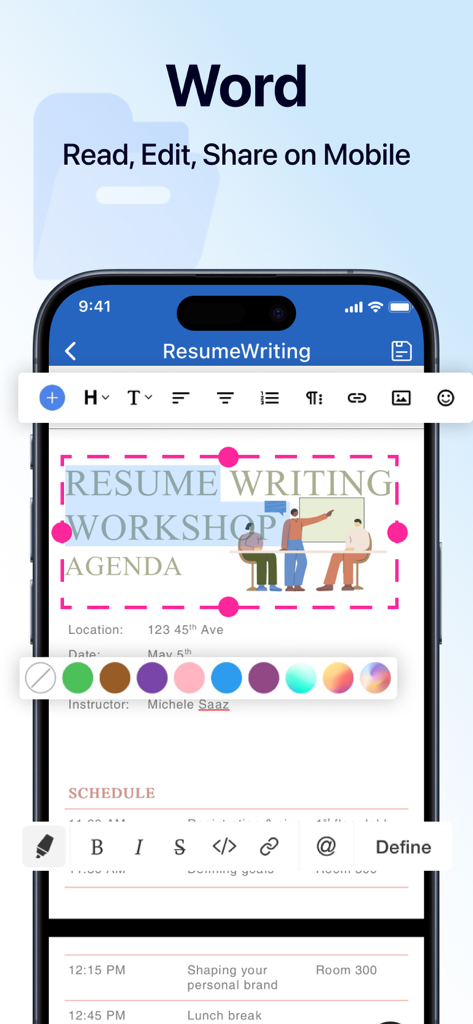
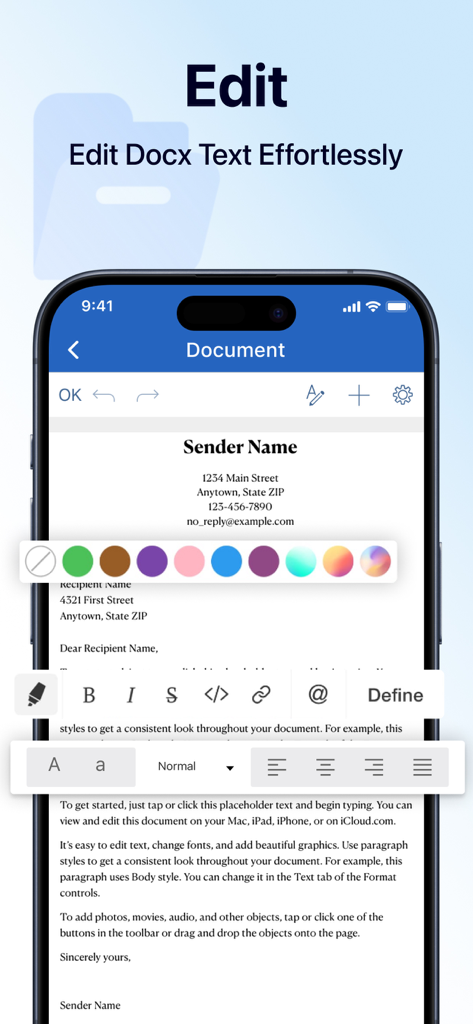
Mobile interface of the Office Word app showing professional document editing and formatting tools on an iPhone screen

Mobile interface of the Office Word app showing professional document editing and formatting tools on an iPhone screen

iPhone screenshot showing a user editing a document with formatting tools in the Office Word app

iPhone screenshot showing a user editing a document with formatting tools in the Office Word app

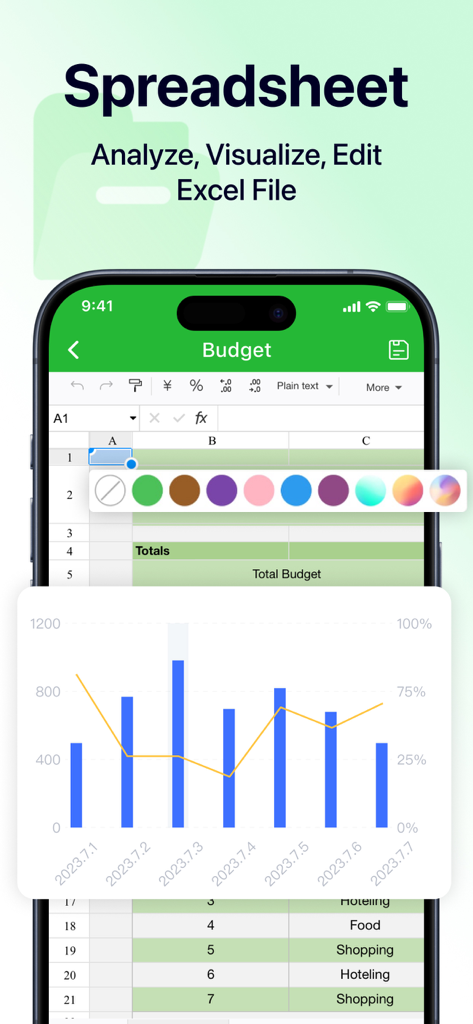
iPhone screen showing a mobile spreadsheet editor with a budget table and a bar chart

iPhone screen showing a mobile spreadsheet editor with a budget table and a bar chart

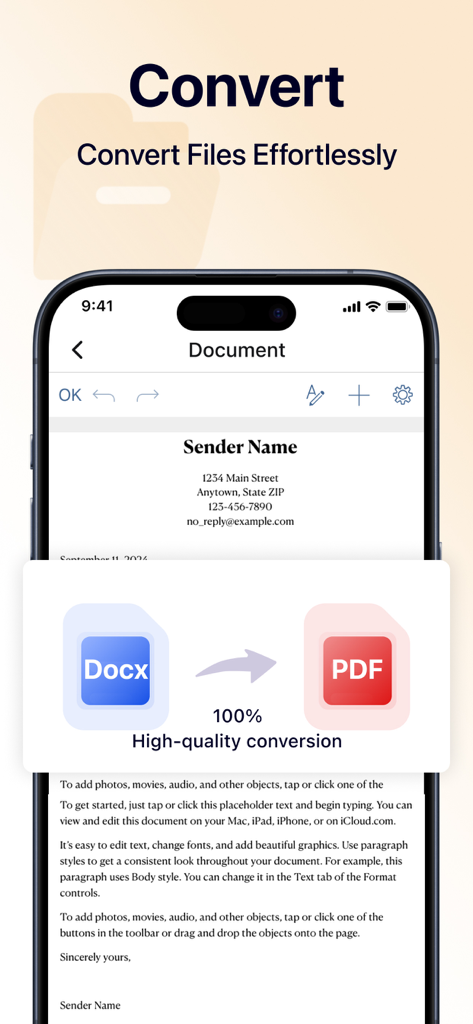
Smartphone screen showing a Word document being converted into a PDF file effortlessly.

Smartphone screen showing a Word document being converted into a PDF file effortlessly.

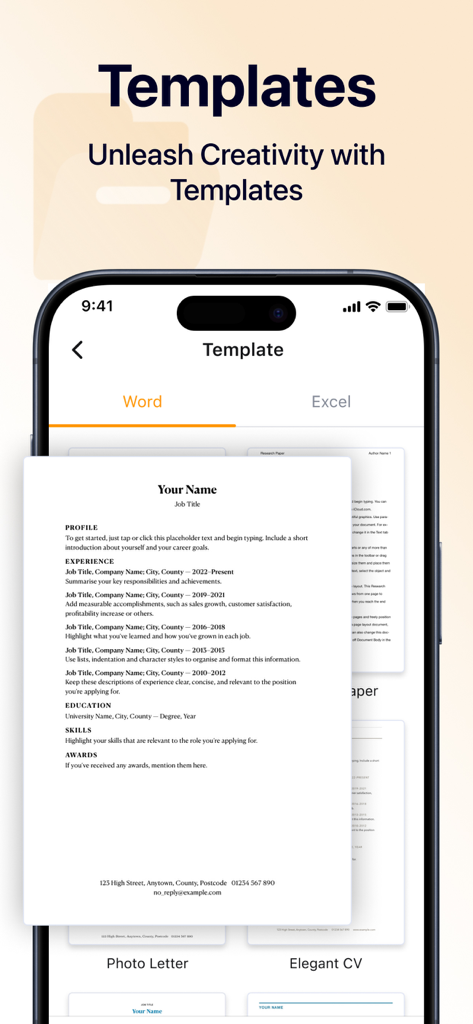
iPhone screen displaying professional resume and document templates in the Office Word app

iPhone screen displaying professional resume and document templates in the Office Word app

Office Word app interface for managing and sharing documents on iPhone

Office Word app interface for managing and sharing documents on iPhone

Your Mobile Office, Redefined

The tools that make this app stand out, trusted by 400K+ users.

📝

Seamless Mobile Editing

Tweak contracts, update reports, or draft ideas on the go with a native interface built for speed and precision.

🔄

Instant PDF Conversion

Turn Word docs or images into high-quality PDFs in seconds—perfect for sharing invoices and signed agreements instantly.

Pro-Grade Templates

Skip the blank page. Use our library of professionally designed templates to create polished documents and resumes in minutes.

About the app

Everything you need to know about Office Word: Edit Word Docs.

Description

Document editor is a powerful application that allows you to create, edit, and manage your documents on the go,which is designed to enhance your productivity and streamline your workflow. Whether you need to convert Word documents or images to PDF, or customize your work using a variety of templates, our app is your all-in-one solution for document management. Create Documents With our document editor app, creating new documents has never been easier.You can quickly input text, insert images, and organize your content just as you want. Start crafting your ideas into professional-looking documents right on your mobile device! Edit Documents Editing documents on the go is simple and efficient using document editor. You can open existing files, make modifications, and save changes seamlessly. Our app supports a variety of editing options, such as formatting text, adjusting font styles, and adding bullet points or numbered lists. File Format Conversion Our app supports a wide range of conversions, allowing you to effortlessly convert Word files and images into high-quality PDF documents, which ensures your files can be shared and viewed without formatting issues. Extensive Template Library We offers a diverse range of professionally designed templates to suit your needs. You can save time by customizing these templates, ensuring you create visually appealing documents without starting from scratch. By opting for a paid subscription, you can unlock all the premium features of our app.Enjoy a seamless and powerful user experience, free from limitations, as you enhance your productivity and take full advantage of everything our app has to offer! About Subscription Auto-renewable subscription $6.99 per week for a weekly subscription $12.99 per month for a monthly subscrition $39.99 per year for a yearly subscription $39.99 per year for a yearly subscription with 3-day trial Get in Touch with us: support@currenttrans.com Terms of Use:https://www.currenttrans.com/documentsterms.html Privacy Policy:https://www.currenttrans.com/documentsprivacy.html

Latest Version

1.6

Size

43.6 MB

First Released

Oct 16, 2024

Ready to Transform Your iPhone into a Powerful Office?

Join over 400,000 professionals and freelancers who streamline their workflow with professional templates and seamless PDF conversion—anytime, anywhere.

Download on App Store
FAQ

Frequently Asked Questions

Everything you need to know about Office Word: Edit Word Docs

What is Office Word: Edit Word Docs?

Office Word: Edit Word Docs is a powerful mobile application designed to create, edit, and manage documents. It enhances productivity and streamlines workflow for on-the-go document management.

Can Office Word: Edit Word Docs convert files to PDF?

Yes, Office Word: Edit Word Docs supports converting Word documents and images into high-quality PDF documents. This ensures files can be shared and viewed without formatting issues.

How can I create new documents using Office Word: Edit Word Docs?

To create new documents in Office Word: Edit Word Docs, users can quickly input text, insert images, and organize their content. This allows crafting professional-looking documents on a mobile device.

What editing features does Office Word: Edit Word Docs offer?

Office Word: Edit Word Docs offers features to open existing files, make modifications, and save changes. It supports formatting text, adjusting font styles, and adding bullet points or numbered lists.

Does Office Word: Edit Word Docs provide document templates?

Yes, Office Word: Edit Word Docs offers an extensive library of professionally designed templates. Users can customize these templates to create visually appealing documents efficiently.

How do I access premium features in Office Word: Edit Word Docs?

Users access premium features in Office Word: Edit Word Docs by opting for a paid subscription. A subscription provides a seamless and powerful user experience without limitations.

What are the subscription options for Office Word: Edit Word Docs?

Office Word: Edit Word Docs offers auto-renewable subscriptions at $6.99 weekly, $12.99 monthly, or $39.99 annually. A yearly subscription with a 3-day trial is also available for $39.99.

Is there a free trial for Office Word: Edit Word Docs?

Yes, Office Word: Edit Word Docs offers a 3-day trial with the $39.99 per year subscription option. This trial allows users to experience premium features before committing.

Where can I find the Terms of Use for Office Word: Edit Word Docs?

The Terms of Use for Office Word: Edit Word Docs are available at https://www.currenttrans.com/documentsterms.html. This link provides important legal information for users.

Where can I find the Privacy Policy for Office Word: Edit Word Docs?

The Privacy Policy for Office Word: Edit Word Docs is located at https://www.currenttrans.com/documentsprivacy.html. It outlines how the application collects, uses, and protects user data.

Does Office Word: Edit Word Docs include spreadsheet editing features?

Yes, Office Word: Edit Word Docs includes features for editing Excel spreadsheets. Screenshot #3 shows a 'Spreadsheet' interface with options to analyze, visualize, and edit Excel files.

How can I share documents created with Office Word: Edit Word Docs?

Office Word: Edit Word Docs allows users to share files with ease. The interface includes options to manage and share documents directly from the file list.

App information, icons, screenshots, and descriptions displayed on this page are sourced from the Apple App Store and are the property of their respective developers. Download estimates and rankings are based on MWM's proprietary models and may not reflect actual figures. This page is provided for informational and analytical purposes only.

Believe this page infringes your intellectual property? File a dispute