Office Word:Edit Word Document

Office Word:Edit Word Document

Download on App Store
Logo of Office Word:Edit Word Document

Office Word: Edit Word Document — The All-in-One Mobile Office Suite

Effortlessly create, edit, and collaborate on Word, PDF, and XLS files from anywhere. Join 10M+ users managing professional documents and templates with secure, mobile-first productivity tools.

Download on App Store

Publisher

Rhophi Analytics LLP

Category

Productivity

Downloads

10M+

User Rating

4.5/5

Total Ratings

28K+

Locales

19

Efficiency in Every Pixel

Discover the interface used by 10M+ users.
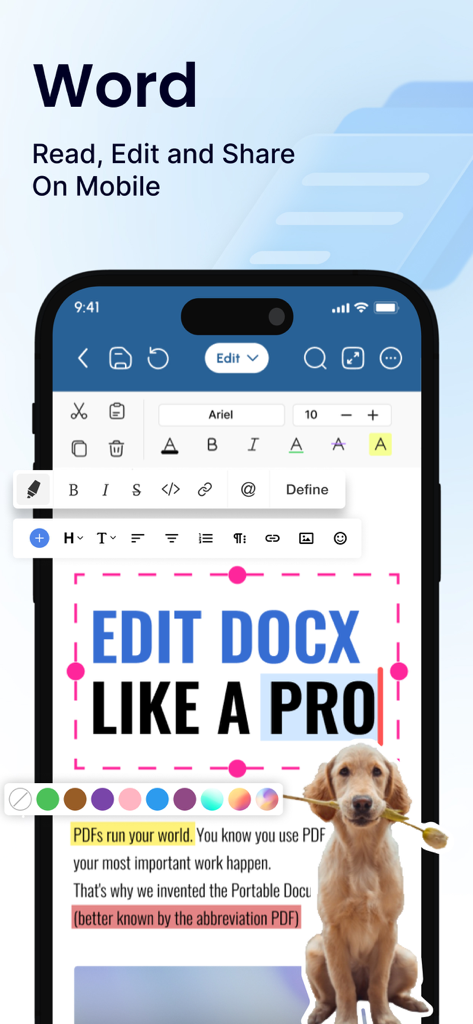
Mobile interface of Office Word app showing professional document editing tools

Mobile interface of Office Word app showing professional document editing tools

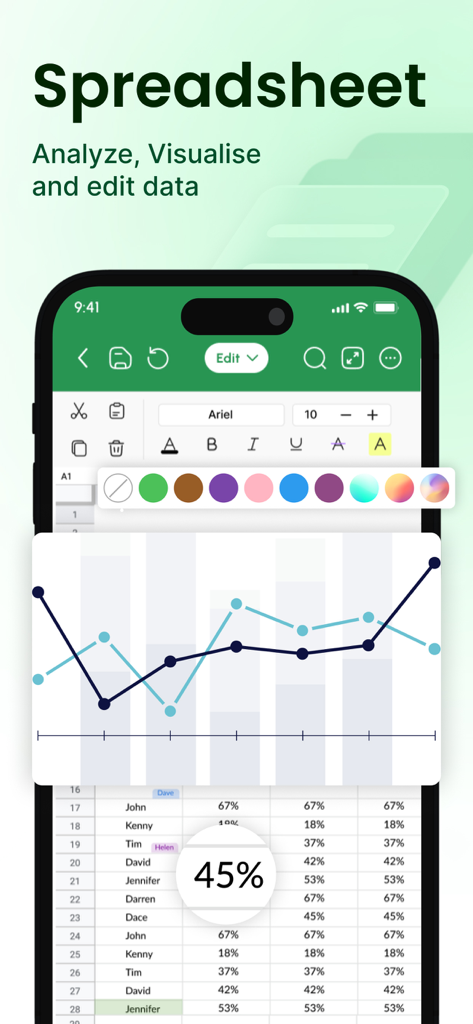
Mobile app screen showing spreadsheet data editing and a line chart visualization

Mobile app screen showing spreadsheet data editing and a line chart visualization

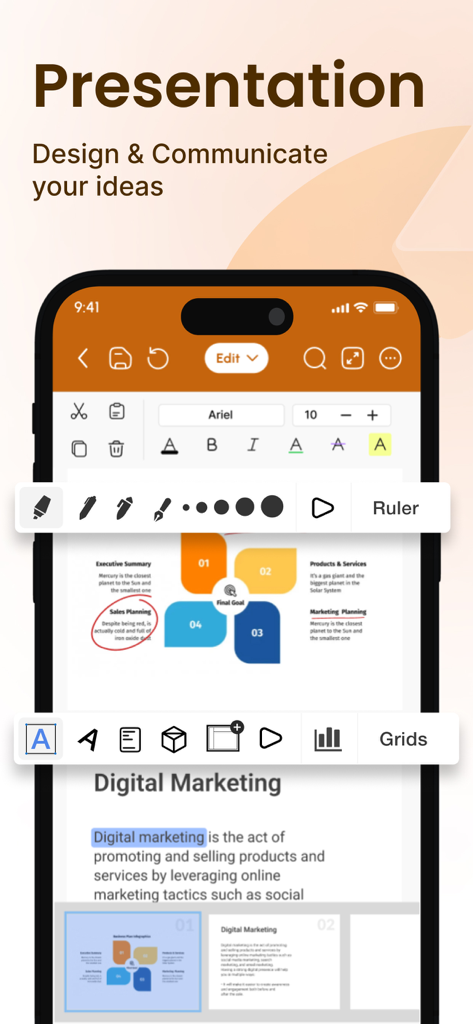
A professional mobile presentation editor interface showing diagrams and formatting tools for business documents

A professional mobile presentation editor interface showing diagrams and formatting tools for business documents

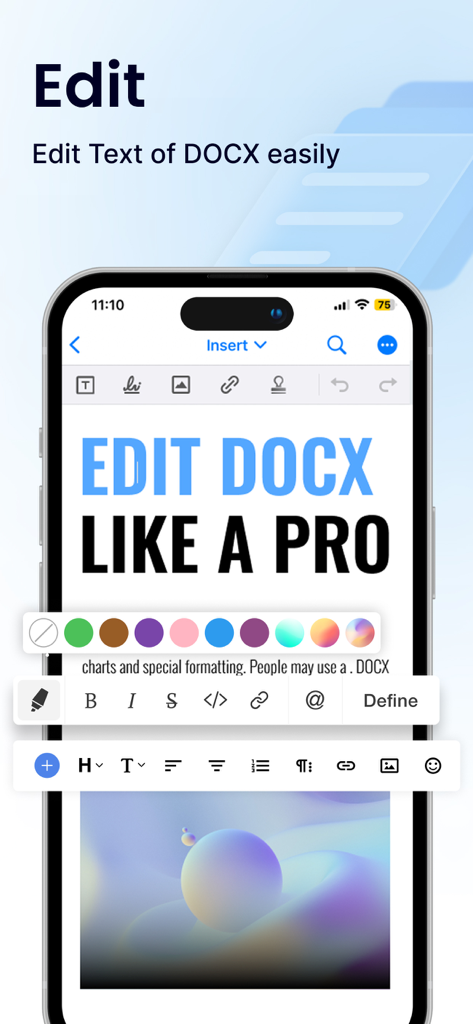
Mobile application interface for editing Word documents with comprehensive formatting tools

Mobile application interface for editing Word documents with comprehensive formatting tools

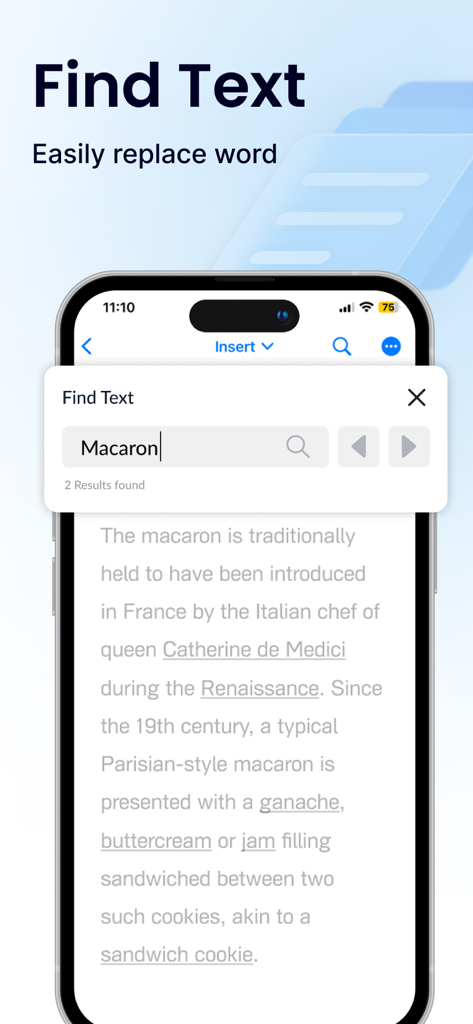
Smartphone screen displaying the find and replace text tool in the Office Word app

Smartphone screen displaying the find and replace text tool in the Office Word app

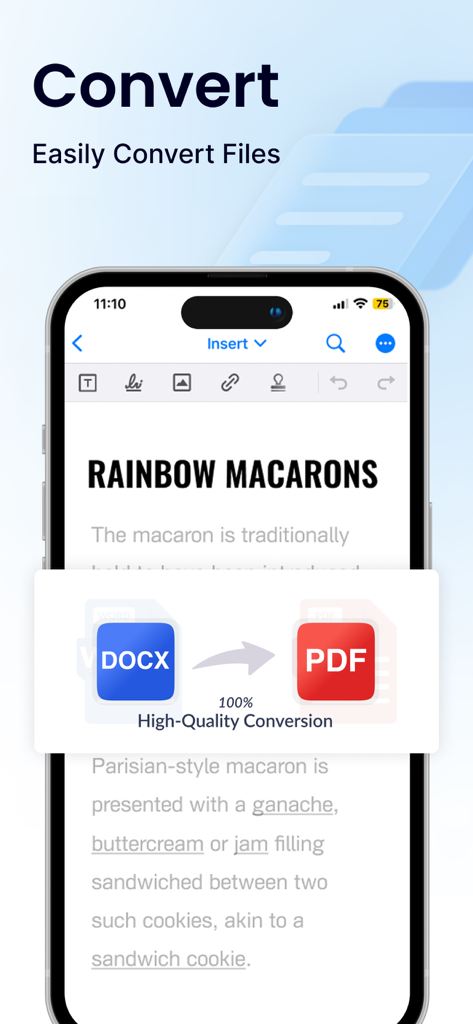
Office Word app interface showing a high-quality DOCX to PDF file conversion feature

Office Word app interface showing a high-quality DOCX to PDF file conversion feature

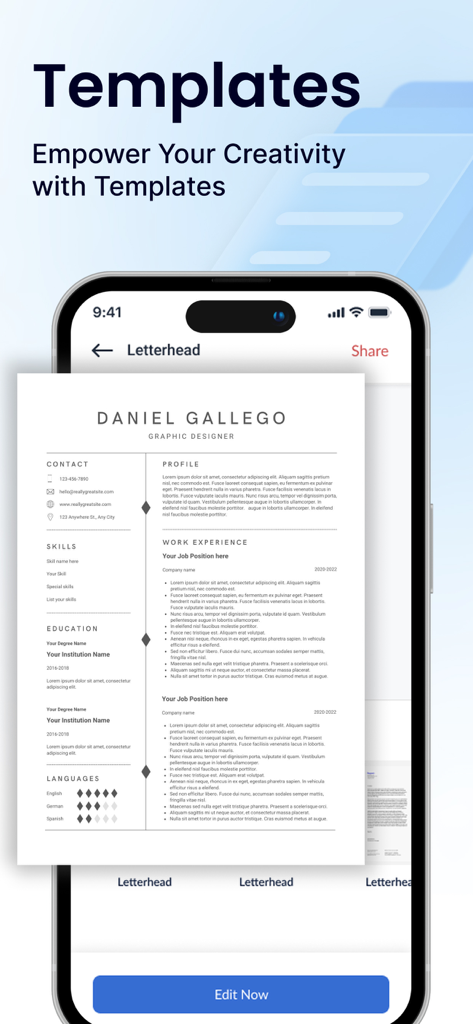
Mobile app interface showing professional resume templates for document editing.

Mobile app interface showing professional resume templates for document editing.

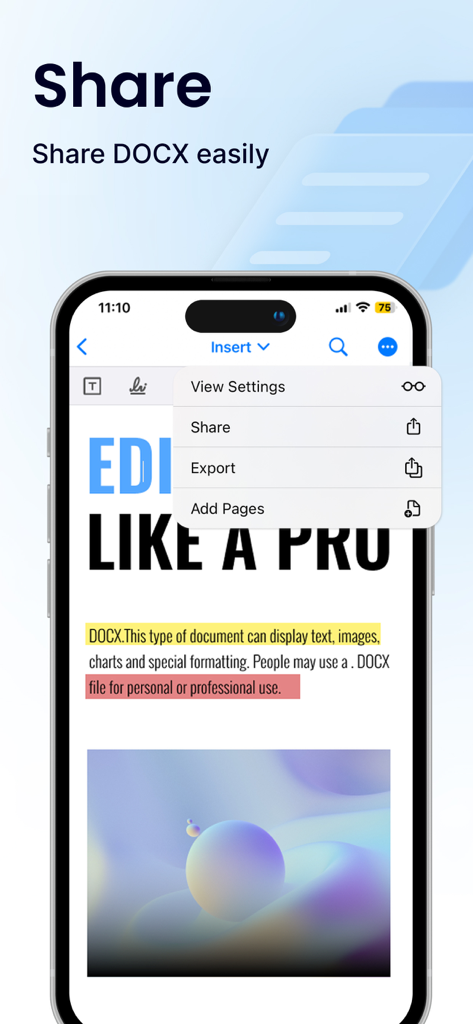
Mobile screen showing the share and export options for a DOCX document within the Office Word app interface

Mobile screen showing the share and export options for a DOCX document within the Office Word app interface

Master Your Workflow on the Go

The tools that make this app stand out, trusted by 10M+ users.

🚀

Universal File Editing

Edit Word, PDF, Excel, and PPTX files with a sleek interface optimized for your iPhone and iPad.

📝

Pro-Grade Templates

Land your dream job or impress clients with ready-made templates for resumes, cover letters, and business proposals.

🛡️

Enterprise-Level Security

Keep your sensitive work private with password protection, 2FA, and seamless cloud integration with Google Drive and Dropbox.

Review Analysis

Insights from user reviews.

Sentiment Score

10%
Negative

Summary

The app has received predominantly negative feedback from users, primarily due to issues with its monetization strategy. Many reviews highlight significant problems with unexpected charges, including unapproved subscriptions and auto-renewals, often leading to large deductions from user accounts. A common complaint is the app's aggressive pricing model and paywall, where basic functionalities or even document editing are locked behind expensive subscriptions or require immediate payment. Users frequently report difficulties obtaining refunds for these charges and express frustration over poor core functionality, with problems like inability to save documents, lack of essential features, and general usability issues. A small number of positive reviews acknowledge the app's value for money compared to other paid alternatives and its usefulness for specific tasks.

Common Themes

General Positive Experience(3)
Value for Money(2)

About the app

Everything you need to know about Office Word:Edit Word Document.

Description

Office Word: Edit Word Documents is a powerful and user-friendly app that lets you create, edit, view, share, and manage your documents and files on the go. Whether you're one busy professional crafting reports and proposals, a student juggling assignments, or simply need to jot down quick notes, this app equips you with everything you need to conquer your docs needs. 1. Interface and Formatting Tools Sleek and intuitive interface for effortless document and file navigation and editing. Variety of formatting tools to customize and edit your Word docs (fonts, text sizes, bold, italic, underline, highlight). Ability to seamlessly insert tables, images, and charts into your Word files. 2. Collaboration Features Real-time collaboration capabilities to create, edit, or annotate documents simultaneously with team members. Commenting directly on specific parts of the document or file to facilitate clear communication and feedback. 3. Security Options Password protection for your Word files to ensure security. Two-factor authentication for authorized access to your documents. Robust security features to keep your documents safe. 4. Personal and Professional Use Suitable for both personal and professional document and file creation and editing. Ideal for students, freelancers, and business owners to edit, create, or manage their documents. Seamless integration with popular cloud services like Google Drive and Dropbox for easy document and file sharing. 5. Free trials and subscriptions Try out all paid features for free for 3 days to experience the power of editing your documents and files. Select a plan that best suits your needs to edit or create Word docs. Cancel anytime without any obligations. Subscription will be charged to your credit card through your App Store account. Your subscription will automatically renew unless canceled at least 24 hours before the end of the current period. Manage your subscription in the Account Settings on the App Store after purchase. Here's what makes Office Word: Edit Word Documents stand out: Effortlessly create, edit, view, share, and manage Word docs. Collaborate in real-time with colleagues on documents and files. Ensure security with password protection and two-factor authentication for your Word docs. Manage documents and files for personal or professional use. Enjoy a free trial and flexible subscription options. Read and manage all file formats such as Word, docx, pdf, xls, pptx, etc. Create professional resumes and cover letters with existing templates. Empowering Users in Every Role: Students: Streamline your workflow and excel in your studies with this powerful mobile app. Effortlessly create, edit, view, and share all your school documents. Manage or edit assignments, take clear and organized notes, and create polished reports and presentations that will impress your professors. Freelancers: Enhance your workflow and productivity with Office Word: Edit Word Documents. Create, edit professional Word documents, proposals, and invoices, leaving a lasting impression on clients. Work efficiently with clients, deliver high-quality projects on time, and manage your freelance business effectively with seamless file sharing and collaboration features. Create, edit, view, and share all your freelance docs and files on the go, keeping you organized and on top of your projects Business Owners: Manage essential word files, collaborate with teams across locations, and create impactful presentations to showcase your business with Office Word: Edit Word Documents Additional Information • Link to the app's Terms of Use - https://blog.a1apps.co/terms-of-use-office-wordedit-word-document/ Link to the app's Privacy Policy - https://blog.a1apps.co/privacy-policy-office-wordedit-word-document/ Download Office Word: Edit Word Documents today and experience the future of mobile document and file management!

Latest Version

1.0.25

Size

227.4 MB

First Released

Feb 10, 2023

Ready to Transform the Way You Work?

Join over 10 million professionals and students mastering their documents on the go. Download now to start your 3-day free trial and unlock the full power of mobile productivity.

Download on App Store
FAQ

Frequently Asked Questions

Everything you need to know about Office Word:Edit Word Document

What is Office Word: Edit Word Document?

Office Word: Edit Word Document is a powerful mobile app for creating, editing, viewing, sharing, and managing various document and file types, including Word, docx, PDF, XLS, and PPTX, on the go.

Can users collaborate on documents with Office Word: Edit Word Document?

Yes, Office Word: Edit Word Document offers real-time collaboration features. Users can create, edit, or annotate documents simultaneously with team members and provide feedback through commenting directly on specific parts of the file.

Does Office Word: Edit Word Document provide security for user files?

Yes, Office Word: Edit Word Document includes robust security features. These include password protection for Word files and two-factor authentication to ensure authorized access to documents, keeping them safe.

Can I try Office Word: Edit Word Document for free?

Yes, Office Word: Edit Word Document offers a 3-day free trial. Users can try out all paid features during this period before selecting a subscription plan. Subscriptions auto-renew but can be canceled anytime.

What formatting tools are available in Office Word: Edit Word Document?

Office Word: Edit Word Document provides various formatting tools. These include customizing fonts, text sizes, bold, italic, underline, highlight, and the ability to insert tables, images, and charts into Word files.

Does Office Word: Edit Word Document support cloud storage integration?

Yes, Office Word: Edit Word Document seamlessly integrates with popular cloud services. Users can easily share and access documents from platforms like Google Drive and Dropbox for efficient file management.

Can I convert files like DOCX to PDF using Office Word: Edit Word Document?

Yes, Office Word: Edit Word Document allows users to easily convert files. It supports high-quality conversion, for example, from DOCX format to PDF, directly within the app.

Does Office Word: Edit Word Document offer templates for documents?

Yes, Office Word: Edit Word Document provides existing templates. Users can leverage these templates to create professional documents like resumes and cover letters, empowering their creativity.

How do I manage my subscription for Office Word: Edit Word Document?

Users manage subscriptions for Office Word: Edit Word Document in their App Store Account Settings after purchase. Subscriptions automatically renew unless canceled at least 24 hours before the current period ends.

What file formats can Office Word: Edit Word Document read and manage?

Office Word: Edit Word Document can read and manage all file formats such as Word, docx, pdf, xls, and pptx. This versatility supports comprehensive document and file handling.

App information, icons, screenshots, and descriptions displayed on this page are sourced from the Apple App Store and are the property of their respective developers. Download estimates and rankings are based on MWM's proprietary models and may not reflect actual figures. This page is provided for informational and analytical purposes only.

Believe this page infringes your intellectual property? File a dispute