
This page is not an official page of the app or its developer, but an independent editorial publication created for informational and commentary purposes. Unless expressly stated otherwise, neither the app nor its developer is affiliated with, endorsed by, sponsored by, authorized by, or otherwise officially connected with MWM, Apple, Google Play, the app publisher, or the app's developer, and nothing on this page implies that the app was developed using MWM's services. Any trademarks, logos, screenshots, and other content remain the property of their respective owners.


On-Device AI: TTS, STT & Chat
Run powerful models like Llama and DeepSeek 100% offline. Transcribe voice notes, chat with your PDF libraries, and deploy specialized AI teams while keeping your sensitive data strictly under your control across Mac, iPhone, and iPad.
Downloads
400User Rating
Total Ratings
200Publisher
Category
UtilitiesLocales
1Latest Version
1.35.0Size
1.6 GBFirst Released
Apr 17, 2024Intelligence That Respects Your Privacy
The ultimate AI power suite designed for professionals who refuse to compromise on data sovereignty or performance.
100% Local Execution
Keep sensitive data off the cloud. Run leading LLMs entirely on your Mac, iPhone, or iPad using optimized Apple Silicon engines.
Your Personal Knowledge Base
Create project-specific libraries. Chat with your PDFs, web captures, and notes to extract instant, source-backed insights without data leaks.
Frequently Asked Questions
Everything you need to know about On-Device AI: TTS, STT & Chat
Is On-Device AI: TTS, STT & Chat private and secure?
Yes, On-Device App ensures data privacy by allowing 100% offline operation and keeping data under user control. It processes information locally, avoiding external data transmission.
What AI models can On-Device AI: TTS, STT & Chat run locally?
The On-Device App runs top models like Llama, Gemma, Phi, Qwen, and DeepSeek locally. It is optimized for Apple Silicon with MLX and Llama.cpp Engine for efficient on-device processing.
Can On-Device AI: TTS, STT & Chat connect to cloud AI models?
Yes, On-Device App optionally connects to various cloud providers. These include OpenAI, Anthropic, Gemini, Groq, OpenRouter, and Ollama, all integrated into a unified interface.
Does On-Device AI: TTS, STT & Chat integrate with instant messaging platforms?
Yes, the On-Device App for Mac features IM Connectivity. It links local AI with platforms like Discord, Slack, and Telegram for automating replies and managing conversations directly from your desktop.
How do AI teams function in On-Device AI: TTS, STT & Chat?
The On-Device App supports collaborative AI teams. Specialized agents work together on complex tasks through multi-agent workflows, managing multiple chat flows and using pre-built templates.
Does On-Device AI: TTS, STT & Chat offer text-to-speech capabilities?
Yes, the On-Device App generates professional-quality speech from text. Users choose between Apple voices or the advanced Kokoro voice engine for natural narration and creating audio content.
Does On-Device AI: TTS, STT & Chat offer voice-to-text transcription?
Yes, the On-Device App provides faster, high-accuracy voice transcription. It uses the new built-in Modern Apple Speech-to-Text engine to efficiently convert spoken words into text.
What are Knowledge Libraries in On-Device AI: TTS, STT & Chat?
Knowledge Libraries in On-Device App are dedicated collections for projects. Users group PDFs, notes, and web captures to build a personal knowledge base, enabling secure AI interaction with external documents.
Does On-Device AI: TTS, STT & Chat have integrated web search functionality?
Yes, the On-Device App includes built-in web search as an active tool. It allows AI to read web sources and return structured answers, providing real-time information to chats.
What Apple devices does On-Device AI: TTS, STT & Chat integrate with?
On-Device App offers deep Apple ecosystem integration, providing a native experience across iPhone, iPad, and Mac. It is optimized for Apple Silicon, Siri, and Shortcuts for seamless cross-platform workflows.
The following screenshots and description are sourced directly from the app's official store listing and are the property of the app developer.
App Store
Screenshots
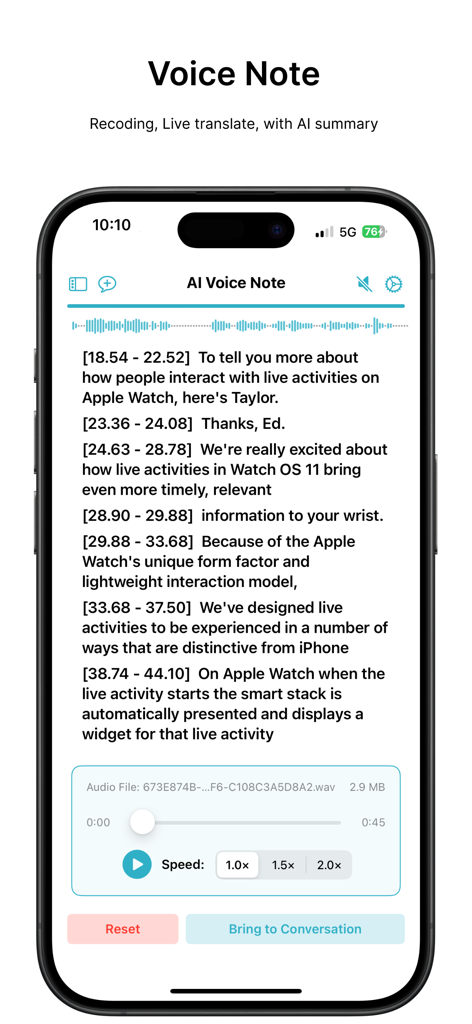
AI Voice Note screen showing a timestamped transcript with audio playback and speed controls
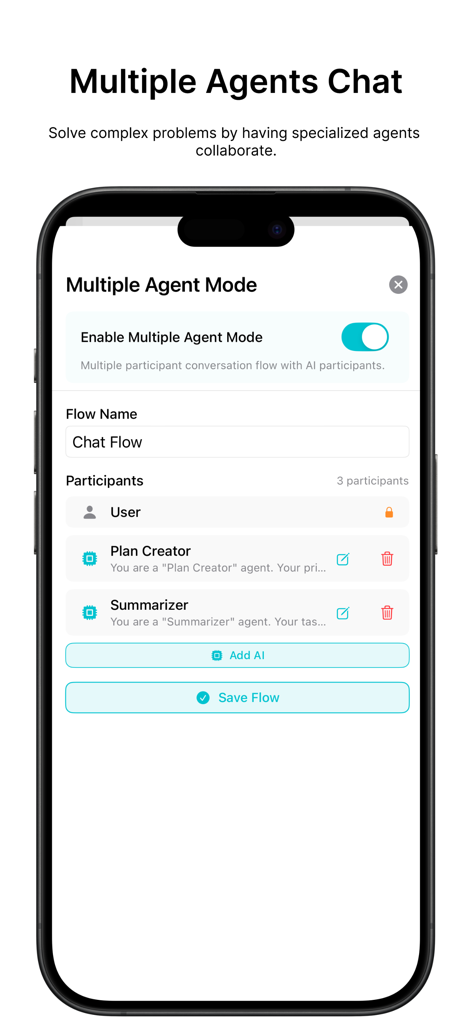
A mobile app screen showing the configuration of a multiple agent AI chat flow with participants like Plan Creator and Summarizer.
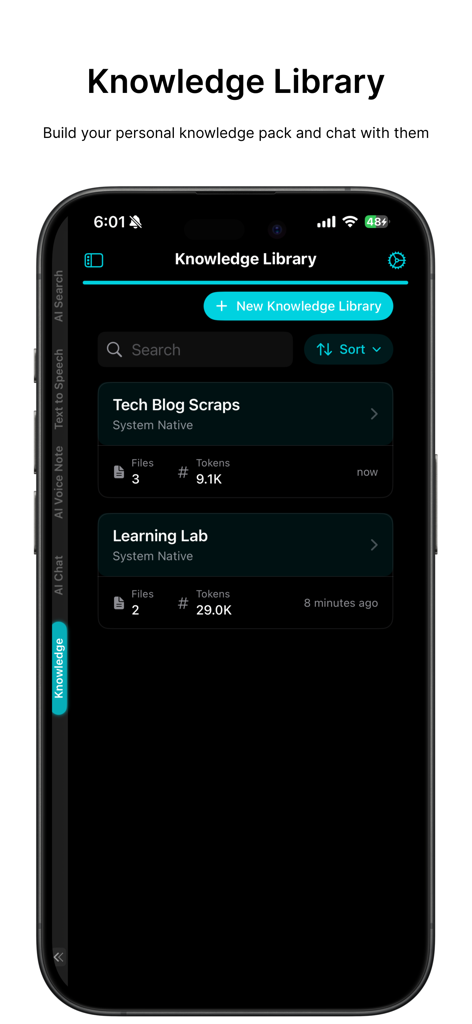
Mobile app interface showing the Knowledge Library feature with project folders for personal AI data management
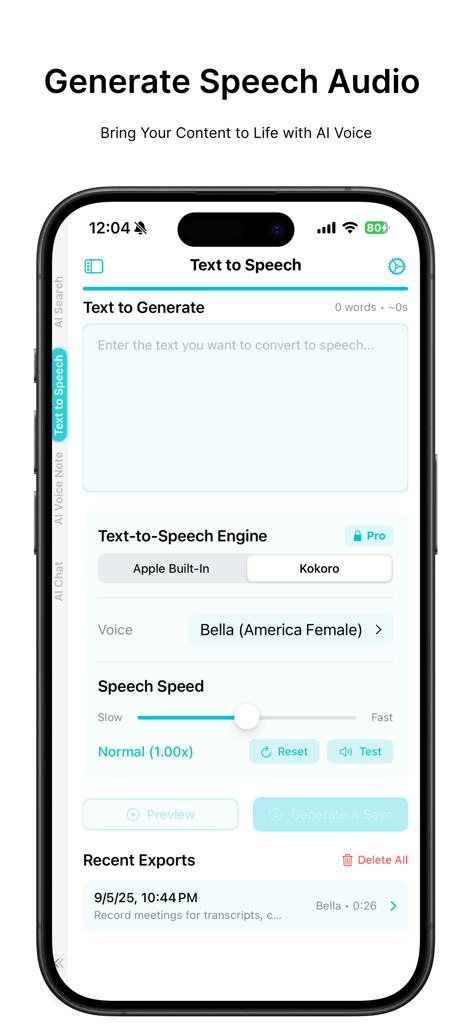
On-Device AI mobile app text to speech interface showing voice selection and speed settings.
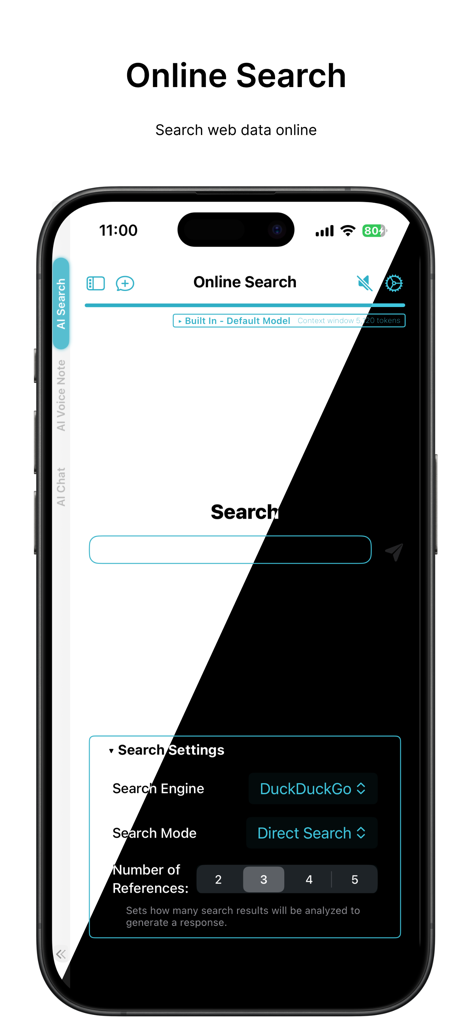
Interface of the On-Device AI app showing online search features and privacy settings with DuckDuckGo integration
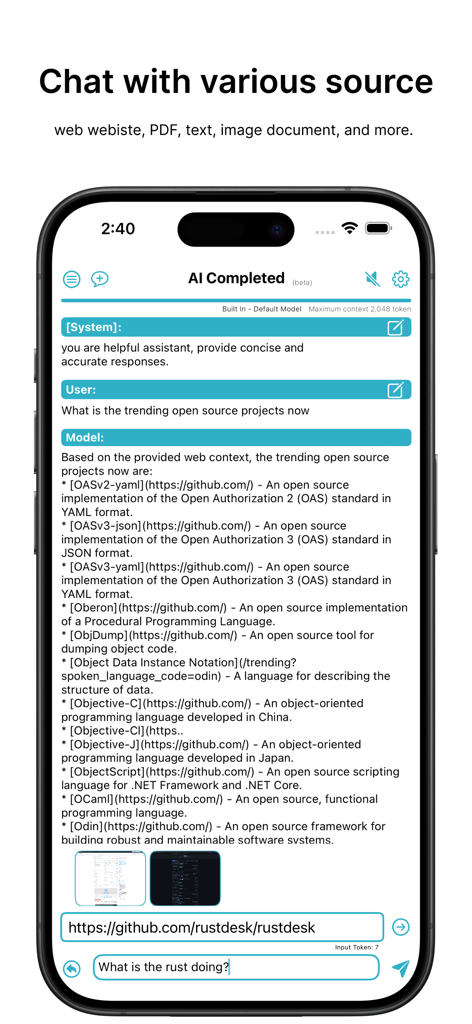
AI chat interface analyzing web content and documents on an iPhone screen.
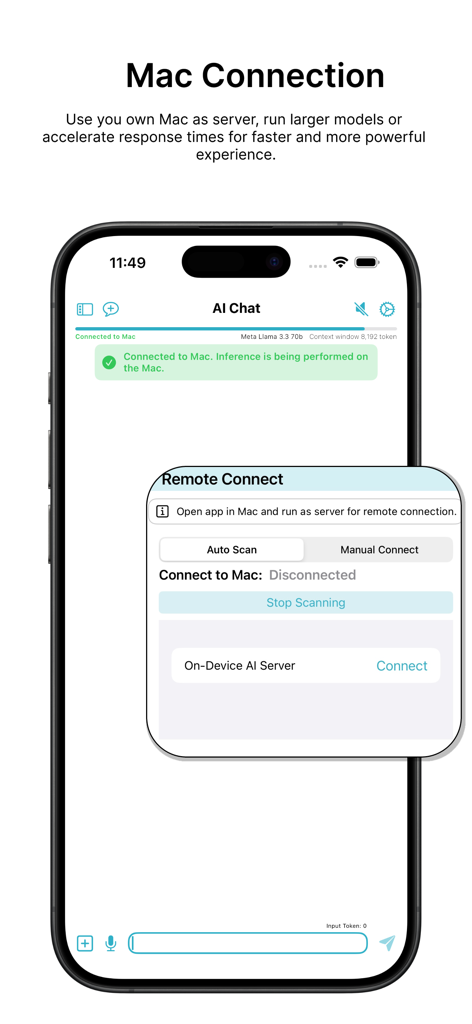
iPhone screen showing a connection to a Mac server to run large AI models locally
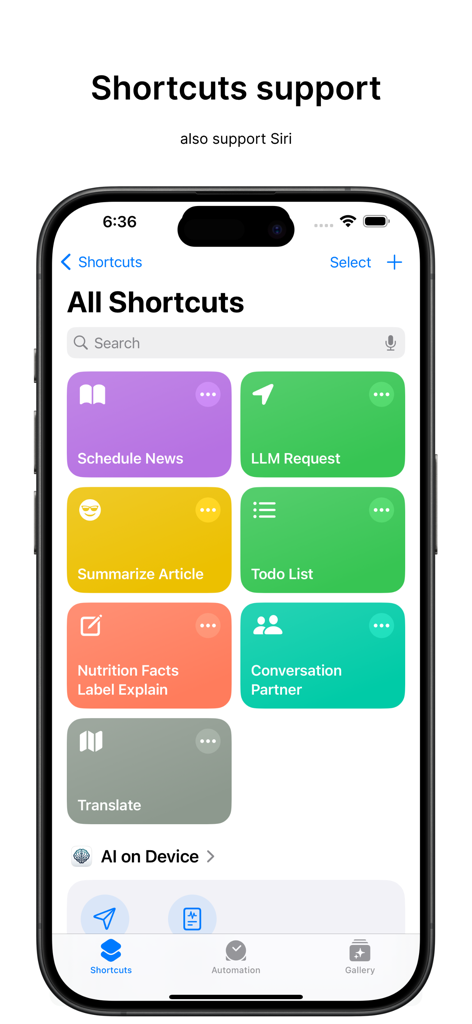
iPhone screen showing Apple Shortcuts and Siri integration for the On-Device AI app
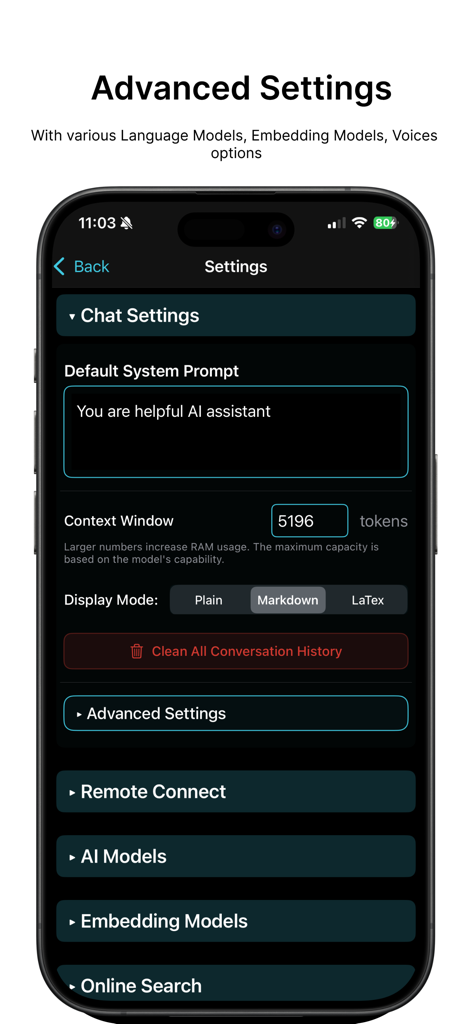
Advanced settings screen of the On-Device AI app showing chat configurations and model options on an iPhone.
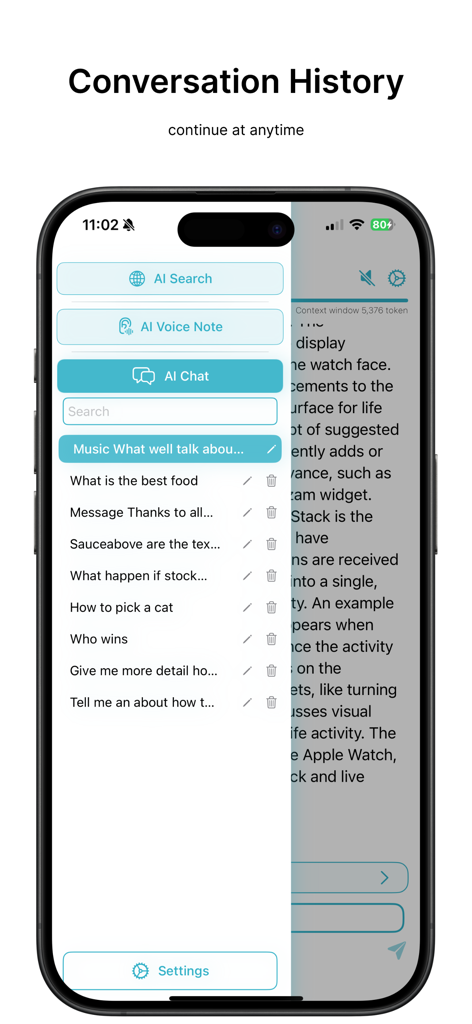
On-Device AI app conversation history sidebar on iPhone
Description
Download
More Like This
Top-ranked apps in the same category

Google LLC

Google Chrome
Google LLC

中国移动(手机营业厅)
China Mobile Online Services Co., Ltd.

Google Authenticator
Google LLC

CNH do Brasil
Servicos e Informacoes do Brasil

Cleanup: Phone Storage Cleaner
DEEP FLOW SOFTWARE SERVICES - FZCO

gov.br
Servicos e Informacoes do Brasil

中国电信-全国统一官方服务平台
CHINA TELECOM Corporation Ltd.

Microsoft Edge: AI Browser
Microsoft Corporation
This page is not an official page of the app or its developer, but an independent editorial publication created for informational and commentary purposes. Unless expressly stated otherwise, neither the app nor its developer is affiliated with, endorsed by, sponsored by, authorized by, or otherwise officially connected with MWM, Apple, Google Play, the app publisher, or the app's developer, and nothing on this page implies that the app was developed using MWM's services. Any trademarks, logos, screenshots, and other content remain the property of their respective owners.