
oraimo sound


Take full control of your earbuds with custom EQ presets, personalized touch controls, and seamless noise cancelling. Unlock premium features and tailor every beat to your style.
Publisher
Category
UtilitiesDownloads
357K+User Rating
Total Ratings
800Locales
8Discover the interface used by 357K+ users.
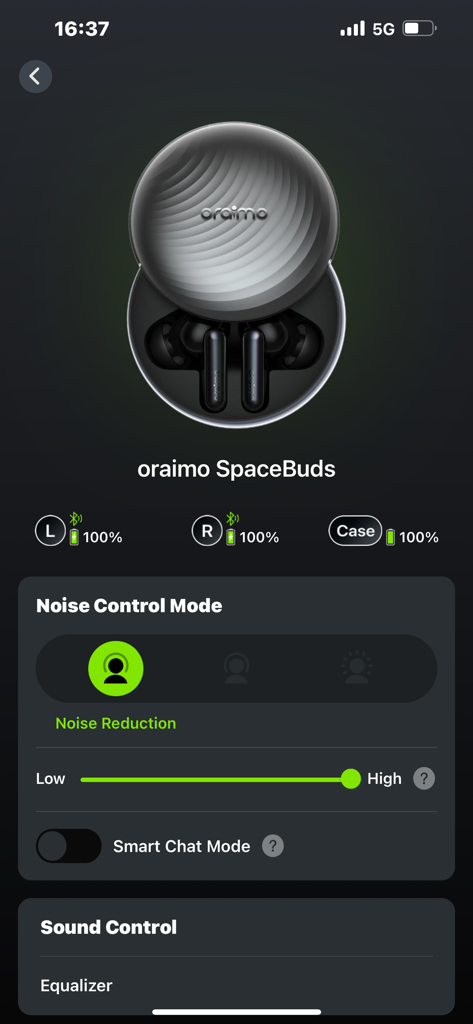

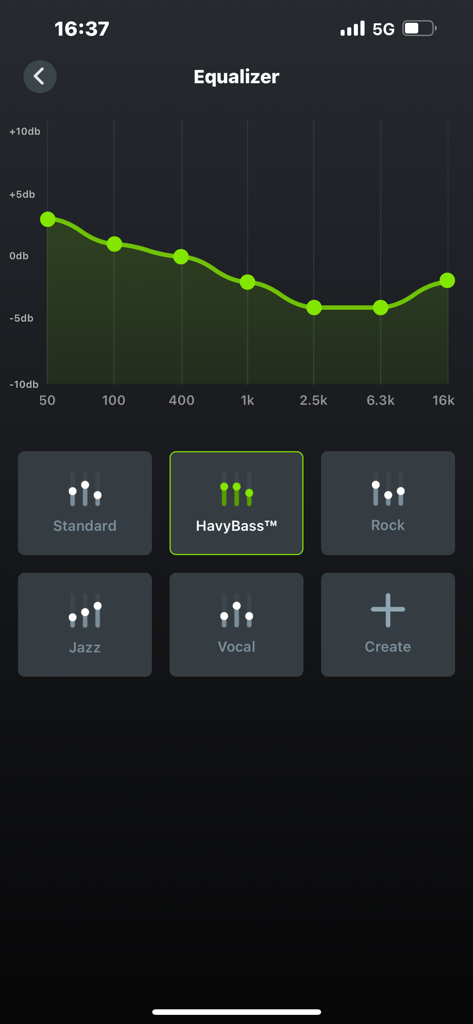
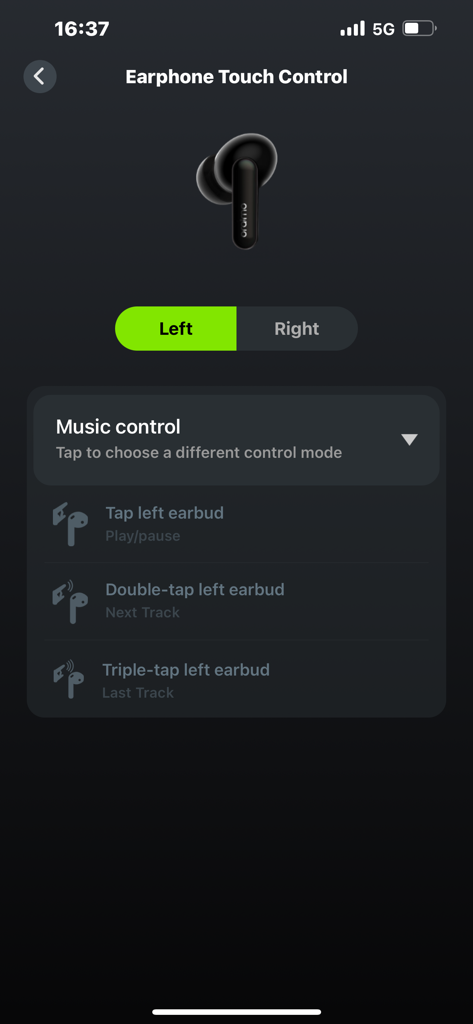
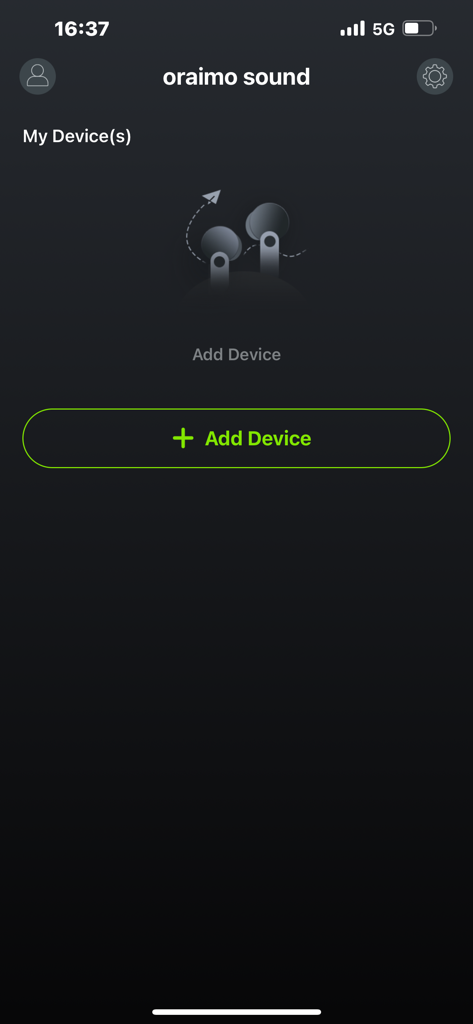

The tools that make this app stand out, trusted by 357K+ users.
Switch between expert EQ presets or craft your own signature sound to make your music, movies, and podcasts hit exactly the way you want.
Stop fighting with default settings. Remap your earbud buttons to match your habits, giving you total control over tracks and calls with zero frustration.
Eliminate battery anxiety with real-time tracking and keep your device future-proof with one-tap firmware updates for a premium, long-lasting experience.
Everything you need to know about oraimo sound.
Description
Latest Version
1.2.1
Size
145.3 MB
First Released
Nov 21, 2022
Unlock custom EQ, personalize your touch controls, and keep your earbuds performing at their peak. Download the oraimo sound app and start listening like a pro.
Everything you need to know about oraimo sound
The oraimo Sound app redefines your headphones experience. It provides functions like Bluetooth connection status, EQ settings, earbud controls, noise-canceling mode switching, and firmware upgrades for compatible oraimo headphone models.
The oraimo Sound app is compatible with FreePods 4, FreePods 3C, FreePods Lite, Riff 2, SpacePods, BoomPop 2, and BoomPop 2S. The app description lists specific supported models.
Yes, the oraimo Sound app provides Bluetooth connection and battery status indication. It shows the battery levels for both left and right earbuds, and the charging case.
Yes, the oraimo Sound app offers EQ Settings. Users can select predefined EQ presets like HavyBass, Rock, Jazz, and Vocal, or create new custom equalizer settings.
The oraimo Sound app allows custom EQ settings. Users can drag the green curve on the equalizer graph to adjust frequency bands, including high and medium bass, to create personalized sound profiles.
Yes, the oraimo Sound app allows users to change earbud button configurations. It provides options to customize music controls such as tap for play/pause, double-tap for next track, and triple-tap for last track.
Yes, the oraimo Sound app includes a Noise Cancelling mode switch. This function is available only for supported models and allows users to adjust the noise reduction level from low to high.
Yes, the oraimo Sound app enables firmware upgrades for compatible earbuds. This feature ensures a better user experience and is available only for supported oraimo models.
The oraimo Sound app offers several predefined EQ presets. These include Standard, HavyBass, Rock, Jazz, and Vocal. Users can also create custom equalizer settings.
Apps with similar features and user experience

Bose Corporation

Marshall Group AB (publ)

Harman International Industries

Bose Corporation

Bose Corporation

Harman International Industries

Power Mobile Life LLC

Harman International Industries

Beijing Xiaomi Co., Ltd
App information, icons, screenshots, and descriptions displayed on this page are sourced from the Apple App Store and are the property of their respective developers. Download estimates and rankings are based on MWM's proprietary models and may not reflect actual figures. This page is provided for informational and analytical purposes only.
Believe this page infringes your intellectual property? File a dispute