
Panasonic Image App


Bridge the gap between your Panasonic Lumix camera and your smartphone. Take command with remote Live View shooting, geotag your travel adventures, and transfer high-resolution content instantly to your social feeds.
Publisher
Category
Photo & VideoDownloads
2M+User Rating
Total Ratings
12K+Locales
12Discover the interface used by 2M+ users.
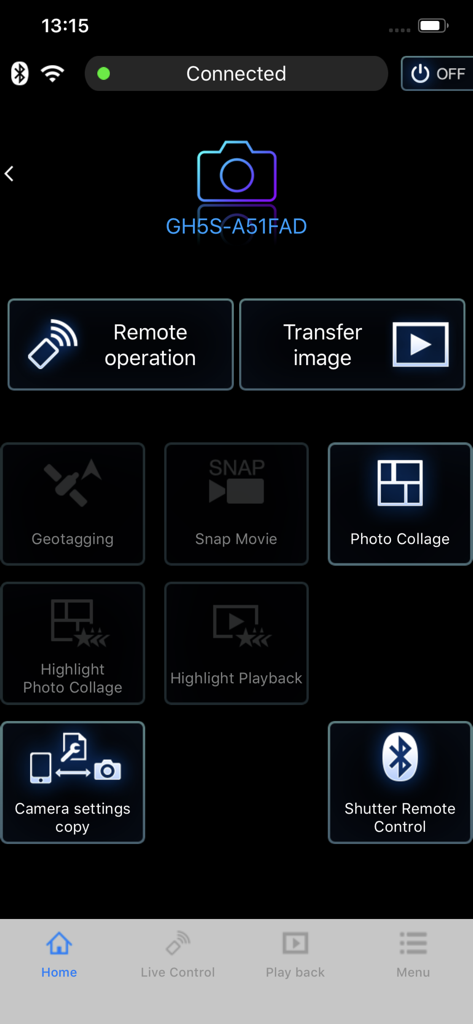
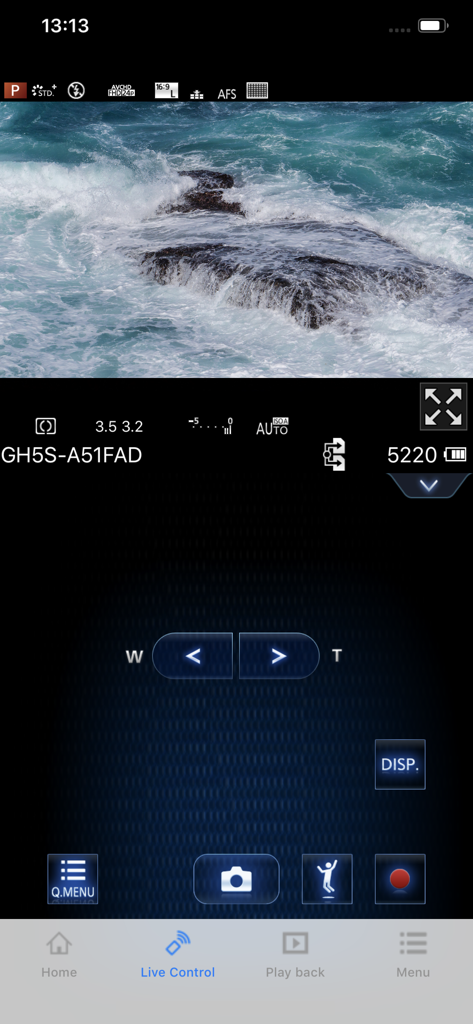
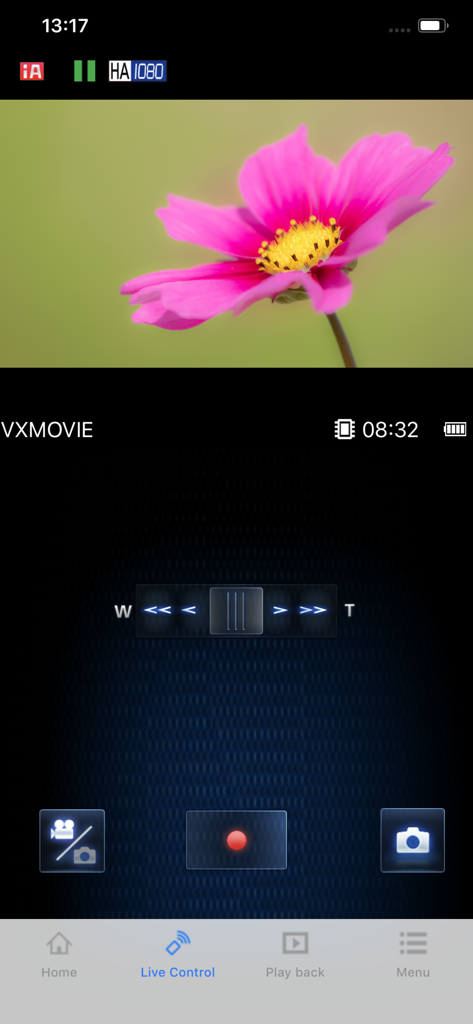
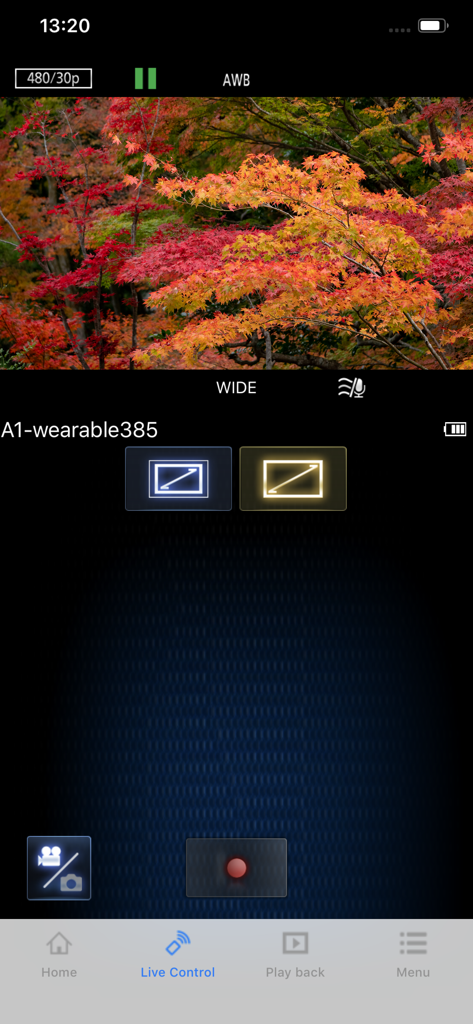
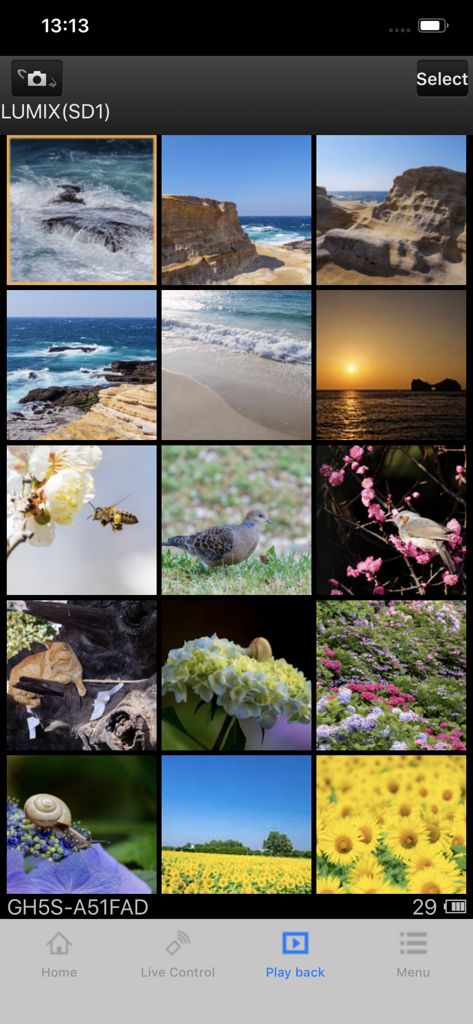
The tools that make this app stand out, trusted by 2M+ users.
Use your smartphone as a high-definition live monitor. Frame your shots, adjust settings, and trigger the shutter remotely—ideal for solo vloggers and content creators.
Beam high-resolution photos and videos directly to your phone the moment you capture them. Edit and share professional quality content to Instagram or TikTok in seconds.
Automatically sync your phone's GPS data with your camera. Keep your portfolio organized by location and never forget where you captured your best travel moments.
Everything you need to know about Panasonic Image App.
Description
Latest Version
1.10.28
Size
50.4 MB
First Released
Jan 16, 2013
Bridge the gap between professional-grade hardware and mobile convenience. Download the app today to start shooting remotely and sharing your high-resolution content instantly.
Everything you need to know about Panasonic Image App
Yes, the Panasonic Image App enables remote control of shooting and playback for Wi-Fi-compatible digital cameras and video cameras. It provides Live View monitoring and remote camera operation.
Yes, the Panasonic Image App facilitates uploading still pictures and videos to SNS sites after copying them to your smartphone. A free LUMIX CLUB user ID is required for this service.
The Panasonic Image App supports iOS versions from 15 through 18. Users must ensure their device's operating system is within this specified range for full compatibility.
Yes, the Panasonic Image App uses Bluetooth 4.0 or above for continuous connection with compatible digital cameras. This enables Wi-Fi connections and remote operations, including shutter control.
Yes, the Panasonic Image App can add location information acquired via your smartphone to pictures recorded with your digital camera. High accuracy requires a GPS-equipped smartphone.
Yes, the Panasonic Image App allows users to configure automatic transfer of still pictures from their digital camera directly to their smartphone. This feature simplifies image management.
Yes, the Panasonic Image App does not permit remote video recording from a smartphone for specific models, including DMC-SZ8/SZ9/SZ10, TZ55/TZ56/TZ57/TZ58, and ZS35/ZS45.
The Panasonic Image App has discontinued functions such as transferring images to AV devices, deleting images, and the "Home Monitor" and "Baby Monitor" features in recent versions.
Yes, the Panasonic Image App features both a "Photo Collage" function and a "Highlight Photo Collage" option. These are accessible from the main application interface.
The Panasonic Image App provides a "Playback" section where users can view still pictures and videos recorded with their digital camera. This allows for direct review on the smartphone.
Apps with similar features and user experience

SZ DJI TECHNOLOGY CO., LTD

SZ DJI TECHNOLOGY CO., LTD

Aleh Piashkou

Duscov Stepan

恒茂 刘

Centurion Systems (Pty) Ltd

Artur Belov

Synthe FX, LLC

FUJIFILM Corporation
App information, icons, screenshots, and descriptions displayed on this page are sourced from the Apple App Store and are the property of their respective developers. Download estimates and rankings are based on MWM's proprietary models and may not reflect actual figures. This page is provided for informational and analytical purposes only.
Believe this page infringes your intellectual property? File a dispute
