
This page is not an official page of the app or its developer, but an independent editorial publication created for informational and commentary purposes. Unless expressly stated otherwise, neither the app nor its developer is affiliated with, endorsed by, sponsored by, authorized by, or otherwise officially connected with MWM, Apple, Google Play, the app publisher, or the app's developer, and nothing on this page implies that the app was developed using MWM's services. Any trademarks, logos, screenshots, and other content remain the property of their respective owners.


MyCentsys Pro
Experience the ease of wireless configuration, real-time diagnostics, and seamless access management for your CENTURION SMART systems, all from the palm of your hand.
Downloads
174K+User Rating
Total Ratings
3K+Publisher
Category
LifestyleLocales
-Latest Version
1.5.0.171Size
138.5 MBFirst Released
Aug 11, 2019Professional Gate Automation at Your Fingertips
The MyCentsys Pro app bridges the gap between complex hardware and intuitive control, offering installers and homeowners a seamless wireless experience for CENTURION SMART systems.
Swift Wireless Configuration
Deploy and set up gate or garage motors in record time. Our step-by-step wizard replaces manual DIP switches with an intuitive mobile interface for faster, smarter installations.
Advanced System Diagnostics
Get real-time insights into system health. Monitor battery voltage, power status, and access detailed event logs to troubleshoot issues instantly without opening the motor box.
Frequently Asked Questions
Everything you need to know about MyCentsys Pro
What is the MyCentsys Pro app used for?
The MyCentsys Pro app enables users to wirelessly set up and manage CENTURION SMART gate or garage motors directly from their phone, providing access to various configuration and diagnostic features.
How does the MyCentsys Pro app connect to a gate motor?
Yes, the MyCentsys Pro app connects wirelessly to the CENTURION SMART gate or garage operator. This wireless connectivity allows for convenient setup and access to all operator features.
Can I configure gate motor settings with the MyCentsys Pro app?
Yes, MyCentsys Pro allows users to configure all operator settings intuitively from their phone. This includes custom gate triggers, safety parameters, and run profiles.
Does MyCentsys Pro offer real-time system health diagnostics?
Yes, MyCentsys Pro provides detailed diagnostics and a real-time display of system health. This includes monitoring battery voltage and mains power status for the gate motor.
Is it possible to manage NOVA transmitters using the MyCentsys Pro app?
Yes, MyCentsys Pro enables users to manage NOVA transmitters directly from their phone. This includes custom naming, adding, editing, deleting, and disabling transmitters.
Does the MyCentsys Pro app support over-the-air firmware updates?
Yes, the MyCentsys Pro app supports over-the-air firmware updates for connected CENTURION SMART gate or garage motors. This ensures the system maintains current software versions.
Can I access event logs for my gate motor through MyCentsys Pro?
Yes, the MyCentsys Pro app provides access to device event logs. These logs record activities such as the last remote pressed or collisions detected by the motor.
Does MyCentsys Pro have text-to-speech functionality?
Yes, MyCentsys Pro includes text-to-speech functionality. This feature reads out incoming notification messages, enhancing accessibility for users.
How do I backup and restore settings in MyCentsys Pro?
Users can easily back up and restore motor settings within the MyCentsys Pro app. It also supports backing up and restoring NOVA transmitters using MyCentsys Cloud.
Can MyCentsys Pro integrate with SMARTGUARDair keypads?
Yes, MyCentsys Pro offers seamless integration with the SMARTGUARDair wireless access control keypad. This enhances the security and control options for gate access systems.
What safety features can I adjust using the MyCentsys Pro app?
The MyCentsys Pro app allows adjustment of safety parameters, such as gate sensitivity to obstructions. This feature helps ensure the safe operation of the gate or garage motor.
Where can I find product manuals within the MyCentsys Pro app?
Yes, manuals for CENTURION SMART devices are accessible directly within the MyCentsys Pro app. Users can find product manuals and installation guides easily.
The following screenshots and description are sourced directly from the app's official store listing and are the property of the app developer.
App Store
Screenshots
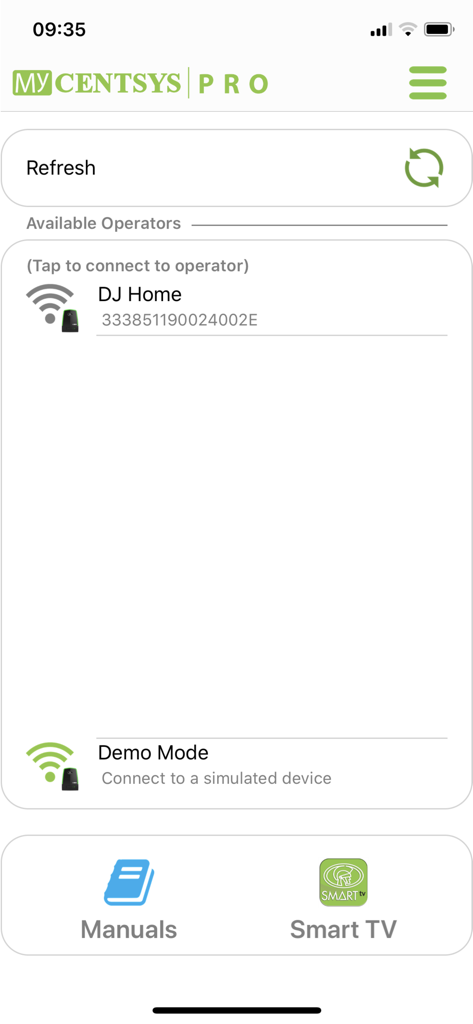
MyCentsys Pro app screen showing a list of available gate operators and demo mode for wireless setup
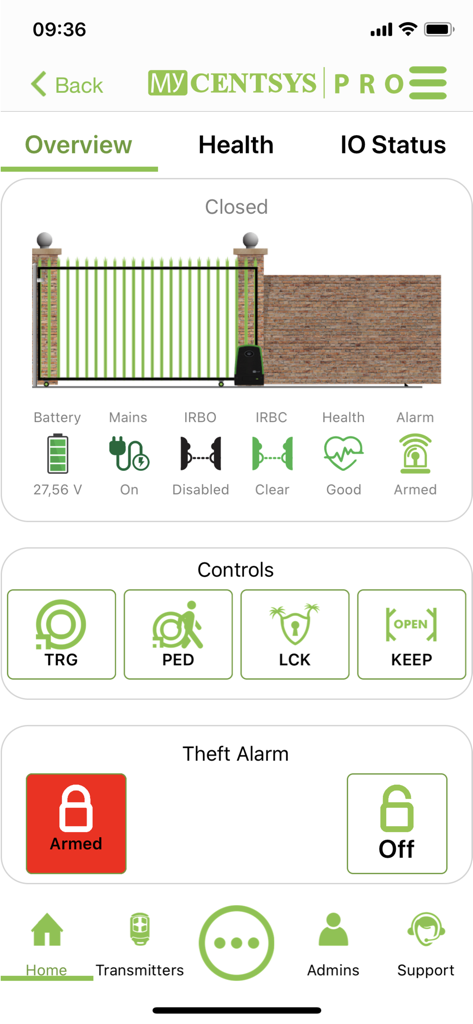
Overview screen of the MyCentsys Pro app displaying gate status, battery health, and security controls.
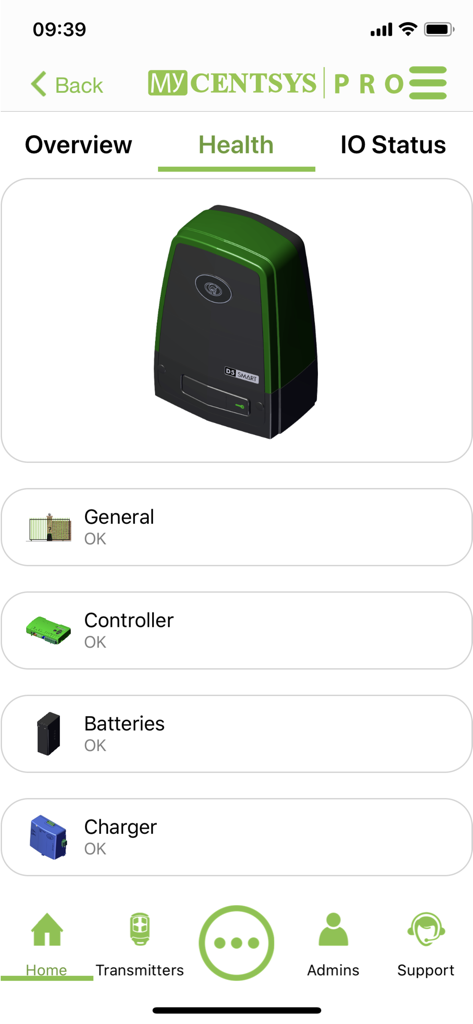
MyCentsys Pro app screen showing health diagnostics for a D5 SMART gate motor including battery and charger status
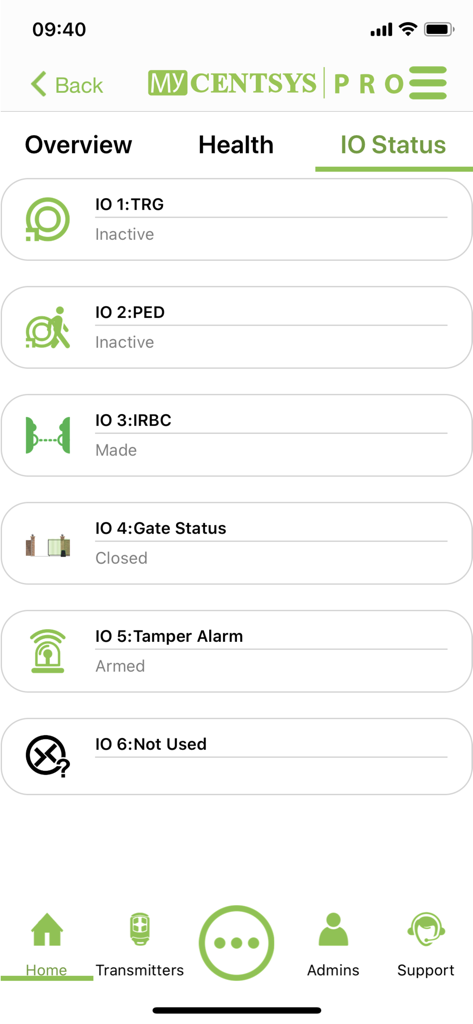
MyCentsys Pro app IO Status screen displaying gate diagnostics and sensor states
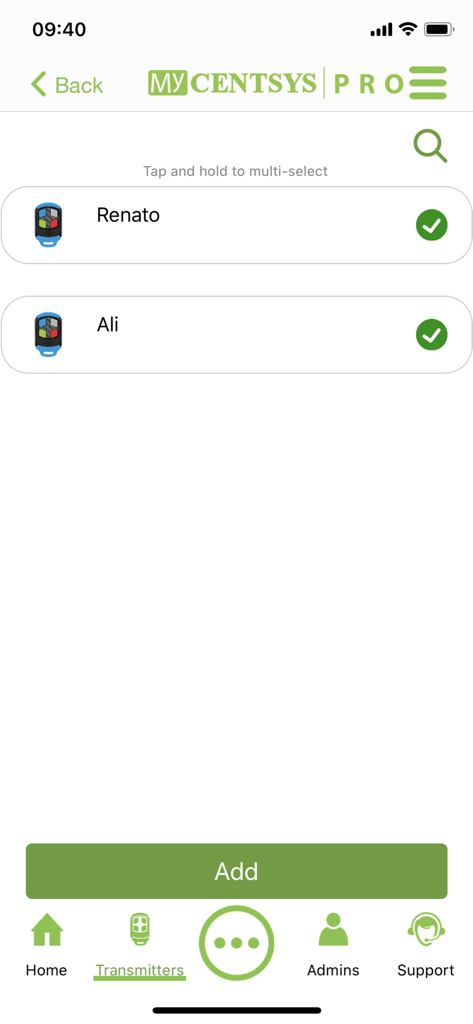
Screen from the MyCentsys Pro app displaying a list of registered gate remote transmitters with options to add more
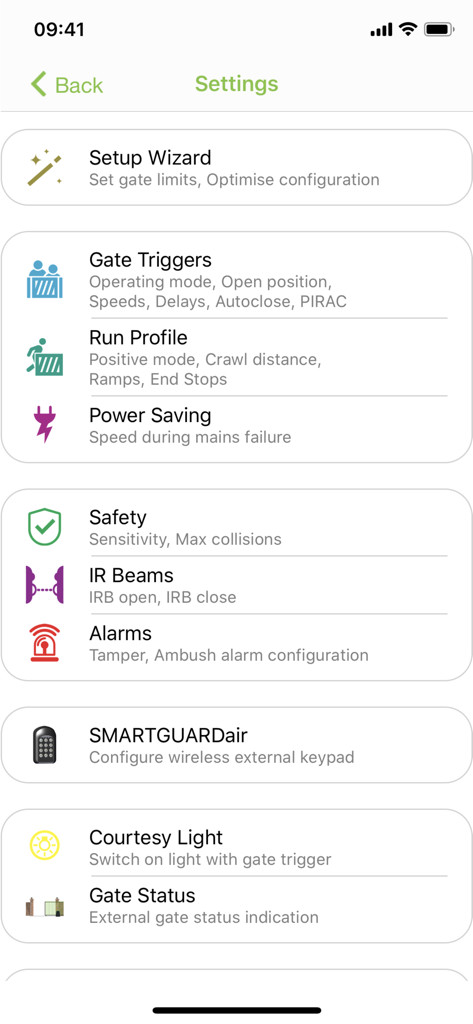
MyCentsys Pro settings menu for configuring gate triggers and safety parameters
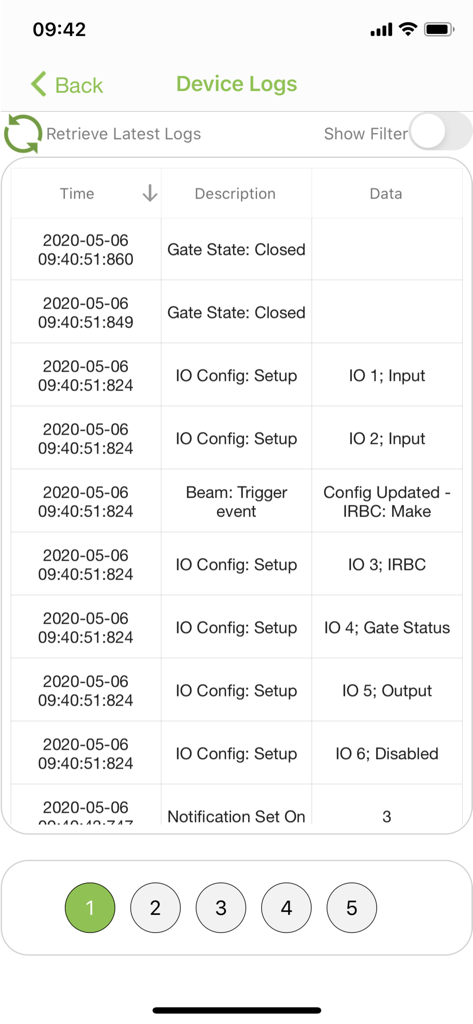
A chronological table of gate motor event logs showing device activity and configuration updates
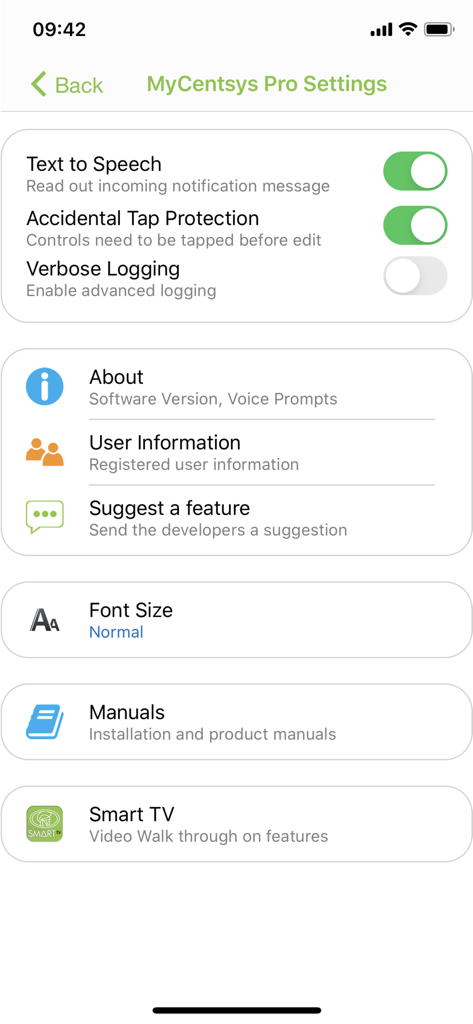
MyCentsys Pro settings menu showing app configuration options and access to installation manuals
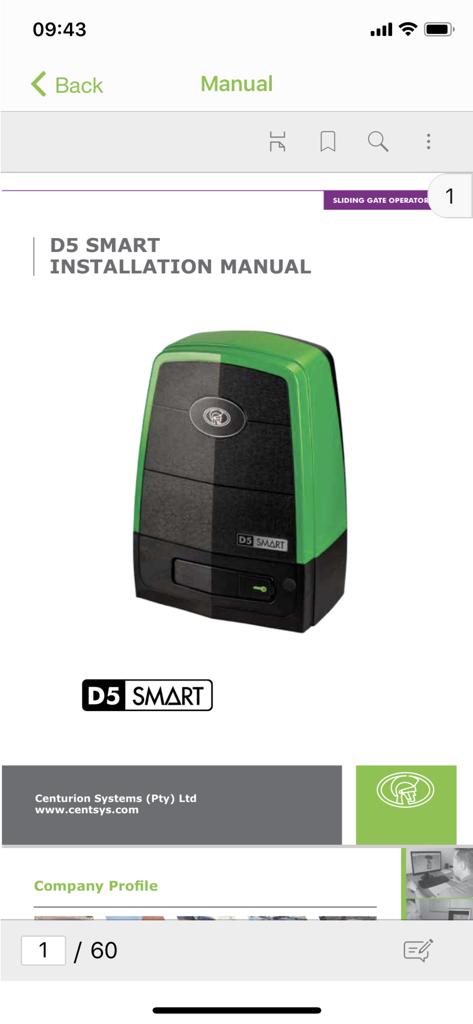
D5 SMART gate operator installation manual within the MyCentsys Pro app
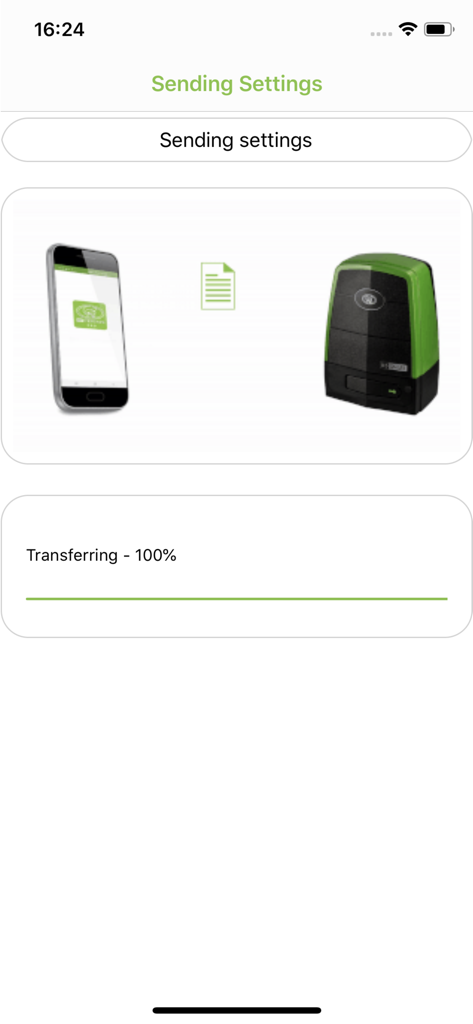
MyCentsys Pro app sending settings to a Centurion gate motor
Description
Download
More Like This
Apps with similar features and user experience

DJI Mimo
SZ DJI TECHNOLOGY CO., LTD

DJI Ronin
SZ DJI TECHNOLOGY CO., LTD

Roku TV Remote Control & Cast
Aleh Piashkou

Remote for Hisense TV.
Duscov Stepan

Alpha Linker - Camera Transfer
恒茂 刘

Roku TV Remote Control・
Artur Belov

Luminair
Synthe FX, LLC

FUJIFILM XApp
FUJIFILM Corporation

Epson iProjection
Seiko Epson Corporation
This page is not an official page of the app or its developer, but an independent editorial publication created for informational and commentary purposes. Unless expressly stated otherwise, neither the app nor its developer is affiliated with, endorsed by, sponsored by, authorized by, or otherwise officially connected with MWM, Apple, Google Play, the app publisher, or the app's developer, and nothing on this page implies that the app was developed using MWM's services. Any trademarks, logos, screenshots, and other content remain the property of their respective owners.