Parental Control App - Kroha

Parental Control App - Kroha


Download on App StoreDownload on Google Play
Logo of Parental Control App - Kroha
Parental Control App - Kroha: Your All-in-One Solution for Digital Safety and Wellness

Protect your children with advanced screen time limits, social media monitoring, and unique eye protection features. Track real-time locations and manage up to 5 family devices from a single dashboard.

Download on App Store

Publisher

MESH Ukraina TOV

Category

Education

Downloads

585K+

User Rating

4.1/5

Total Ratings

2K+

Locales

37

Control at a Glance

Discover the interface used by 585K+ users.
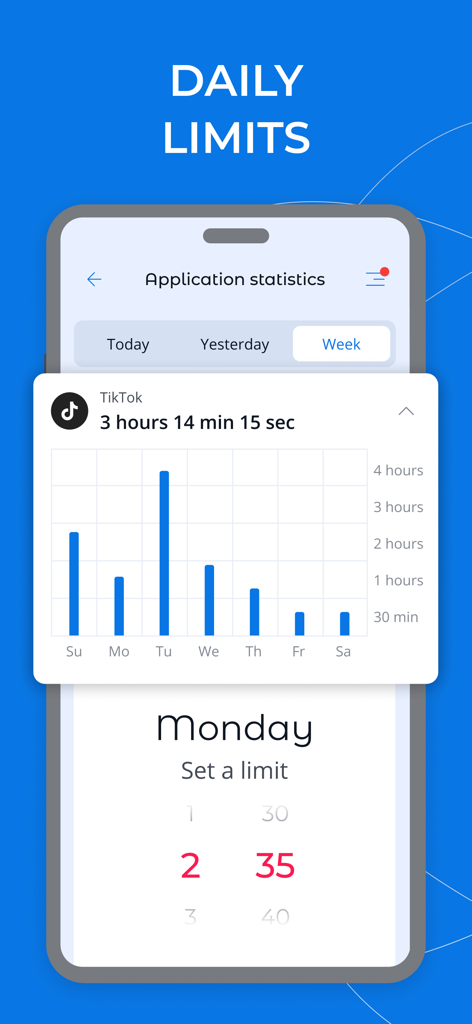
Screenshot of the Kroha parental control app showing weekly TikTok usage statistics and a interface to set daily time limits

Screenshot of the Kroha parental control app showing weekly TikTok usage statistics and a interface to set daily time limits

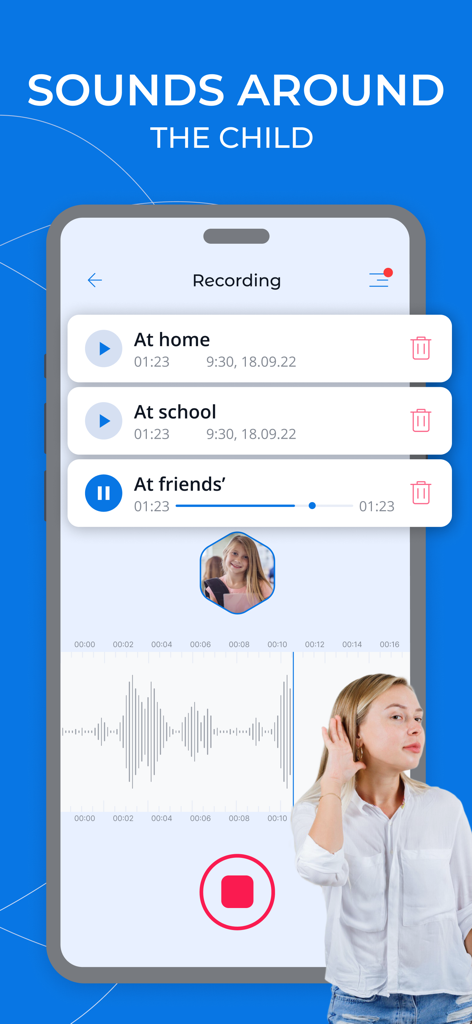
Smartphone screen showing the Sounds Around the Child audio recording feature of the Kroha parental control app

Smartphone screen showing the Sounds Around the Child audio recording feature of the Kroha parental control app

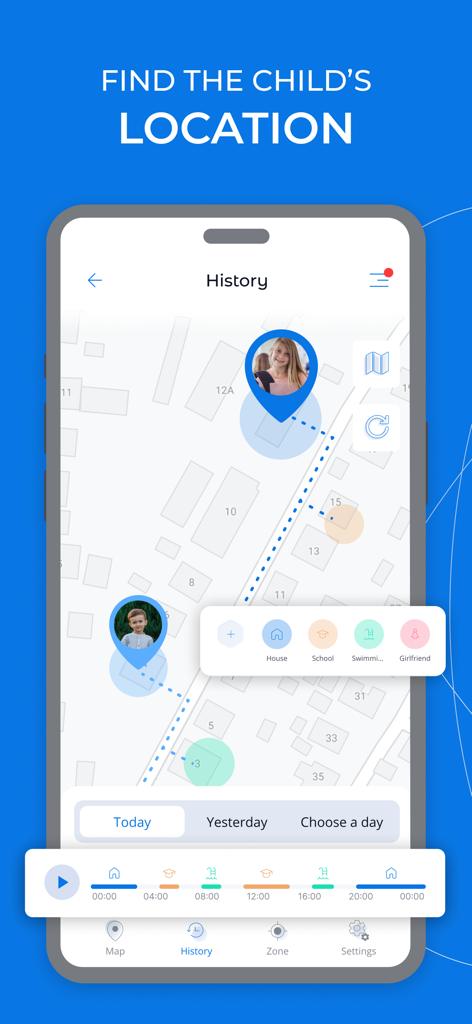
Interface of Kroha app showing real time GPS location tracking and history for children on a map

Interface of Kroha app showing real time GPS location tracking and history for children on a map

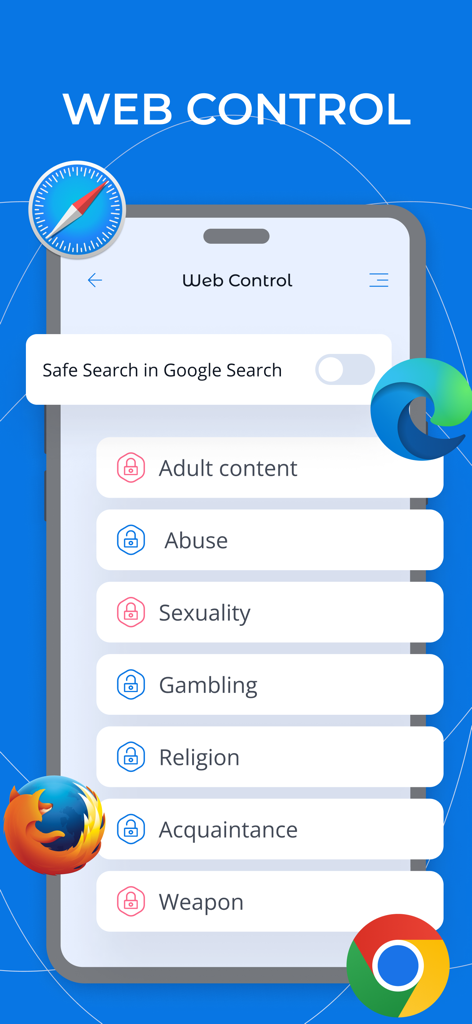
Interface of the Kroha app showing web control options to block adult content and enable safe search across various mobile browsers

Interface of the Kroha app showing web control options to block adult content and enable safe search across various mobile browsers

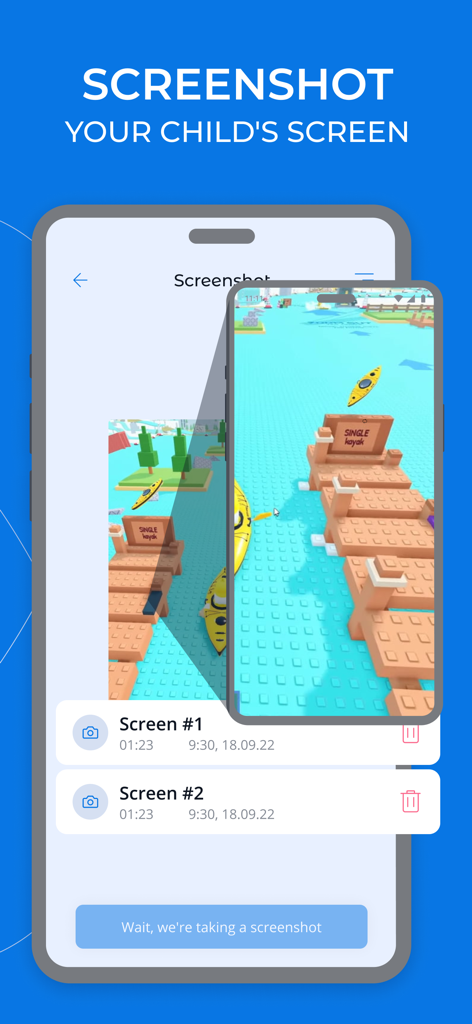
Interface of the Kroha app showing remote screenshots taken of a child's mobile game screen for monitoring safety

Interface of the Kroha app showing remote screenshots taken of a child's mobile game screen for monitoring safety

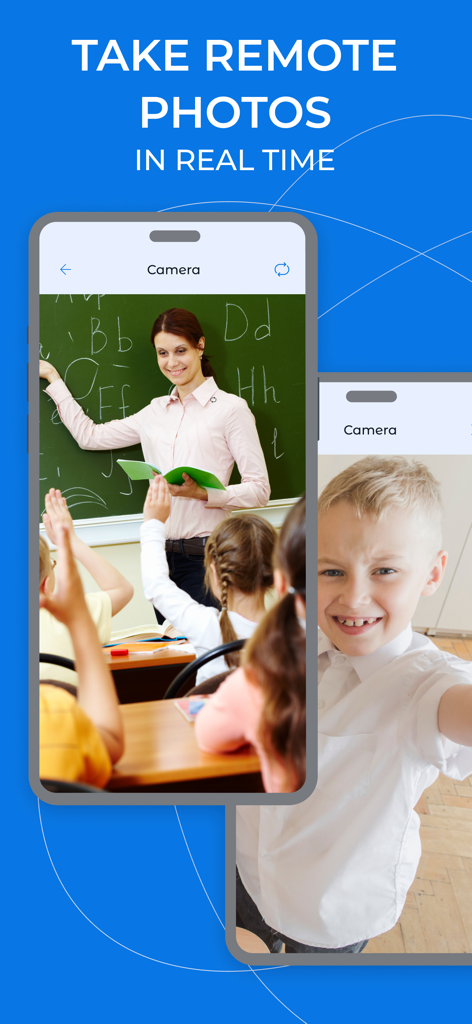
Kroha app feature for taking remote photos in real time to monitor child safety

Kroha app feature for taking remote photos in real time to monitor child safety

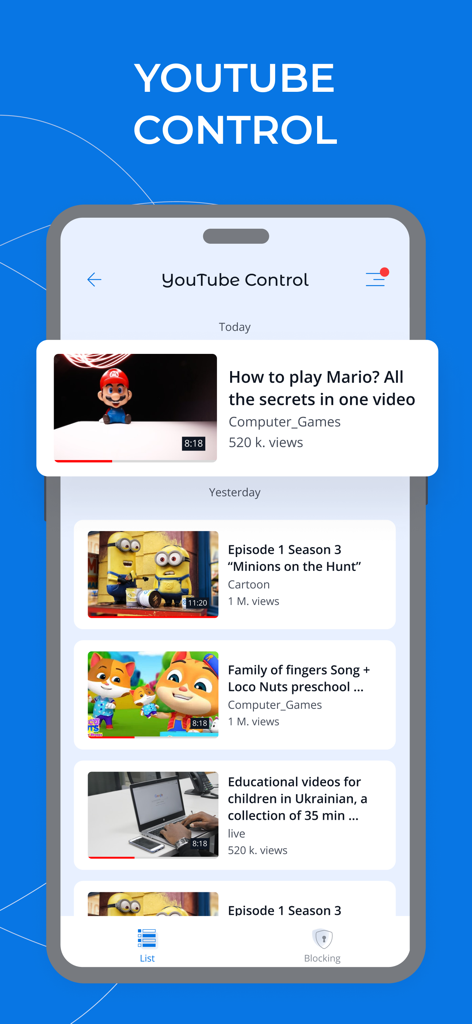
A smartphone screen displaying the YouTube monitoring feature of the Kroha parental control app showing a list of videos watched by a child

A smartphone screen displaying the YouTube monitoring feature of the Kroha parental control app showing a list of videos watched by a child

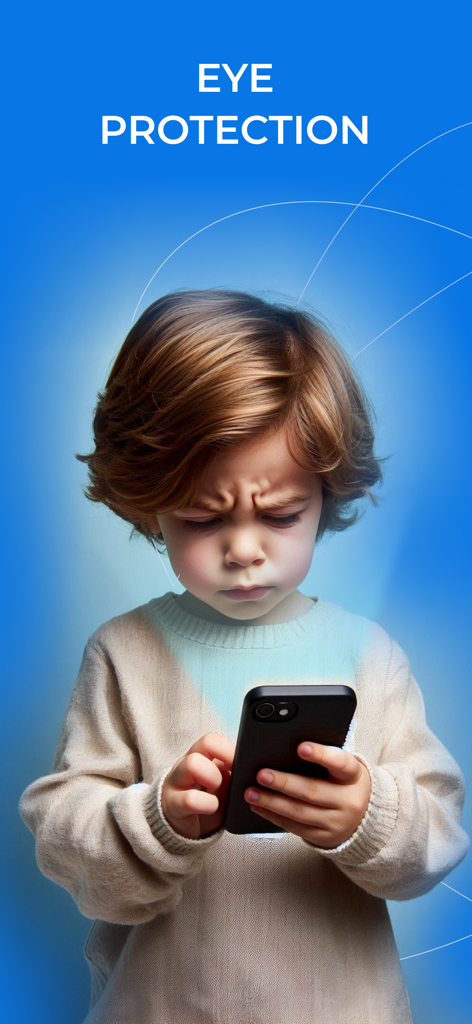
A young child looking at a smartphone screen with the text Eye Protection above

A young child looking at a smartphone screen with the text Eye Protection above

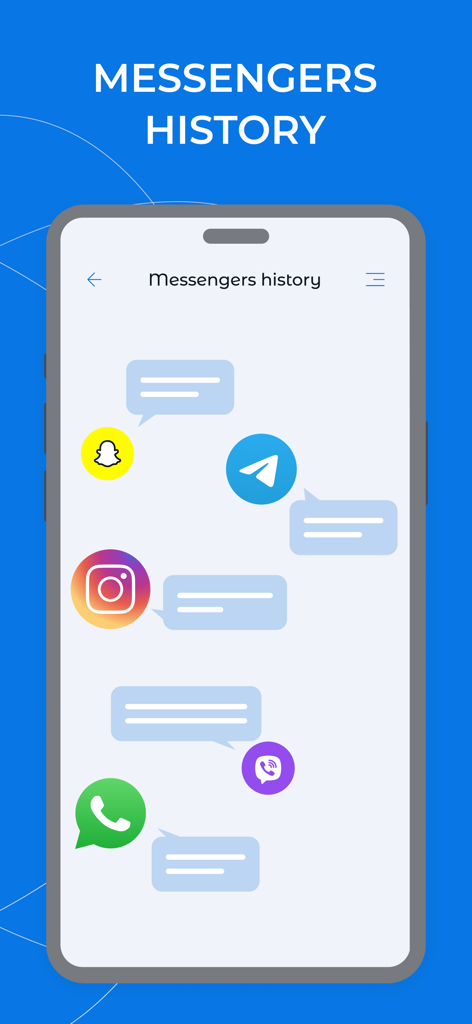
Screenshot showing messenger history monitoring for WhatsApp Instagram Snapchat and Telegram in the Kroha parental control app

Screenshot showing messenger history monitoring for WhatsApp Instagram Snapchat and Telegram in the Kroha parental control app

Complete Digital Peace of Mind for Your Family

The tools that make this app stand out, trusted by 585K+ users.

🛡️

Smart Social & Video Monitoring

Stay informed about their digital interactions by monitoring WhatsApp chats and YouTube history to protect them from inappropriate content and online risks.

Balanced Screen Time Habits

Set healthy boundaries remotely by scheduling app limits or blocking games during study hours and bedtime, ensuring technology supports their development.

👁️

Digital Wellness & Real-Time Safety

Protect their vision with eye-distance alerts and blue light filters, while keeping track of their precise location with advanced GPS geofencing.

About the app

Everything you need to know about Parental Control App - Kroha.

Description

The parental control app is created to protect kids and provides supervision to keep kids safe online. The app is a powerful child control app for screen time, tracking location, tracking application usage time, limit app usage, limit phone usage, website control, YouTube monitoring. You can block apps, set daily app time limit, limit screen time, block inappropriate content. Install this application on your mobile device. The application supports only the parent mode. The child mode is not available for iOS devices. The application has unique features such as monitoring social media chats and eyes protection. Use night mode and eyes protection features to form healthy habits for your kids’ eyes. App lock & Phone lock: • Block apps and block games • Block social media apps • Limit app usage time and limit usage time remotely • Set schedules and limit phone usage for family time, bedtime and study time Device screen time management: • Screen time app shows a detailed view of the daily phone usage • Set and manage a specific daily app time limit • Screen time tracker allows you to monitor apps usage statistics Social media chat monitoring: • Monitoring messengers (WhatsApp, Viber) • YouTube Monitoring Eyes protection & Night mode: • Use Night Mode to protect the child’s eyes from intense blue light in the evening • Use eyes protection to keep your child’s phone screen at the correct distance from your eyes Family Locator & GPS tracking: • Monitor your child’s location on the map in real-time • Set geo-zone and get notifications if a child leaves this zone Block websites & Block Youtube videos: • Monitor websites which your child visited • Web filters allow you to safe kids from harmful sites and content • Monitor YouTube videos which your child was watched • Block YouTube videos and channels • Turn on Safe Search function to protect your kid’s searches online also app gives you an opportunity to: • Monitor and manage your kid’s phonebook • Monitor the latest kid’s photos • Monitor the battery level of the kids’ phone Please install this application on your mobile smartphone and then on your child’s one(s) to perform remote child control of a child’s device. Link all your family devices to the account. Both smartphones should have network data capability, as the app uses data to send and receive configuration commands. The application is designed exclusively for children's protection and child safety. If the application is used inappropriately, the company disclaims responsibility for the consequences. Price for the one-year license includes controlling of five different family devices, which can be activated in any mode (Parent mode / Kids mode). Use one account for the whole family. Check out the subscription price: https://parental-control.net Feedback If you have any issues or questions, you can always contact our support team: support@parental-control.net Privacy Policy: https://parental-control.net/privacy-policy.html Terms of usage: https://parental-control.net/oferta

Latest Version

4.7.4

Size

109.0 MB

First Released

May 31, 2018

Ready to Protect Your Family's Digital Journey?

Join over 585,000 parents and secure up to 5 devices with one account. Start fostering healthy digital habits and enjoy peace of mind today.

Download on App StoreDownload on Google Play
FAQ

Frequently Asked Questions

Everything you need to know about Parental Control App - Kroha

How to set daily app limits with Kroha Parental Control App?

Yes, the Kroha Parental Control App allows parents to set a specific daily app time limit for their child's device. It also shows a detailed view of daily phone usage and app usage statistics.

Can I monitor social media chats using Parental Control App - Kroha?

Yes, the Kroha Parental Control App offers social media chat monitoring for messengers like WhatsApp and Viber. It also provides YouTube monitoring capabilities.

Does Parental Control App - Kroha track a child's location?

Yes, the Kroha Parental Control App includes Family Locator and GPS tracking features. It monitors your child’s location on a map in real-time and provides geo-zone notifications.

How does Kroha Parental Control App protect a child's eyes?

The Kroha Parental Control App provides Eyes protection and Night mode. Night mode reduces intense blue light, while eyes protection helps maintain a correct screen distance for the child’s eyes.

What is the cost of the Parental Control App - Kroha?

The Kroha Parental Control App offers a one-year license that covers controlling five different family devices. You can check the current subscription price on the provided website link.

Can I block websites with the Parental Control App - Kroha?

Yes, the Kroha Parental Control App allows you to block websites and use web filters to protect kids from harmful content. It also includes a Safe Search function for online searches.

Is it possible to monitor YouTube with the Kroha Parental Control App?

Yes, the Kroha Parental Control App offers YouTube monitoring. You can monitor videos your child watched, block specific YouTube videos and channels, and activate Safe Search.

Can the Kroha Parental Control App take remote photos?

Yes, the Kroha Parental Control App enables parents to take remote photos in real-time from their child's device. This feature helps parents monitor their child's surroundings.

Does Parental Control App - Kroha support child mode on iOS devices?

No, the Kroha Parental Control App does not support child mode for iOS devices. It is installed on the parent's mobile device and only supports the parent mode for iOS.

What personal data does the Kroha Parental Control App collect?

The Parental Control App - Kroha's Privacy Policy outlines its data collection practices. This policy details how the app handles personal information for child protection and safety.

App information, icons, screenshots, and descriptions displayed on this page are sourced from the Apple App Store and are the property of their respective developers. Download estimates and rankings are based on MWM's proprietary models and may not reflect actual figures. This page is provided for informational and analytical purposes only.

Believe this page infringes your intellectual property? File a dispute