Parental Controls by Ohana

Parental Controls by Ohana


Download on App StoreDownload on Google Play
Logo of Parental Controls by Ohana

Parental Controls by Ohana: Empowering Your Family to Thrive in a Digital World

Replace screen time battles with healthy habits. Automate limits, filter millions of websites, and keep your kids safe across all devices with one simple, transparent app designed for modern parents.

Download on App Store

Publisher

Ohana Software GmbH

Category

Lifestyle

Downloads

164K+

User Rating

4.2/5

Total Ratings

1K+

Locales

14

Safety at a Glance

Discover the interface used by 164K+ users.
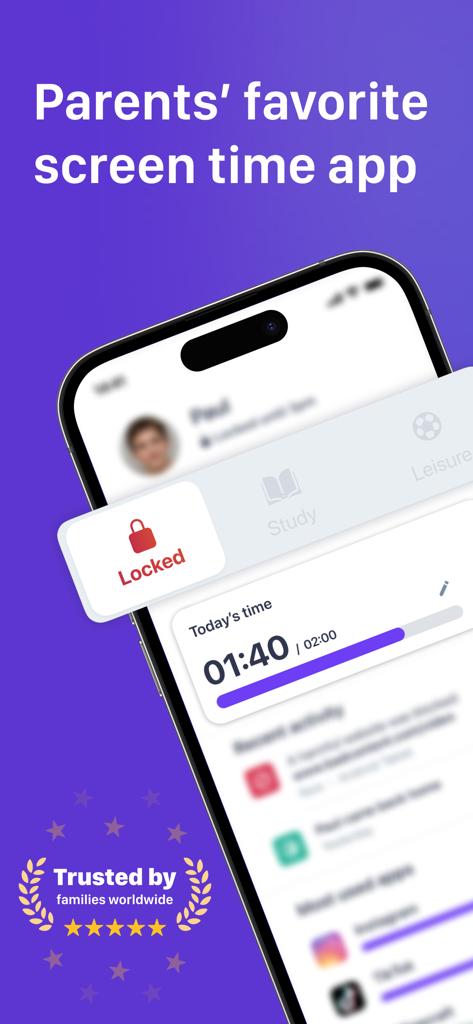
Parental Controls by Ohana app interface showing screen time limits and device locking modes

Parental Controls by Ohana app interface showing screen time limits and device locking modes

A father walking with his children surrounded by safety and screen time icons for the Ohana parental control app

A father walking with his children surrounded by safety and screen time icons for the Ohana parental control app

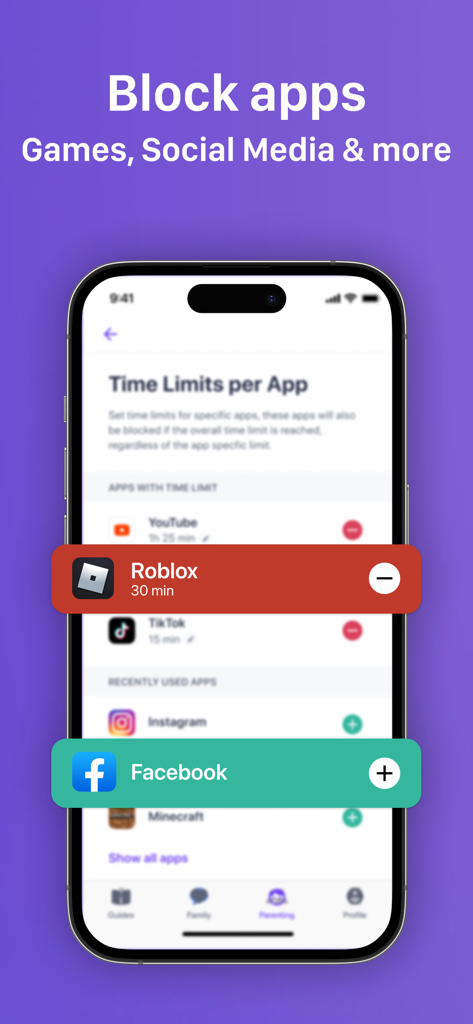
Interface of the Ohana parental control app showing how to set time limits for games and social media apps like Roblox and Facebook.

Interface of the Ohana parental control app showing how to set time limits for games and social media apps like Roblox and Facebook.

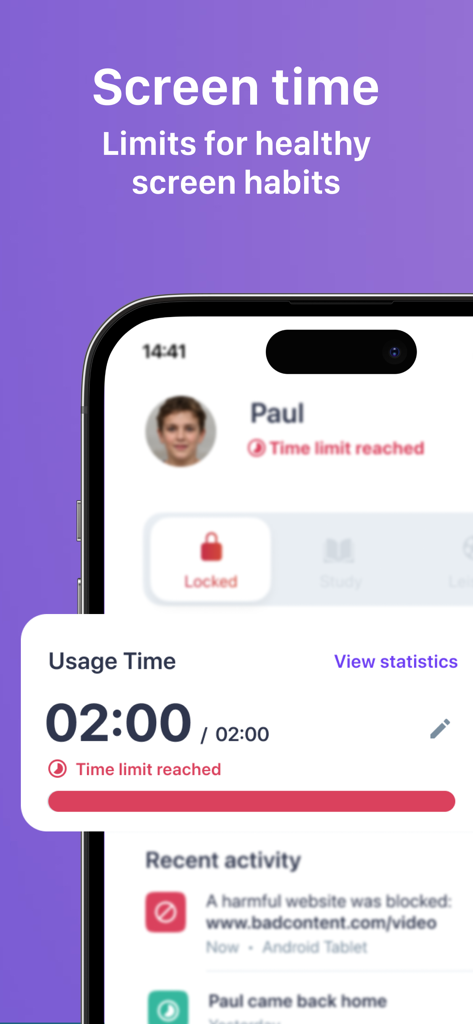
Interface of the Ohana parental control app showing screen time limits reached and blocked website notifications

Interface of the Ohana parental control app showing screen time limits reached and blocked website notifications

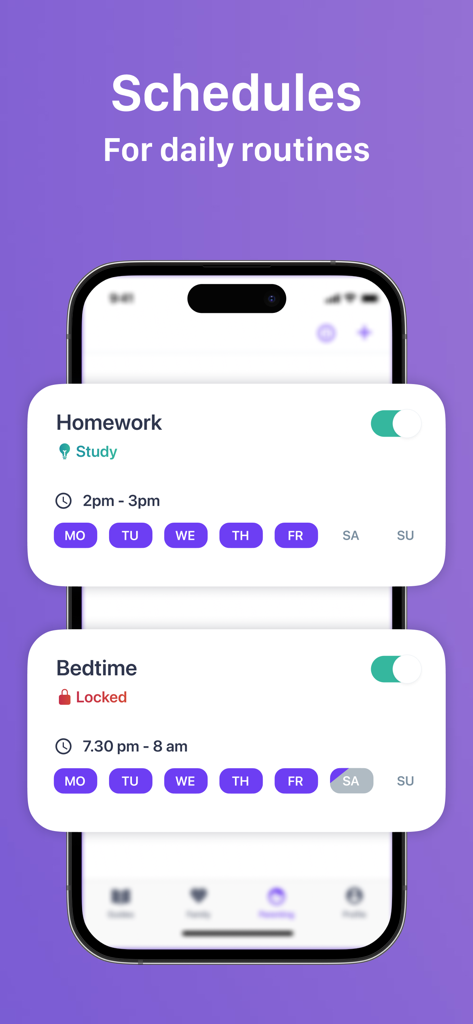
Interface of the Ohana parental control app displaying automated schedules for homework and bedtime routines

Interface of the Ohana parental control app displaying automated schedules for homework and bedtime routines

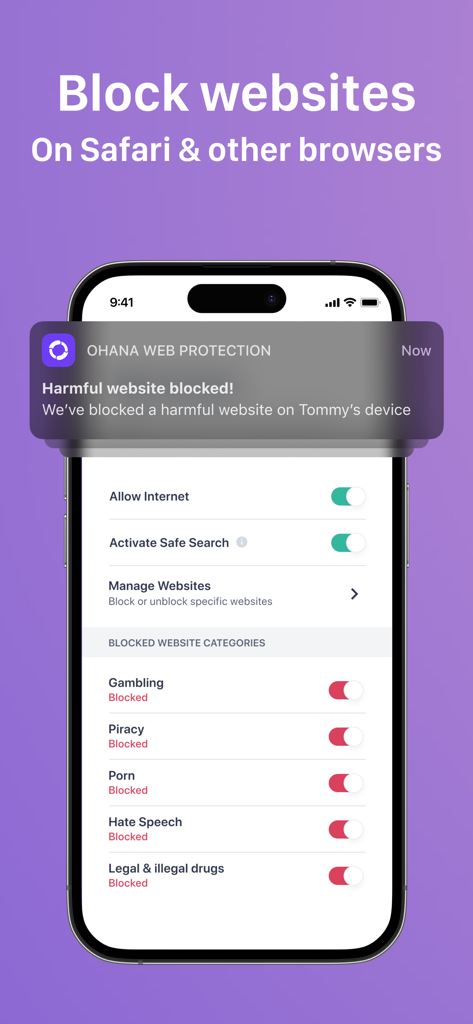
Smartphone screen showing Ohana app interface for blocking harmful website categories like gambling and piracy with a notification alert

Smartphone screen showing Ohana app interface for blocking harmful website categories like gambling and piracy with a notification alert

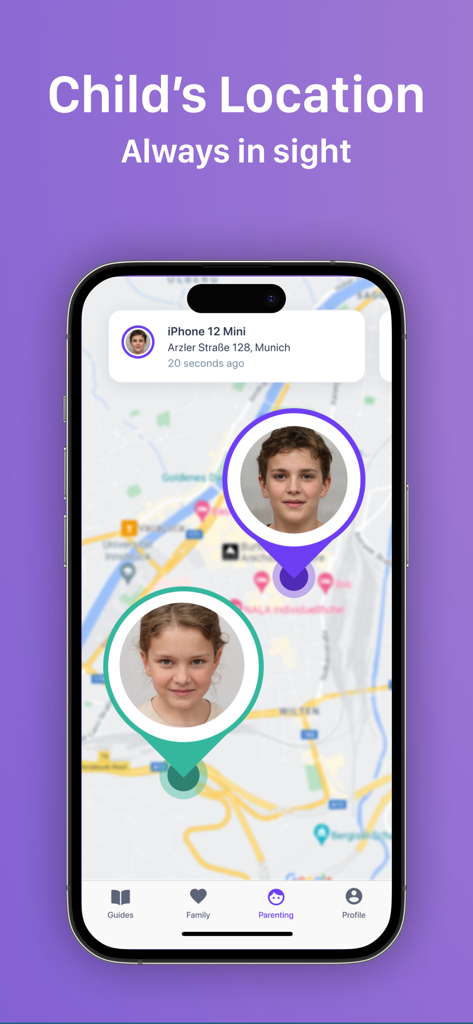
A smartphone screen displaying a map with real-time location tracking for children within the Ohana parental control app.

A smartphone screen displaying a map with real-time location tracking for children within the Ohana parental control app.

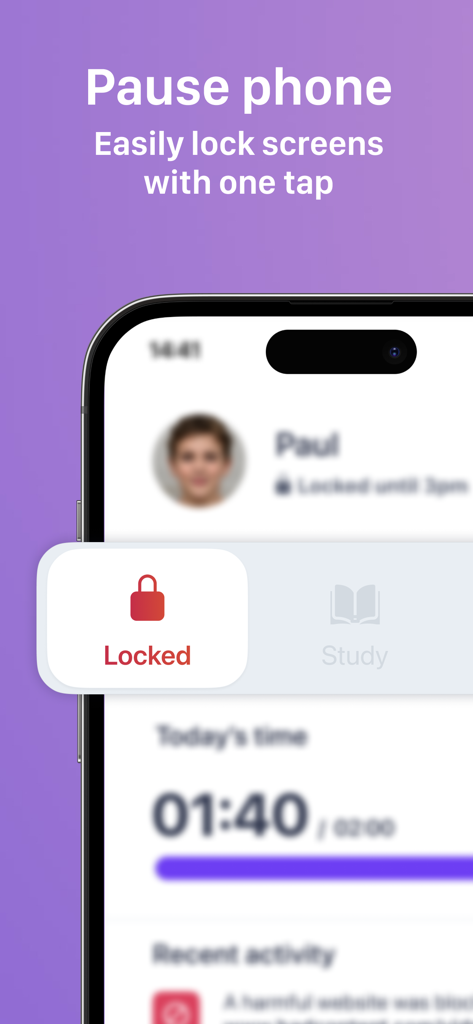
Parental control app screen showing a one-tap pause and lock phone feature for children

Parental control app screen showing a one-tap pause and lock phone feature for children

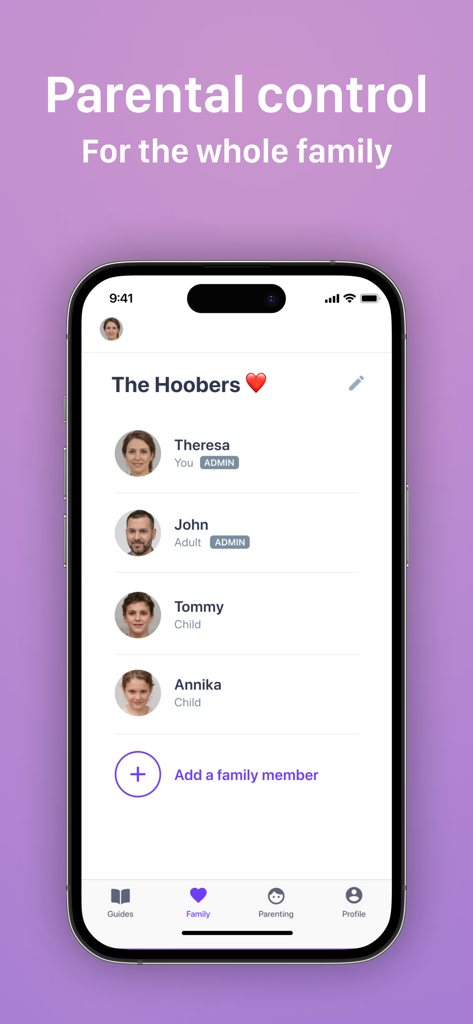
Ohana parental control app interface showing a family dashboard with parent and child profiles.

Ohana parental control app interface showing a family dashboard with parent and child profiles.

Reclaim Family Time and Peace of Mind

The tools that make this app stand out, trusted by 164K+ users.

End the 'Five More Minutes' Debate

Set healthy daily limits and automatic bedtime schedules that teach time management and eliminate screen-time friction for good.

🛡️

A Safe Internet, Automatically

Instantly block over 5 million inappropriate sites and ensure search engines only show kid-friendly content with zero manual setup required.

One-Tap Focus Modes

Instantly switch between Study, Leisure, or Locked modes to help your kids prioritize homework and chores over digital distractions.

Review Analysis

Insights from user reviews.

Sentiment Score

34%
Negative

Summary

The Ohana app receives predominantly negative feedback from users, with many reporting significant issues regarding inaccurate screen time tracking, frequent bugs, and general unreliability. While some parents praise its ability to effectively block certain apps and offer robust control options compared to Apple's built-in Screen Time, a common complaint from both parents and children is the ease with which controls can be circumvented. Additionally, users express frustration over unresponsive customer support, a difficult user interface, and the app's iOS 17 requirement which limits use on older devices. Many children also report feeling a loss of privacy and that the app causes family conflicts.

Common Themes

Customer Support(4)
Screen Time Management(3)
Control Effectiveness(3)
App Stability(3)
User Interface(2)
Value for Money(2)
Privacy Concerns(1)

About the app

Everything you need to know about Parental Controls by Ohana.

Description

A parental control app designed for parents! We all secretly know it. Studies show that too much screen time for children can have many negative effects. We help parents and families get a grip on the issue of kids and phones. AUTOMATIC TIME LIMITS Now your child is shown the “5 more minutes please” beforehand. With a suggested or custom daily time limit, you can teach your child time management while maintaining a healthy screen time balance. AUTOMATICALLY A SAFE INTERNET Over 5 million websites are automatically filtered for you. As soon as your child tries to access an inappropriate site, we redirect them to a safe site and notify you. Ohana also adjusts search engines to only display child-friendly content. LOCKED, STUDY or LEISURE These are our modes that you can set the phone to with just one tap. Apps are then automatically locked and tidying up the room becomes the most important thing after all. PHONE OFF FOR BEDTIME Automatic schedules help to put the phone into locked or study mode at certain times. Apps that are not allowed can simply no longer be opened. This way, a restful night is automatically integrated into everyday life. NEW INSIGHTS EVERY WEEK You get a brief overview of what happened last week and can easily find out about new apps. Comparison values with other kids help you to evaluate your child. WORKS BETWEEN ALL DEVICES Ohana transcends device boundaries and supports different platforms. As a parent on a different platform, you can still control and enjoy all functions independently. LOCATION SAFETY FEATURE Some parents want an extra layer of protection in real life. Therefore, we offer a safety feature that allows parents and children to transparently share their location within the family. The function is optional to prevent any potential misuse. SECURITY & PRIVACY The security and privacy of parents and children are most important to us. We do not sell your data to third parties. Your data belongs to you and is securely encrypted. TRY IT OUT FOR FREE Download the app now and help your child manage their own devices! For any questions, contact us at support@tryohana.com. --- Terms and Conditions: https://www.tryohana.com/en/terms Privacy Policy: https://www.tryohana.com/en/privacy-policy EULA: https://www.apple.com/legal/internet-services/itunes/dev/stdeula/

Latest Version

4.56.0

Size

107.6 MB

First Released

May 4, 2022

Ready for a Stress-Free Digital Home?

End the bedtime battles and keep your kids safe with one simple tap. Join over 164,000 families and start your free Ohana trial today.

Download on App StoreDownload on Google Play

App information, icons, screenshots, and descriptions displayed on this page are sourced from the Apple App Store and are the property of their respective developers. Download estimates and rankings are based on MWM's proprietary models and may not reflect actual figures. This page is provided for informational and analytical purposes only.

Believe this page infringes your intellectual property? File a dispute