Partometer - camera measure
Download on App Store

This page is not an official page of the app or its developer, but an independent editorial publication created for informational and commentary purposes. Unless expressly stated otherwise, neither the app nor its developer is affiliated with, endorsed by, sponsored by, authorized by, or otherwise officially connected with MWM, Apple, Google Play, the app publisher, or the app's developer, and nothing on this page implies that the app was developed using MWM's services. Any trademarks, logos, screenshots, and other content remain the property of their respective owners.

Logo of Partometer - camera measure
Download on App Store

Partometer - camera measure

Turn your iPhone into a professional-grade ruler and tape measure. Use a simple reference object to get accurate lengths, angles, and areas—perfect for DIY enthusiasts, homeowners, and professionals who value precision.

Key Figures

Downloads

68K+

User Rating

4.2/5

Total Ratings

200

Publisher

VisTech.Projects LLC

Category

Utilities

Locales

1

Latest Version

1.5.4

Size

24.9 MB

First Released

Aug 28, 2013
Features

Professional Grade Precision in Your Pocket

Stop guessing and start measuring. Transform your camera into a versatile, high-accuracy tool that replaces your ruler, tape measure, and protractor with sub-millimeter resolution.

Reference-Based Accuracy

Skip the unreliable AR sensors. Use everyday objects like a credit card or sheet of paper as a reference to achieve precise, repeatable measurements you can actually trust.

Advanced Measurement Modes

Beyond simple length: calculate angles, circle dimensions, and irregular areas. Whether it's a spark plug gap or a room layout, we have a mode for every project.

The following screenshots and description are sourced directly from the app's official store listing and are the property of the app developer.

App Store

Screenshots
Partometer - camera measure - Partometer app interface showing length area diameter and angle measurement modes
Partometer app interface showing length area diameter and angle measurement modes

Partometer - camera measure - Quick guide showing camera measurement tools in the Partometer app
Quick guide showing camera measurement tools in the Partometer app

Partometer - camera measure - Settings screen in Partometer app for selecting measurement units and reference objects like US Letter paper.

Settings screen in Partometer app for selecting measurement units and reference objects like US Letter paper.

Description

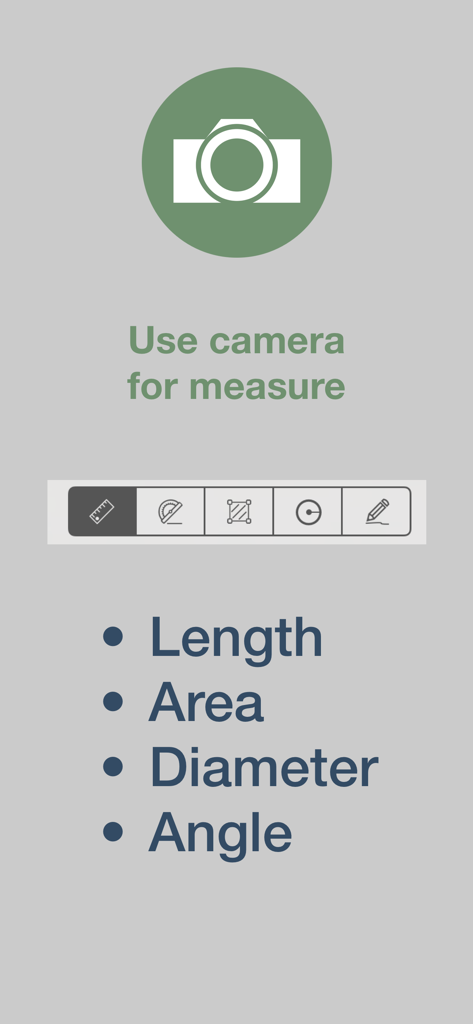
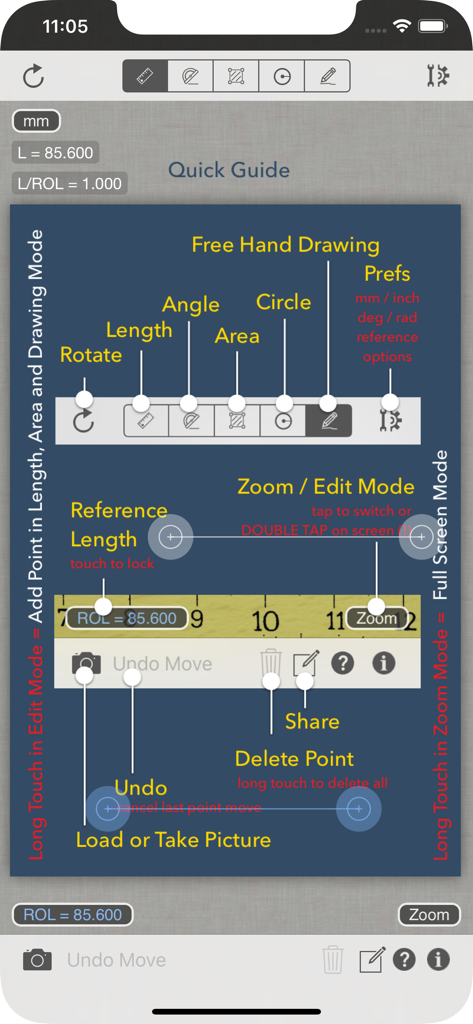
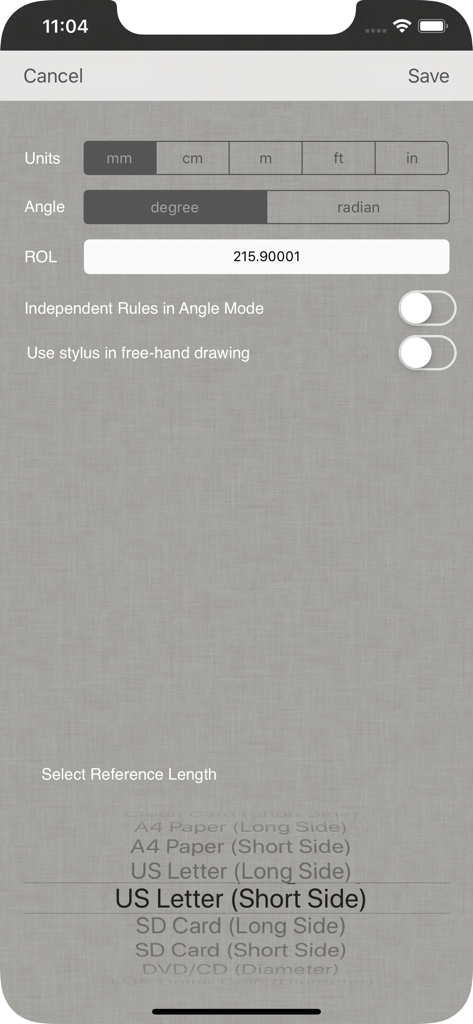
Partometer is a useful and handy camera tool for object dimensions measurements that can be used as a ruler or tape measure on your iPhone. The App performs remote, non-contact in plane measurements. It uses the phone camera and any available object with known size as a reference. Most common objects like credit card, sheet of paper, DVD/CD, etc. are included in the application. Moreover you can use your own custom objects with known size. The user has an option to make a snapshot of the camera view and work with the image instead of live camera view. Picture upload from the picture gallery is also available. The following mode are available in the app: Length Mode: measure objects in any direction and compare parts to each other. Angle Mode: two rulers are available connected in one point to measure angle and lengths. Area Mode: area of irregular shaped objects can be calculated using this mode. Circle Mode: measurements on circle - radius, length, area The App shows measurement results in different units such as meters, millimeters, centimeters, feet, inches based on user settings. It also calculate dimensions of the object in relative units with respect to the reference object. Two editing modes Edit and Zoom help the user to align the rulers or to mark an object accurately. The App can be very useful if you need to measure bigger distances on a plane, where a simple ruler or measure tape is difficult to apply. All you need to do in this case is to place the reference object (credit card or sheet of paper) on the measurement plane, to make sure that an object of interest and reference object fit into the camera view, to take picture and do measurements. Demo videos: http://youtu.be/HPSBnIcLz8A http://youtu.be/NwZnB6sLfqI Circle Mode: http://youtu.be/vmX5kBLptg0 Partometer use cases: - measure size of your room quickly - estimate furniture size - measure baggage size - measure out some distances on objects (handcraft, woodcraft, etc.) - measure size of a big object that practically impossible to measure with a ruler or tape measure outdoor. For example, you can measure height of a house using sheet of paper as a reference object. - measure small objects with high accuracy just by placing them on A4 or Letter sheet. - measure or compare height of a person - compare objects to each other - estimate Pupilary Distance by holding credit card next to your face - measure fish size very quickly or measure all previous catch from the pictures using your own height - measure fabric or cloth area and size - measure trees - measure angles, pitch gauge - measure spark plug gap - measure area of irregular shaped objects - measure bearings, roller bearings, nuts, rings. - measure any internal feature or irregular shaped area on X-ray if you have a reference( useful for dentists) - make measurements in different units - measurements of small objects that fit within your device screen: jewelry, rings, stones, screws, bolts, buttons, nuts, knitting needles, knitting pattern, washers, insects, mosaic tile, hooks, etc. ... and many others, depending on your imagination. Depending on measurement conditions, reference object and distance to an object you can achieve sub-mm resolution.

Download

Download on App Store

This page is not an official page of the app or its developer, but an independent editorial publication created for informational and commentary purposes. Unless expressly stated otherwise, neither the app nor its developer is affiliated with, endorsed by, sponsored by, authorized by, or otherwise officially connected with MWM, Apple, Google Play, the app publisher, or the app's developer, and nothing on this page implies that the app was developed using MWM's services. Any trademarks, logos, screenshots, and other content remain the property of their respective owners.








