PDF Editor: Fill Edit,Sign PDF
Download on App Store

This page is not an official page of the app or its developer, but an independent editorial publication created for informational and commentary purposes. Unless expressly stated otherwise, neither the app nor its developer is affiliated with, endorsed by, sponsored by, authorized by, or otherwise officially connected with MWM, Apple, Google Play, the app publisher, or the app's developer, and nothing on this page implies that the app was developed using MWM's services. Any trademarks, logos, screenshots, and other content remain the property of their respective owners.

Logo of PDF Editor: Fill Edit,Sign PDF
Download on App Store

PDF Editor: Fill Edit,Sign PDF

Scan, edit, sign, and convert documents instantly with AI-driven tools. One subscription for your iPhone, iPad, and Mac to manage your professional workflow anywhere, without the printer.

Key Figures

Downloads

9K+

User Rating

4.3/5

Total Ratings

0

Publisher

AHAD DURRANI

Category

Business

Locales

13

Latest Version

2.2

Size

81.1 MB

First Released

Mar 20, 2023
Features

Maximize Your Productivity On The Go

The ultimate all-in-one PDF toolkit designed for the modern professional. Seamlessly scan, edit, and sign documents across your entire Apple ecosystem.

AI Assistant & OCR

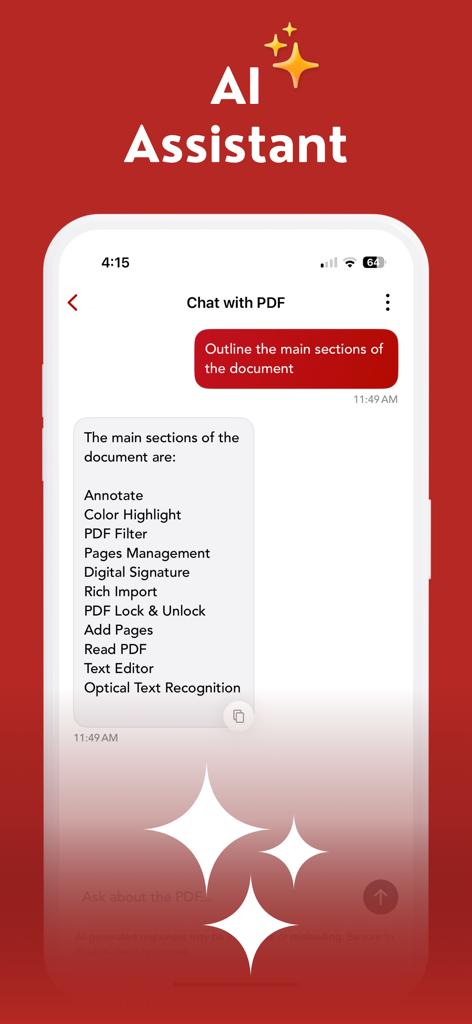
Instantly convert scans into editable text and use smart AI to summarize complex documents in seconds.

Professional E-Signatures

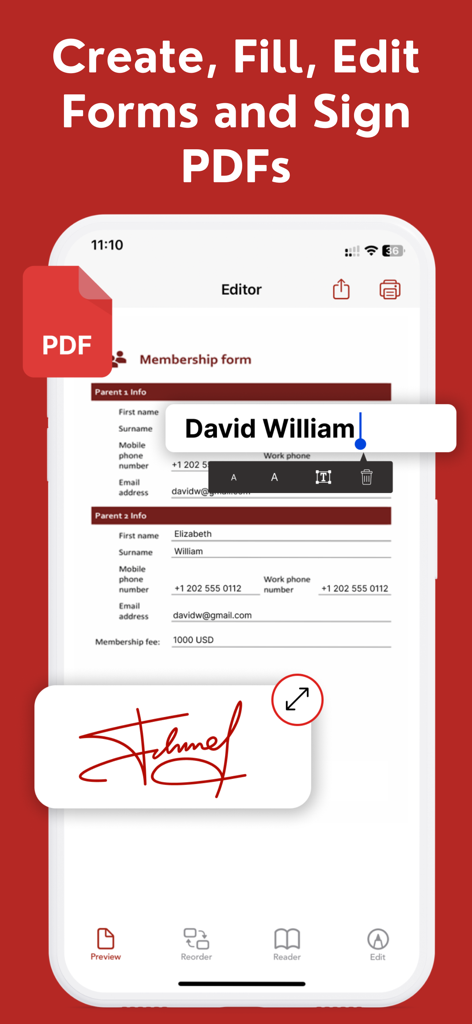
Execute contracts and fill out forms instantly from your iPhone or iPad with secure, legally-binding digital signatures.

The following screenshots and description are sourced directly from the app's official store listing and are the property of the app developer.

App Store

Screenshots
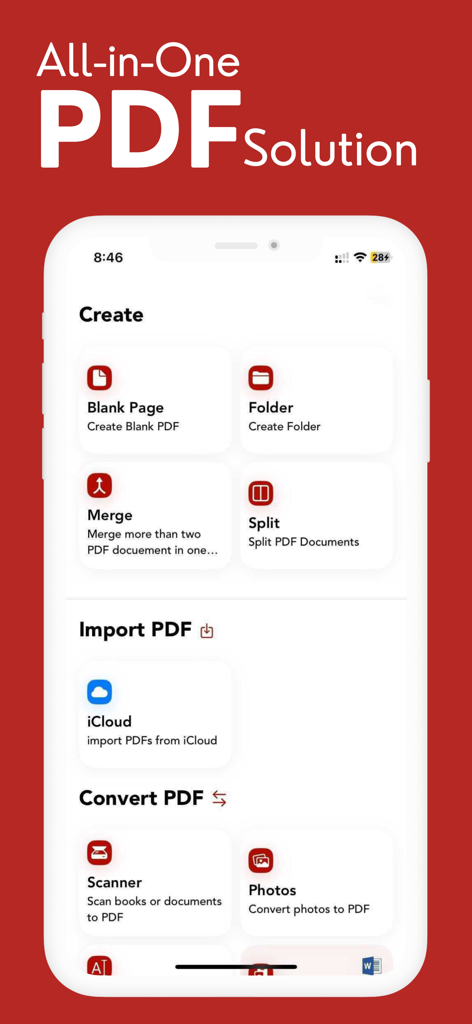
PDF Editor: Fill Edit,Sign PDF - Dashboard of the PDF Editor app showing options to create, merge, split, and convert PDF files on an iPhone.
Dashboard of the PDF Editor app showing options to create, merge, split, and convert PDF files on an iPhone.

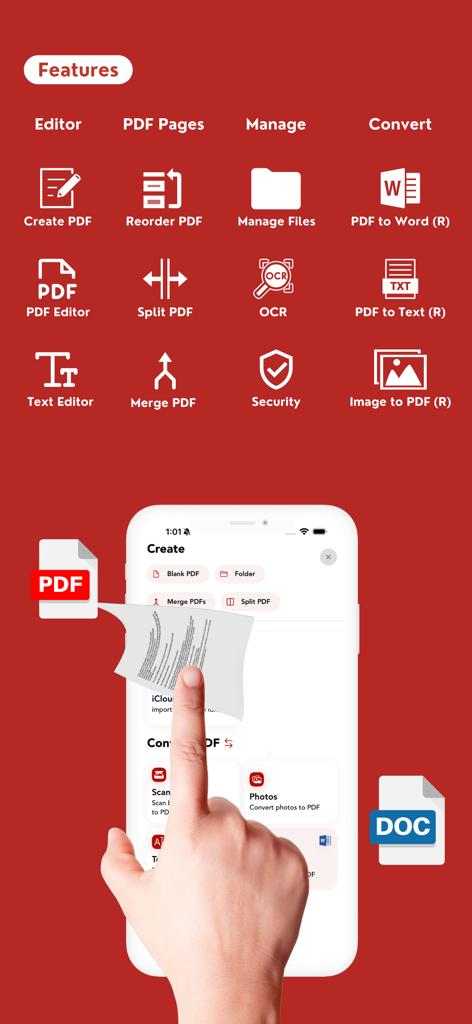
PDF Editor: Fill Edit,Sign PDF - Features of PDF Editor app including OCR and file conversion tools on an iPhone
Features of PDF Editor app including OCR and file conversion tools on an iPhone

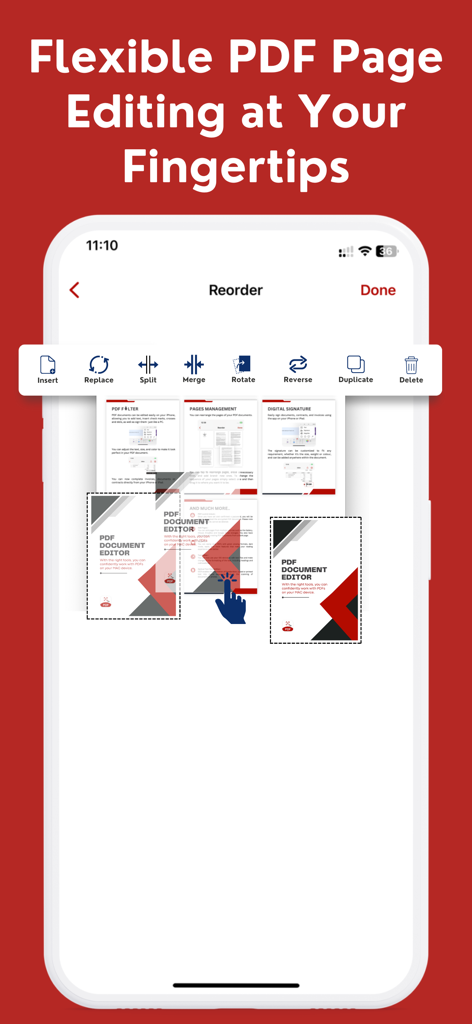
PDF Editor: Fill Edit,Sign PDF - Smartphone screen showing options to reorder merge and split PDF pages
Smartphone screen showing options to reorder merge and split PDF pages

PDF Editor: Fill Edit,Sign PDF - AI Assistant feature in the PDF Editor app showing a chat interface that outlines the main sections of a document
AI Assistant feature in the PDF Editor app showing a chat interface that outlines the main sections of a document

PDF Editor: Fill Edit,Sign PDF - Mobile app interface showing how to edit a membership form and add a digital signature to a PDF document.
Mobile app interface showing how to edit a membership form and add a digital signature to a PDF document.

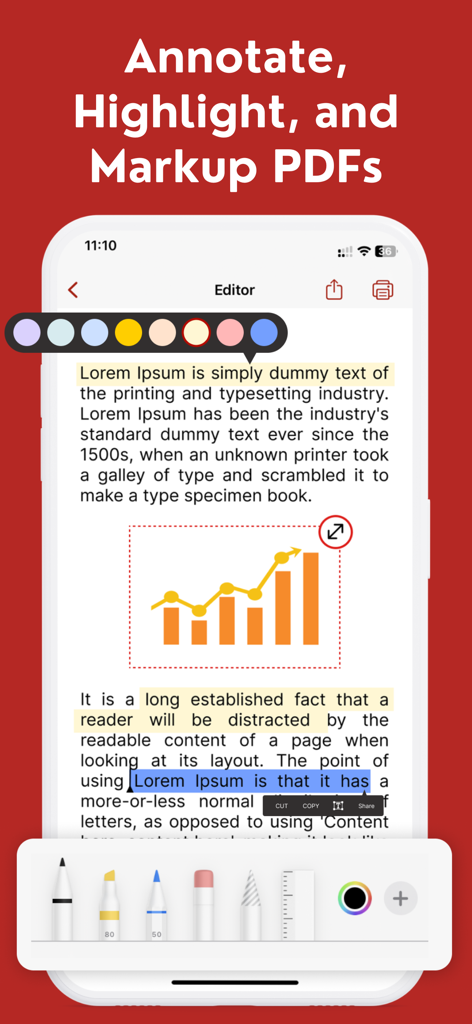
PDF Editor: Fill Edit,Sign PDF - PDF Editor app interface showing text highlighting and document markup tools

PDF Editor app interface showing text highlighting and document markup tools

Description

Looking for an easy-to-use and powerful PDF editor, fast documents scanner and file converter like Convert Photo to PDF, PDF to Word, pdf to images, jpeg to pdf cover almost all file converter with OCR Technology inbuilt for your iPhone, iPad and Macbook in single subscription? Look no further than our PDF Editor, Documents Scanner & Converter app! With our app, you can easily create, edit, and manage PDF documents right from your iPhone, iPad or Macbook, iMac. Whether you need to annotate a document, add a signature, or merge multiple PDFs into one file, our app has you covered. Here are some of the key features of our PDF Editor, Documents Scanner & Converter app! (All in One PDF Editor) ********** Highlighted Features: ********** + PDF Lock & Unlock. + AI Integration. + Dropbox Integration. + Excel to PDF & PPTX to PDF. + Scan PDF. + Create New PDF. + Create or Design Any Form. + Share or Print Any Form. + Form Fill Out. + Edit PDF. + Split PDF. + Merge PDF. + Reorder PDF. + Print or Share PDF. + Remove Page From PDF. + E- Sign. + Add Text Box. + Add Image. + OCR (Image to Text). + Secure PDF. + Convert Photo to PDF. (R:Reverse) + Convert PDF to Word.(R) + Convert Text to PDF.(R) + File Converter (Pro Supported). + Single Subscription use in your iPhone, iPad, iMac, Mac book - All Apple Devices Easy document creation: Create new PDF documents with a few taps, or import existing documents from your device or cloud storage services. Advanced editing tools: Edit text, images, and other content within your PDFs, and add annotations, comments, and highlights. AI Assistant — Smarter PDF Interactions: Interact with the AI Assistant using simple text prompts to get instant, intelligent responses OCR Technology: OCR features enable users to convert scanned documents into editable and searchable text. With advanced OCR technology, the app recognizes text in scanned documents and converts it into editable text. The app supports multiple languages, making it a versatile tool for users around the world. Signature support: Sign PDF documents directly within the app, or import and save your signature for later use. Merge and split PDFs: Easily combine multiple PDFs into a single document, or split one PDF into multiple files. File management: Organize and manage your PDFs with ease, including renaming, moving, and deleting files. Cloud integration: Sync your PDFs with a popular cloud storage service like iCloud to access your documents from anywhere. Our PDF Document Editor & Maker app is designed to be intuitive and user-friendly, with a clean and modern interface that makes it easy to get started. Download it today and start creating and editing PDF documents like a pro! SUBSCRIPTION INFORMATION Monthly price : $4.99 Yearly price : $29.99 Consider PDF Editor, Documents Scanner & Converter app! (All in one PDF Editor) pro and enjoy full access to all features and content. If you choose a All in One PDF Editor subscription, payment will be charged to iTunes Account at confirmation of purchase. The subscription will automatically renew unless turned off in your iTunes Account Settings at least 24 hours before the current period ends. From iTunes Account settings you can manage your subscription and turn off auto-renew. Your iTunes Account will be charged when the purchase is confirmed. Privacy Policy: https://www.lazyvariable.com/pdf-editor-privacy-policy/ Terms of use: https://www.lazyvariable.com/pdf-editor-terms-of-use/ FAQs: https://www.lazyvariable.com/pdf-editor-faqs/ Support: Please contact us by email at "contact.pdfdocumenteditor@gmail.com".

Download

Download on App Store

This page is not an official page of the app or its developer, but an independent editorial publication created for informational and commentary purposes. Unless expressly stated otherwise, neither the app nor its developer is affiliated with, endorsed by, sponsored by, authorized by, or otherwise officially connected with MWM, Apple, Google Play, the app publisher, or the app's developer, and nothing on this page implies that the app was developed using MWM's services. Any trademarks, logos, screenshots, and other content remain the property of their respective owners.








