PDF Export - PDF Editor & Scan
Download on App Store

This page is not an official page of the app or its developer, but an independent editorial publication created for informational and commentary purposes. Unless expressly stated otherwise, neither the app nor its developer is affiliated with, endorsed by, sponsored by, authorized by, or otherwise officially connected with MWM, Apple, Google Play, the app publisher, or the app's developer, and nothing on this page implies that the app was developed using MWM's services. Any trademarks, logos, screenshots, and other content remain the property of their respective owners.

Logo of PDF Export - PDF Editor & Scan
Download on App Store

PDF Export - PDF Editor & Scan

Stop paying monthly for your productivity. Edit, scan, sign, and convert documents securely offline with professional tools—all in one app with a single one-time payment.

Key Figures

Downloads

1M+

User Rating

4.6/5

Total Ratings

17K+

Publisher

LiveBird Technologies Private Limited

Category

Business

Locales

10

Latest Version

13.0

Size

210.9 MB

First Released

Apr 25, 2013
Features

Your Complete PDF Command Center

Stop paying monthly for basic tools. Scan, edit, sign, and convert documents anywhere with a powerful, offline-first PDF suite designed for professionals.

Edit & Sign On The Fly

Modify text, add images, and sign contracts directly on your device without ever needing a desktop.

AI-Powered Scan & OCR

Turn physical paper into searchable digital files. Extract editable text from images and handwriting with one tap.

The following screenshots and description are sourced directly from the app's official store listing and are the property of the app developer.

App Store

Screenshots
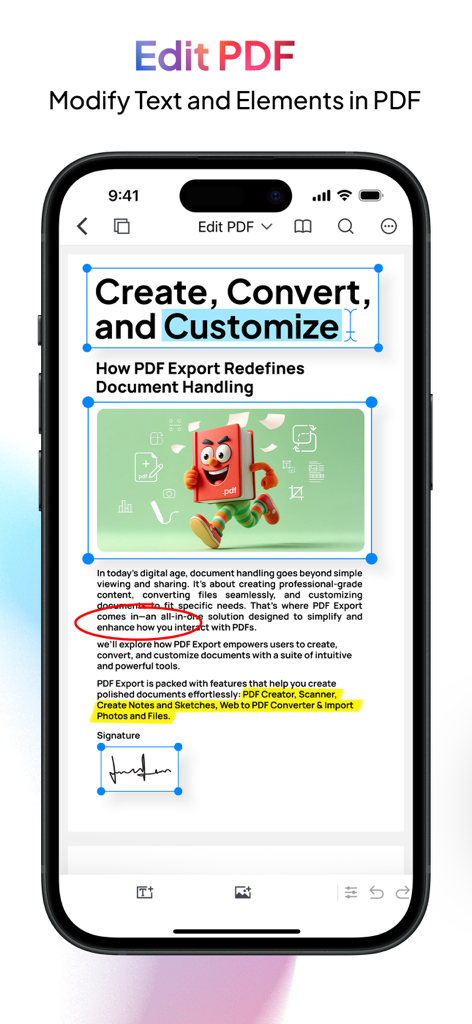
PDF Export - PDF Editor & Scan - PDF Export app screen showing document text editing highlighting and signature features
PDF Export app screen showing document text editing highlighting and signature features

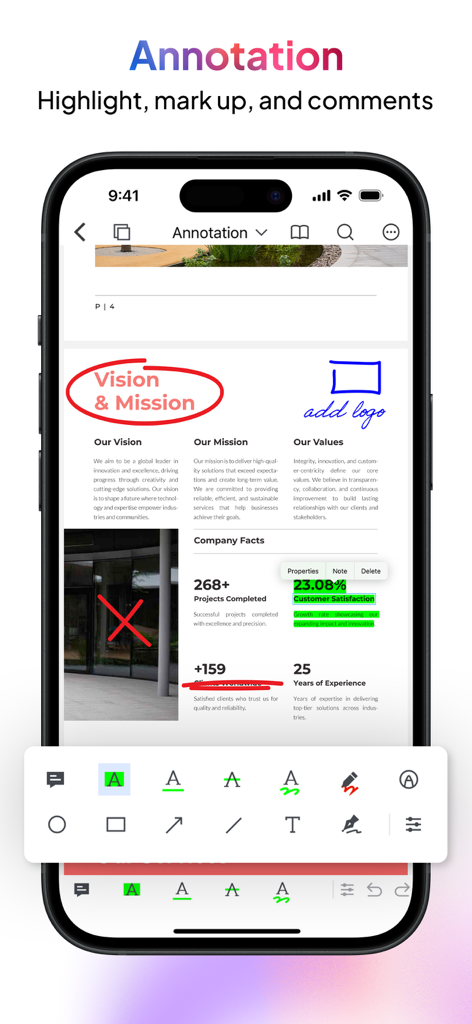
PDF Export - PDF Editor & Scan - iPhone screen showing the PDF Export app with annotation tools highlighting and marking up a business document.
iPhone screen showing the PDF Export app with annotation tools highlighting and marking up a business document.

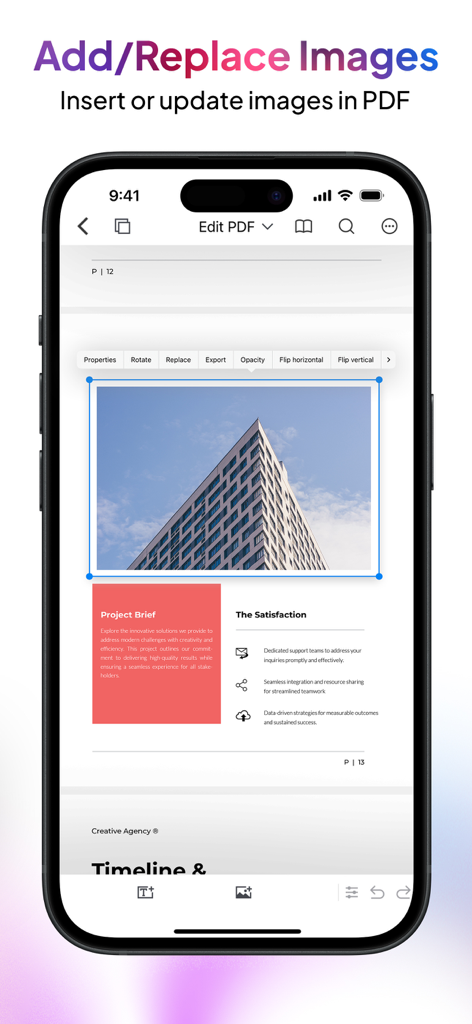
PDF Export - PDF Editor & Scan - iPhone app screen showing how to add and replace images in a PDF document
iPhone app screen showing how to add and replace images in a PDF document

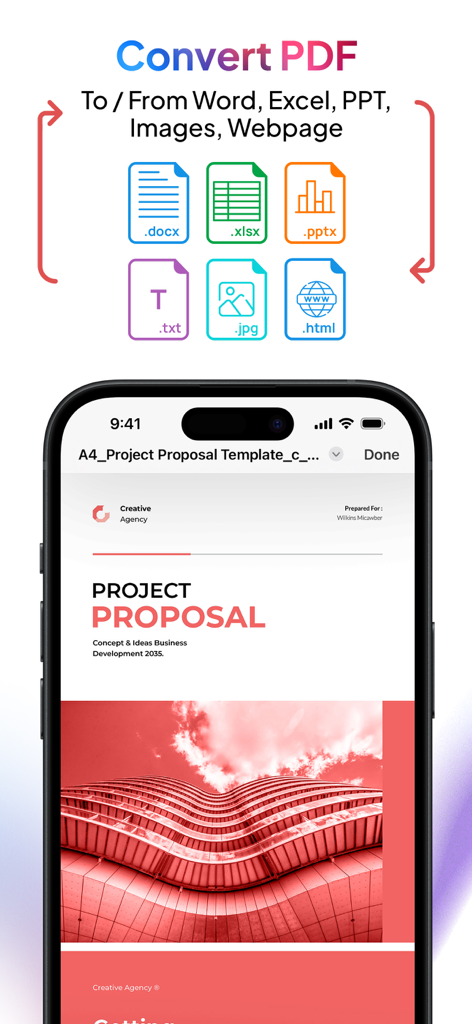
PDF Export - PDF Editor & Scan - PDF Export app screen showing conversion options for Word Excel PowerPoint and images
PDF Export app screen showing conversion options for Word Excel PowerPoint and images

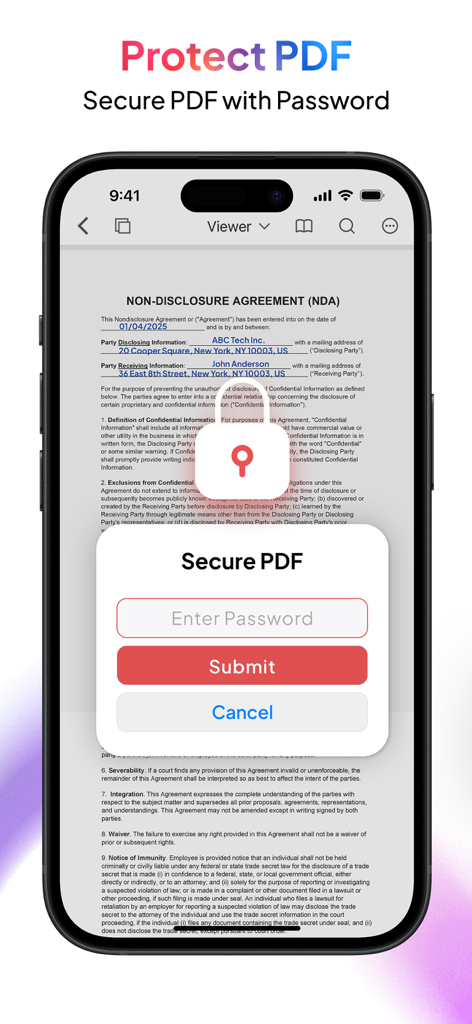
PDF Export - PDF Editor & Scan - Secure PDF documents with password protection on iPhone
Secure PDF documents with password protection on iPhone

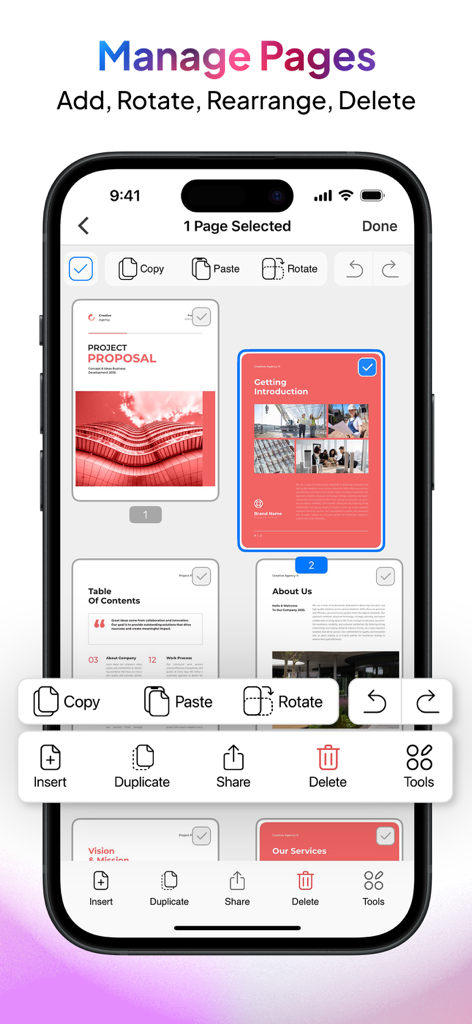
PDF Export - PDF Editor & Scan - iPhone screen showing the Manage Pages interface of the PDF Export app with options to add rotate rearrange and delete document pages
iPhone screen showing the Manage Pages interface of the PDF Export app with options to add rotate rearrange and delete document pages

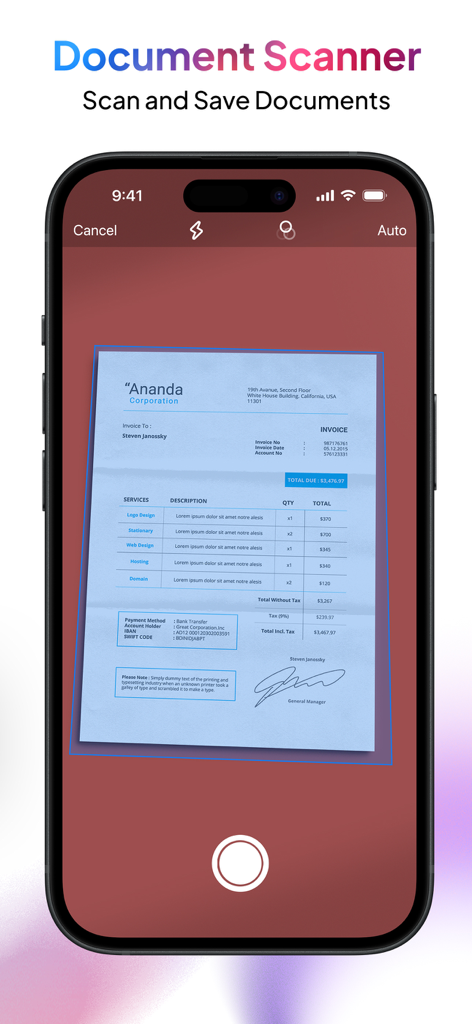
PDF Export - PDF Editor & Scan - Mobile phone screen showcasing the document scanner feature scanning an invoice.
Mobile phone screen showcasing the document scanner feature scanning an invoice.

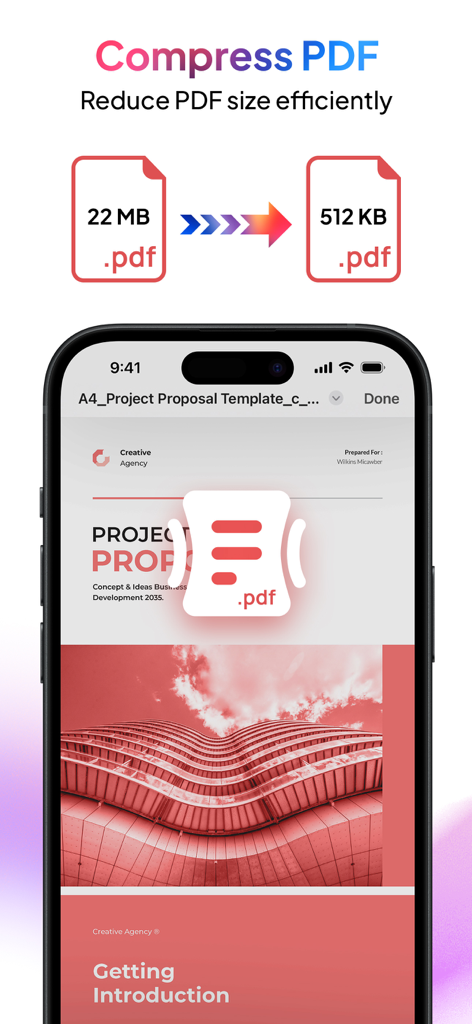
PDF Export - PDF Editor & Scan - An iPhone display showing the PDF Export app compressing a 22MB PDF file to 512KB.
An iPhone display showing the PDF Export app compressing a 22MB PDF file to 512KB.

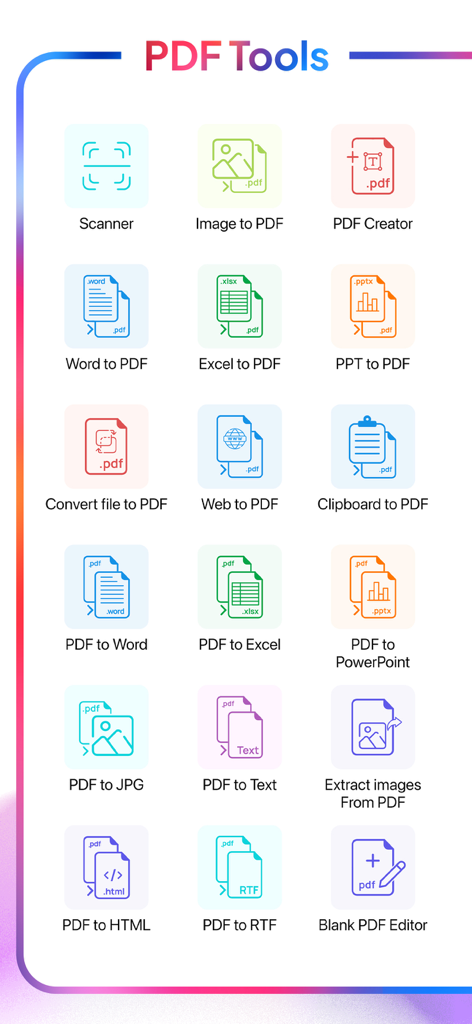
PDF Export - PDF Editor & Scan - A menu of mobile PDF tools including scanner and various document conversion features
A menu of mobile PDF tools including scanner and various document conversion features

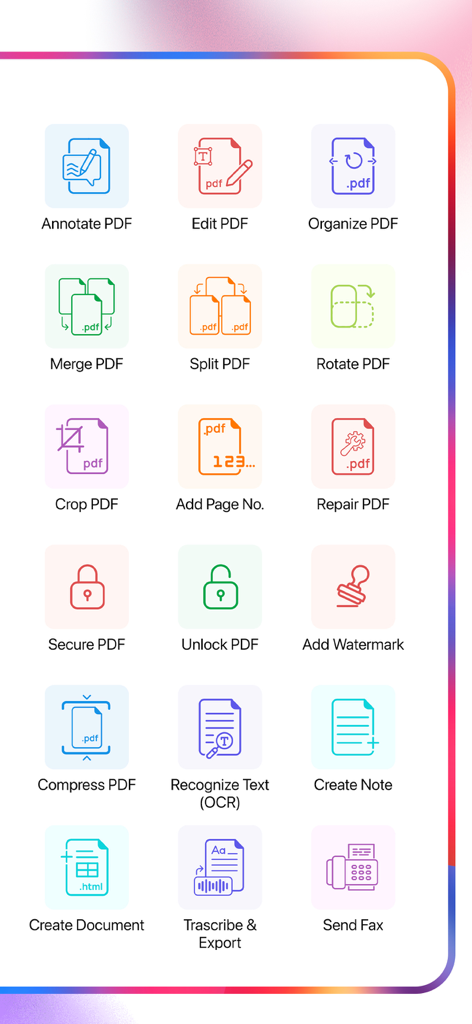
PDF Export - PDF Editor & Scan - A dashboard showing icons for various PDF tools like edit merge split ocr and faxing

A dashboard showing icons for various PDF tools like edit merge split ocr and faxing

Description

Meet PDF Export, your all-in-one PDF app for creating, editing, converting, and organizing PDF files right on your iPhone or iPad. Whether you’re a student, professional, or entrepreneur, PDF Export offers every tool you need for working with PDF—no internet required and just a one-time payment for lifetime use. All-in-One PDF App Creation & Conversion - Convert to PDF: Turn Word, Excel, PowerPoint, HTML, Text, or JPG files into high-quality PDF documents. - Convert PDF to Word/Excel/PPT: Transform your PDF files into editable Microsoft Office formats. - Web to PDF: Convert web pages into high-quality PDF documents with ease. - PDF to Text/RTF: Extract text or rich text formats from your PDF files for easy editing. Editing & Annotation - Edit PDF: Modify text and images directly in your PDF document
Extract Images: Easily extract embedded images from your PDFs. - Annotate & Sign: Highlight text, add comments, draw, or sign documents directly on your device. Organization & Management - Merge & Split: Combine multiple PDFs into one file or split large PDF documents into smaller chunks. - Organize PDF: Rearrange pages, insert new ones (from PDFs or images), copy/paste, duplicate, and delete unwanted pages. - Add Page Numbers: Add customize page numbers on your PDF files for a polished, professional finish. Productivity Enhancements (Pro Features) - Clipboard to PDF: Instantly convert copied content into a professionally formatted PDF. - Snip & Export: Select any area on a PDF and instantly share it as a high-quality PDF or JPG. Security & Compression - Add Watermark: Secure documents with custom text and image watermarks. - Compress PDF: Reduce PDF file size without sacrificing quality. - Lock & Unlock PDF: Add or remove password protection to your PDF files. Fax & Sharing - Send FAX: Fax your PDFs directly from the app. Maintenance & Repair - Repair PDF: Fix corrupted or damaged PDF files to restore readability and functionality. Transcribe & Export - Transcribe & Export: Convert audio to text offline and export it as PDF or plain text. Multiple language support ensures a smooth transcription experience. Scan & OCR - Portable Scanner: Use your camera to scan multiple documents with auto or manual scan mode and instantly save them as PDF. - OCR (Text Recognition): Extract editable text from multiple images or convert handwritten text into editable text—perfect for digitizing paper documents. Why PDF Export? - Offline Functionality: Stay productive anywhere—core features work without an internet connection. - One-Time Payment: Upgrade to Pro once and enjoy premium features for life—no subscriptions or hidden fees. - User-Friendly Design: A simple, intuitive interface makes advanced PDF tasks easy for everyone. - Fast & Reliable: Quick conversions and instant editing—no waiting for slow online tools. Get Started Today - Experience the power of a complete PDF app at your fingertips on your iPhone or iPad. Whether you’re scanning receipts, signing contracts, editing PDFs, organizing PDFs, or collaborating on projects, PDF Export puts every essential PDF tool in one convenient app. Download now and transform the way you handle PDFs!

Download

Download on App Store

This page is not an official page of the app or its developer, but an independent editorial publication created for informational and commentary purposes. Unless expressly stated otherwise, neither the app nor its developer is affiliated with, endorsed by, sponsored by, authorized by, or otherwise officially connected with MWM, Apple, Google Play, the app publisher, or the app's developer, and nothing on this page implies that the app was developed using MWM's services. Any trademarks, logos, screenshots, and other content remain the property of their respective owners.








