PDF Max
PDF Max
Download on App Store

This page is not an official page of the app or its developer, but an independent editorial publication created for informational and commentary purposes. Unless expressly stated otherwise, neither the app nor its developer is affiliated with, endorsed by, sponsored by, authorized by, or otherwise officially connected with MWM, Apple, Google Play, the app publisher, or the app's developer, and nothing on this page implies that the app was developed using MWM's services. Any trademarks, logos, screenshots, and other content remain the property of their respective owners.

Logo of PDF Max
Download on App Store

PDF Max

Annotate, sign, and fill complex forms with precision. Experience the ultimate paperless workflow with advanced handwriting, voice notes, and seamless cloud sync for your iPhone and iPad.

Key Figures

Downloads

0

User Rating

4.5/5

Total Ratings

0

Publisher

Mobeera Co., Ltd

Category

Productivity

Locales

2

Latest Version

8.1.0

Size

43.1 MB

First Released

Aug 7, 2012
Features

Professional PDF Power, Unbound

Stop settling for basic viewers. PDF Max brings desktop-class annotation, signing, and form-filling to your iPad and iPhone, designed specifically for high-stakes professional workflows.

Precision Annotation

Master your markups with Advanced Zoom-In writing. Perfect for Apple Pencil users who need to take detailed notes or sign documents with surgical accuracy.

Desktop-Class Form Filling

Handle complex JavaScript-powered and XFA forms that break other apps. Fill, sign, and submit professional contracts without ever needing a PC.

The following screenshots and description are sourced directly from the app's official store listing and are the property of the app developer.

App Store

Screenshots
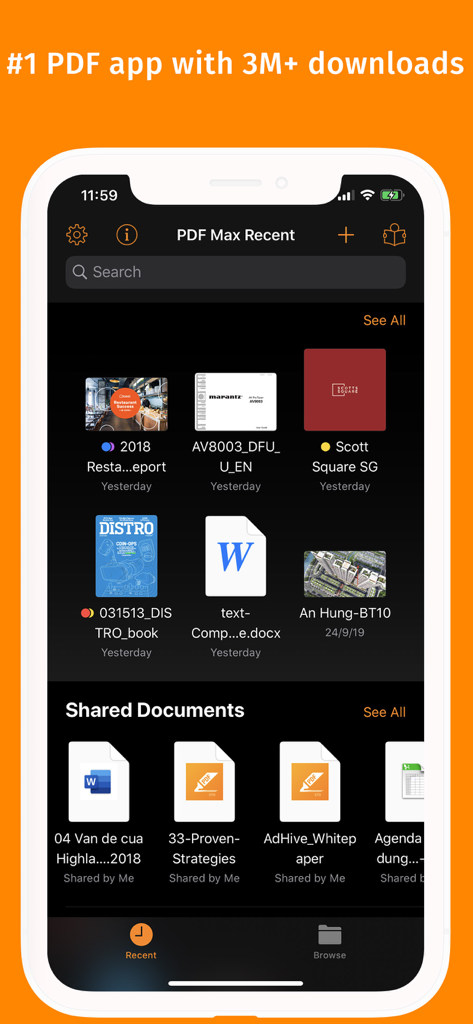
PDF Max - PDF Max file manager screen showing recent and shared documents
PDF Max file manager screen showing recent and shared documents

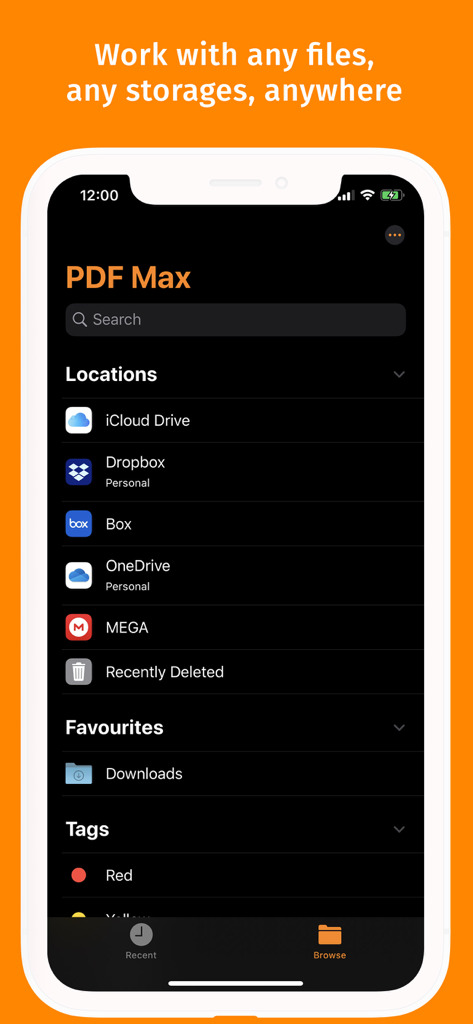
PDF Max - PDF Max app file manager interface showing integration with iCloud Drive, Dropbox, Box, and OneDrive
PDF Max app file manager interface showing integration with iCloud Drive, Dropbox, Box, and OneDrive

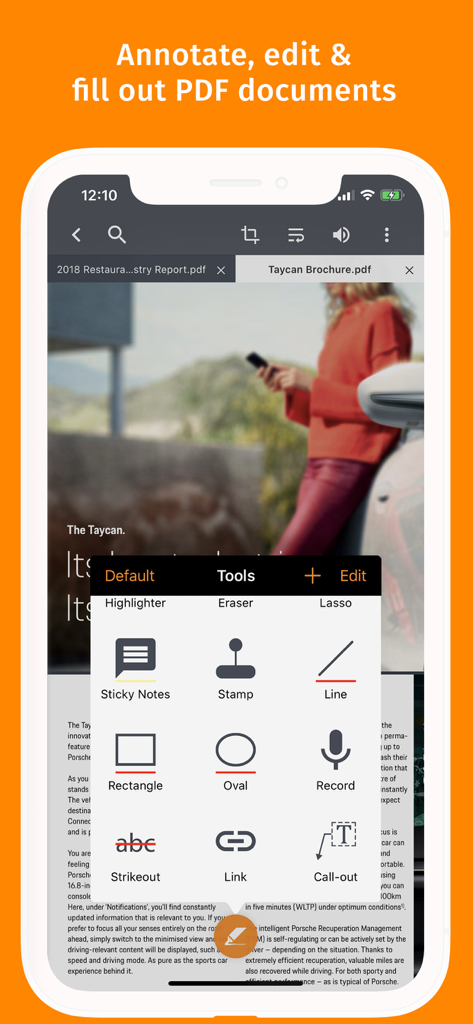
PDF Max - PDF Max mobile app showing professional annotation and editing tools on an iPhone screen
PDF Max mobile app showing professional annotation and editing tools on an iPhone screen

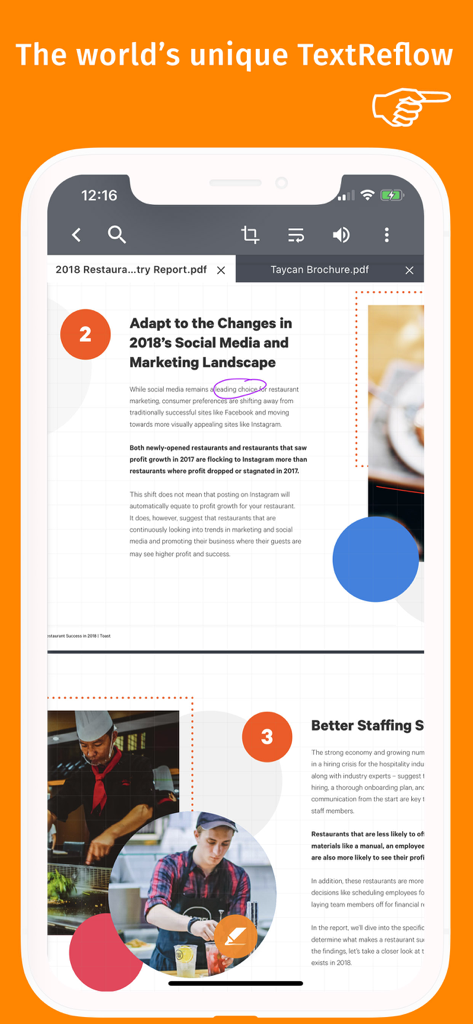
PDF Max - PDF Max app displaying the unique TextReflow feature for optimized document reading on a mobile device
PDF Max app displaying the unique TextReflow feature for optimized document reading on a mobile device

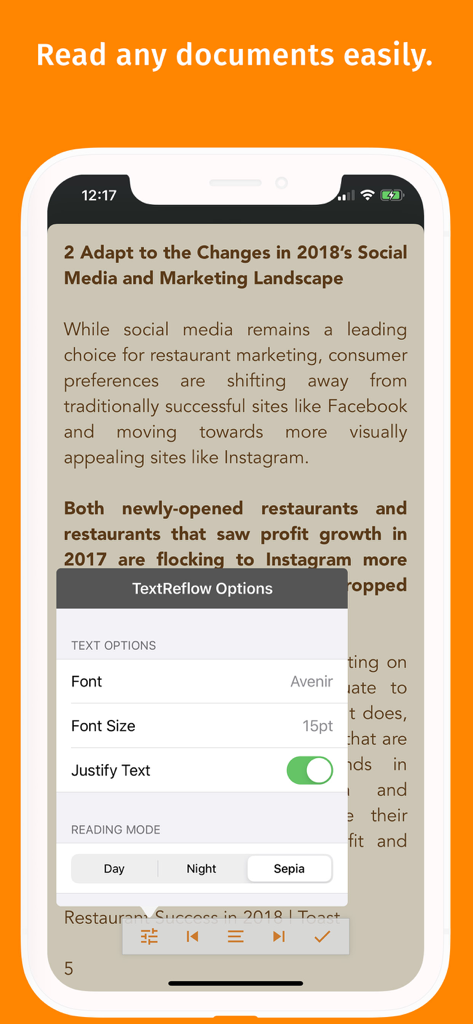
PDF Max - PDF Max app interface showing text reflow options including font size and sepia reading mode on an iPhone

PDF Max app interface showing text reflow options including font size and sepia reading mode on an iPhone

Description

PDF Max is a desktop class PDF app for reading, annotating or signing PDF documents on your iPhone/iPad. Mark up documents with highlights and handwriting, insert texts and stamps, fill out, sign PDFs and even manipulate PDF pages. With over 3 million downloads across platforms, PDF Max helps hundred thousands of people over the world to go paperless everyday. PDF Max Features: * READING FEATURES - Smooth and responsive even with large PDF documents - Smooth vertical scrolling - allow you to scroll through your entire PDF document smoothly and efficiency. - Open documents in multiple tabs. - Multi-purpose SideBar includes everything you need to skim through your documents like never before: Page Thumbnails, PDF Outlines/Bookmarks, Annotation List & Search Panel. - Smart Zoom: Double-tap on text blocks and PDF Max will zoom the touched text block to fit the screen. Simple & efficient reading. - Friendly & Easy to use User Interface * ANNOTATING FEATURES - Text markup: Highlight, Underline, Strike out & Squiggle - Unlimited threaded comments (notes) attached to any annotation. - Create VOICE ANNOTATIONS: Record and embed voice annotations within the PDF document. - HANDWRITING with Advanced Zoom-In Writing feature - Eraser tools to manipulate your handwriting - Shape tools to draw Line, Arrow, Rectangle & Oval with intelligent snapping - Rich format Freetext tool to type over PDF pages - Stamp tool to insert Predefined, Standard Business Stamps & Custom Stamps - Signature tool to manage and insert your signatures - Undo/Redo function to correct your mistake - Save and organize your favorite tools and access them quickly when needed. - Easy to scroll document while annotating with one finger or stylus pen with optional Horizontal and Vertical ScrollBars - Smart caching mechanism to avoid data loss. * EDITING FEATURES - Manage PDF Pages (Insert, Copy/Cut/Paste, Reorder & Delete PDF Pages) - Manage PDF Outlines (Table of Contents) , PDF Embedded Links * FORM-FILLING FEATURES: - Support Text field, checkboxes, radio buttons, dropdown list, buttons & date-time fields - Support JavaScripted-powered PDF forms - Support AcroForms & Static XFA Forms - Zoom-in writing to fill out scanned/non-interactive PDF forms - Manage your signature plus one-time signature for customer * PDF OUTLINE, PDF LINK & BOOKMARK MANAGEMENT FEATURES - Create and manipulate PDF Outlines - Create and manage PDF Bookmarks - Create and edit PDF Embedded Links * FILE MANAGEMENT FEATURES: - The all-new file manager with Thumbnail View, List View modes. Sort by Name, Modified Date or Size. - Categorize files or folder by Color Tags or Favorites (Starred) - Seamless, desktop-like integration with Dropbox or Google Drive. Work both with or without an Internet connection. - Rename, Copy or Move remote files/folders. - Local Library for organizing files from different sources. - Copy/Move files or folders between online cloud storage services. iCloud Drive support. * OTHER FEATURES - Bookmarks management with ability to export as PDF Outlines - Email or Print PDF in editable or flattened format - PDF documents/forms modified by PDF Max are compatible with Adobe Acrobat standard Let's go paperless! More at https://pdfmax.app PREMIUM SUBSCRIPTION: - Payment will be charged to iTunes Account at confirmation of purchase - Subscription automatically renews unless auto-renew is turned off at least 24-hours before the end of the current period - Account will be charged for renewal within 24-hours prior to the end of the current period, and identify the cost of the renewal - Subscriptions may be managed by the user and auto-renewal may be turned off by going to the user's Account Settings after purchase - Any unused portion of a free trial period, if offered, will be forfeited when the user purchases a subscription to that publication, where applicable. Our privacy policy https://pdfmax.app/privacy Our End-user License Agreement https://pdfmax.app/eula

Download

Download on App Store

This page is not an official page of the app or its developer, but an independent editorial publication created for informational and commentary purposes. Unless expressly stated otherwise, neither the app nor its developer is affiliated with, endorsed by, sponsored by, authorized by, or otherwise officially connected with MWM, Apple, Google Play, the app publisher, or the app's developer, and nothing on this page implies that the app was developed using MWM's services. Any trademarks, logos, screenshots, and other content remain the property of their respective owners.