PDF Office Pro, Acrobat Expert
Download on App Store

This page is not an official page of the app or its developer, but an independent editorial publication created for informational and commentary purposes. Unless expressly stated otherwise, neither the app nor its developer is affiliated with, endorsed by, sponsored by, authorized by, or otherwise officially connected with MWM, Apple, Google Play, the app publisher, or the app's developer, and nothing on this page implies that the app was developed using MWM's services. Any trademarks, logos, screenshots, and other content remain the property of their respective owners.

Logo of PDF Office Pro, Acrobat Expert
Download on App Store

PDF Office Pro, Acrobat Expert

Master your documents with real-time collaboration, powerful OCR, and seamless iCloud sync. Edit text, sign forms, and protect your data with the most advanced mobile PDF suite designed for professionals.

Key Figures

Downloads

182K+

User Rating

4.4/5

Total Ratings

200

Publisher

Heytopia LLC

Category

Business

Locales

13

Latest Version

7.0.1

Size

148.8 MB

First Released

Sep 16, 2020
Features

Your Complete Mobile Office

Stop settling for simple PDF readers. Take full control of your documents with professional-grade editing, secure OCR, and seamless iCloud collaboration across all your Apple devices.

Full Text & Image Editing

Modify original text, change fonts, and resize images directly in your PDF. It is a desktop-class editor that fits in your pocket.

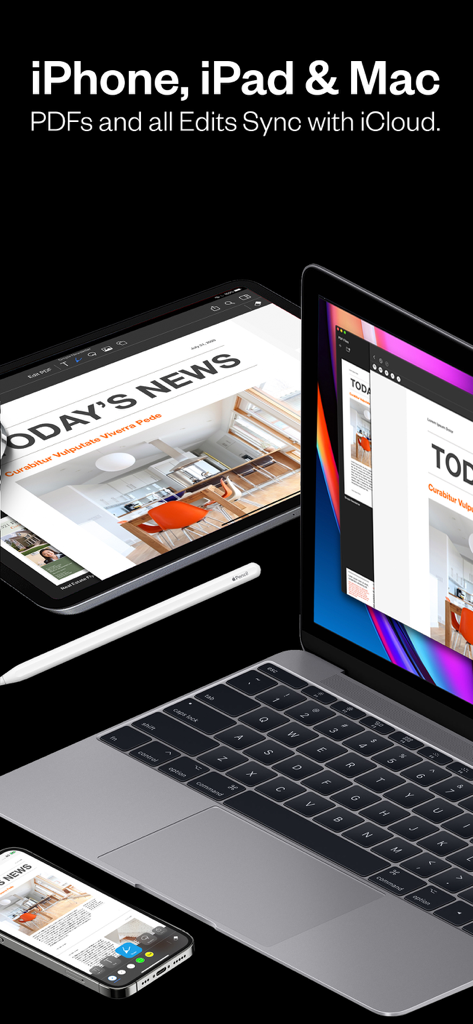
Sync Across the Ecosystem

Start on your iPad with Apple Pencil and finish on your Mac. Your files and edits sync instantly via iCloud for a frictionless workflow.

The following screenshots and description are sourced directly from the app's official store listing and are the property of the app developer.

App Store

Screenshots
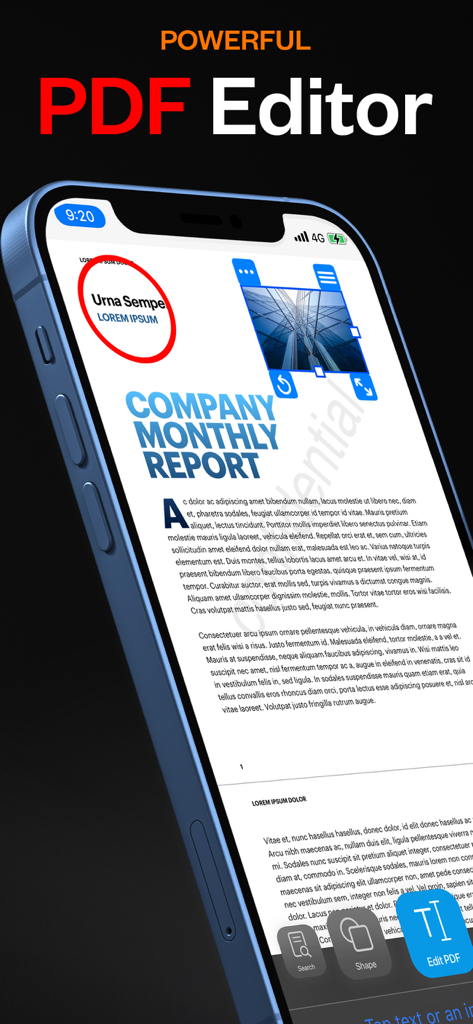
PDF Office Pro, Acrobat Expert - iPhone displaying the PDF Office Pro app interface editing a company monthly report with powerful editing tools
iPhone displaying the PDF Office Pro app interface editing a company monthly report with powerful editing tools

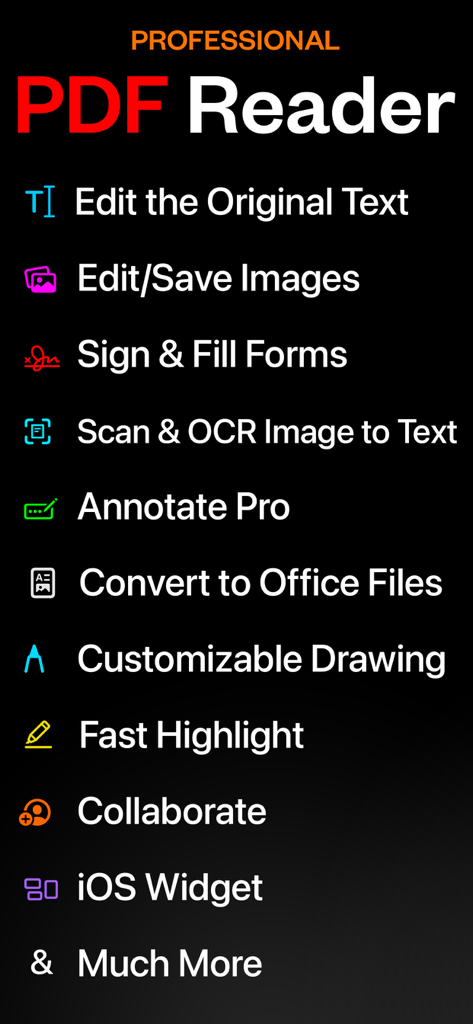
PDF Office Pro, Acrobat Expert - A list of professional features for the PDF Office Pro app including text editing scanning and form signing
A list of professional features for the PDF Office Pro app including text editing scanning and form signing

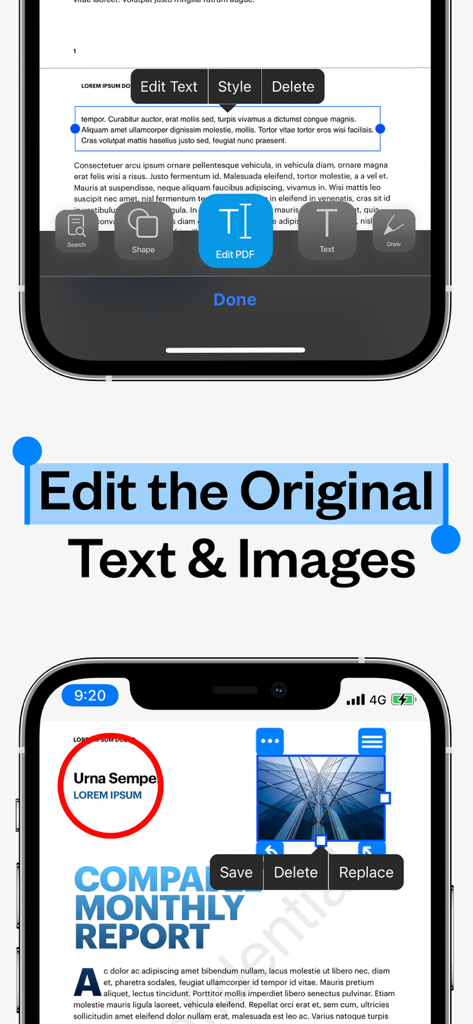
PDF Office Pro, Acrobat Expert - Mobile interface of PDF Office Pro showing tools to edit original text and images in a PDF document.
Mobile interface of PDF Office Pro showing tools to edit original text and images in a PDF document.

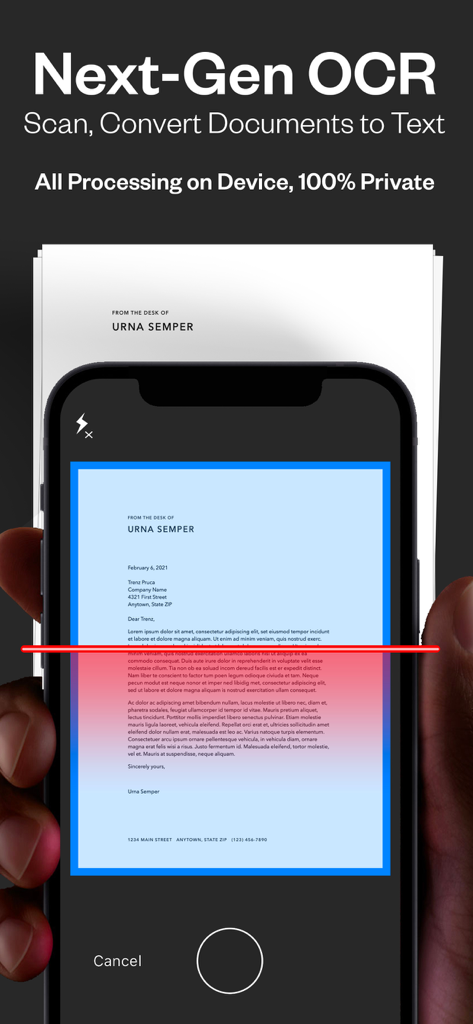
PDF Office Pro, Acrobat Expert - Scanning a physical document to digital text with PDF Office Pro OCR feature.
Scanning a physical document to digital text with PDF Office Pro OCR feature.

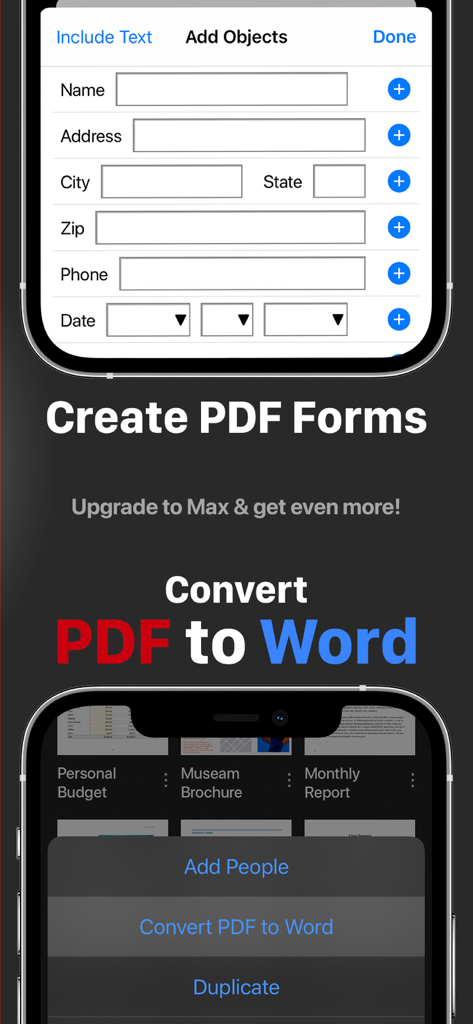
PDF Office Pro, Acrobat Expert - Interface of PDF Office Pro app showing features to create PDF forms and convert PDF to Word on a mobile device
Interface of PDF Office Pro app showing features to create PDF forms and convert PDF to Word on a mobile device

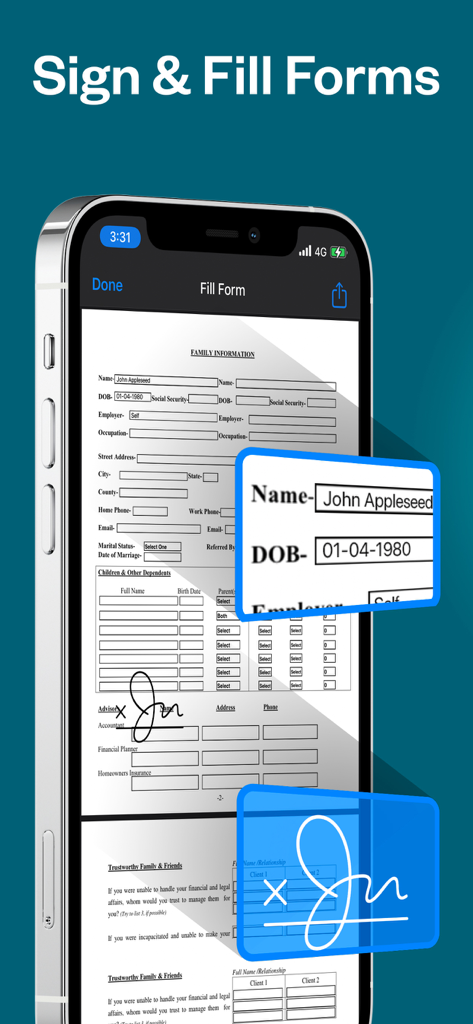
PDF Office Pro, Acrobat Expert - An iPhone displaying a PDF document with text input fields and a digital signature
An iPhone displaying a PDF document with text input fields and a digital signature

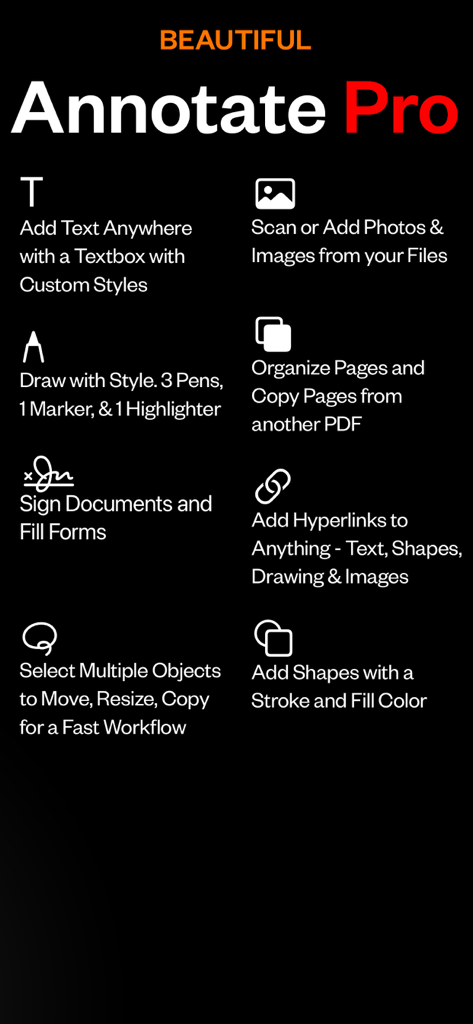
PDF Office Pro, Acrobat Expert - List of PDF annotation features including text boxes drawing tools document signing and page organization
List of PDF annotation features including text boxes drawing tools document signing and page organization

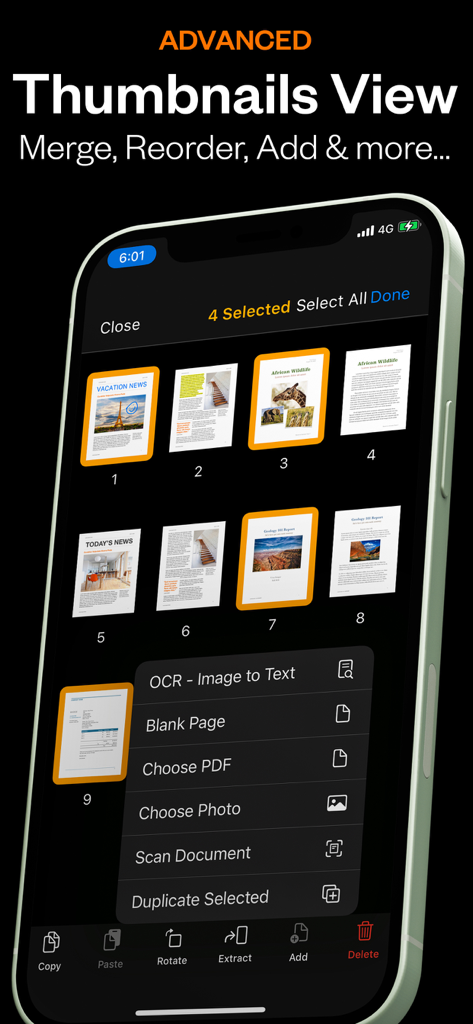
PDF Office Pro, Acrobat Expert - Advanced thumbnails view in PDF Office Pro app showing page management and OCR options.
Advanced thumbnails view in PDF Office Pro app showing page management and OCR options.

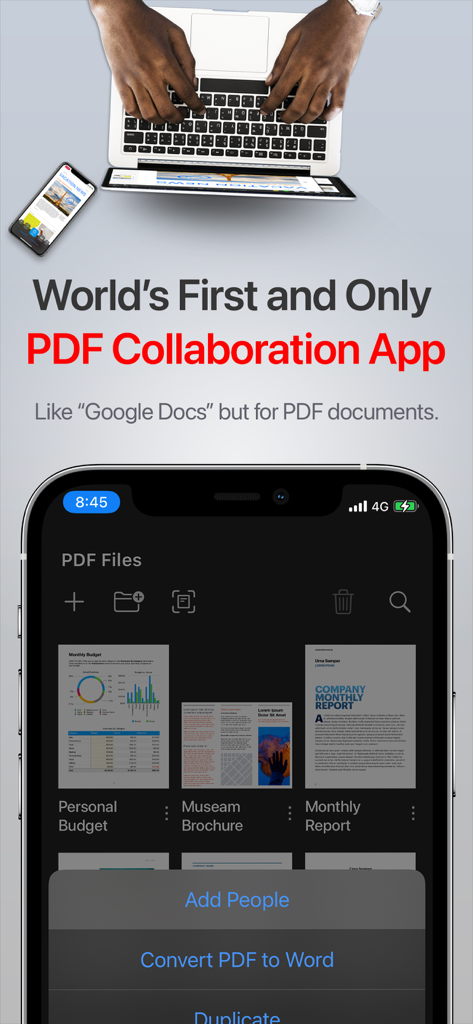
PDF Office Pro, Acrobat Expert - PDF Office Pro app interface on an iPhone showing real-time collaboration features and document management
PDF Office Pro app interface on an iPhone showing real-time collaboration features and document management

PDF Office Pro, Acrobat Expert - PDF Office Pro app synchronized across iPhone iPad and MacBook

PDF Office Pro app synchronized across iPhone iPad and MacBook

Description

Introducing PDF Office Pro, the best PDF editor and reader! Edit text, images, sign, forms, highlight, OCR image to text, collaborate, use widgets, and much more! PDF Office Pro is a productivity app that offers a feature packed way to work with PDF documents. Using PDF Office Pro, you can edit PDF text, edit PDF Images, draw on PDF docs with Apple Pencil (not required to draw), convert images to text, invite people for real-time collaborative editing, fill PDF forms, sign PDF docs, edit hyperlinks and upload unlimited PDFs on iCloud and access the data from any iOS and Mac device. PDF Office Pro offers all the basic functionalities such as reading, highlight, draw, sign and organize PDF files; and more advanced features like rearranging PDF pages, real-time collaborative editing, online syncing, annotation, and so much more... **PDF Office Pro bundles exciting features** EDIT PDFs Original Text & Images • Edit, add, remove existing word/s or text/s or image/s. Change the font, size, and color, alignment, fill static PDF docs/forms. Save, replace, delete and resize PDF images. Powerful Editing Tool • Beautiful UI to edit text in your PDF documents • Freehand drawing with your finger or Apple Pencil • Add your own text/notes in the existing body • Scan & Fill PDF document/forms • Merge large PDF docs for easy sharing • Insert and Resize photo into PDFs UNLIMITED UPLOADS AND DATA SYNCING • Upload and Sync unlimited number of PDF files on iCloud and access the data from any iOS or Mac device. OCR - Convert Images to Text • Simple convert an image(s) or PDF to text • Next-Gen OCR with amazing accuracy • Processing done on device, 100% private World’s first real-time collaborative PDF editor • Share your doc with friends/co-workers/clients • Create a shared folder by inviting iClouds users for real-time collaborative editing. Get everyone’s feedback in one place. • Start collaborating work and save all data in shared PDF folder Annotate • Annotate word and text with highlights, underlines, handwriting • Add your comments or notes within the PDF file • Use doc sign creator and add your own signatures • Draw and insert different shapes and objects DARK MODE • Enable dark mode feature for long - time reading. Easily adjust the buttons and toolbars according to your convenience. Organize PDFs • Create a folder and organize your documents • Sync iCloud Drive with the app • Browse recently deleted PDFs Unlimited PDF uploads and syncing • Upload unlimited documents on iCloud • Access these documents from your iPhone, iPad, and Mac • Sync data online and never worry about any data loss Copy Pages • Take pages from one PDF and add to another UPGRADE AND GET: Convert PDFs to Word .docx Fully-Editable Files Conversion Includes: • Text Formatting & Attributes • Annotations & Highlights • Drawings • Images • Tables & more. • The conversion is done on our AWS secure server. All files are deleted IMMEDIATELY and just incase, we do many things: 1) We completely erase the data server every 24 hours. 2) No data is saved or tracked. 3) We even change the name of the PDF to gibberish before uploading! Create Custom PDF Forms • Easy 'Start' with templates for common PDF form objects • Add Text Input Boxes • Checkboxes • Radio • Choices • Buttons SMART COMPRESS • Control the resolution of images inside the PDF • Adjust the image quality • Flatten PDFs • Remove all images if you’d like Stamps & Stamps Builder: • Emphasize sections of the PDF • Create your own stamps MORE • Watermarks on All Pages or One Page • Add/Edit Table of Contents for nice organized outlines • Auto-Add Page numbers to your PDF and specify the exact format and location of the numbers • Add a password to exported PDFs for added protection/security

Download

Download on App Store

This page is not an official page of the app or its developer, but an independent editorial publication created for informational and commentary purposes. Unless expressly stated otherwise, neither the app nor its developer is affiliated with, endorsed by, sponsored by, authorized by, or otherwise officially connected with MWM, Apple, Google Play, the app publisher, or the app's developer, and nothing on this page implies that the app was developed using MWM's services. Any trademarks, logos, screenshots, and other content remain the property of their respective owners.








