
This page is not an official page of the app or its developer, but an independent editorial publication created for informational and commentary purposes. Unless expressly stated otherwise, neither the app nor its developer is affiliated with, endorsed by, sponsored by, authorized by, or otherwise officially connected with MWM, Apple, Google Play, the app publisher, or the app's developer, and nothing on this page implies that the app was developed using MWM's services. Any trademarks, logos, screenshots, and other content remain the property of their respective owners.


PDF Reader - Viewer&Scanner
Effortlessly convert images to high-quality PDFs, organize your files, and enjoy a clutter-free reading experience designed for students and professionals on the go.
Downloads
600User Rating
Total Ratings
0Publisher
Category
UtilitiesLocales
28Latest Version
1.0.1Size
84.5 MBFirst Released
Dec 30, 2025Master Your Digital Workflow
Everything you need to scan, read, and manage PDF documents in one sleek, ultra-fast application designed for your busy lifestyle.
Instant Scanner & Converter
Turn any photo or physical document into a professional, high-quality PDF in seconds. Perfect for receipts, class notes, and contracts.
Distraction-Free Reading
Open large files instantly with a clean, optimized interface that puts your content front and center. Experience smooth, lag-free scrolling every time.
Frequently Asked Questions
Everything you need to know about PDF Reader - Viewer&Scanner
What are the main functions of the PDF Reader - Viewer&Scanner app?
The PDF Reader - Viewer&Scanner app allows users to efficiently read, edit, and create PDF files. It also offers comprehensive file management, including organizing, sorting, merging, and splitting PDFs for improved efficiency.
Can I create PDF documents from images or scans using PDF Reader - Viewer&Scanner?
Yes, the PDF Reader - Viewer&Scanner app allows users to create high-quality PDF files from various sources. It converts documents and images into PDFs and can scan physical documents and photos directly to PDF format.
Does the PDF Reader - Viewer&Scanner app support merging and splitting PDF files?
Yes, PDF Reader - Viewer&Scanner offers robust file management, including the ability to merge and split PDF files. Users can efficiently integrate multiple PDFs into one or flexibly split existing documents as needed.
How can documents be shared from the PDF Reader - Viewer&Scanner app?
The PDF Reader - Viewer&Scanner app facilitates document sharing without watermarks. It provides direct sharing options such as Airdrop, Notes, Books, and other integrated services via the system's share sheet, ensuring easy distribution.
Does PDF Reader - Viewer&Scanner include a QR code scanning feature?
Yes, PDF Reader - Viewer&Scanner features a built-in QR code scanner. This tool simplifies information acquisition by allowing users to quickly scan and process QR codes directly within the application.
The following screenshots and description are sourced directly from the app's official store listing and are the property of the app developer.
App Store
Screenshots
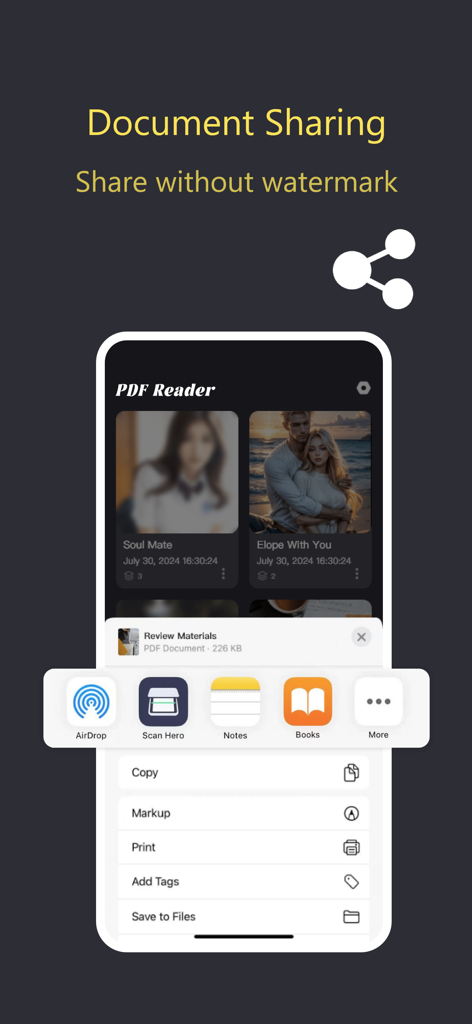
PDF Reader app document sharing screen with iOS share menu options and no watermark
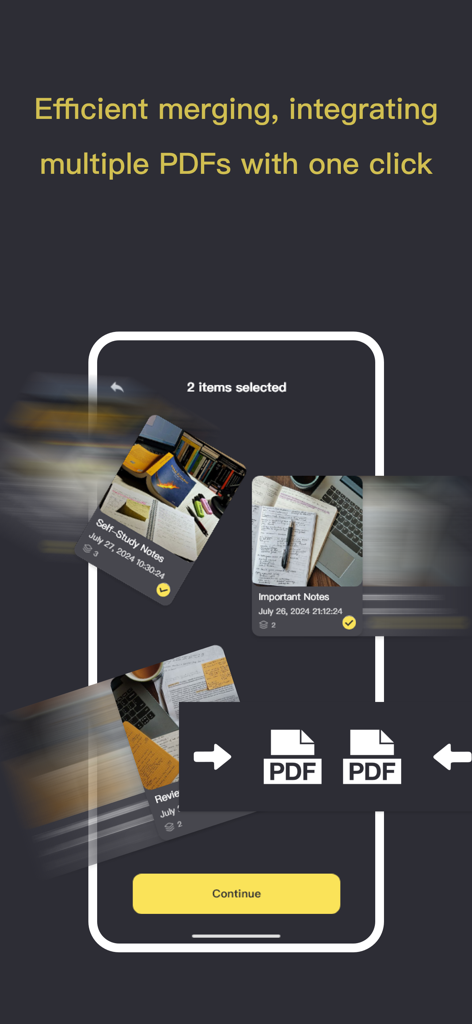
Screenshot of the PDF Reader app showing the feature to merge and integrate multiple documents with one click.
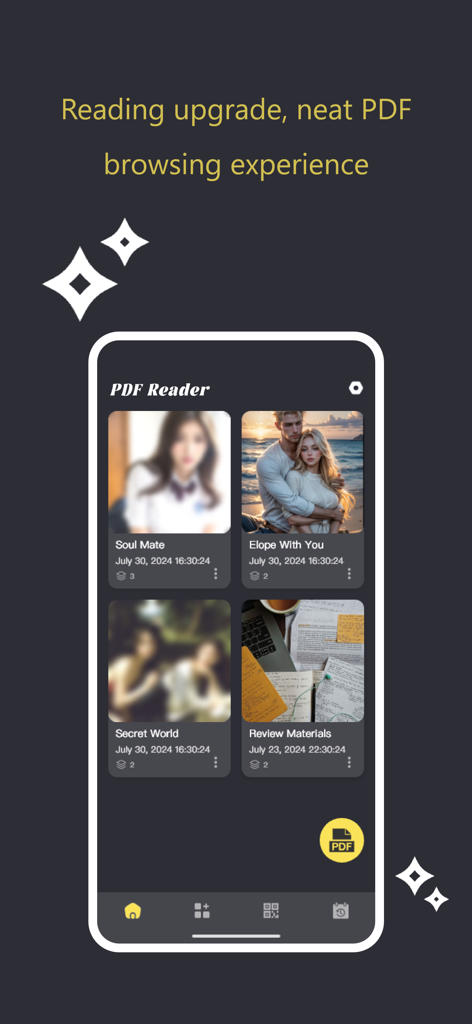
A smartphone screen displaying a PDF reader app with a organized grid of document thumbnails for easy browsing.
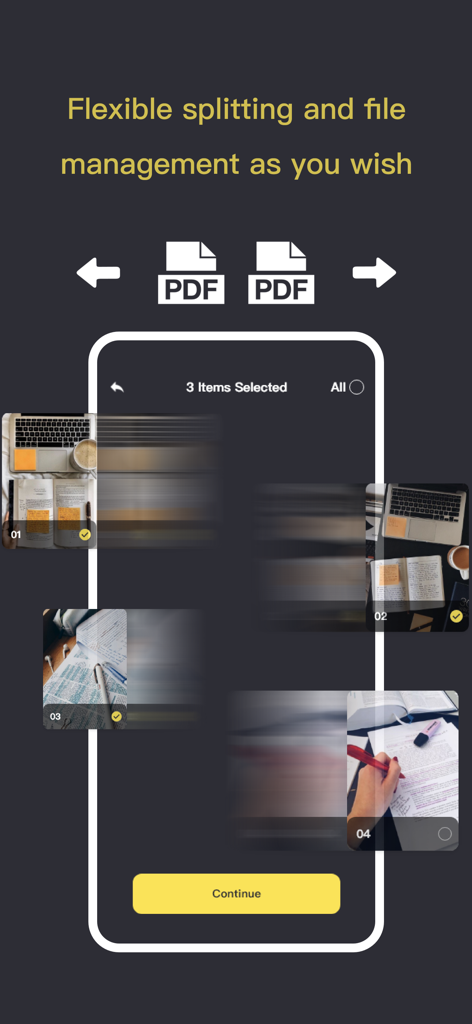
Mobile interface of a PDF scanner app showing document management and file splitting features.
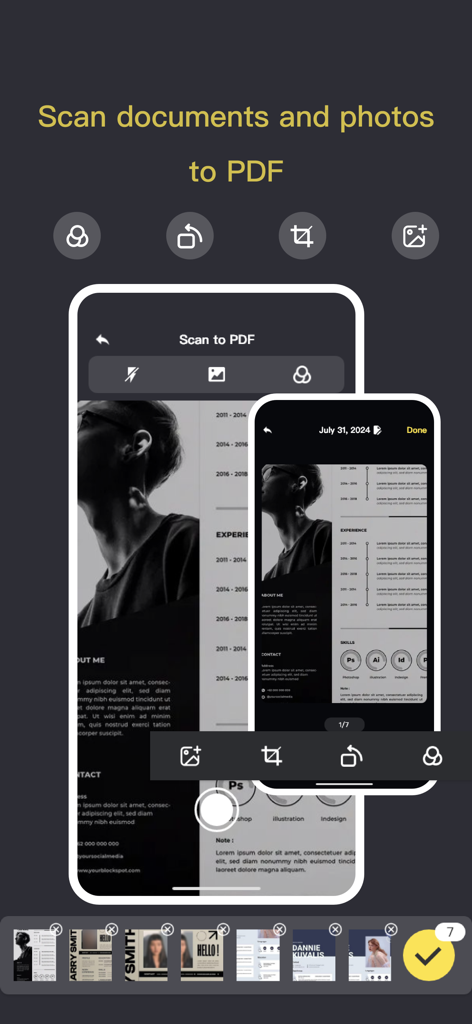
Interface of the PDF Reader app showing the Scan to PDF feature with a document scan in progress
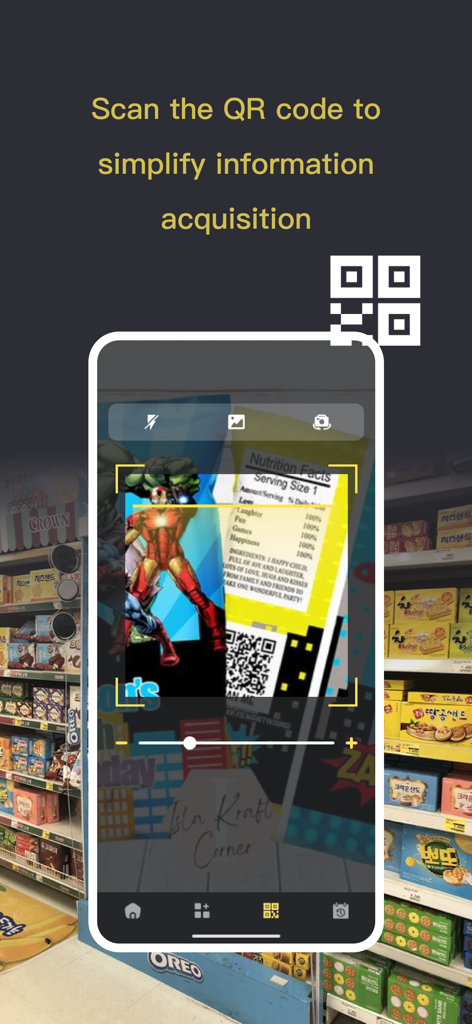
A mobile phone interface using the PDF Reader app to scan a QR code on a product label
Description
Download
More Like This
Top-ranked apps in the same category

Google LLC

Google Chrome
Google LLC

中国移动(手机营业厅)
China Mobile Online Services Co., Ltd.

Google Authenticator
Google LLC

CNH do Brasil
Servicos e Informacoes do Brasil

Cleanup: Phone Storage Cleaner
DEEP FLOW SOFTWARE SERVICES - FZCO

gov.br
Servicos e Informacoes do Brasil

中国电信-全国统一官方服务平台
CHINA TELECOM Corporation Ltd.

Microsoft Edge: AI Browser
Microsoft Corporation
This page is not an official page of the app or its developer, but an independent editorial publication created for informational and commentary purposes. Unless expressly stated otherwise, neither the app nor its developer is affiliated with, endorsed by, sponsored by, authorized by, or otherwise officially connected with MWM, Apple, Google Play, the app publisher, or the app's developer, and nothing on this page implies that the app was developed using MWM's services. Any trademarks, logos, screenshots, and other content remain the property of their respective owners.