PDF Scanner AI Note text files
Download on App Store

This page is not an official page of the app or its developer, but an independent editorial publication created for informational and commentary purposes. Unless expressly stated otherwise, neither the app nor its developer is affiliated with, endorsed by, sponsored by, authorized by, or otherwise officially connected with MWM, Apple, Google Play, the app publisher, or the app's developer, and nothing on this page implies that the app was developed using MWM's services. Any trademarks, logos, screenshots, and other content remain the property of their respective owners.

Logo of PDF Scanner AI Note text files
Download on App Store

PDF Scanner AI Note text files

Transform your iPhone into a high-performance scanner. Effortlessly digitize IDs, receipts, and documents with AI-powered clarity, secure password protection, and professional US Letter & Legal formats.

Key Figures

Downloads

0

User Rating

4.4/5

Total Ratings

0

Publisher

OFFIWIZ, S.L.

Category

Utilities

Locales

11

Latest Version

2.1.4

Size

59.1 MB

First Released

Jun 16, 2020
Features

Your Professional Pocket Office

Ditch the bulky hardware. Turn your iPhone into a high-performance scanner that digitizes, secures, and formats your documents with AI precision.

AI-Enhanced Visual Clarity

Automatically eliminate shadows and blur. Use 'Magic Color' filters to transform quick photos into crisp, high-contrast PDFs that look professional.

Secure Vault for Private Files

Keep your sensitive data safe. Password-protect your scanned IDs, passports, and contracts to maintain total privacy in a digital-first world.

The following screenshots and description are sourced directly from the app's official store listing and are the property of the app developer.

App Store

Screenshots
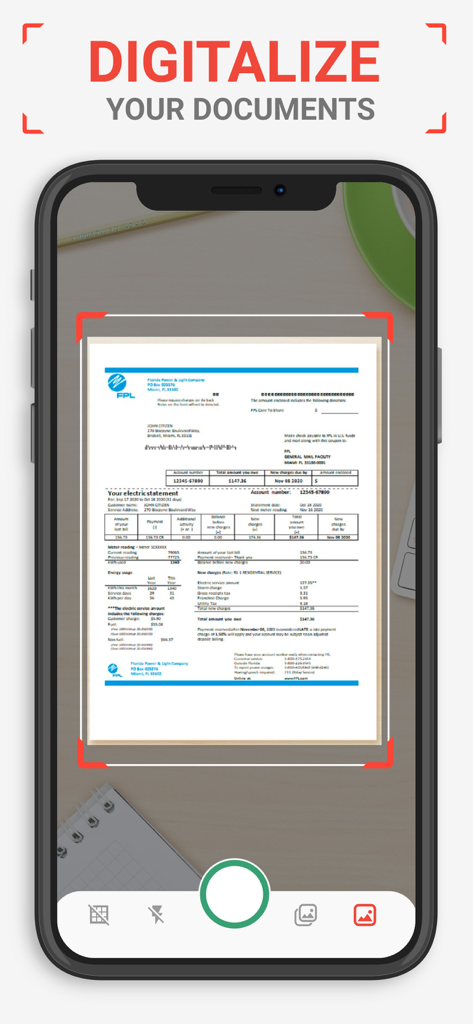
PDF Scanner AI Note text files - iPhone screen showing the PDF scanner app digitalizing a document using a camera with a red auto-detection frame.
iPhone screen showing the PDF scanner app digitalizing a document using a camera with a red auto-detection frame.

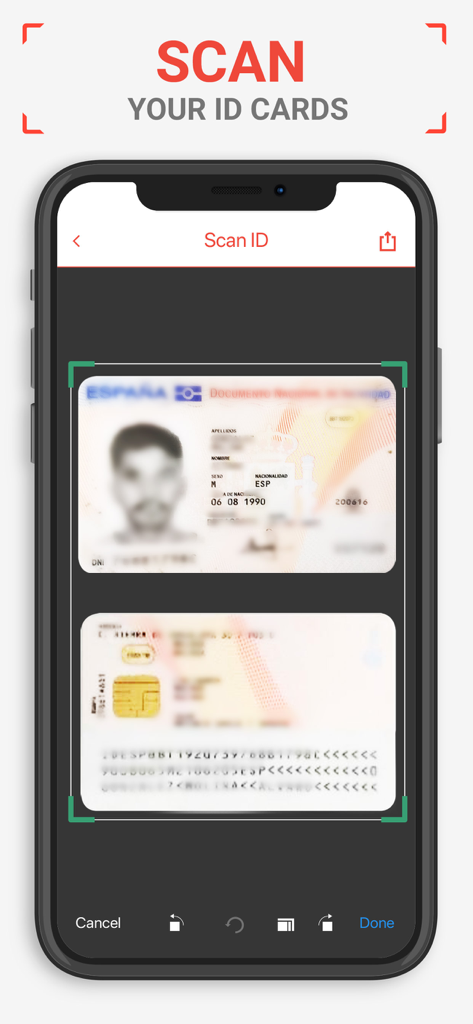
PDF Scanner AI Note text files - Interface of the PDF Scanner app showing a digital scan of an identification card on a smartphone screen.
Interface of the PDF Scanner app showing a digital scan of an identification card on a smartphone screen.

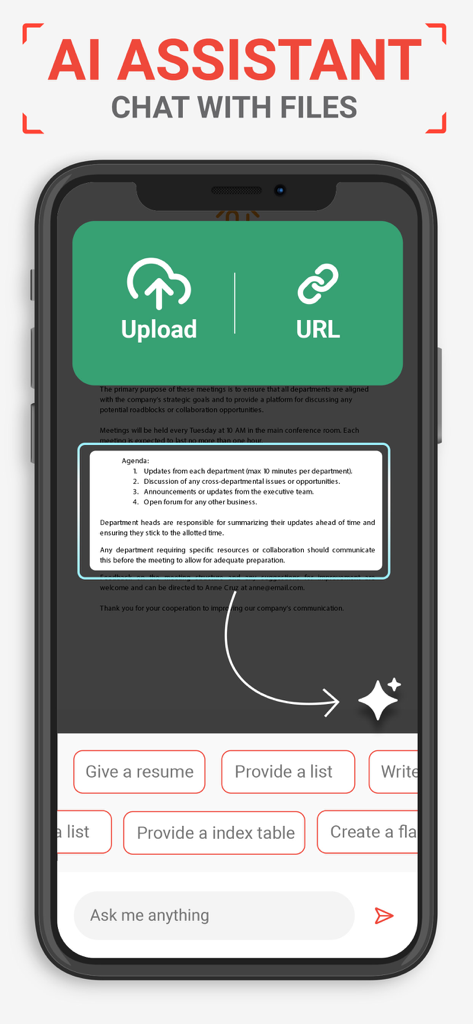
PDF Scanner AI Note text files - Interface of the AI Assistant within the app showing options to upload files or URLs to chat and extract information from documents
Interface of the AI Assistant within the app showing options to upload files or URLs to chat and extract information from documents

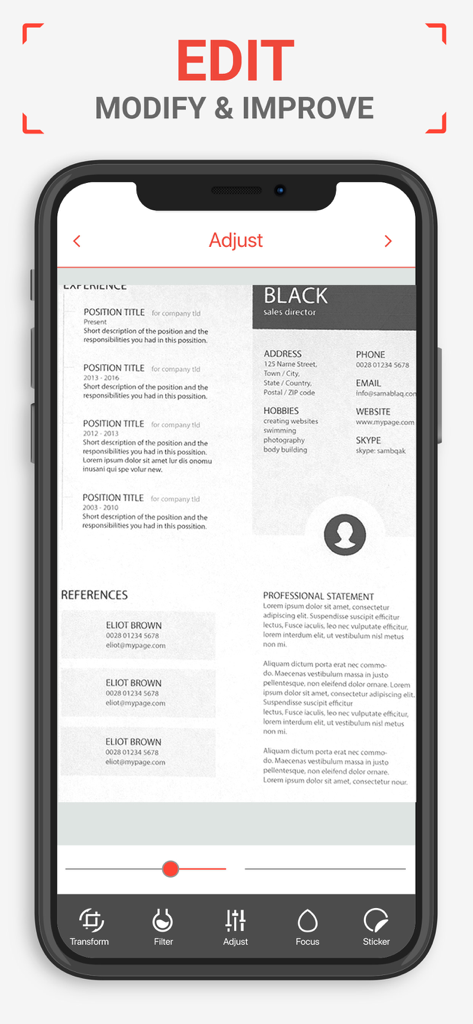
PDF Scanner AI Note text files - Mobile screen showing the edit and adjust tools for a scanned document in the PDF Scanner app.
Mobile screen showing the edit and adjust tools for a scanned document in the PDF Scanner app.

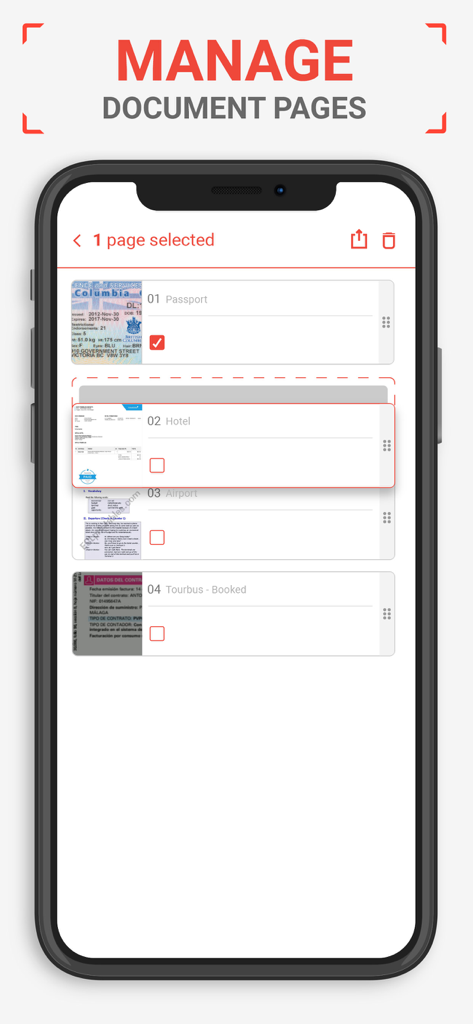
PDF Scanner AI Note text files - Interface of a PDF scanner app showing a list of scanned documents including a passport and hotel receipts for page management
Interface of a PDF scanner app showing a list of scanned documents including a passport and hotel receipts for page management

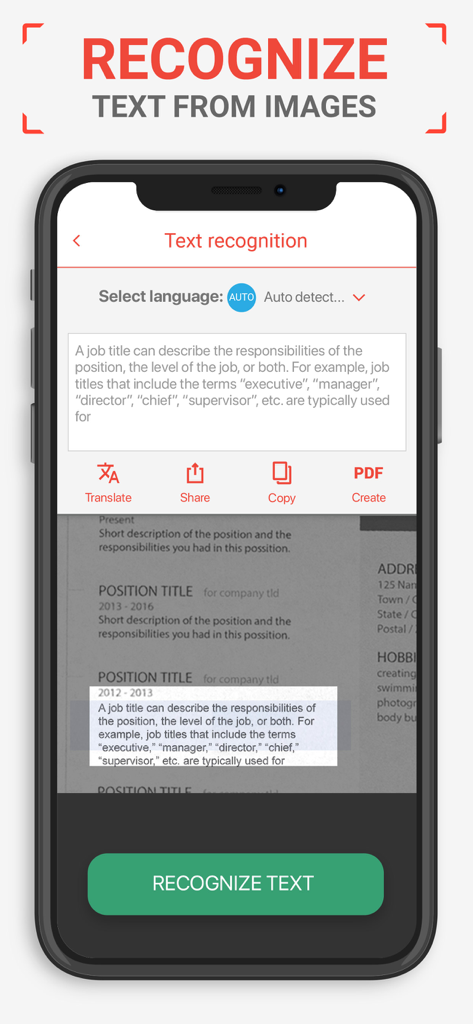
PDF Scanner AI Note text files - PDF scanner app interface showing the AI text recognition and OCR feature on a mobile device.
PDF scanner app interface showing the AI text recognition and OCR feature on a mobile device.

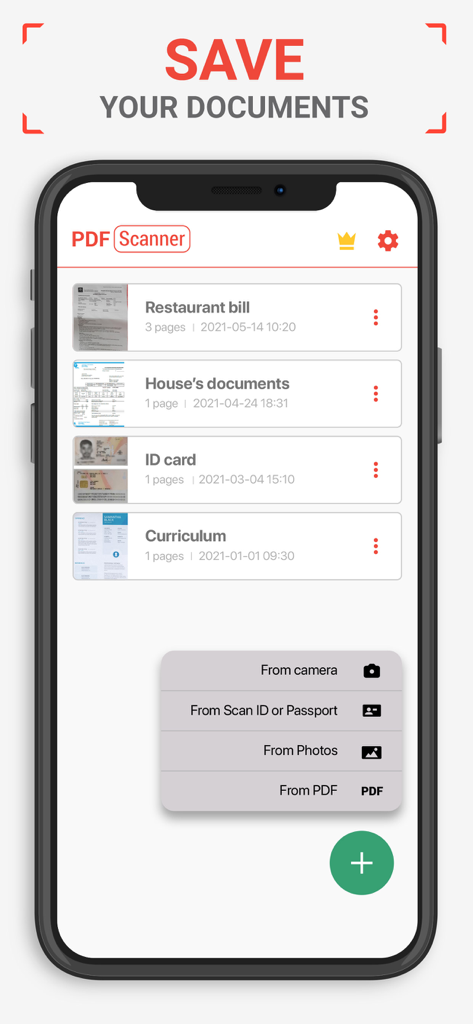
PDF Scanner AI Note text files - iPhone screen showing a list of scanned documents and the add menu in the PDF scanner app.

iPhone screen showing a list of scanned documents and the add menu in the PDF scanner app.

Description

PDF Scanner - Scan documents, photos, ID, passport Scan and convert all your documents to PDF. PDF Scanner - Scan documents, photos, ID, passport is the best application to create PDF from images and photos of your iPhone, Tablet, iPad, ... Your PDF scanner to scan files always with you. Create your own PDFs, you can create books, notes, journals, backups, notes, photo albums ... You can produce your own document library with the PDF converter with the pages you want. Scan your photos and convert your images into PDF format to generate your documents and scan your most important files. You can add filters to the images to make the texts clearer and better visualized. Key Features of PDF Scanner - Scan documents, photos, ID, passport are: - Photo and Image Scanner Using the camera of your mobile phone, you can scan receipts, notes, invoices, business cards, certificates ... - Paper Size: Choose the best size for your document as A3, A4, A5, note, letter, postal and legal. - Password to protect your PDFs Protect your scanned jobs with the use of a password, keep your privacy and block any documents you want. - Improvement with the help of filters: Improve the quality of your documents with filters like Black and White, magic color, grayscale ... - Adjusting images You can deform the image to fit your needs - Intuitive interface Document Scanner is the most intuitive and practical tool for creating your PDFs. Convert to PDF, create, compose, digitize files in PDF format is easy and fast thanks to Scanner Document - PDF Creator, the best photo scanner app. This scanner app scan Doc to PDF Simply make use of the PDF scanner, scan document, scan images, any photo or image you have in the gallery or generate a new photo from the mobile camera, then generate all the pages you want, you can apply filters to the pages to Create your perfect PDF file. It is a photo scanner and PDF scanner application for scanning documents and scanning images, very useful for making photo albums, journals, notes, backups, letters, books ... Scan Doc to PDF, scanning your photos and images, transforming your memories into PDF files. Is fast and easy, from anywhere, scan files, scan documents with the PDF scanner is immediate, the best way to scan Doc to PDF. Once the images have been scanned and converted to PDF you can apply the filter you want for a correct visualization, you can choose between black and white, magic color, grayscale or keep the original format. Once you have generated all the pages of your PDF document you can select the paper size of your PDF file, you can choose from many formats: A3, A4, A5, notes, letters, legal and postcards. You can also protect your PDF documents with password and enable and disable the lock. Protecting your PDF document with password increases privacy and security since you can only see the PDF document that you created by scanning images if you enter the password previously chosen. Subscription information: - Length of Subscription: 1 week, 1 month or 1 year ( 3 day free trial) - Price: $1.99 per week billed weekly, $4.99 per month billed monthly. $49.99 per year billed yearly. - Subscription automatically renews unless auto-renew is turned off at least 24-hours before the end of the current period. - Payment will be charged to iTunes Account at confirmation of purchase. - Account will be charged for renewal within 24-hours prior to the end of the current period, and identify the cost of the renewal. - Subscriptions may be managed by the user and auto-renewal may be turned off by going to the user's Account Settings after purchase. - Any unused portion of a free trial period, if offered, will be forfeited when the user purchases a subscription to that publication, where applicable. Privacy Policy: http://www.offiwiz.com/policy/ Terms of use: https://www.offiwiz.com/terms_of_use

Download

Download on App Store

This page is not an official page of the app or its developer, but an independent editorial publication created for informational and commentary purposes. Unless expressly stated otherwise, neither the app nor its developer is affiliated with, endorsed by, sponsored by, authorized by, or otherwise officially connected with MWM, Apple, Google Play, the app publisher, or the app's developer, and nothing on this page implies that the app was developed using MWM's services. Any trademarks, logos, screenshots, and other content remain the property of their respective owners.