PDF Scanner App - Scan PDF Doc

PDF Scanner App - Scan PDF Doc

Download on App Store
Logo of PDF Scanner App - Scan PDF Doc

PDF Scanner App - Scan PDF Doc: Your All-in-One Professional Pocket Scanner

Transform your iPhone into a powerful HD document hub. Effortlessly scan IDs, sign contracts with e-signatures, and extract text via OCR—all stored securely on your device for total privacy.

Download on App Store

Publisher

PDF EXPERT LTD

Category

Business

Downloads

5K+

User Rating

4.8/5

Total Ratings

300

Locales

1

Your Office, Visualized

Discover the interface used by 5K+ users.

A smartphone using a PDF scanner app to capture a residential rental lease agreement with automatic edge detection
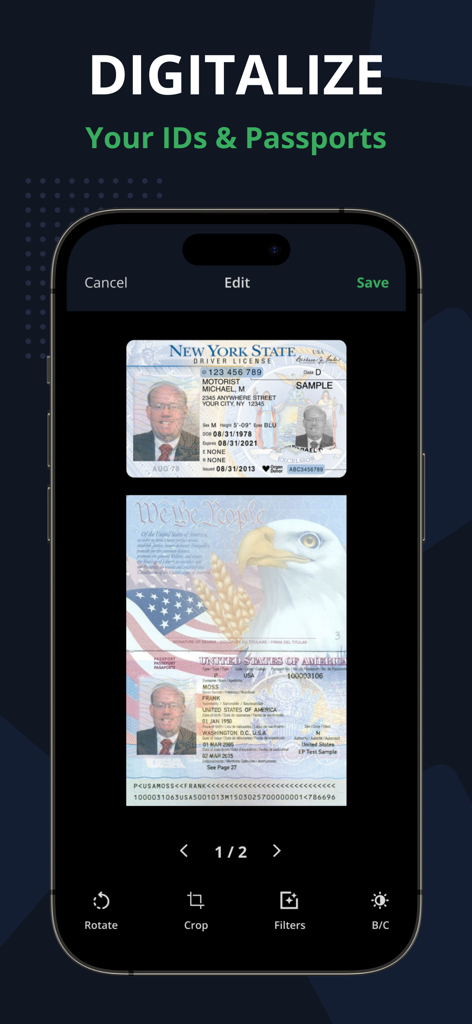
A smartphone using a PDF scanner app to capture a residential rental lease agreement with automatic edge detection

A smartphone displaying the PDF Scanner app interface with scanned copies of a New York driver license and a US passport
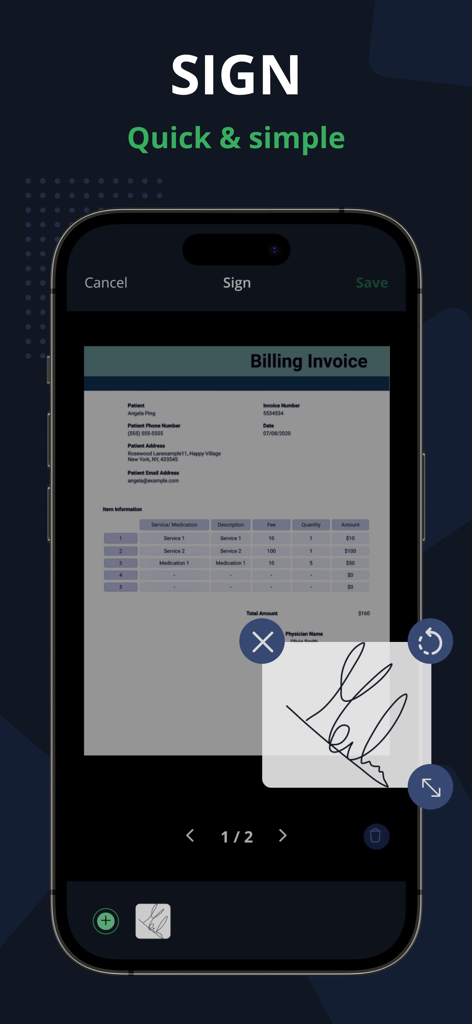
A smartphone displaying the PDF Scanner app interface with scanned copies of a New York driver license and a US passport

A smartphone screen displaying the electronic signature tool of the PDF scanner app on an invoice
A smartphone screen displaying the electronic signature tool of the PDF scanner app on an invoice

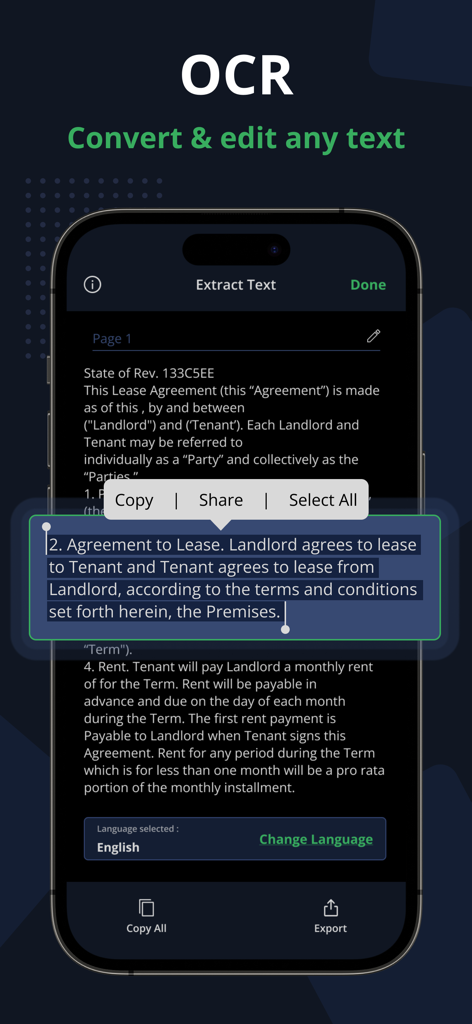
Interface of the PDF Scanner App showing OCR text extraction from a legal document with options to edit copy and share.
Interface of the PDF Scanner App showing OCR text extraction from a legal document with options to edit copy and share.

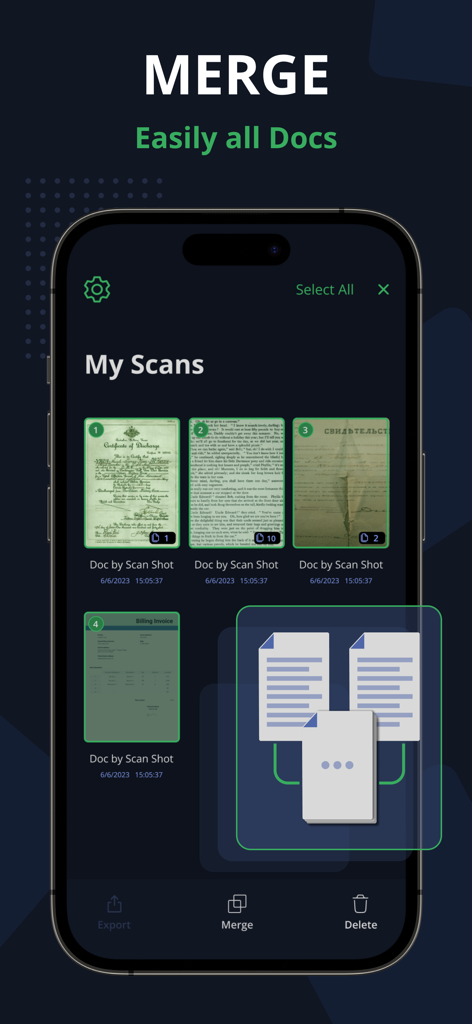
Interface of the PDF Scanner App showing the feature to merge multiple scanned documents into a single file
Interface of the PDF Scanner App showing the feature to merge multiple scanned documents into a single file

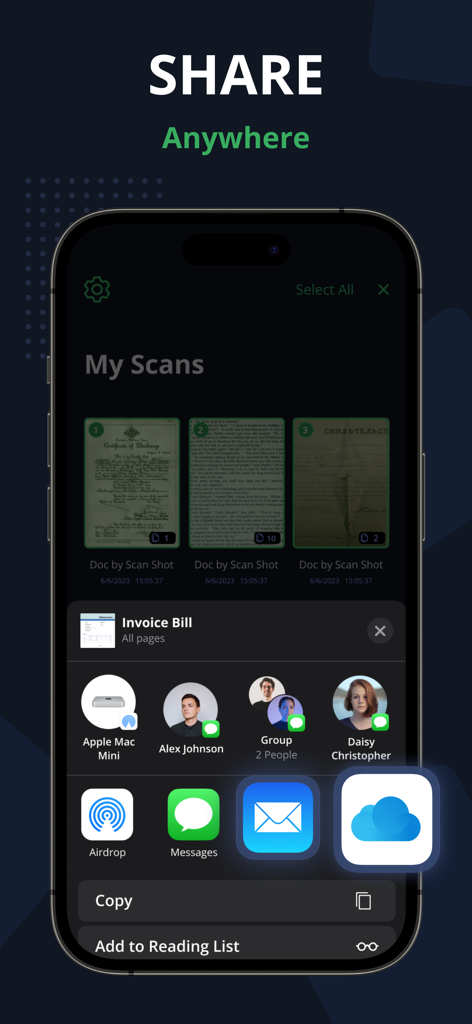
User interface of the PDF Scanner App displaying document sharing options through email, messages, and cloud services.
User interface of the PDF Scanner App displaying document sharing options through email, messages, and cloud services.

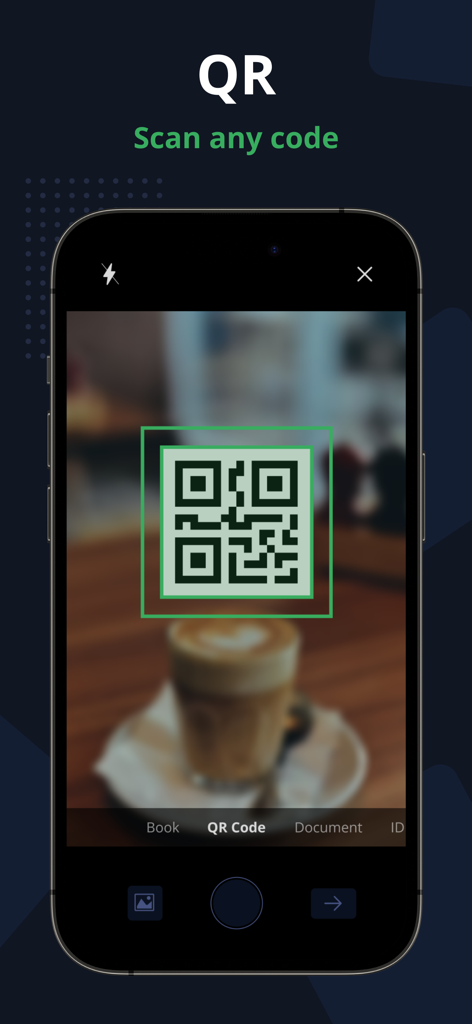
iPhone screen showing the QR code scanning feature of the PDF Scanner App with a green viewfinder

iPhone screen showing the QR code scanning feature of the PDF Scanner App with a green viewfinder

Your Office, Redefined

The tools that make this app stand out, trusted by 5K+ users.

📄

Pro-Grade AI Scanning

Get crystal-clear results with automatic edge detection and perspective correction that makes every document look professional.

Searchable OCR Text

Instantly convert images into editable text. Save time by searching through your digital archives instead of digging through paper piles.

✍️

E-Sign & Secure IDs

Finalize contracts on the fly with built-in electronic signatures and scan sensitive IDs securely with 100% offline processing.

About the app

Everything you need to know about PDF Scanner App - Scan PDF Doc.

Description

PDF Scanner App allows you to effortlessly scan, import, and instantly share documents within this smart Scanner app. Easily retrieve and access all your previously scanned files using this PDF Document Scanner app. With this app you can easily Scan app on your phone, you can effortlessly save time and energy by scanning swiftly whenever needed. The PDF Document are directly stored on your iPhone in either image or PDF format, courtesy of the free PDF scanner and high-definition camera scanner pro app for PDF scans. - Scan PDF Turn your iPhone or iPad into a powerful document scanner and PDF converter with the PDF Scanner App. Whether you need to scan PDF, digitize receipts, documents, business cards, whiteboards, IDs, books, or photos, our app has you covered. Easily transform images into PDFs in an instant. - Scan ID & Passport Effortlessly scan your ID cards and passports, then easily share them with others. This PDF Document Scanner App easily scans ID cards, passports, driver's licenses, visas, and various identity documents within seconds. It then stores the Scanned document within the device, utilizing the capabilities of both an ID scanner and a document scanner. - Complete your paperwork from anywhere with ease Use this PDF Document Scanner App to include an electronic signature using PDF sign tools. An intuitive PDF Editor App allows you to mark and edit fields, adding everything you need effortlessly. - Scan Book with our PDF Scanner App Use our free Document Scanner app to easily scan books, novels, magazines, and convert them to PDF format with the help of a Camera Scanner App. Save your scanned documents directly to your iPhone and iPad device in either image or PDF format using the Doc Scanner app. Key Features of the PDF Scanner App - Free Document Scanner Pro & Scan PDF: • Automatically detects document edges and corrects perspective of PDF Document. • Enhance scan quality both automatically and manually. • Free document and photo scanning with this camera scanner app. • Extract text from images using OCR, making it searchable, editable, and shareable. • Scan multiple pages and convert them to a multi-page PDF using the PDF document scanner app. • Scan and print PDF documents using the free doc scanner app. • Efficiently manage your files for better document organization. • Convert selected images from your Image Gallery into PDF documents. Scan, edit, sign, and effortlessly share any document in either PDF or JPEG format. Our scanner functions seamlessly without requiring an internet connection, storing all scans directly on your device. Take your productivity to the next level with e-sign or sign PDF Document and OCR capabilities. Add your signature to scanned documents with just a few taps in Scanner Pro. Utilize text recognition to convert any scan into editable text. Information about the auto-renewal of subscription for PDF Scanner Pro - Document Scanner App. -Subscribe to unlock Pro access to all features, with charges applied upon purchase confirmation. -Subscriptions automatically renew 24 hours prior to the expiration date. You can manage your subscriptions in the account settings within the App Store. -Users have the option to manage subscriptions and disable auto-renewal by accessing their Account Settings after making a purchase. -If a user purchases a subscription after a free trial period, any remaining unused portion of the trial will be forfeited. Privacy Policy: https://www.techstic.org/privacy-pdf-scanner Terms of Use: https://www.techstic.org/tos-pdf-scanner

Latest Version

1.2

Size

30.0 MB

First Released

Oct 3, 2023

Ready to transform your workflow?

Download the top-rated PDF scanner app and start digitizing, signing, and sharing documents from your iPhone today—no internet required.

Download on App Store

App information, icons, screenshots, and descriptions displayed on this page are sourced from the Apple App Store and are the property of their respective developers. Download estimates and rankings are based on MWM's proprietary models and may not reflect actual figures. This page is provided for informational and analytical purposes only.

Believe this page infringes your intellectual property? File a dispute