
This page is not an official page of the app or its developer, but an independent editorial publication created for informational and commentary purposes. Unless expressly stated otherwise, neither the app nor its developer is affiliated with, endorsed by, sponsored by, authorized by, or otherwise officially connected with MWM, Apple, Google Play, the app publisher, or the app's developer, and nothing on this page implies that the app was developed using MWM's services. Any trademarks, logos, screenshots, and other content remain the property of their respective owners.


Phone Pad SMS / Mail Keyboard
Tired of struggling with the tiny iPhone keyboard? Switch to the familiar, large-key layout that reduces typos and makes sending texts or emails simple again.
Downloads
10K+User Rating
Total Ratings
0Publisher
Category
UtilitiesLocales
1Latest Version
1.5.2Size
2.7 MBFirst Released
Jul 15, 2011The Simple Way to Type on Your iPhone
Say goodbye to tiny keys and frustrating typos. We brought back the classic 10-key layout you know and love, redesigned for stress-free messaging.
Familiar 10-Key Layout
Stop struggling with tiny QWERTY buttons. Our extra-large numeric keypad provides a comfortable, familiar typing experience that reduces errors.
Classic T9 Logic
Use the muscle memory you already have. Type exactly like you did on your favorite flip phone with smart character determination.
Frequently Asked Questions
Everything you need to know about Phone Pad SMS / Mail Keyboard
What is the main purpose of the Phone Pad SMS / Mail Keyboard app?
The Phone Pad SMS / Mail Keyboard provides a traditional 10-key numeric keypad for iPhone messaging. It helps users who prefer the typing experience of older mobile phones on their iPhone.
Does the Phone Pad SMS / Mail Keyboard work in all iPhone apps?
No, the Phone Pad SMS / Mail Keyboard does not appear or function in other apps. It is designed to work exclusively within its own application for messaging purposes.
Can Phone Pad SMS / Mail Keyboard save messages?
Yes, Phone Pad SMS / Mail Keyboard can save messages. Users can view their saved messages in a list format within the app, complete with date and time stamps.
What customization options are available for typing in Phone Pad SMS / Mail Keyboard?
Users can adjust the timer interval for multi-input keys and enable/disable auto capitalization, caps lock, and key sound. These settings are accessible via the 'tools' icon.
What special characters and languages does Phone Pad SMS / Mail Keyboard support?
Phone Pad SMS / Mail Keyboard supports easy typing in Spanish, French, German, Italian, Portuguese, Swedish, Dutch, Rumanian, Danish/Norwegian, including various accented characters like á, ö, ñ.
What unique buttons does the Phone Pad SMS / Mail Keyboard offer?
The Phone Pad SMS / Mail Keyboard provides "Clear," "Hide," "Mail," "I’m here!," "Copy," "Paste," and "(^_^)" buttons. These streamline message management, sharing, and content input.
Is there a free version of Phone Pad SMS / Mail Keyboard available to try?
Yes, users can try the free version called "Phone Pad URL Keyboard Free" before purchasing the full Phone Pad SMS / Mail Keyboard application.
The following screenshots and description are sourced directly from the app's official store listing and are the property of the app developer.
App Store
Screenshots
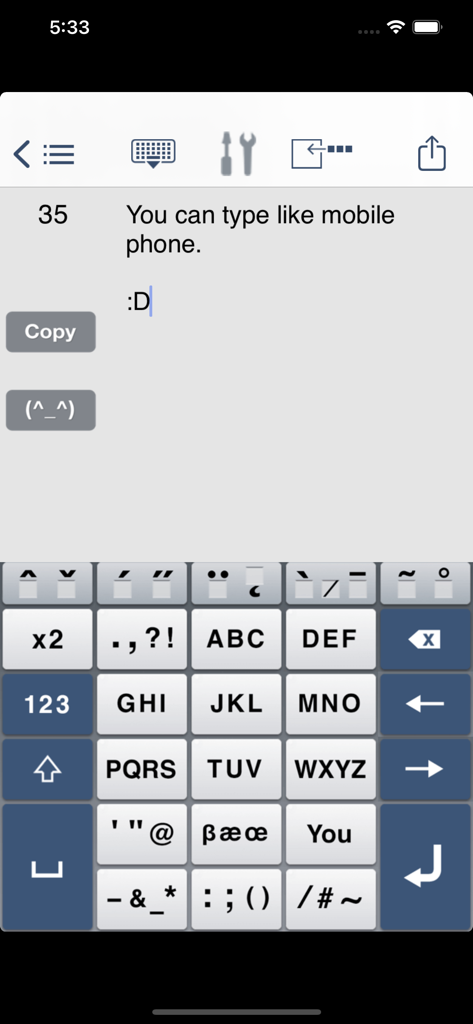
iPhone app screen with a large numeric keypad and T9 typing layout for SMS and email
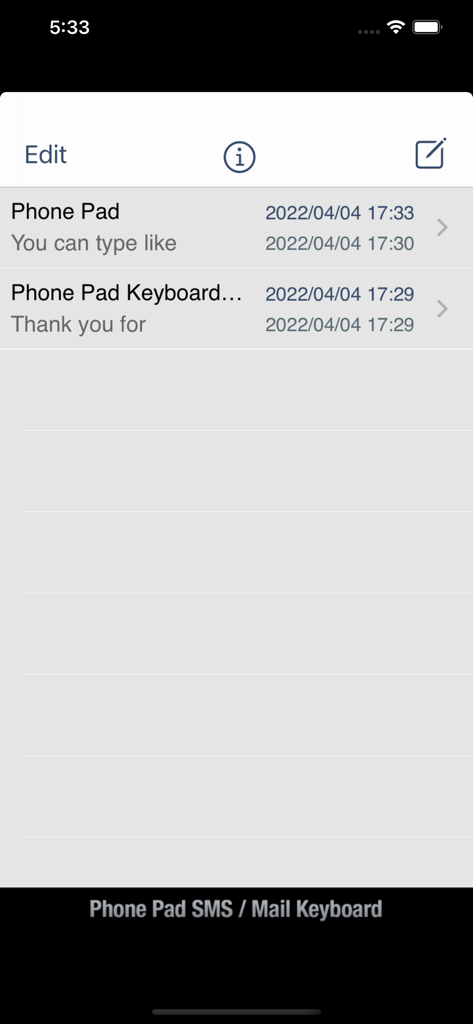
List of saved messages and drafts in the Phone Pad SMS app interface
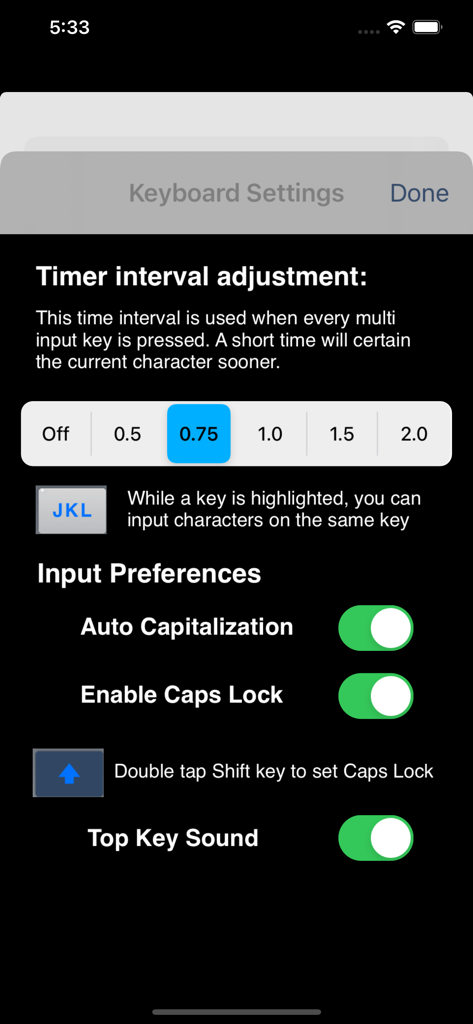
Settings screen of the Phone Pad app showing timer interval adjustment for multi-input keys and input preferences like auto capitalization.
Description
Download
More Like This
Top-ranked apps in the same category

Google LLC

Google Chrome
Google LLC

中国移动(手机营业厅)
China Mobile Online Services Co., Ltd.

Google Authenticator
Google LLC

CNH do Brasil
Servicos e Informacoes do Brasil

Cleanup: Phone Storage Cleaner
DEEP FLOW SOFTWARE SERVICES - FZCO

gov.br
Servicos e Informacoes do Brasil

中国电信-全国统一官方服务平台
CHINA TELECOM Corporation Ltd.

Microsoft Edge: AI Browser
Microsoft Corporation
This page is not an official page of the app or its developer, but an independent editorial publication created for informational and commentary purposes. Unless expressly stated otherwise, neither the app nor its developer is affiliated with, endorsed by, sponsored by, authorized by, or otherwise officially connected with MWM, Apple, Google Play, the app publisher, or the app's developer, and nothing on this page implies that the app was developed using MWM's services. Any trademarks, logos, screenshots, and other content remain the property of their respective owners.