
This page is not an official page of the app or its developer, but an independent editorial publication created for informational and commentary purposes. Unless expressly stated otherwise, neither the app nor its developer is affiliated with, endorsed by, sponsored by, authorized by, or otherwise officially connected with MWM, Apple, Google Play, the app publisher, or the app's developer, and nothing on this page implies that the app was developed using MWM's services. Any trademarks, logos, screenshots, and other content remain the property of their respective owners.


PhotoTool - AI Photo Enhancer
Instantly sharpen, retouch, and restore your photos. From reviving old family memories to removing unwanted objects from your selfies, experience professional results effortlessly.
Downloads
86K+User Rating
Total Ratings
100Publisher
Category
Photo & VideoLocales
1Latest Version
1.1.0Size
57.5 MBFirst Released
Jul 25, 2025Transform Every Pixel with AI Magic
Whether you are perfecting your social feed or restoring a piece of history, our powerful AI tools make professional editing effortless for everyone.
Instant Social Perfection
Remove background clutter and upscale selfies to professional quality for Instagram-ready content in one tap.
Breathe Life Into the Past
Restore blurred photos and colorize black-and-white family memories with stunning high-definition clarity.
Frequently Asked Questions
Everything you need to know about PhotoTool - AI Photo Enhancer
What is PhotoTool - AI Photo Enhancer?
PhotoTool is an AI-powered application designed to transform pictures effortlessly. It offers tools for enhancing, upscaling, sharpening, restoring old photos, removing backgrounds, colorizing, and applying artistic filters.
How does PhotoTool enhance photos?
PhotoTool enhances photos instantly by using next-generation AI-powered tools. It can upscale, sharpen, and beautify any image, including portrait upscaling and selfie beautification.
Can PhotoTool restore old or damaged photos?
Yes, PhotoTool can restore old or blurred family memories. It offers a "Descratch" feature to repair old and scratched photos using AI.
Does PhotoTool remove backgrounds from images?
Yes, PhotoTool includes a "Magic Retouch" feature that allows users to remove backgrounds or unwanted objects from photos with one tap.
How can I change black and white photos to color with PhotoTool?
PhotoTool provides a "Colorize" feature that turns black and white photos into vibrant color with one tap. This AI-driven tool is available in the AI Lab.
What artistic filters are available in PhotoTool?
PhotoTool offers various artistic filters, including comic, painting, and avatar effects. Users can transform their photos into art and apply creative effects.
Is PhotoTool suitable for beginners?
Yes, PhotoTool is intuitive and designed for both beginners and photo enthusiasts. All edits are fast, private, and simple to use.
Does PhotoTool offer features for Instagram?
Yes, PhotoTool includes "Smart Instagram-ready filters" and creative effects. It offers "One-Tap Insta Ready" features to instantly beautify selfies and boost colors.
Where can I find the privacy policy for PhotoTool?
The privacy policy for PhotoTool is available on its official website. The direct link is provided as https://myphoto-ai.com/privacy/.
The following screenshots and description are sourced directly from the app's official store listing and are the property of the app developer.
App Store
Screenshots
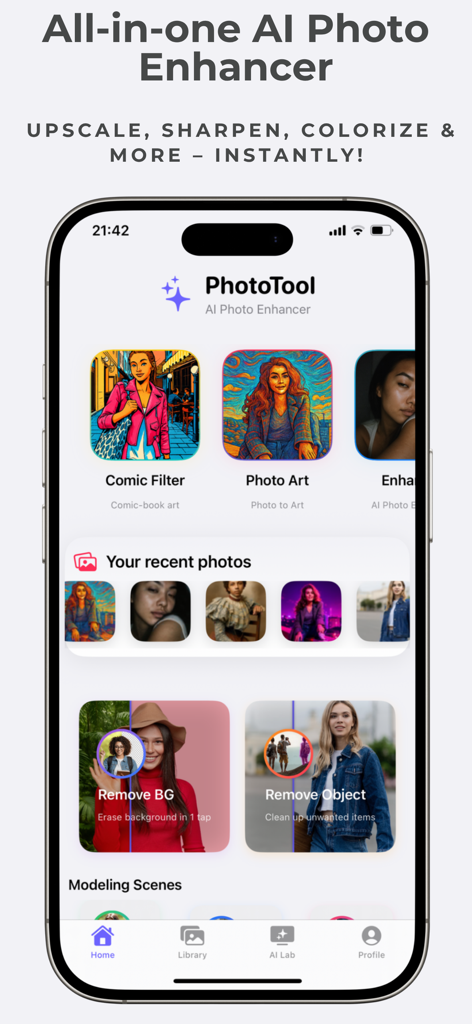
Home screen of the PhotoTool app showing AI features like comic filters and background removal
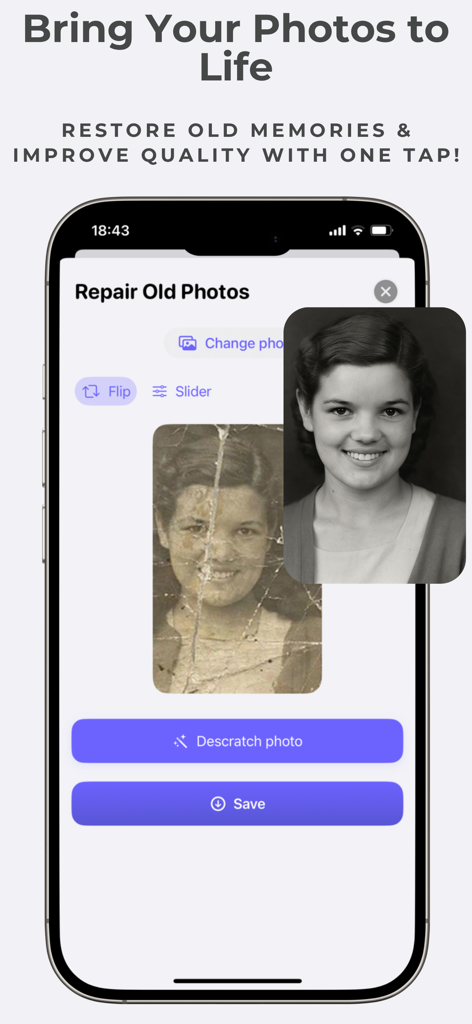
Interface of PhotoTool app showing a damaged vintage photo being restored by AI into a clear high definition portrait
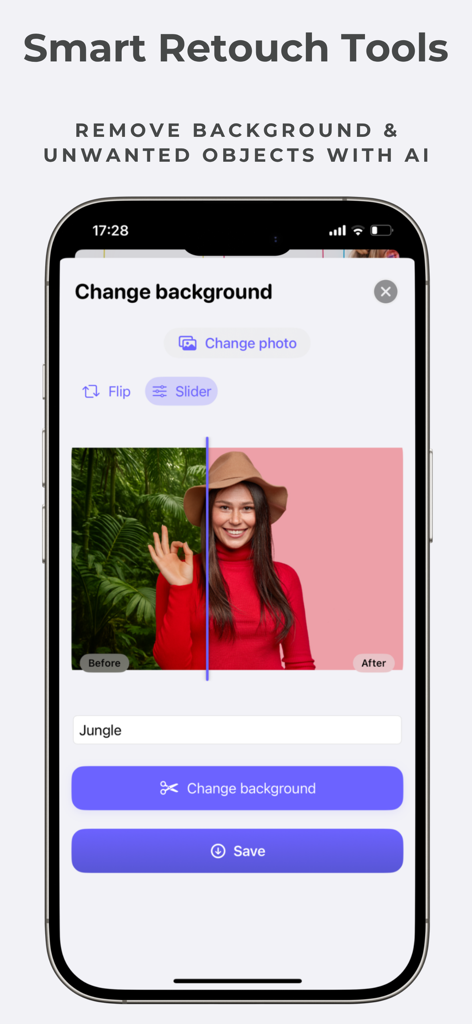
Interface of PhotoTool app showing the AI background removal and change feature with a before and after comparison of a portrait photo.
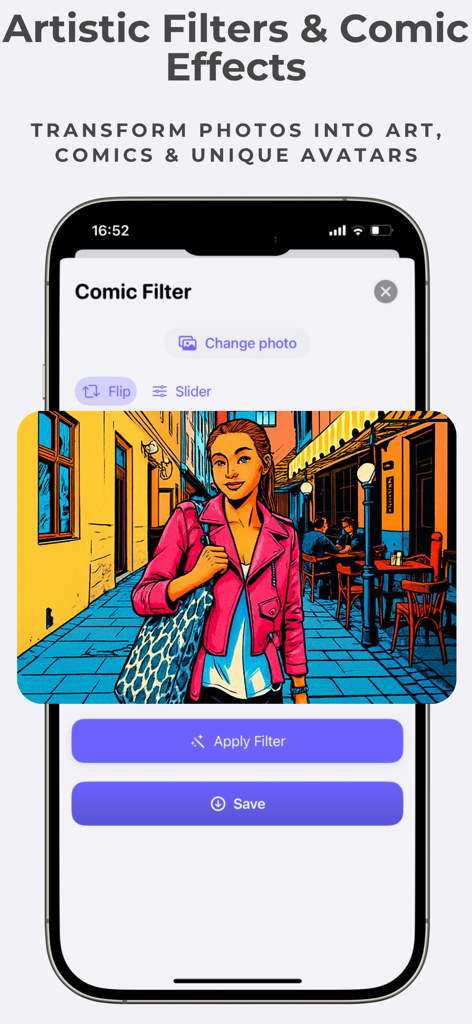
A smartphone screen displaying a comic book style filter applied to a photo using PhotoTool AI
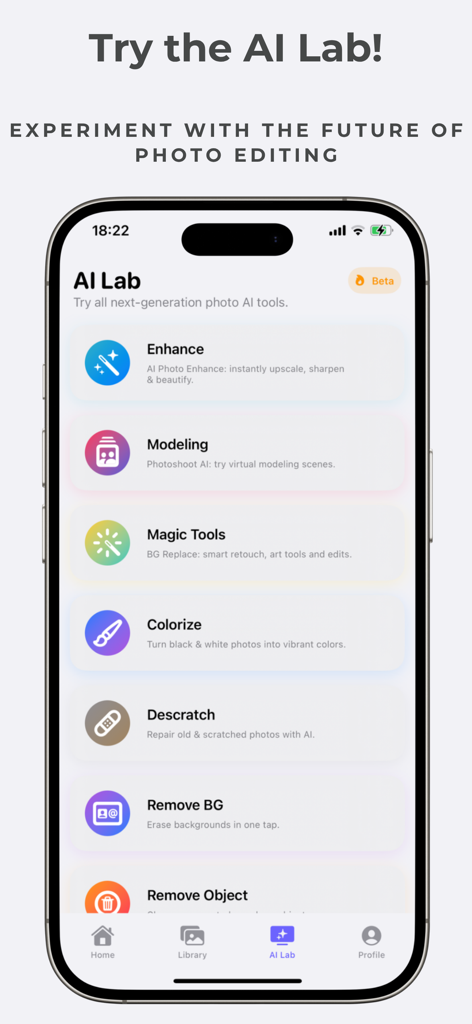
The AI Lab interface of PhotoTool showing features like photo enhancement, modeling, colorization, and background removal.
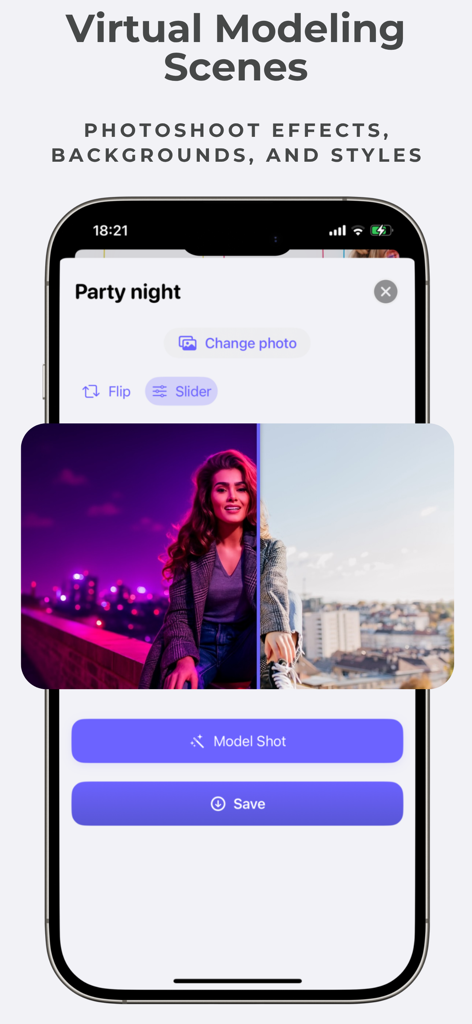
AI photo app interface showing a virtual modeling scene feature with a party night photoshoot effect on a portrait
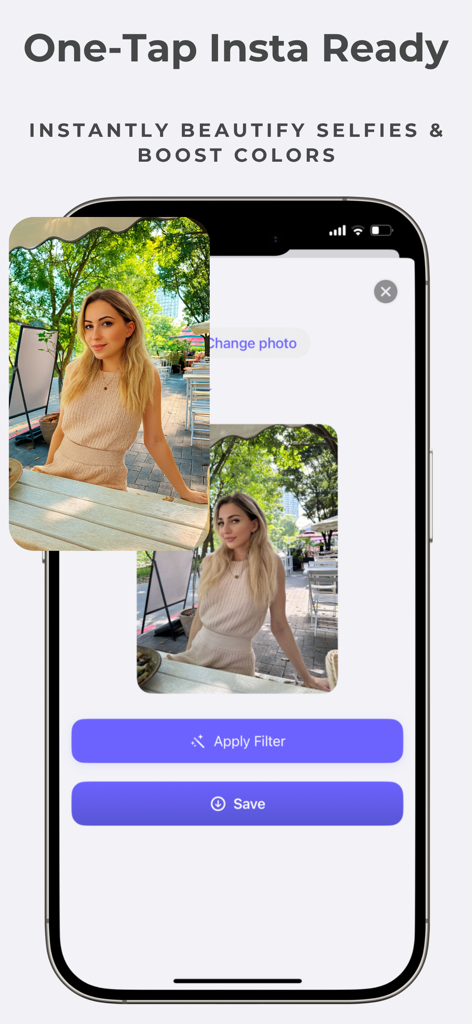
PhotoTool app interface showing the One-Tap Insta Ready feature for beautifying selfies and boosting colors on a portrait photo
Description
Download
More Like This
Apps with similar features and user experience

EPIK - AI Photo & Video Editor
SNOW Corporation

Citrus: AI 1 Tap Perfect Photo
Wemagine.ai LLP

SnapEdit: Photo Editor AI
SilverAI Joint Stock Company

Background Eraser 〜 Stickers
handyCloset Inc.

PhotoScan by Google Photos
Google LLC

Magic Eraser - Remove Object
Creatix Technology Global Limited

Magic Eraser Background Editor
Honk Honk Punch Pty Ltd

ProKnockOut-Cut Paste Photos
Shenzhen Qianhai Happy Tour Network Technology Co., Ltd.

Background Eraser - Remove BG*
SHANTANU PTE. LTD.
This page is not an official page of the app or its developer, but an independent editorial publication created for informational and commentary purposes. Unless expressly stated otherwise, neither the app nor its developer is affiliated with, endorsed by, sponsored by, authorized by, or otherwise officially connected with MWM, Apple, Google Play, the app publisher, or the app's developer, and nothing on this page implies that the app was developed using MWM's services. Any trademarks, logos, screenshots, and other content remain the property of their respective owners.