
This page is not an official page of the app or its developer, but an independent editorial publication created for informational and commentary purposes. Unless expressly stated otherwise, neither the app nor its developer is affiliated with, endorsed by, sponsored by, authorized by, or otherwise officially connected with MWM, Apple, Google Play, the app publisher, or the app's developer, and nothing on this page implies that the app was developed using MWM's services. Any trademarks, logos, screenshots, and other content remain the property of their respective owners.

PicCollage: Magic Photo Editor
Raw images are merely starting points. This app offers users the capacity to transform scattered moments into curated visual experiences, defying the mundane with instant artistry.
Downloads
50M+User Rating
Total Ratings
5.2MPublisher
Category
Photo & VideoLocales
11Latest Version
8.60.1Size
208.8 MBFirst Released
Jul 13, 2011Key Features Analysis of PicCollage: Magic Photo Editor
An evaluation of core functionalities impacting user creativity and content generation.
Collage & Card Creation
It allows users to transform photos and videos into various personalized visual content, including freestyle collages, photo collections, and custom digital cards for different occasions.
AI-Powered Background Removal
This tool features an AI-driven cutout functionality that easily removes backgrounds from photos, isolating subjects like people or pets and offering creative shape cuts.
Integrated Photo & Video Editing
This tool features capabilities to cut, filter, and retouch photos and videos, enabling users to fine-tune their media to perfectly fit into their creative projects.
Extensive Personalization Options
It allows users to personalize creations with a wide variety of fonts, decorative stickers, and freehand doodles, adding a unique and expressive touch to their visual content.
Social Media Optimization (Instagram)
It allows users to utilize dedicated templates for creating impressive Instagram stories and reels, facilitating direct sharing to social media followers.
Diverse Layouts & Templates
The app provides a selection of ready-to-use layouts, grids, and animated templates, streamlining the creation process and inspiring unique designs for various occasions.
Premium Asset Library
The app provides access to thousands of exclusive backgrounds and stickers through collaborations with famous artists, offering diverse options for embellishing creations.
Advanced Text Customization
The app provides advanced text features including a curved text editor for unique arrangements and AI-powered font pairing suggestions to enhance design aesthetics.
Frequently Asked Questions
Everything you need to know about PicCollage: Magic Photo Editor
What is PicCollage: AI Photo Editor?
PicCollage: AI Photo Editor is an app that allows users to create collages, cards, and slideshows from photos and videos. It offers tools for editing, personalizing, and enhancing visual content.
Is PicCollage: AI Photo Editor free to use?
Yes, PicCollage: AI Photo Editor is free to use, offering a starter pack with stickers to edit photos, create collages, and design cards. Additional advanced features are available via a VIP subscription.
What features does PicCollage VIP offer?
PicCollage VIP is a subscription that provides advanced features, removes watermarks and ads, and grants access to thousands of exclusive stickers, backgrounds, fonts, and layouts. It includes a 7-day free trial.
Can I remove photo backgrounds with PicCollage: AI Photo Editor?
Yes, PicCollage: AI Photo Editor features an AI-powered cutout tool that removes backgrounds from photos to isolate subjects like people or pets. It also offers shape-based cutouts.
Does PicCollage: AI Photo Editor have an object eraser tool?
Yes, PicCollage: AI Photo Editor includes an erase tool designed to remove unwanted objects from photos, as demonstrated by removing a trash can in the app's interface.
Can I add videos to collages in PicCollage: AI Photo Editor?
Yes, PicCollage: AI Photo Editor allows users to add videos to their collages, enabling the creation of video collages and slideshows. Users can also add pages and save them as videos.
Does PicCollage: AI Photo Editor offer templates for collages and cards?
Yes, PicCollage: AI Photo Editor provides ready-to-use layouts, grids, and animated templates for creating collages and cards. Users can also design in a freestyle mode.
What kind of fonts are available in PicCollage: AI Photo Editor?
PicCollage: AI Photo Editor offers a variety of fonts, including handwritten and formal styles. It also includes a curved text editor and AI-powered font pairing for designs.
Can I add stickers and backgrounds in PicCollage: AI Photo Editor?
Yes, PicCollage: AI Photo Editor provides thousands of exclusive stickers and backgrounds from collaborations with artists. Users can add these to photos and collages to personalize their creations.
Can PicCollage: AI Photo Editor help create Instagram Stories?
Yes, PicCollage: AI Photo Editor offers templates specifically for creating impressive Instagram posts, stories, or reels, which users can then share directly with their followers.
The following screenshots and description are sourced directly from the app's official store listing and are the property of the app developer.
App Store
Screenshots
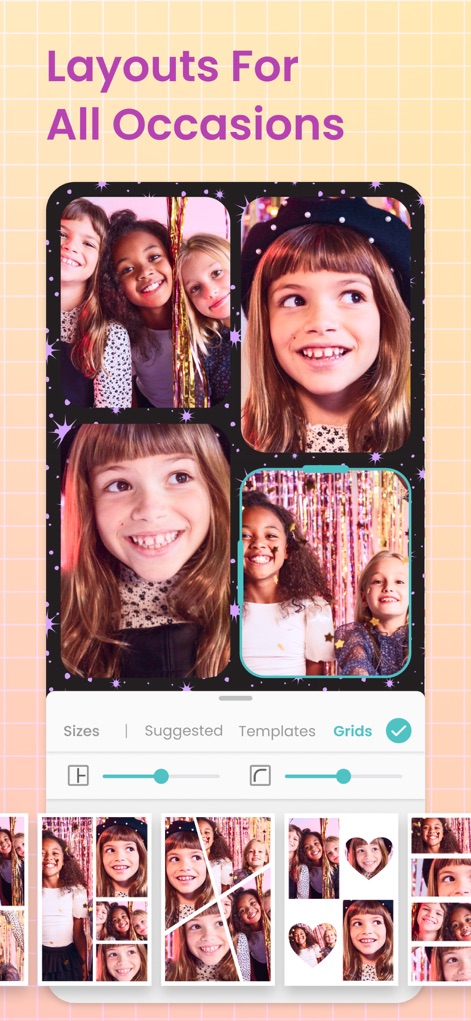
Dynamic Photo Grids
See how this tool helps users arrange multiple photos with diverse grid options and pre-set templates for instant collage creation.
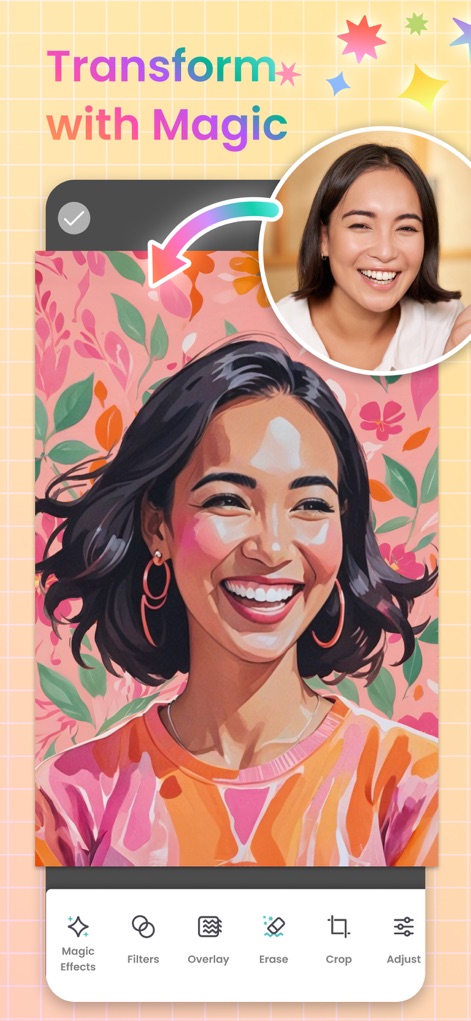
Magical Photo Transformations
Discover the power of AI-driven 'Magic Effects' and versatile 'Filters' to creatively transform user photos with a single tap.
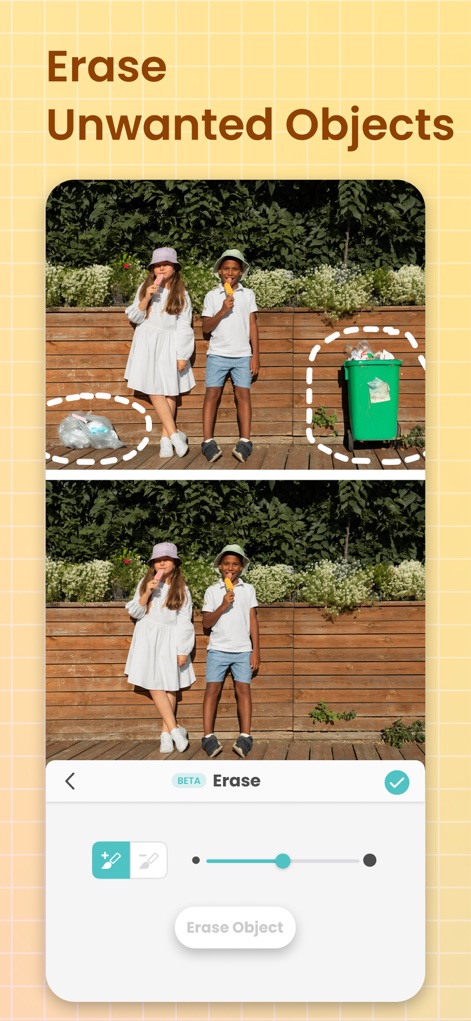
Effortless Object Removal
Observe how the precise 'Erase' tool, complete with an adjustable brush size, allows users to seamlessly remove unwanted objects from their images.
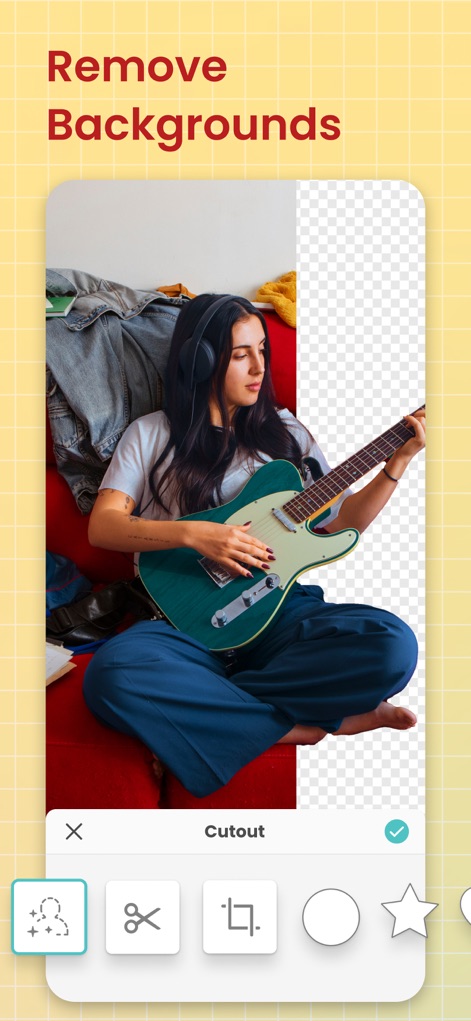
Instant Background Cutouts
Witness the 'Cutout' tool's efficiency in isolating subjects from their backgrounds, offering diverse shape options like stars and hearts for creative effects.
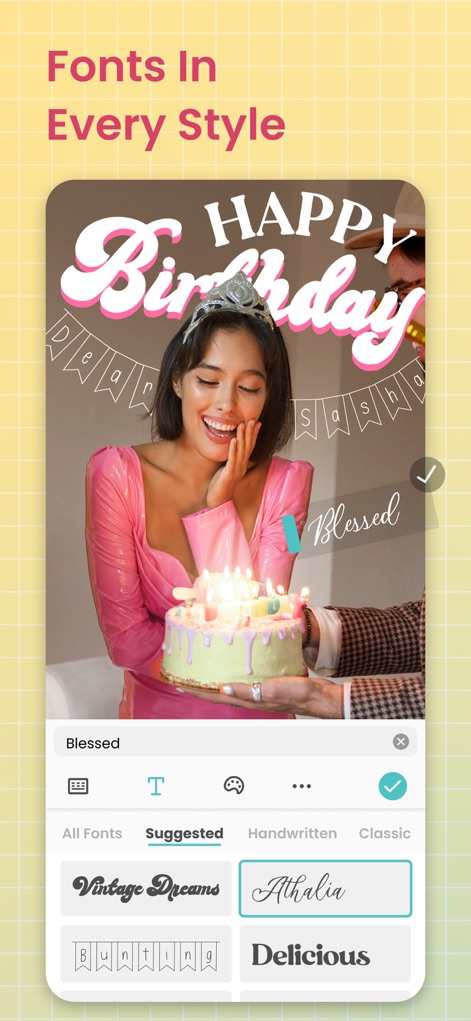
Expressive Text Customization
Explore a rich selection of fonts, from 'Handwritten' to 'Classic', allowing users to personalize their creations with expressive text overlays.
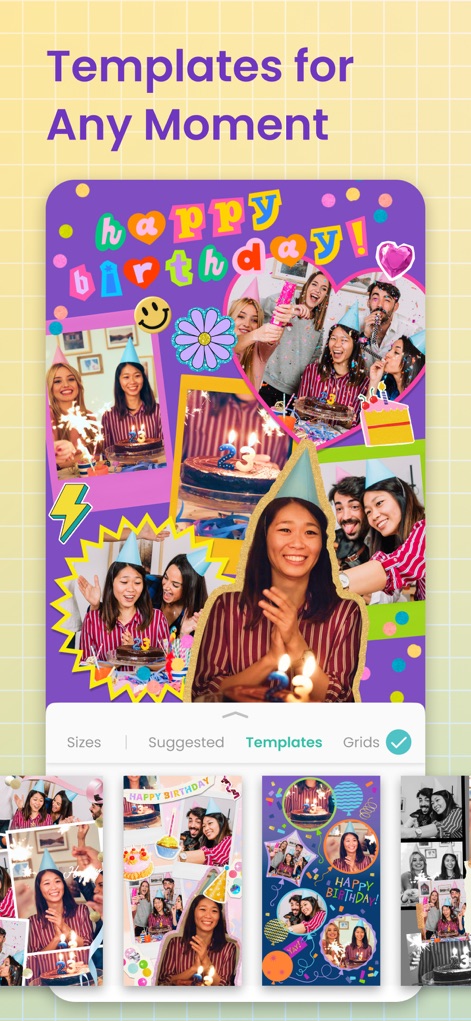
Curated Collage Templates
Browse a wide array of ready-to-use 'Templates' for various occasions, simplifying the creation of vibrant collages with multiple photos and elements.

Enhance with Filters
See how users can apply artistic 'Filters' and fine-tune image properties using the 'Adjust' tool to enhance photo aesthetics.
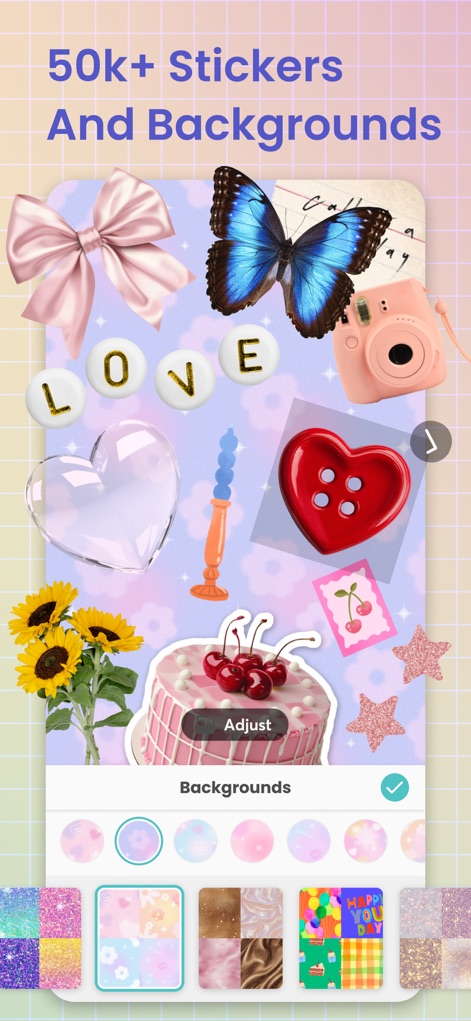
Vast Creative Assets
Uncover a massive library of 50,000+ 'Stickers' and unique 'Backgrounds' that users can easily integrate to personalize their projects.
Description
Download
More Like This
Apps with similar features and user experience

SCRL: Photo Collage Maker
Appostrophe AB

PhotoGrid: Video Collage Maker
JUPITER PALACE PTE. LTD.

Layout for Instagram: Collage
Shamble, Inc.

Photo Collage Maker: InCollage
SHANTANU PTE. LTD.

TicPic
Zhuhai Kuxiong Network Technology Co., Ltd.

Collage Maker: CollagePlus
Shamble, Inc.

Photo Collage Montage Maker
Honk Honk Punch Pty Ltd

Photo Collage Maker & Creator
Honk Honk Punch Pty Ltd

Photo Collage Montage & Layout
Honk Honk Punch Pty Ltd
This page is not an official page of the app or its developer, but an independent editorial publication created for informational and commentary purposes. Unless expressly stated otherwise, neither the app nor its developer is affiliated with, endorsed by, sponsored by, authorized by, or otherwise officially connected with MWM, Apple, Google Play, the app publisher, or the app's developer, and nothing on this page implies that the app was developed using MWM's services. Any trademarks, logos, screenshots, and other content remain the property of their respective owners.