
This page is not an official page of the app or its developer, but an independent editorial publication created for informational and commentary purposes. Unless expressly stated otherwise, neither the app nor its developer is affiliated with, endorsed by, sponsored by, authorized by, or otherwise officially connected with MWM, Apple, Google Play, the app publisher, or the app's developer, and nothing on this page implies that the app was developed using MWM's services. Any trademarks, logos, screenshots, and other content remain the property of their respective owners.


PicMa: AI Photo & Video Editor
From restoring vintage family photos to creating viral AI styles, elevate your pictures and videos with professional-grade tools in just one tap.
Downloads
2M+User Rating
Total Ratings
17K+Publisher
Category
Photo & VideoLocales
15Latest Version
3.6.21Size
222.8 MBFirst Released
Dec 20, 2021Transform Your Memories with AI
Join millions using PicMa to breathe new life into old family photos and create stunning digital art with one-tap professional tools.
Restore & Colorize
Breathe life into heritage photos by instantly fixing scratches, blurriness, and adding vibrant, natural color to black-and-white images.
Magic Artistic Filters
Turn your everyday snapshots into iconic Ghibli-style animations or high-end digital masterpieces with a single tap.
Frequently Asked Questions
Everything you need to know about PicMa: AI Photo & Video Editor
What is PicMa: AI Photo & Video Editor?
PicMa is an AI-powered photo and video editor that enhances, restores, and transforms media instantly. It offers features like AI enhancement, video creation from images, and old photo restoration with a single tap.
Can PicMa enhance video quality?
Yes, PicMa enhances video quality instantly. It uses AI technology to boost clarity, color, and overall appeal, turning blurry videos into breathtaking ones.
How does PicMa restore old and damaged photos?
PicMa restores old photos by removing scratches and blurriness, and it can colorize black-and-white images. This breathes new life into faded or damaged pictures.
Does PicMa offer subscription plans for its features?
Yes, PicMa offers flexible subscription options, including weekly, monthly, or yearly plans. Payment is managed via your iTunes account.
How can I manage my PicMa subscription renewals?
You can manage your PicMa subscription and turn off renewals easily within your iTunes Account Settings. This provides full control over your billing options.
Can PicMa turn images into videos?
Yes, PicMa's Revive Video feature can transform static photos into vivid AI videos, adding energy and creating dynamic, heartwarming moments like dance moves.
What AI filters are available in PicMa?
PicMa provides various AI filters, including the popular Ghibli Style, as part of its Magic Filter feature. These filters offer unique styles to enhance creativity.
Can PicMa remove unwanted objects from photos?
Yes, PicMa includes a feature to remove unwanted objects, allowing users to effortlessly clean up their photos by deleting distracting elements with AI.
Does PicMa include professional photo editing tools?
Yes, PicMa offers Professional Adjustments, providing advanced editing tools to fine-tune images. This feature ensures a polished, studio-level professional look for photos.
How does PicMa use AI for photo styling and editing?
PicMa uses AI to generate new perspectives and styles for photos, allowing users to push creative limits. This includes features like AI Photo Styles and one-word text prompts for editing.
The following screenshots and description are sourced directly from the app's official store listing and are the property of the app developer.
App Store
Screenshots

A woman in a flower field featured in the PicMa AI Photo and Video Editor app splash screen
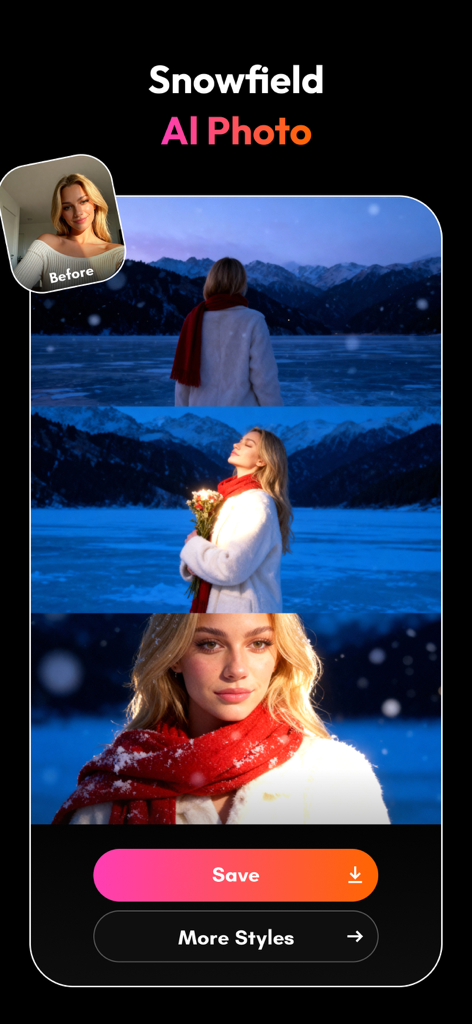
AI photo editing app interface showing a woman transformed into a snowfield setting using PicMa AI filters

Corgi in a Christmas sweater with a 3D depth effect on a smartphone screen
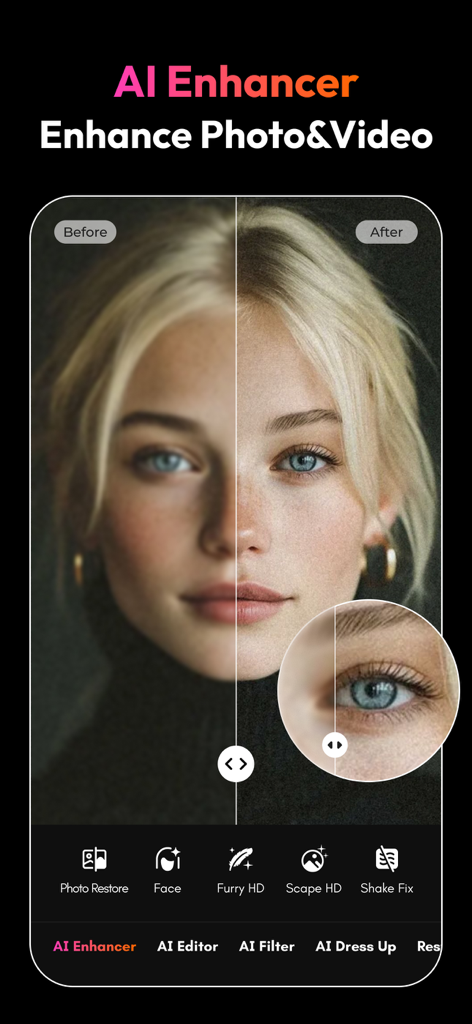
Before and after comparison of a portrait using PicMa AI photo enhancer
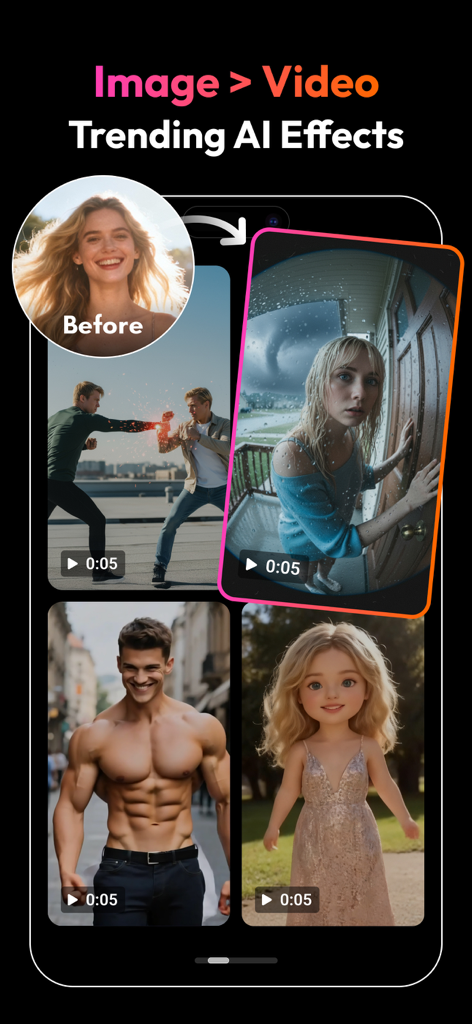
PicMa app interface showcasing AI trending effects that transform static images into short videos
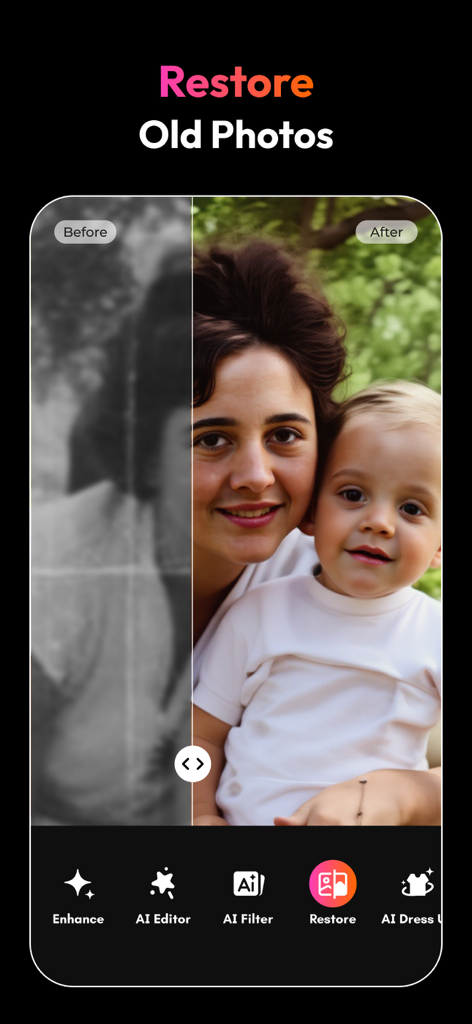
Before and after comparison of an old black and white photo restored and colorized using PicMa AI
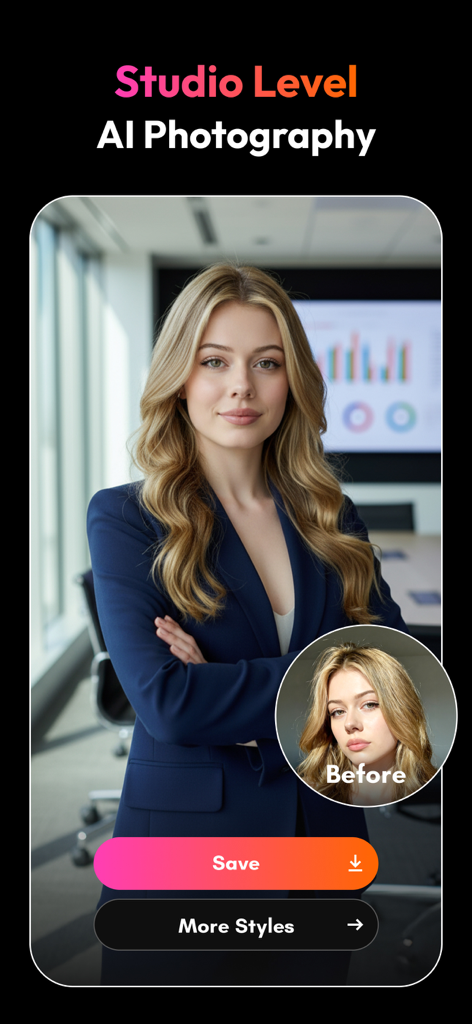
A comparison showing a woman's casual selfie transformed into a studio-level professional portrait using AI
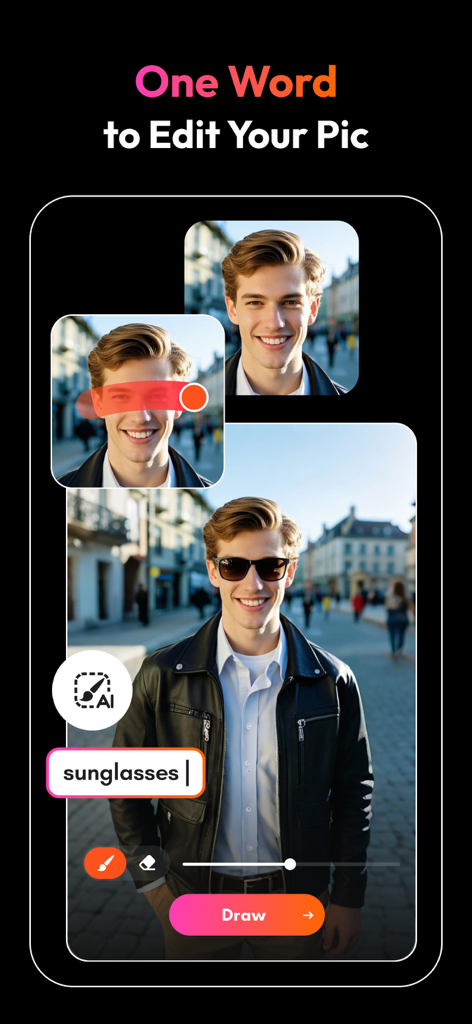
A demonstration of PicMa's AI feature adding sunglasses to a man's portrait by typing the word into a text prompt.
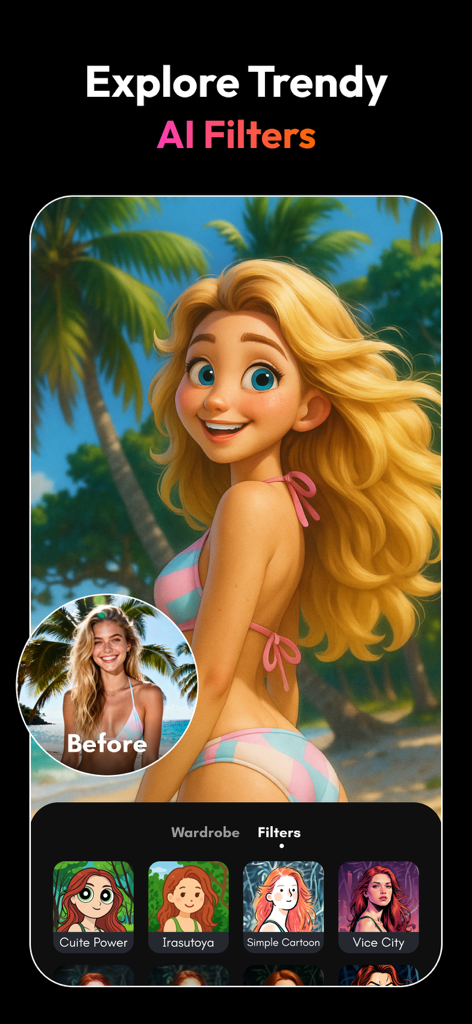
Woman portrait transformed into a cartoon style using PicMa AI filters
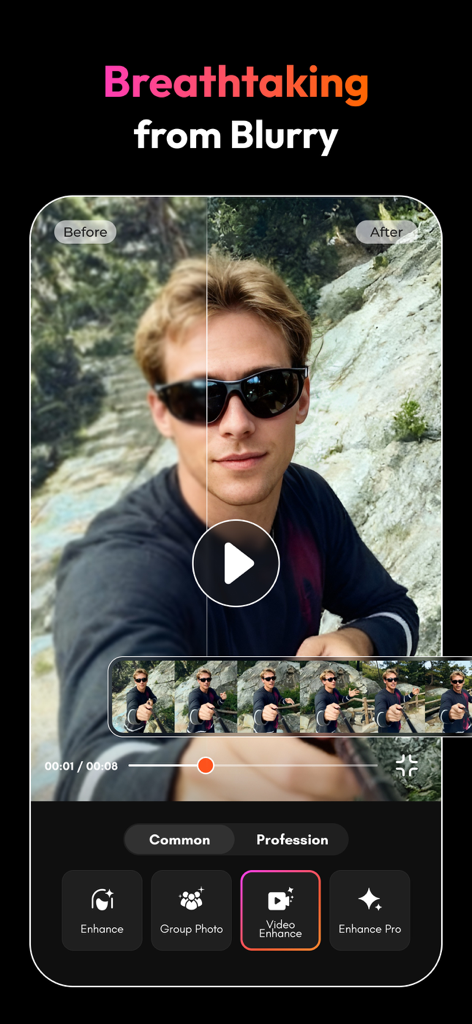
A side by side comparison showing a blurry video clip being sharpened and enhanced using the PicMa AI video editor app.
Description
Download
More Like This
Apps with similar features and user experience

EPIK - AI Photo & Video Editor
SNOW Corporation

Citrus: AI 1 Tap Perfect Photo
Wemagine.ai LLP

SnapEdit: Photo Editor AI
SilverAI Joint Stock Company

Background Eraser 〜 Stickers
handyCloset Inc.

PhotoScan by Google Photos
Google LLC

Magic Eraser - Remove Object
Creatix Technology Global Limited

Magic Eraser Background Editor
Honk Honk Punch Pty Ltd

ProKnockOut-Cut Paste Photos
Shenzhen Qianhai Happy Tour Network Technology Co., Ltd.

Background Eraser - Remove BG*
SHANTANU PTE. LTD.
This page is not an official page of the app or its developer, but an independent editorial publication created for informational and commentary purposes. Unless expressly stated otherwise, neither the app nor its developer is affiliated with, endorsed by, sponsored by, authorized by, or otherwise officially connected with MWM, Apple, Google Play, the app publisher, or the app's developer, and nothing on this page implies that the app was developed using MWM's services. Any trademarks, logos, screenshots, and other content remain the property of their respective owners.