
This page is not an official page of the app or its developer, but an independent editorial publication created for informational and commentary purposes. Unless expressly stated otherwise, neither the app nor its developer is affiliated with, endorsed by, sponsored by, authorized by, or otherwise officially connected with MWM, Apple, Google Play, the app publisher, or the app's developer, and nothing on this page implies that the app was developed using MWM's services. Any trademarks, logos, screenshots, and other content remain the property of their respective owners.

PixCalc
The ultimate pixel and DPI converter for designers and photographers. Eliminate resolution guesswork and bridge the gap between digital files and physical prints instantly.
Downloads
100User Rating
Total Ratings
0Publisher
Category
UtilitiesLocales
7Latest Version
1.0Size
0.6 MBFirst Released
Aug 5, 2025Precision-Engineered for Creative Clarity
Bridge the gap between digital design and physical reality. PixCalc provides instant, error-free conversions for pixels, DPI, and dimensions, ensuring your work looks perfect on any medium.
Seamless Digital-to-Print Conversion
Instantly convert pixels to inches, cm, or mm. Eliminate the guesswork and ensure your designs fit physical specs perfectly every time.
DPI & PPI Optimization
Calculate the exact resolution needed for crisp prints or retina-ready displays. No more pixelated surprises or blurry exports.
Frequently Asked Questions
Everything you need to know about PixCalc
What is PixCalc?
PixCalc is a calculator designed for converting pixels, physical measurements, and DPI. It helps users calculate resolutions and print sizes with precision, making it ideal for designers, photographers, and printing professionals.
What types of conversions does PixCalc support?
PixCalc supports conversions for Centimeters (CM), Millimeters (MM), Meters, Pixels (PX), and Resolution (DPI). It also calculates PX and DPI required for printing.
Can PixCalc calculate print sizes?
Yes, PixCalc calculates print sizes. Users can determine the required PX and DPI for printing, either by selecting standard sizes or by manually entering custom dimensions.
Does PixCalc support standard print dimensions?
Yes, PixCalc supports standard print dimensions. It includes preset options like A5, A4, A3, A2, A1, A0, and common photo sizes such as 10x15 cm, 13x18 cm, and larger.
How does PixCalc assist with print quality settings?
PixCalc assists with print quality by allowing users to select High, Medium, or Low quality settings. It also offers an option to automatically use recommended DPI for optimal results.
Can I manually input dimensions for print calculations in PixCalc?
Yes, PixCalc allows manual input of dimensions for print calculations. Users can enter custom width and height values in centimeters to calculate the required pixels and DPI.
Who is PixCalc designed for?
PixCalc is designed for designers, photographers, and printing professionals. It provides tools for precise resolution and print size calculations, enhancing their workflow.
Does PixCalc convert between different measurement units?
Yes, PixCalc converts between different measurement units. It allows users to input values in one unit, such as meters, and convert them to other supported units like centimeters, millimeters, or pixels.
The following screenshots and description are sourced directly from the app's official store listing and are the property of the app developer.
App Store
Screenshots
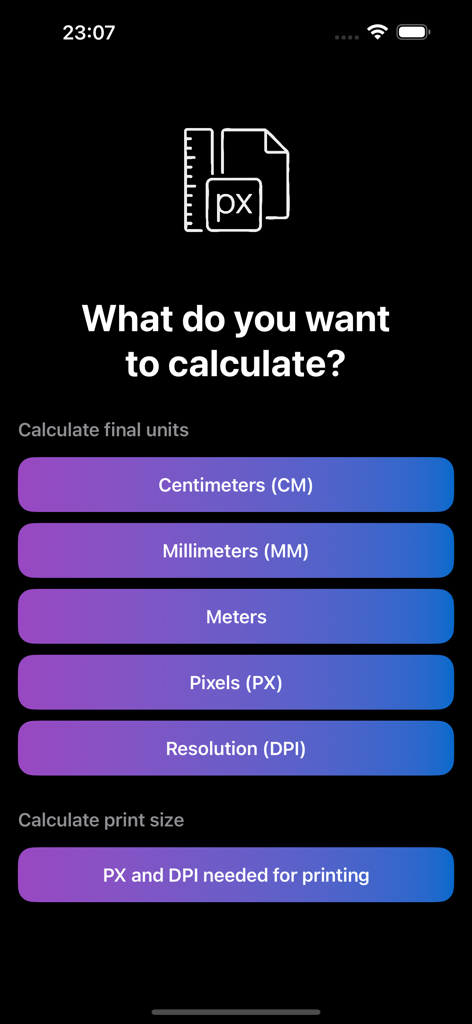
Main screen of the PixCalc app showing options to calculate pixels centimeters millimeters meters and resolution
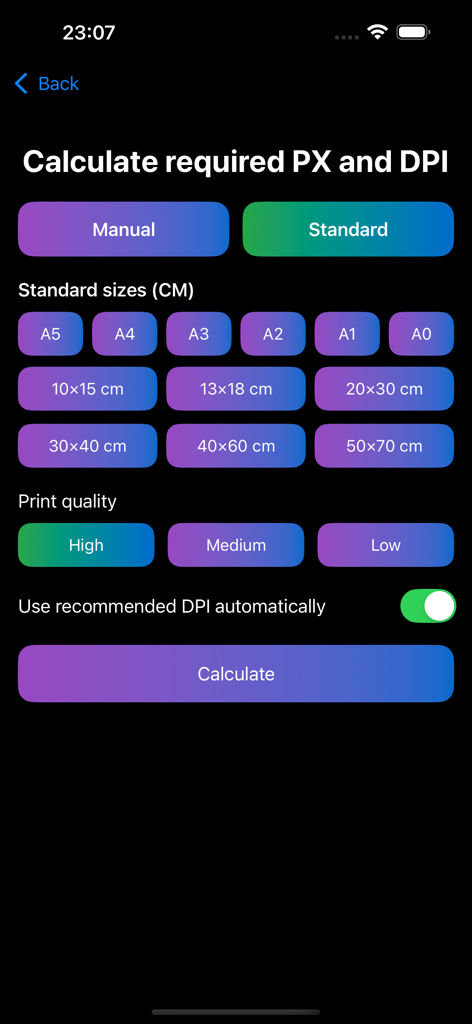
PixCalc interface for selecting standard print sizes and quality to calculate required pixels and DPI
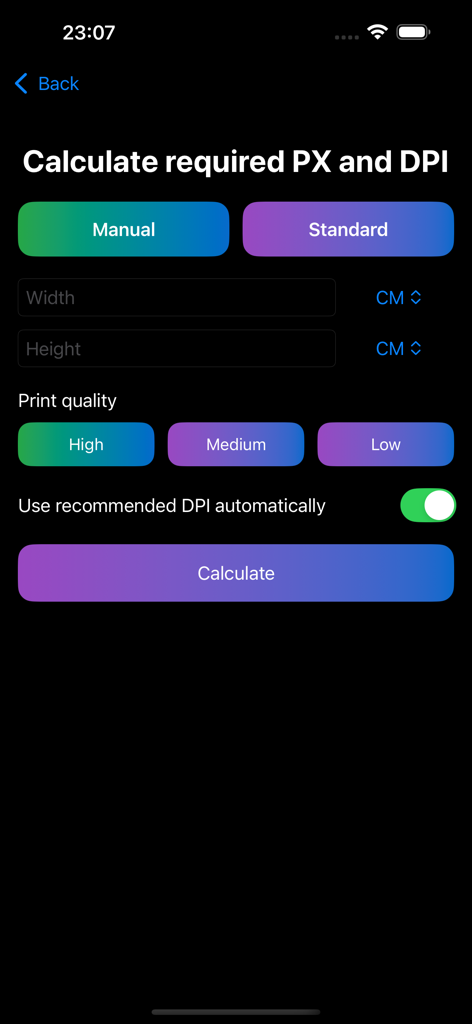
PixCalc app screen for calculating pixel dimensions and DPI based on physical size and print quality
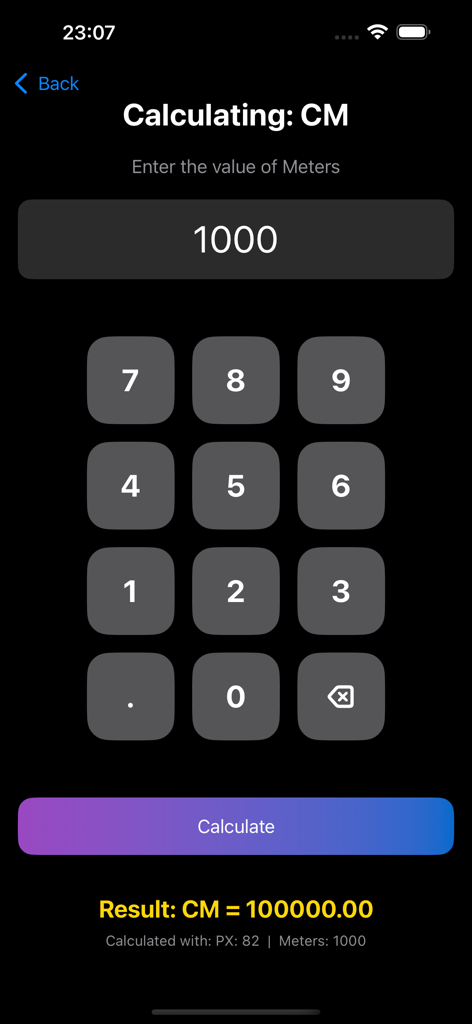
PixCalc app interface showing a conversion from meters to centimeters with a numeric keypad
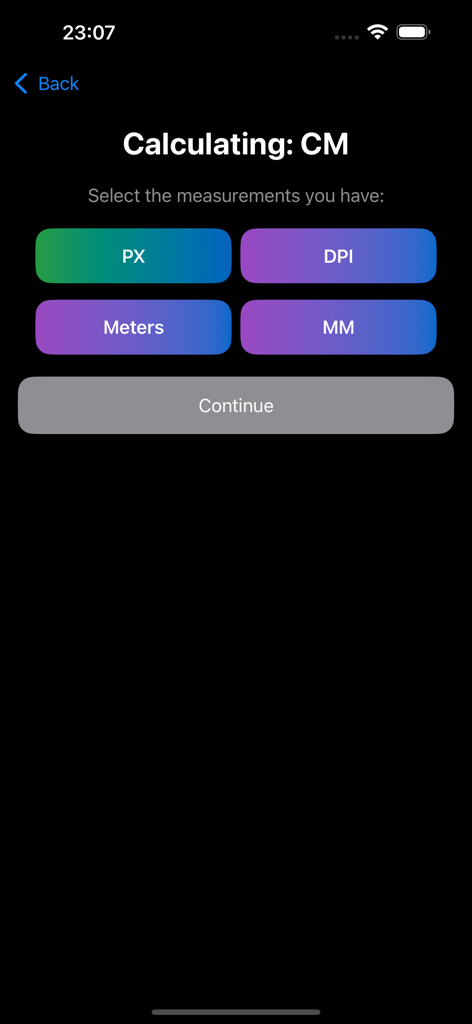
Measurement unit selection screen in PixCalc app for calculating centimeters
Description
Download
More Like This
Top-ranked apps in the same category

Google LLC

Google Chrome
Google LLC

中国移动(手机营业厅)
China Mobile Online Services Co., Ltd.

Google Authenticator
Google LLC

CNH do Brasil
Servicos e Informacoes do Brasil

Cleanup: Phone Storage Cleaner
DEEP FLOW SOFTWARE SERVICES - FZCO

gov.br
Servicos e Informacoes do Brasil

中国电信-全国统一官方服务平台
CHINA TELECOM Corporation Ltd.

Microsoft Edge: AI Browser
Microsoft Corporation
This page is not an official page of the app or its developer, but an independent editorial publication created for informational and commentary purposes. Unless expressly stated otherwise, neither the app nor its developer is affiliated with, endorsed by, sponsored by, authorized by, or otherwise officially connected with MWM, Apple, Google Play, the app publisher, or the app's developer, and nothing on this page implies that the app was developed using MWM's services. Any trademarks, logos, screenshots, and other content remain the property of their respective owners.