
This page is not an official page of the app or its developer, but an independent editorial publication created for informational and commentary purposes. Unless expressly stated otherwise, neither the app nor its developer is affiliated with, endorsed by, sponsored by, authorized by, or otherwise officially connected with MWM, Apple, Google Play, the app publisher, or the app's developer, and nothing on this page implies that the app was developed using MWM's services. Any trademarks, logos, screenshots, and other content remain the property of their respective owners.


Pixelcut AI Photo Editor
This app hands you creative control, transforming mundane photos into polished visuals.
Downloads
25M+User Rating
Total Ratings
786.7KPublisher
Category
Graphics & DesignLocales
18Latest Version
0.44.4Size
160.2 MBFirst Released
Nov 3, 2020An evaluation of key features designed for e-commerce, content creation, and small business visual marketing.
Pixelcut AI Photo Editor: Core Capabilities Analysis
AI Actors
It allows users to showcase products on photorealistic AI-generated models, creating AI ads and lifestyle imagery without traditional casting calls or photography costs.
Background Remover
The app provides instant removal of backgrounds from photos and videos, enabling clean product shots, portraits, or scene adjustments with high accuracy.
Batch Editor
This tool features bulk editing capabilities, allowing users to process up to 100 photos simultaneously for tasks like background removal, color swapping, and resizing, significantly boosting efficiency for large catalogs.
AI Image & Video Generator
It allows users to create stunning images and videos from text prompts, leveraging cutting-edge AI models to rapidly turn ideas into visual content.
Templates
The app offers thousands of ready-made designs for social posts, product listings, and thumbnails, providing professional starting points for various visual content needs.
AI Backgrounds
This tool enables users to generate stunning AI backgrounds for any photo, allowing for creative scene composition and product staging without physical sets.
Ghost Mannequin
It allows fashion brands to automatically remove mannequins and dress forms from clothing photos, achieving a professional 'floating apparel' look.
Magic Eraser
The app provides a magic eraser function to seamlessly remove unwanted objects, people, text, or watermarks from images, ensuring clean and professional results.
Image Expander & Generative Fill
This tool allows users to extend photos beyond their original edges with AI, seamlessly adding more background or scene elements to adapt images or enhance compositions.
Image Upscaler
The app features an image upscaler to enhance photos to sharp, high-definition quality without loss, ideal for improving low-resolution images or restoring older visuals.
Frequently Asked Questions
Everything you need to know about Pixelcut AI Photo Editor
Can Pixelcut AI Photo Editor remove backgrounds from images?
Yes, Pixelcut AI Photo Editor features a precise background remover that instantly creates a transparent background. Users can then change it to an AI-generated background or a solid color.
Does Pixelcut AI Photo Editor generate AI backgrounds?
Yes, Pixelcut AI Photo Editor includes an AI background generator. Users can change photo backgrounds to various AI-generated scenes, such as a kitchen counter or a beach.
How does the Magic Eraser tool work in Pixelcut AI Photo Editor?
The Magic Eraser in Pixelcut AI Photo Editor removes unwanted objects from photos with a swipe. This feature cleans up pictures without creating blurry messes, making objects disappear completely.
What features are included with a Pixelcut Pro membership?
A Pixelcut Pro membership offers unlimited instant background removals, hundreds of templates, fonts, overlays, and backdrops. These resources are updated monthly to enhance creative projects.
Does a Pixelcut Pro subscription auto-renew?
Yes, a Pixelcut Pro subscription auto-renews at the end of each term (monthly or yearly) unless cancelled 24 hours in advance. The fee charges to your iTunes account upon purchase.
Can Pixelcut AI Photo Editor add white backgrounds to images?
Yes, Pixelcut AI Photo Editor can quickly replace backgrounds with a white background or any other color. Users can also choose from over 2 million backgrounds.
Can I add shadows to images using Pixelcut AI Photo Editor?
Yes, Pixelcut AI Photo Editor allows users to easily add AI shadows to products after changing backgrounds. This gives images a professional and polished appearance.
Does Pixelcut AI Photo Editor support batch editing?
Yes, Pixelcut AI Photo Editor includes a batch edit feature. Users can apply various background options like transparent, white, or color, and add shadows or reflections to multiple items simultaneously.
Can Pixelcut AI Photo Editor create ghost mannequins?
Yes, Pixelcut AI Photo Editor provides a feature to create ghost mannequins. This allows users to display clothing items with a hollow or invisible mannequin effect for e-commerce.
Does Pixelcut AI Photo Editor have a feature to expand photos?
Yes, Pixelcut AI Photo Editor includes a feature to expand photos. Users can extend image borders, providing more canvas space for creative adjustments and compositions.
The following screenshots and description are sourced directly from the app's official store listing and are the property of the app developer.
App Store
Screenshots
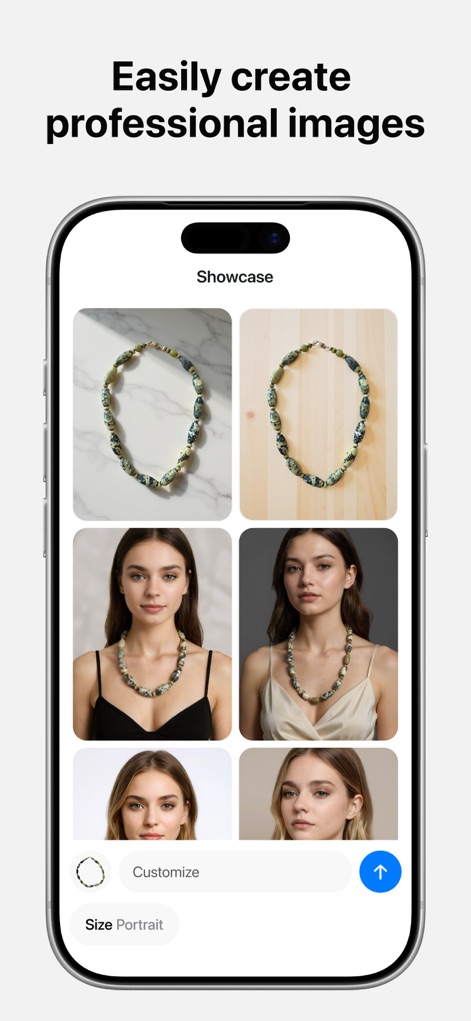
See how Pixelcut streamlines product presentation with AI-generated models and customizable sizing options for diverse outputs.
Professional Product Showcase
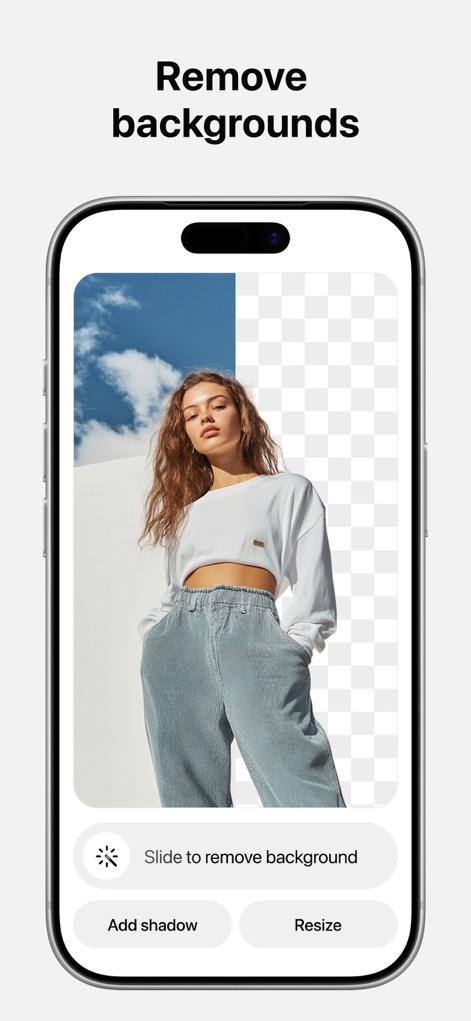
Observe the app's precise background remover tool in action, showcasing clean cutouts and options to add shadows or resize the subject.
Instant Background Removal

Explore how users can effortlessly generate diverse AI backgrounds for product photos, transforming scenes from simple studios to vivid outdoor settings.
AI Scene Generation
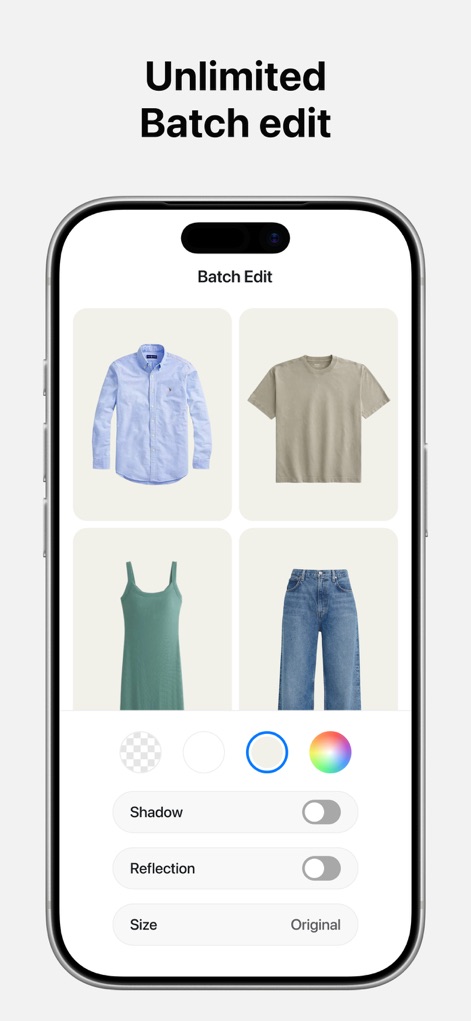
This screenshot highlights the app's powerful batch editor, enabling users to apply uniform background colors and toggle shadows across multiple product images simultaneously.
Efficient Batch Processing
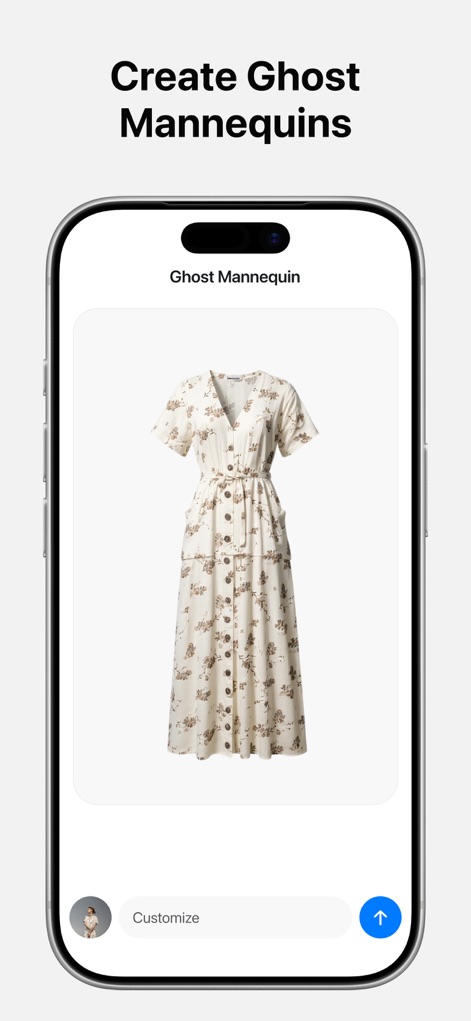
Discover the specialized Ghost Mannequin feature, which expertly removes dress forms to achieve professional, floating apparel visuals for clothing photos.
Ghost Mannequin Effect

Witness how the app facilitates virtual try-ons, showcasing garments on different AI models and in diverse AI-generated environments for realistic previews.
Virtual Apparel Try-On
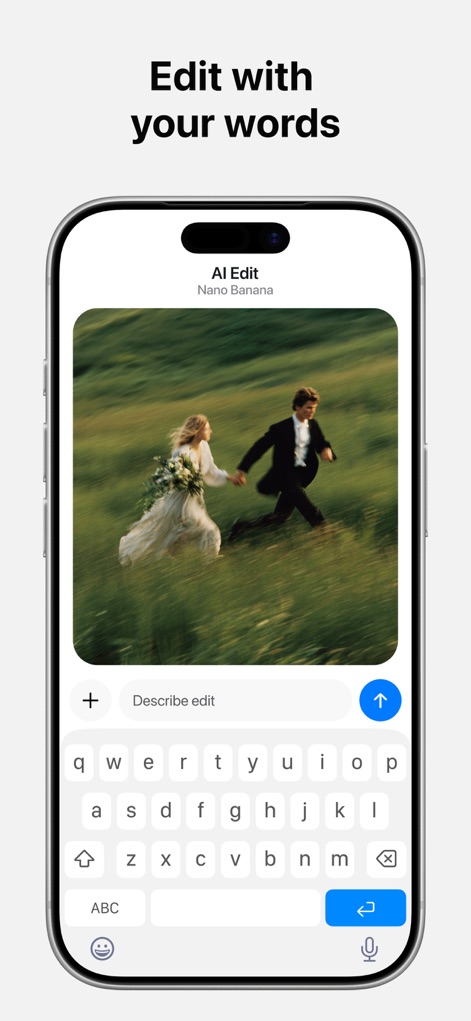
This screen reveals the intuitive "AI Edit" function, allowing users to make precise image adjustments by simply typing descriptive text prompts, leveraging advanced AI models like Nano Banana.
Conversational AI Editing
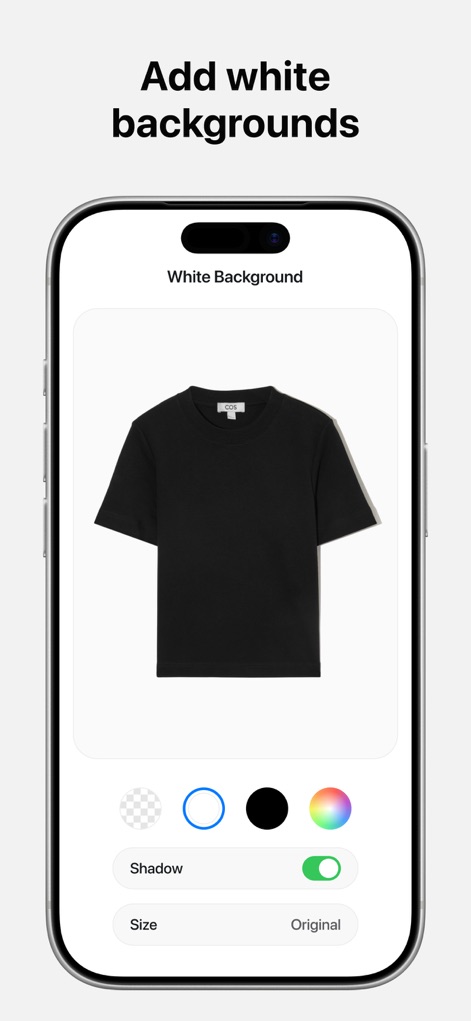
See how the app offers quick white background application, complete with options to add realistic shadows, ideal for e-commerce product listings.
Pristine Product Backgrounds
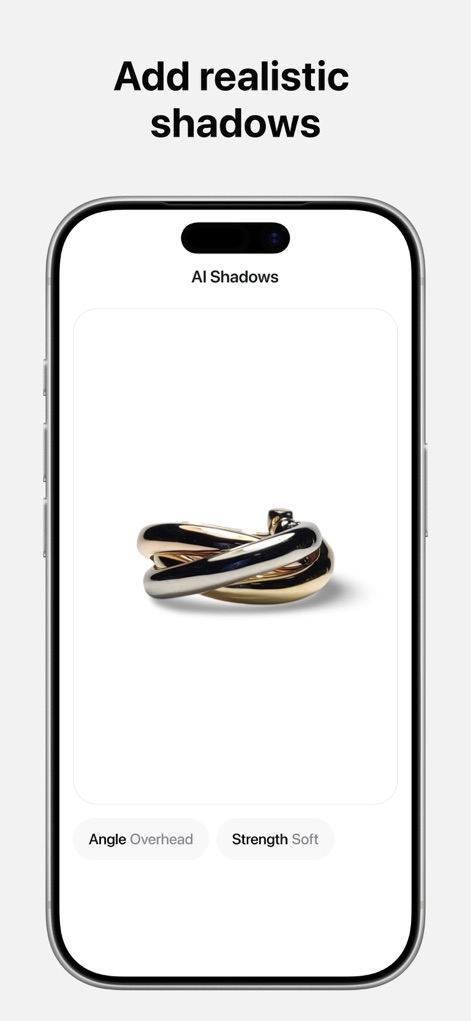
Observe the app's capability to generate realistic AI shadows, offering granular control over attributes like angle and strength for enhanced product photo depth.
Dynamic AI Shadows
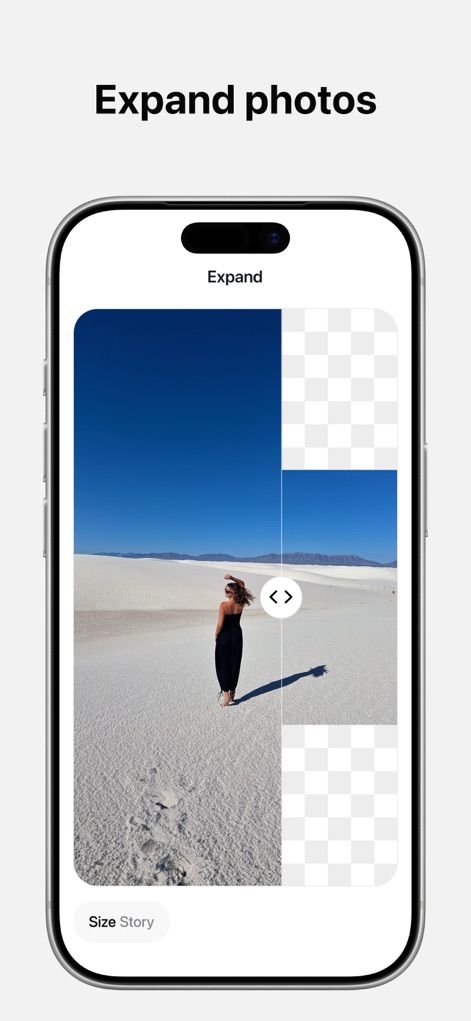
This screenshot demonstrates the innovative Image Expander feature, allowing users to seamlessly extend photo canvases and adjust sizing for various platforms like social stories.
Generative Image Expansion
Description
Download
More Like This
Apps with similar features and user experience

EPIK - AI Photo & Video Editor
SNOW Corporation

Citrus: AI 1 Tap Perfect Photo
Wemagine.ai LLP

SnapEdit: Photo Editor AI
SilverAI Joint Stock Company

Background Eraser 〜 Stickers
handyCloset Inc.

PhotoScan by Google Photos
Google LLC

Magic Eraser - Remove Object
Creatix Technology Global Limited

Magic Eraser Background Editor
Honk Honk Punch Pty Ltd

ProKnockOut-Cut Paste Photos
Shenzhen Qianhai Happy Tour Network Technology Co., Ltd.

Background Eraser - Remove BG*
SHANTANU PTE. LTD.
This page is not an official page of the app or its developer, but an independent editorial publication created for informational and commentary purposes. Unless expressly stated otherwise, neither the app nor its developer is affiliated with, endorsed by, sponsored by, authorized by, or otherwise officially connected with MWM, Apple, Google Play, the app publisher, or the app's developer, and nothing on this page implies that the app was developed using MWM's services. Any trademarks, logos, screenshots, and other content remain the property of their respective owners.