
This page is not an official page of the app or its developer, but an independent editorial publication created for informational and commentary purposes. Unless expressly stated otherwise, neither the app nor its developer is affiliated with, endorsed by, sponsored by, authorized by, or otherwise officially connected with MWM, Apple, Google Play, the app publisher, or the app's developer, and nothing on this page implies that the app was developed using MWM's services. Any trademarks, logos, screenshots, and other content remain the property of their respective owners.


PIXPRO Remote Viewer
Transform your iPhone into a powerful remote viewfinder. Capture stunning shots from a distance and transfer your high-resolution photos instantly for effortless social sharing.
Downloads
143K+User Rating
Total Ratings
500Publisher
Category
Photo & VideoLocales
26Latest Version
3.2.7Size
18.4 MBFirst Released
Mar 18, 2014Seamless Control for Every Shot
Transform your iPhone into a professional viewfinder and bridge the gap between your Kodak camera and your social circle.
Remote Live View
Use your phone as a high-definition wireless viewfinder to frame the perfect shot even when you are not behind the lens.
Instant Social Sync
Skip the cables and memory cards. Transfer high-resolution memories directly to your Camera Roll for instant sharing on social media.
Frequently Asked Questions
Everything you need to know about PIXPRO Remote Viewer
Is the PIXPRO Remote Viewer app compatible with all KODAK PIXPRO cameras?
Yes, the PIXPRO Remote Viewer app is compatible with KODAK PIXPRO SMART LENS cameras and any KODAK PIXPRO digital cameras that feature Wi-Fi functionality.
How does the PIXPRO Remote Viewer app connect to KODAK PIXPRO cameras?
The PIXPRO Remote Viewer app requires a KODAK PIXPRO digital camera with an active Wi-Fi function to establish a connection and operate correctly.
What iOS version does the PIXPRO Remote Viewer app require?
The PIXPRO Remote Viewer app supports devices running iOS 16 or a higher operating system version.
Does the PIXPRO Remote Viewer app allow file editing in Playback Mode?
No, the current version of the PIXPRO Remote Viewer app no longer includes the file-editing function in Playback Mode. Other operating functions remain unchanged.
How can users prevent data loss when updating the PIXPRO Remote Viewer app?
Users must transfer images and videos from the old app's playback path to the Camera Roll before installing the new PIXPRO Remote Viewer app to prevent data loss.
Is a firmware update required for KODAK PIXPRO cameras to use the PIXPRO Remote Viewer app?
Users should update their camera's firmware to version 1.05 or above for optimal control and experience with the PIXPRO Remote Viewer app. The firmware is available on www.kodakpixpro.com.
Can I control camera settings remotely using the PIXPRO Remote Viewer app?
Yes, the PIXPRO Remote Viewer app allows users to adjust camera settings such as AWB (Auto White Balance), ISO, and EV (Exposure Value) remotely via the on-screen controls.
Can I manage photos directly from the PIXPRO Remote Viewer app?
Yes, the PIXPRO Remote Viewer app enables users to share, download, and delete images directly from the playback interface.
Does the PIXPRO Remote Viewer app support video playback?
Yes, the PIXPRO Remote Viewer app supports video playback, showing the duration of the video and providing options to share, download, or delete it.
How does the PIXPRO Remote Viewer app display media in its gallery?
The PIXPRO Remote Viewer app displays a gallery view of stored media, organized by date, allowing users to browse image and video thumbnails efficiently.
The following screenshots and description are sourced directly from the app's official store listing and are the property of the app developer.
App Store
Screenshots
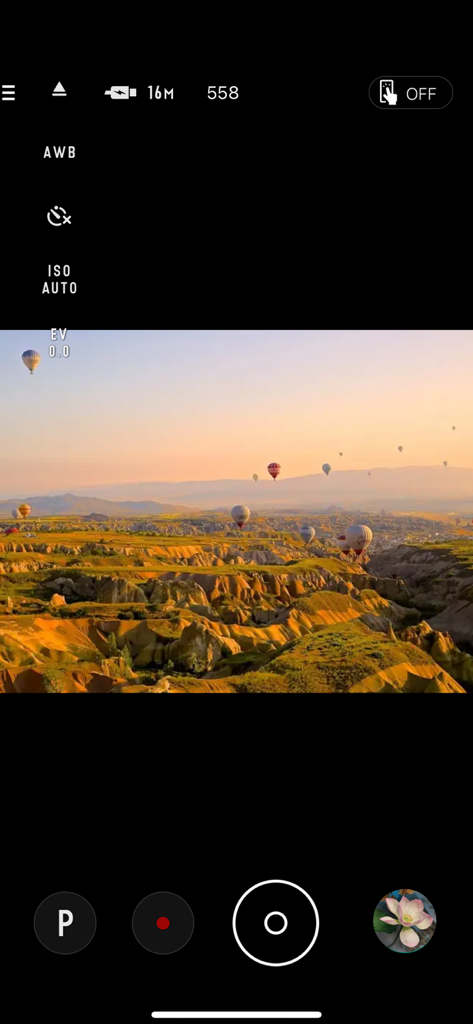
PIXPRO Remote Viewer app interface showing a camera viewfinder with hot air balloons over a scenic landscape

Photo playback on PIXPRO Remote Viewer app showing a sunset landscape
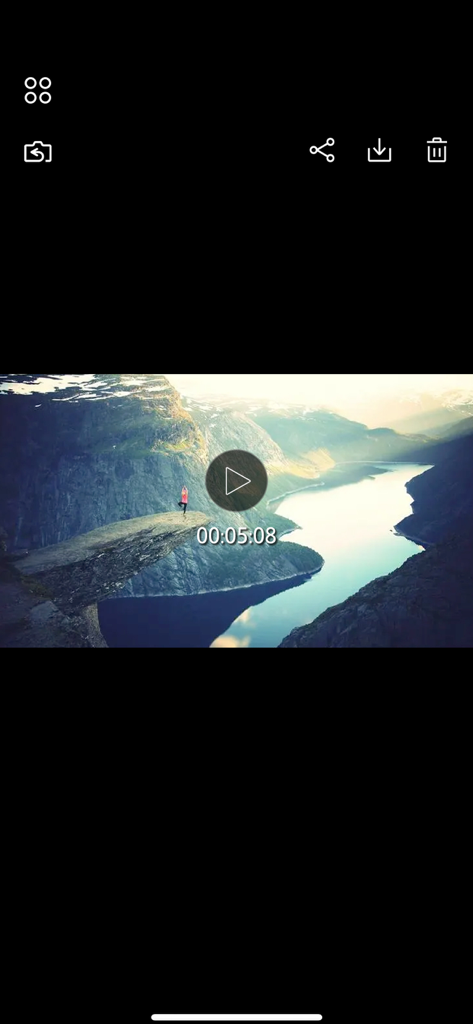
Video playback interface of the PIXPRO Remote Viewer app showing a scenic mountain landscape
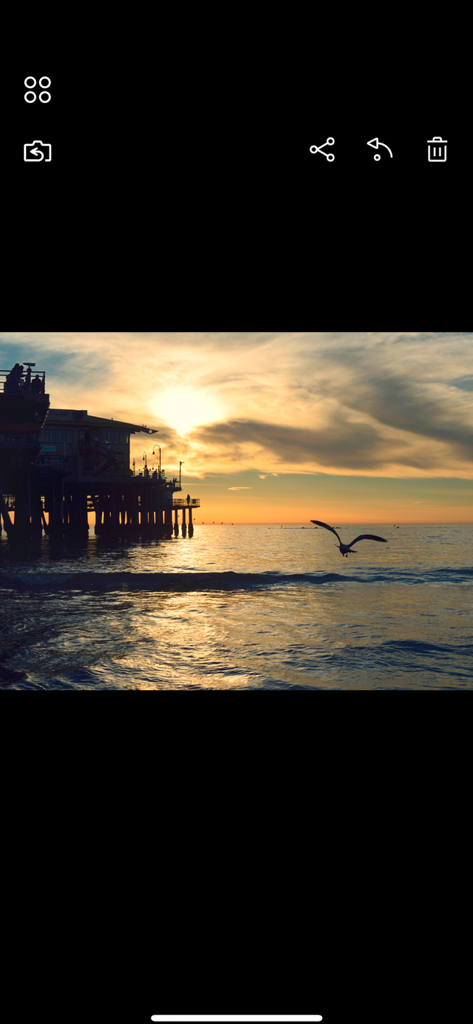
PIXPRO Remote Viewer app displaying a sunset photo over a coastal pier
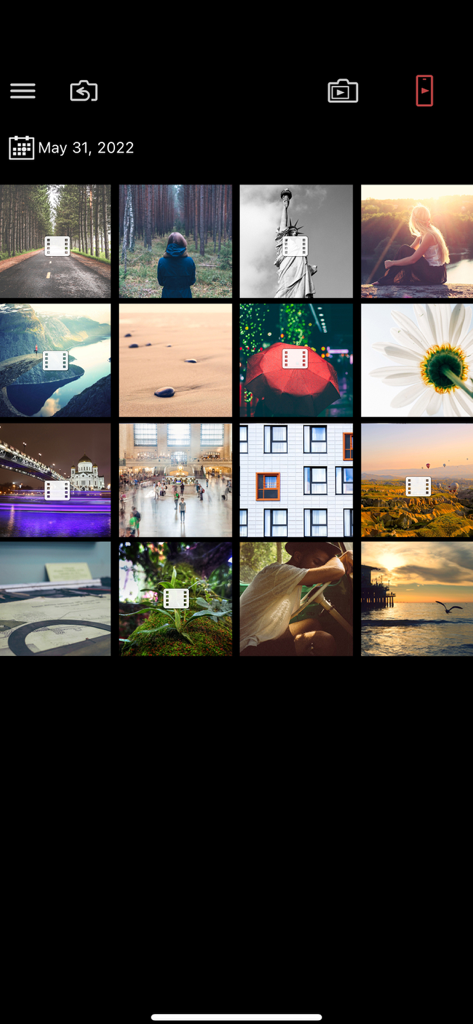
A grid view of photos and videos captured with a Kodak PIXPRO camera displayed in the mobile app gallery.
Description
Download
More Like This
Apps with similar features and user experience

喔图 - Photo Live Streaming
Oying network & technology Co., Ltd
Shutter - Canon Camera Remote
Camera Control Apps sp. z o.o.

AirShutter Camera
masaki matsushita

Cam Linker - Camera Transfer
恒茂 刘

Panasonic LUMIX Sync
Panasonic Holdings Corporation

Leica FOTOS
Leica Camera AG

ShutterSnitch
Brian Gerfort
Camera Connect & Control
Rupert Kurka

Panasonic LUMIX Lab
PANASONIC ENTERTAINMENT & COMMUNICATION CO., LTD.
This page is not an official page of the app or its developer, but an independent editorial publication created for informational and commentary purposes. Unless expressly stated otherwise, neither the app nor its developer is affiliated with, endorsed by, sponsored by, authorized by, or otherwise officially connected with MWM, Apple, Google Play, the app publisher, or the app's developer, and nothing on this page implies that the app was developed using MWM's services. Any trademarks, logos, screenshots, and other content remain the property of their respective owners.