
This page is not an official page of the app or its developer, but an independent editorial publication created for informational and commentary purposes. Unless expressly stated otherwise, neither the app nor its developer is affiliated with, endorsed by, sponsored by, authorized by, or otherwise officially connected with MWM, Apple, Google Play, the app publisher, or the app's developer, and nothing on this page implies that the app was developed using MWM's services. Any trademarks, logos, screenshots, and other content remain the property of their respective owners.


Polestar
Experience the pinnacle of Scandinavian innovation. From remote climate management to real-time charging updates, your digital concierge ensures your car is always ready for the road ahead.
Downloads
181K+User Rating
Total Ratings
27K+Publisher
Category
LifestyleLocales
12Latest Version
5.2.0Size
188.4 MBFirst Released
Feb 28, 2019Master Every Mile
The Polestar app is a sophisticated digital concierge designed for the progressive professional, blending Scandinavian minimalism with total vehicle command.
Remote Climate Control
Pre-condition your cabin to the perfect temperature and manage security with a single tap, ensuring your car is ready when you are.
Precision Battery Insights
Monitor your range and charging status in real-time with an intuitive dashboard designed to optimize your high-performance lifestyle.
Frequently Asked Questions
Everything you need to know about Polestar
What functionalities does the Polestar app offer for car control?
The Polestar app controls in-car climate, door locks, and locates your car. It displays battery and charging status and tracks software installations for your Polestar vehicle.
Can users manage their Polestar car through the app?
Yes, users manage their Polestar car by accessing the owner's manual, connecting to the car, and managing other users. They also book service appointments directly through the Polestar app.
How does the Polestar app keep users informed about their car?
The Polestar app provides regular updates on car and software status. It also offers news articles to dive deeper into the Polestar world.
What support options are available within the Polestar app?
The Polestar app offers direct access to the support team, live chats with experts, and a comprehensive FAQ section for assistance.
Can I manage my Polestar ID and orders using the app?
Yes, users view and manage their orders and Polestar ID. The app includes a car configurator, an extras shop, and adjustable app settings for a personalized experience.
Does the Polestar app allow remote climate control?
Yes, the Polestar app allows users to heat or cool their Polestar car remotely. Users can also set climate timers for convenience.
How do I manage charging with the Polestar app?
The Polestar app controls all aspects of charging, including setting charging limits and scheduling charging sessions. It also displays battery and charging status.
Does the Polestar app provide a digital key function?
Yes, the Polestar app includes a digital key function. This feature enhances convenience for accessing and operating your Polestar vehicle.
Can I get car status and statistics in the Polestar app?
Yes, the Polestar app provides car status, statistics, and specifications. It gives users insights into their Polestar vehicle's performance and details.
Does the Polestar app support multiple cars?
Yes, the Polestar app offers multi-car support. Users manage more than one Polestar vehicle within the same application.
Are there widgets available for the Polestar app?
Yes, the Polestar app provides contextual widgets for the home and lock screen. These widgets display key information like battery percentage and car lock status.
Can I purify the cabin air using the Polestar app?
Yes, the Polestar app allows users to purify the cabin air remotely. This enhances comfort and air quality inside the vehicle.
Does the Polestar app have a dark mode option?
Yes, the Polestar app includes a dark mode option. This feature allows users to adjust the app's visual theme according to their preference.
Can I manage data sharing settings in the Polestar app?
Yes, the Polestar app allows users to manage data sharing settings. This provides control over privacy preferences within the application.
Does the Polestar app allow users to locate their car?
Yes, the Polestar app allows users to locate their car. It also features options to flash the lights to help find the vehicle.
The following screenshots and description are sourced directly from the app's official store listing and are the property of the app developer.
App Store
Screenshots
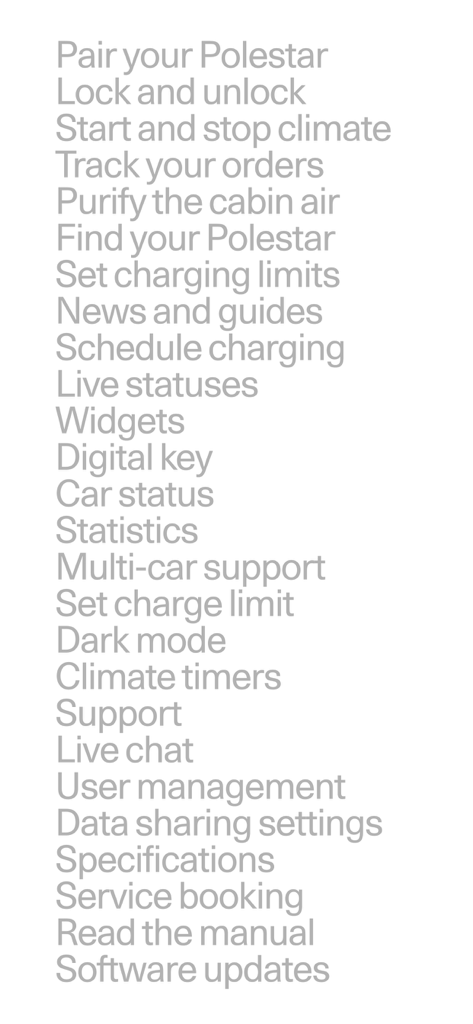
A minimalist text list of Polestar app features including digital key and climate control
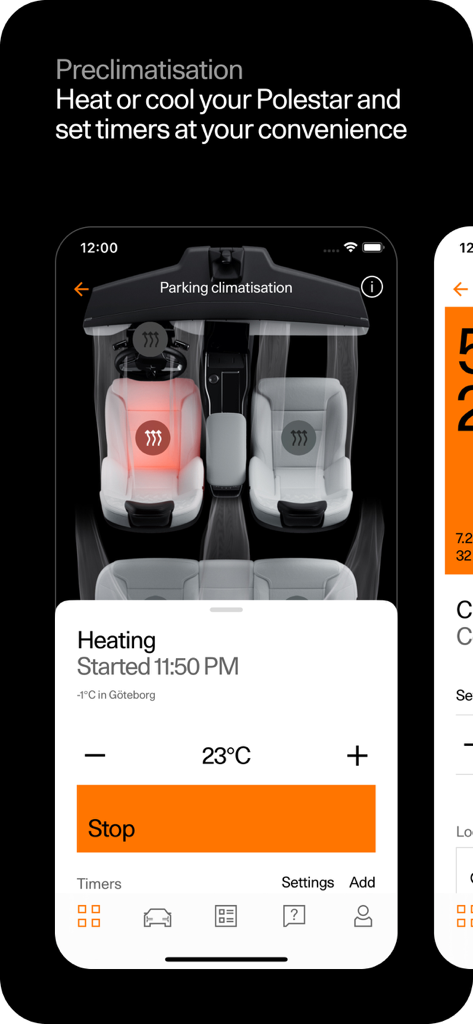
Smartphone screen showing the Polestar app remote climate control interface for vehicle heating and cooling
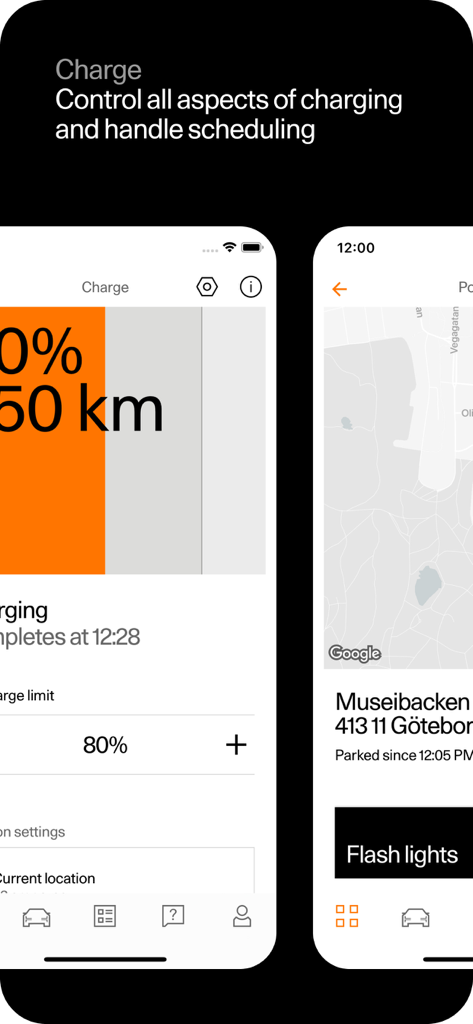
Interface of the Polestar app showing battery charging levels and vehicle location tracking
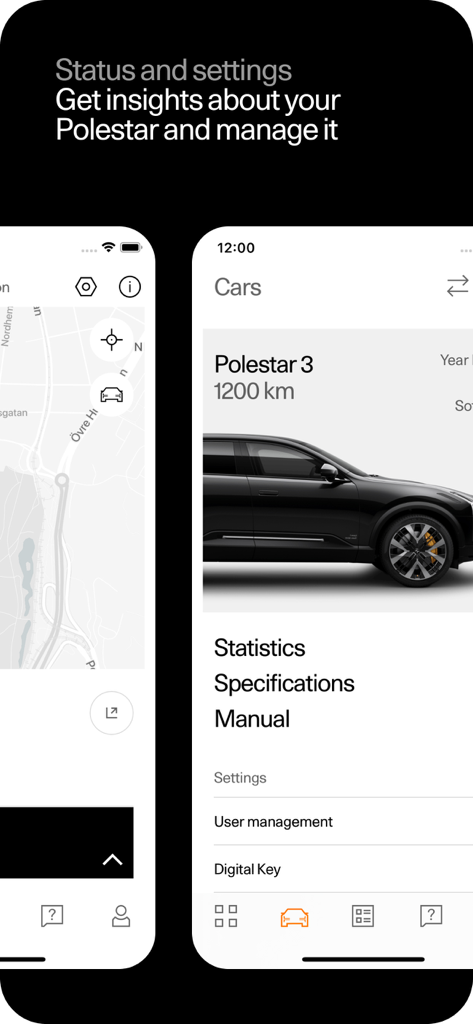
Interface of the Polestar app showing car status and management settings
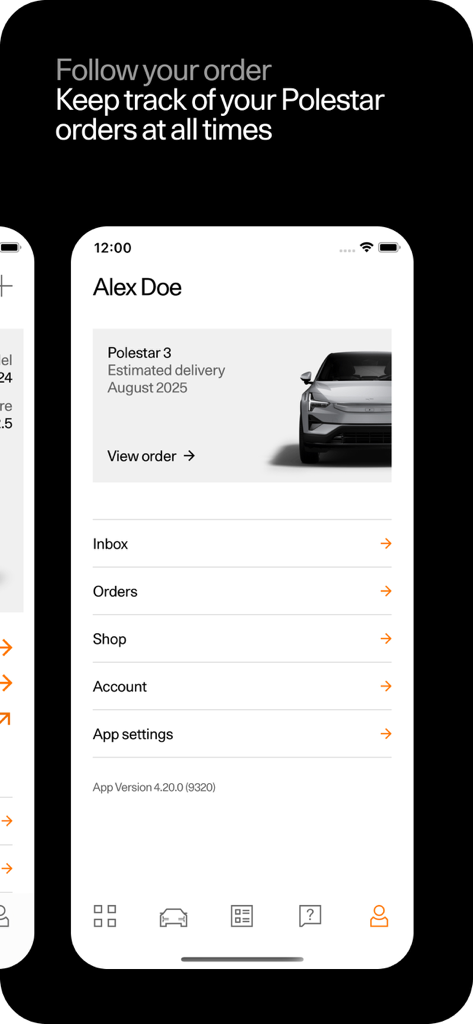
A screenshot of the Polestar app showing a user profile with an active order for a Polestar 3 and its estimated delivery date.
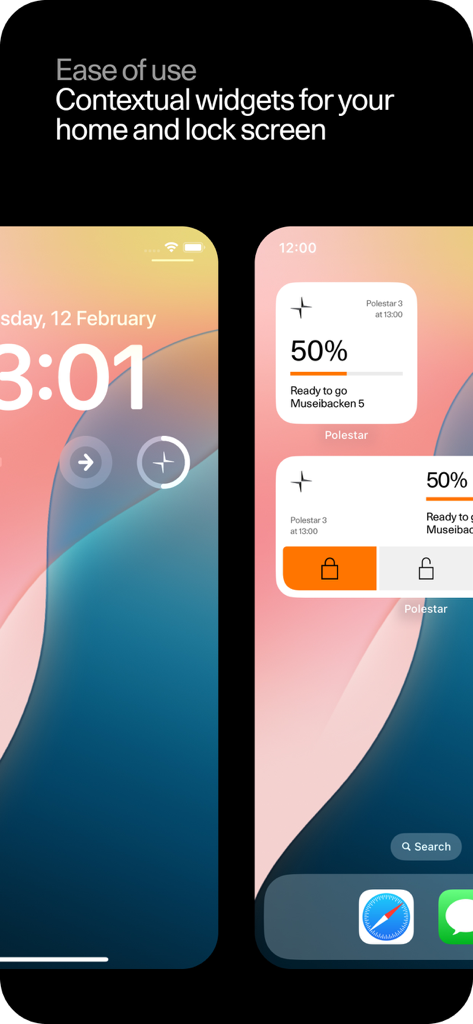
Polestar mobile app widgets on iPhone home and lock screens showing battery percentage and vehicle controls
Description
Download
More Like This
Apps with similar features and user experience

Toyota
Toyota Motor Sales, U.S.A., Inc.

myChevrolet
General Motors
My BMW
BMW NORTH AMERICA, LLC

Mercedes-Benz (USA/CA)
Mercedes-Benz USA LLC

MyHyundai with Bluelink
Hyundai Motor America

LoJack
Spireon, Inc.

Tessie — For your Tesla
Tessie Technology LLC

Tesla
Tesla, Inc.

Ford™
Ford Motor Company
This page is not an official page of the app or its developer, but an independent editorial publication created for informational and commentary purposes. Unless expressly stated otherwise, neither the app nor its developer is affiliated with, endorsed by, sponsored by, authorized by, or otherwise officially connected with MWM, Apple, Google Play, the app publisher, or the app's developer, and nothing on this page implies that the app was developed using MWM's services. Any trademarks, logos, screenshots, and other content remain the property of their respective owners.