PortKnock
PortKnock
Download on App Store

This page is not an official page of the app or its developer, but an independent editorial publication created for informational and commentary purposes. Unless expressly stated otherwise, neither the app nor its developer is affiliated with, endorsed by, sponsored by, authorized by, or otherwise officially connected with MWM, Apple, Google Play, the app publisher, or the app's developer, and nothing on this page implies that the app was developed using MWM's services. Any trademarks, logos, screenshots, and other content remain the property of their respective owners.


Logo of PortKnock
Download on App Store

PortKnock

Secure your infrastructure by keeping sensitive ports invisible to the public internet. Send custom TCP/UDP sequences with password protection and automate your workflow with integrated app launching.

Key Figures

Downloads

33K+

User Rating

4.5/5

Total Ratings

0

Publisher

Danny Sung

Category

Utilities

Locales

1

Latest Version

4.18

Size

11.2 MB

First Released

Mar 11, 2010
Features

Stealth Access and Precision Control

The definitive ad-free utility for network administrators to secure remote infrastructure using advanced port knocking protocols.

Stealth Server Protection

Eliminate brute-force risks by keeping service ports completely closed to the public until you authorize access with a secret sequence.

Instant Workflow Automation

Bridge the gap between security and speed with an Auto App Launcher that triggers your SSH client the moment the gate is open.

The following screenshots and description are sourced directly from the app's official store listing and are the property of the app developer.

App Store

Screenshots
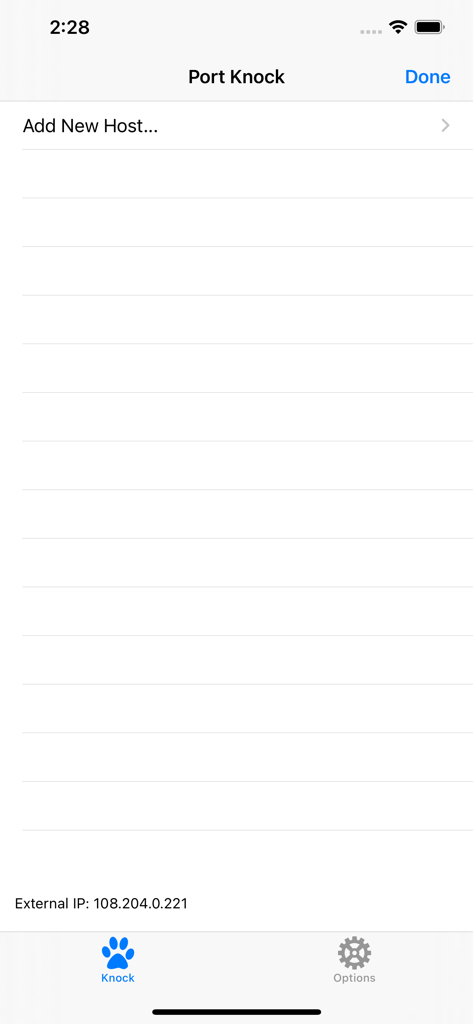
PortKnock - Main screen of the PortKnock app showing the add new host option and external IP address
Main screen of the PortKnock app showing the add new host option and external IP address

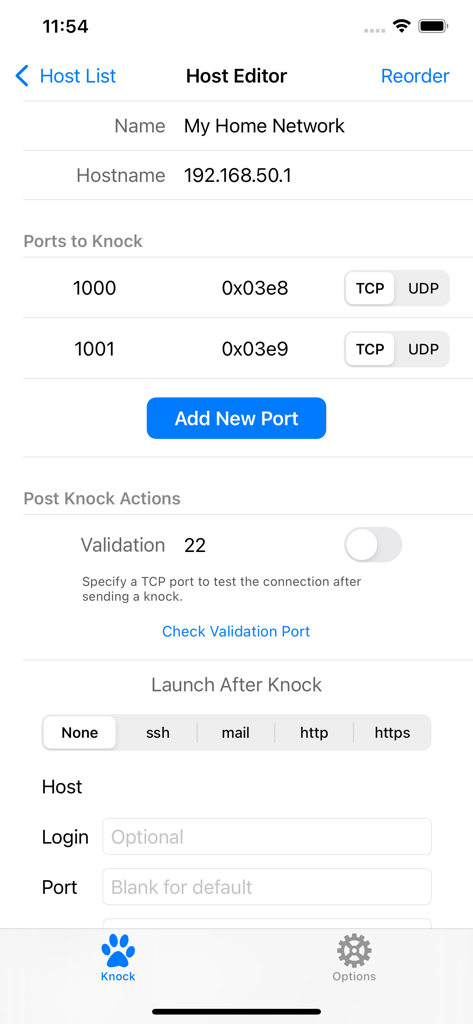
PortKnock - Host editor screen in PortKnock app showing network configuration and port knocking settings
Host editor screen in PortKnock app showing network configuration and port knocking settings

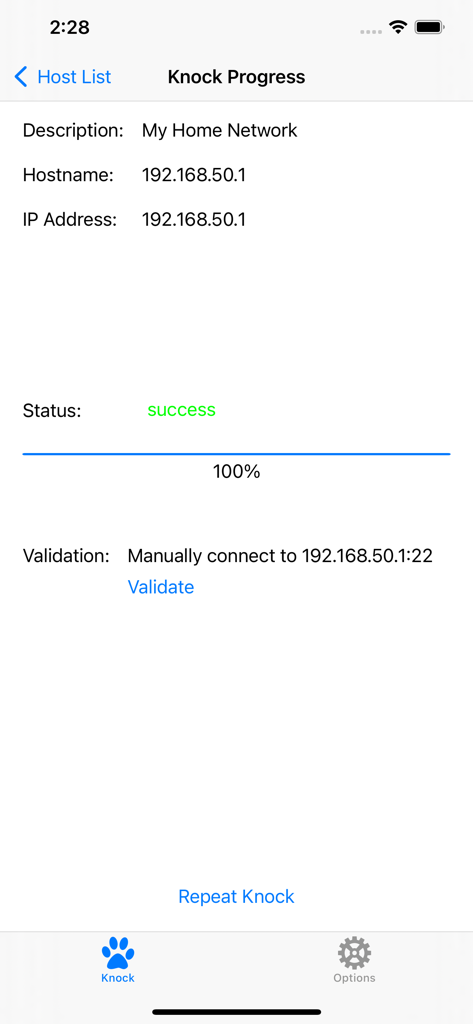
PortKnock - PortKnock app screen showing successful port knock sequence completion for a network host.
PortKnock app screen showing successful port knock sequence completion for a network host.

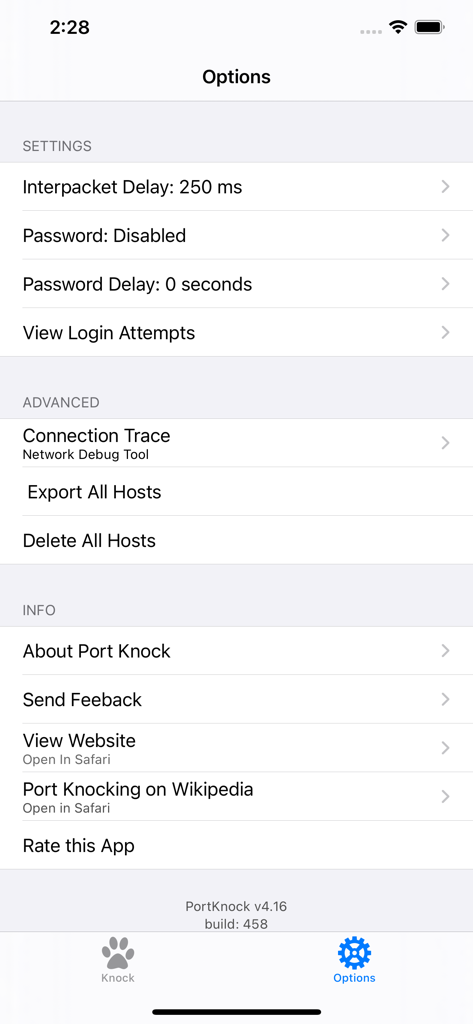
PortKnock - The settings and options screen of the PortKnock app showing configuration for network packets and security

The settings and options screen of the PortKnock app showing configuration for network packets and security

Description

-- Overview -- This application is a simple port knocker for the iPhone, generally useful only to network administrators. You *must* have a port knock daemon running on your server for this application to be useful. Features in this version of Port Knock: - Password Protection - Knock Validation - Import/Export Hosts - Auto App Launcher(+) - Knock Progress Screen - Shows your External IP Address - Arbitrary number of ports per host - An unlimited number of host definitions - TCP/UDP configuration per port - Selectively sending knocks through WiFi or Carrier/3G networks - Configurable interpacket delay - Has no advertising -- Use Cases -- This app is ideal if you're on a WiFi network but don't have a port knocker on the available computers. If you're sitting behind a NAT, the iPhone/iPod Touch will have the same IP as any of the other computers on your network. This is also great to use with TouchTerm or any other ssh or telnet software for the iPhone.Just give it the hostname and a list of ports, and whether you want it to send TCP or UDP packets. -- Brief Description of Port Knocking for the Layman -- Port Knocking is a technique to secure services behind a firewall until a specific knock sequence is given. This is not to be confused with port scanning (a network management tool for discovering open services on a system). Imagine you left your kids at home alone. You don't want them to open the door for strangers. And when a stranger comes knocking, you don't even want them to come to the door, because you don't want them to know your kids are there. But, when you or other family members come, you might want them to open the door for you. So you teach them to listen for a certain rattat-tat-tat or special knock that only you and your family know. This is the same concept you can apply to your servers. If you run a knock daemon on your server, this app then lets you send the special knock to it. A more technical description of port knocking can be found on Wikipedia: http://en.wikipedia.org/wiki/Port_knocking -- Additional Info -- If you're in need of a knock server, I personally use Judd Vinet's knock daemon for linux. It's quite easy to use: http://www.zeroflux.org/projects/knock You can find of information and a nice list of other knock clients and servers over at http://www.portknocking.org/ -- Notes -- + There are some restrictions regarding the Auto App Launcher. For SSH, you can only create temporary connections. For Mail, you will always be shown a new compose mail window first. Unfortunately, this is due to the way App integration works on iOS. There's not much I can do to address these issues at this time. -- Support -- For better support, please send bug reports and feature requests to danny@sungheroes.com, rather than simply posting it in a review. You can find more info on using PortKnock at the main website: http://www.sungheroes.com/products/portknock-iphone/ -- History -- 2022-02-28 PortKnock 4.18 released. LaunchApp automatically works again. Fixed some import bugs. 2018-01-xx PortKnock 4.12 supports IPv6 2017-09-xx PortKnock 4.0 released for iOS 10.3 2013-02-15 PortKnock 3.2 should work again on iOS5 2011-Jul-10 PortKnock 3.0.833 released. Added password protection, knock validation, import/export hosts, auto app launcher, and knock progress screen. 2010-Dec-14 PortKnock 2.02 released. Added a 'copy hosts' feature. Host/Port reordering should now work correctly. Entry fields should now work properly on iOS 4.2.1. 2010-Sep-25 PortKnock 2.01 is now available in the app store. iPhone 4's should no longer have an issue. If you are experiencing problems, please email me. 2010-Sep-09 The iPhone4 issue should be resolved. A bug fix release has been submitted. Thank you all for your patience!

Download

Download on App Store

This page is not an official page of the app or its developer, but an independent editorial publication created for informational and commentary purposes. Unless expressly stated otherwise, neither the app nor its developer is affiliated with, endorsed by, sponsored by, authorized by, or otherwise officially connected with MWM, Apple, Google Play, the app publisher, or the app's developer, and nothing on this page implies that the app was developed using MWM's services. Any trademarks, logos, screenshots, and other content remain the property of their respective owners.








