Privacy Guard: Photos & Docs

Privacy Guard: Photos & Docs

Download on App Store
Logo of Privacy Guard: Photos & Docs

Privacy Guard: Photos & Docs: Secure Your Identity and Private Documents

Instantly find and protect sensitive IDs, credit cards, and bank statements hidden in your camera roll with secure, 100% on-device AI scanning.

Download on App Store

Publisher

Touch 4 Feel

Category

Utilities

Downloads

0

User Rating

1.0/5

Total Ratings

0

Locales

2

Privacy at a Glance

Discover the interface used by 0 users.

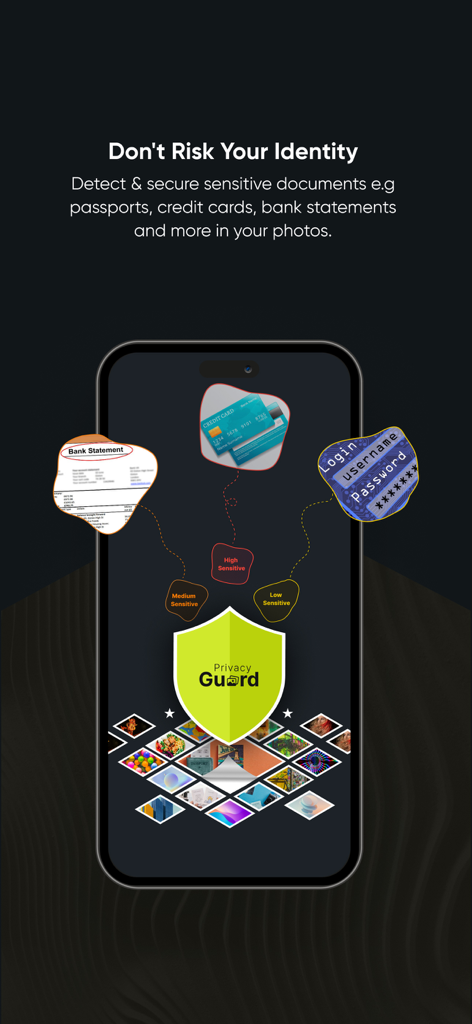
Privacy Guard app interface identifying sensitive documents like bank statements and credit cards in a photo library for identity protection
Privacy Guard app interface identifying sensitive documents like bank statements and credit cards in a photo library for identity protection

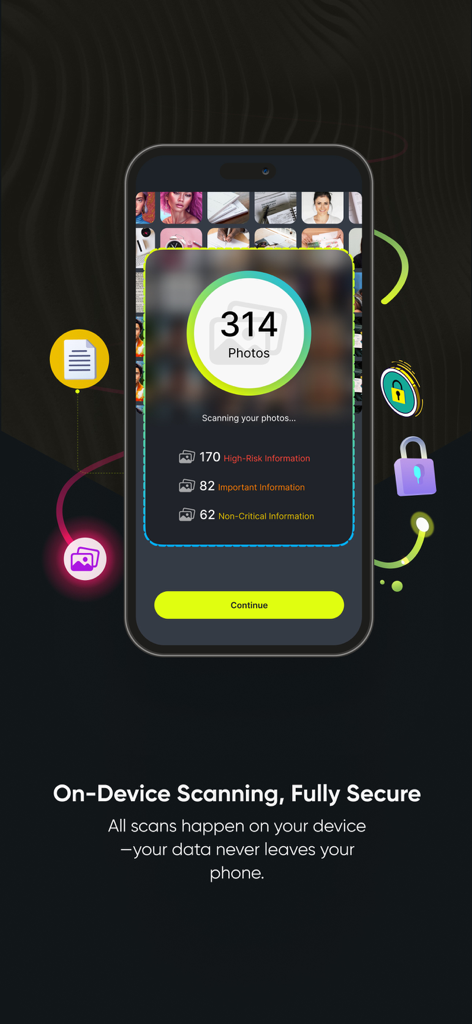
Privacy Guard app interface showing scan results for sensitive photos and documents
Privacy Guard app interface showing scan results for sensitive photos and documents

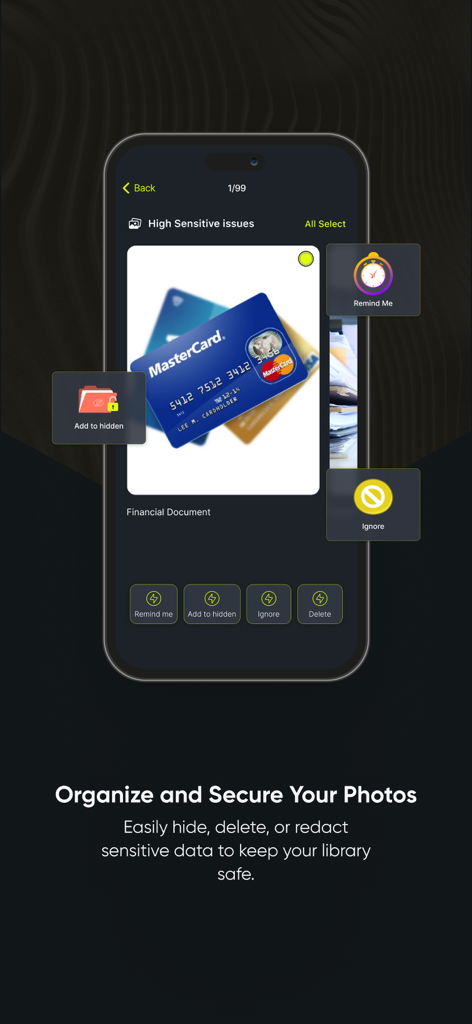
Privacy Guard app interface identifying sensitive financial photos with options to hide or delete.
Privacy Guard app interface identifying sensitive financial photos with options to hide or delete.

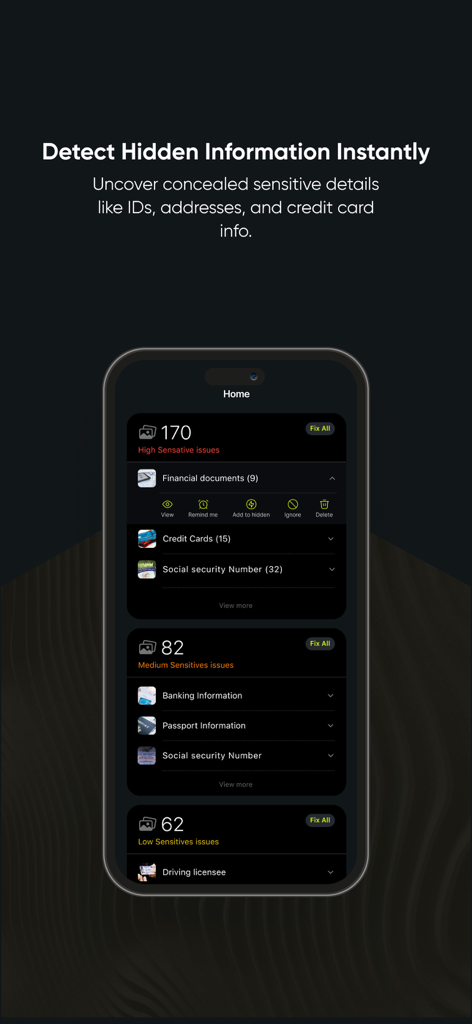
Privacy Guard app interface showing detection and categorization of sensitive documents like IDs and credit cards
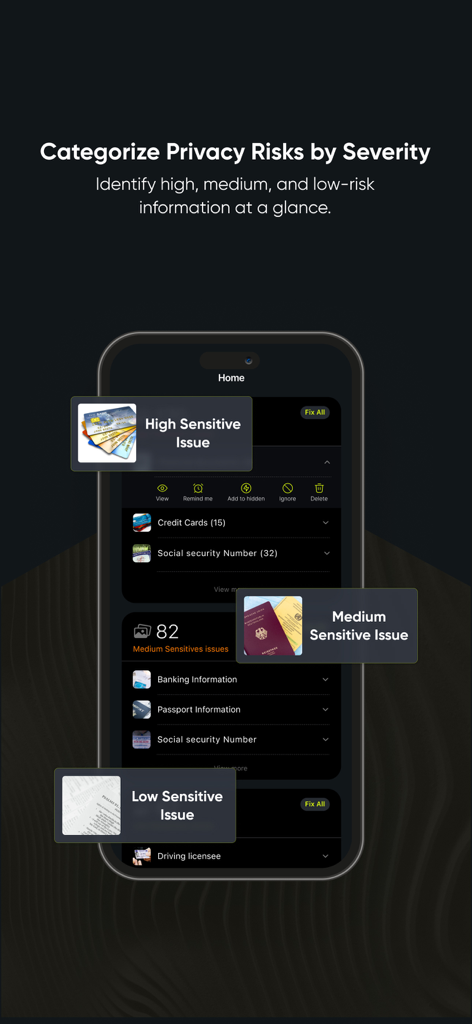
Privacy Guard app interface showing detection and categorization of sensitive documents like IDs and credit cards

Privacy Guard app interface showing sensitive documents categorized by high medium and low risk levels
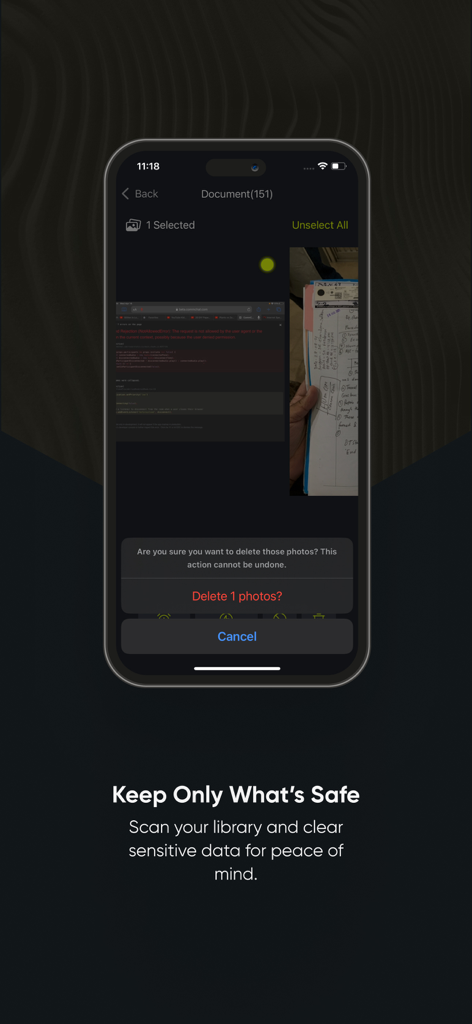
Privacy Guard app interface showing sensitive documents categorized by high medium and low risk levels

A mobile screen from Privacy Guard app showing a prompt to delete sensitive document photos for security.
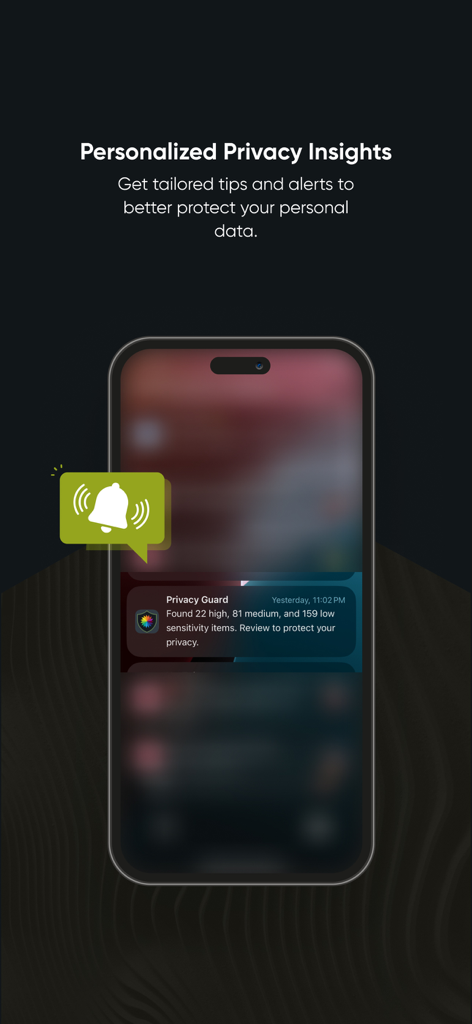
A mobile screen from Privacy Guard app showing a prompt to delete sensitive document photos for security.

Privacy Guard app displaying a notification alert about detected high sensitivity items on a smartphone screen.
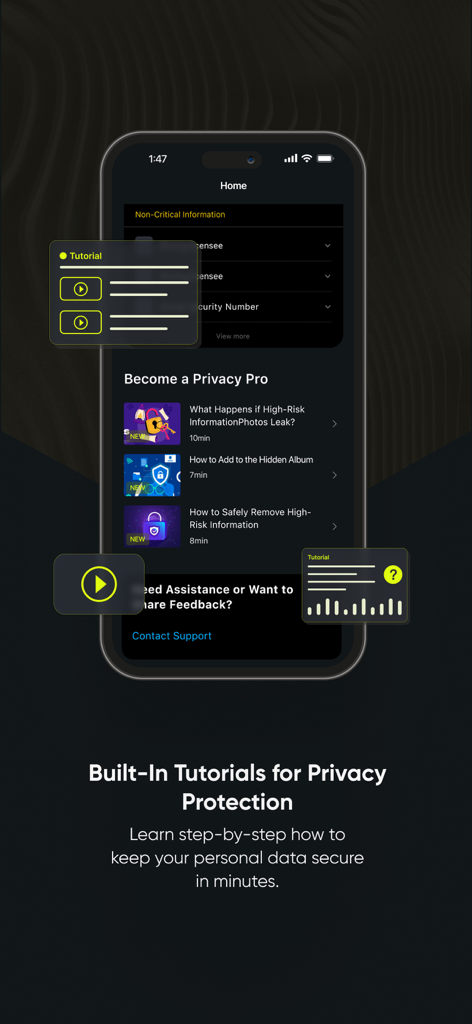
Privacy Guard app displaying a notification alert about detected high sensitivity items on a smartphone screen.

Privacy Guard app interface showing built in security and privacy protection tutorials for users

Privacy Guard app interface showing built in security and privacy protection tutorials for users

Secure Your Identity, Not Just Your Photos

The tools that make this app stand out, trusted by 0 users.

🛡️

100% On-Device Processing

Your privacy is non-negotiable. Every scan happens locally on your phone, ensuring your sensitive documents are never uploaded to the cloud or shared with third parties.

🔍

Smart Risk Categorization

Save hours of manual scrolling. Our AI instantly identifies and groups critical items like passports, credit cards, and bank statements so you can secure them immediately.

🔒

One-Tap Privacy Actions

Stop identity theft before it starts. Effortlessly move sensitive files to hidden albums, redact private information, or permanently delete risky photos with a single tap.

About the app

Everything you need to know about Privacy Guard: Photos & Docs.

Description

Don't Risk Your Identity. Detect & secure sensitive documents e.g passports, credit cards, bank statements and more in your photos. Your privacy is paramount. Privacy Guard is a powerful tool designed to help you protect personal information hidden in your photos and documents. Using advanced on-device scanning technology, Privacy Guard analyzes the content on your device securely, ensuring that your private data remains in your control, without leaving your device. With Privacy Guard, take charge of your data security by identifying, categorizing, and managing your personal information, all while maintaining complete data privacy. Privacy Guard Features: On-Device Processing:  All analysis and scanning take place on your device, keeping your data safe and secure, with no data uploads or external storage. Comprehensive Privacy Management:  Identify and manage personal information that may be embedded in your photos, such as personal IDs, credit card details, banking documents, and more. Information Categories:  - Privacy Guard detects and categorizes privacy risks, marking items as: - Critical ID Documents: Data such as passports, driver's licenses, and government-issued IDs. - Financial & Personal Data: Information like credit card numbers and bank statements. - Other Documents: Items such as receipts, bills, and general paperwork. Detailed Insights and Suggestions:  Privacy Guard highlights potential issues and offers quick actions such as Add to Hidden Album, Secure Delete, or Redact to help you handle each finding appropriately. Simple, User-Friendly Design:  Navigate privacy issues effortlessly with an intuitive interface, easy controls, and helpful tutorials. Effortless Privacy Control: With a simple tap, Privacy Guard scans your library, identifies hidden information, and categorizes it to help you prioritize and address any privacy concerns. The app even provides regular reminders to address unresolved issues, ensuring your data stays safe over time. Important Note:  Privacy Guard is designed to assist in identifying potential privacy risks, but it may not detect all personal information with perfect accuracy. We are committed to ongoing improvement and encourage users to report any discrepancies. Upgrade to Privacy Pro! While Privacy Guard offers powerful free protection, Privacy Pro takes your data security to the next level. Unlock these premium benefits: - Unlimited Scans: Analyze your entire photo library and documents as often as you need. - Advanced Issue Detection: Uncover all critical and important personal information. - Priority Support: Get faster responses from our expert support team. Choose a weekly, monthly or yearly subscription and enjoy complete control of your privacy. Subscription Information: Your Privacy Pro subscription renews automatically unless you turn off auto-renewal at least 24 hours before the current period ends. Payment will be charged to your iTunes Account upon confirmation of purchase. Your account will be charged for renewal within 24 hours before the end of the current period. You'll be notified of the renewal cost beforehand. Manage your subscription and disable auto-renewal in your Account Settings after purchase.   Read more about our terms and conditions: Terms of Use: https://t4fapps.com/tos-app.html Privacy Policy: https://t4fapps.com/privacy-app.html Your data is important. Download Privacy Guard and take control of your privacy with ease.

Latest Version

1.6

Size

15.4 MB

First Released

Nov 12, 2024

Secure Your Identity in Seconds

Take control of your digital footprint with 100% on-device scanning. Your most sensitive documents stay exactly where they belong—under your control.

Download on App Store

App information, icons, screenshots, and descriptions displayed on this page are sourced from the Apple App Store and are the property of their respective developers. Download estimates and rankings are based on MWM's proprietary models and may not reflect actual figures. This page is provided for informational and analytical purposes only.

Believe this page infringes your intellectual property? File a dispute