PSKReporter Client
PSKReporter Client

This page is not an official page of the app or its developer, but an independent editorial publication created for informational and commentary purposes. Unless expressly stated otherwise, neither the app nor its developer is affiliated with, endorsed by, sponsored by, authorized by, or otherwise officially connected with MWM, Apple, Google Play, the app publisher, or the app's developer, and nothing on this page implies that the app was developed using MWM's services. Any trademarks, logos, screenshots, and other content remain the property of their respective owners.

Logo of PSKReporter Client

PSKReporter Client

Transform your mobile device into a professional station dashboard. Visualize global FT8 and FT4 activity, benchmark your antenna performance against local peers, and master the greyline with advanced analytics designed for the dedicated amateur radio operator.

Key Figures

Downloads

0

User Rating

1.0/5

Total Ratings

0

Publisher

Vasco Barreiros

Category

Utilities

Locales

1

Latest Version

4.0

Size

4.8 MB

First Released

Jan 9, 2026
Features

Elevate Your Radio Strategy

Transform raw digital mode data into actionable intelligence. Monitor bands, track propagation, and optimize your station’s performance with pro-level visualization.

Interactive Propagation Maps

Visualize FT8 and FT4 activity globally. See signal paths, distances, and bearings to understand exactly how the ionosphere is behaving in real-time.

Smart Band Monitoring

Know which band to operate at a glance. Use traffic-light indicators and live activity trends to catch DX openings the moment they happen.

The following screenshots and description are sourced directly from the app's official store listing and are the property of the app developer.

App Store

Screenshots
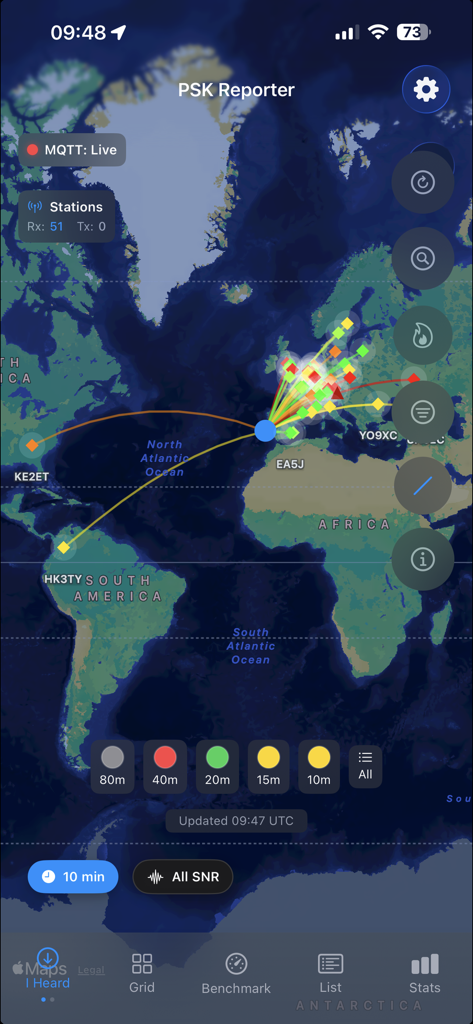
PSKReporter Client - PSKReporter Client app interface showing signal propagation paths and band activity on a world map

PSKReporter Client app interface showing signal propagation paths and band activity on a world map
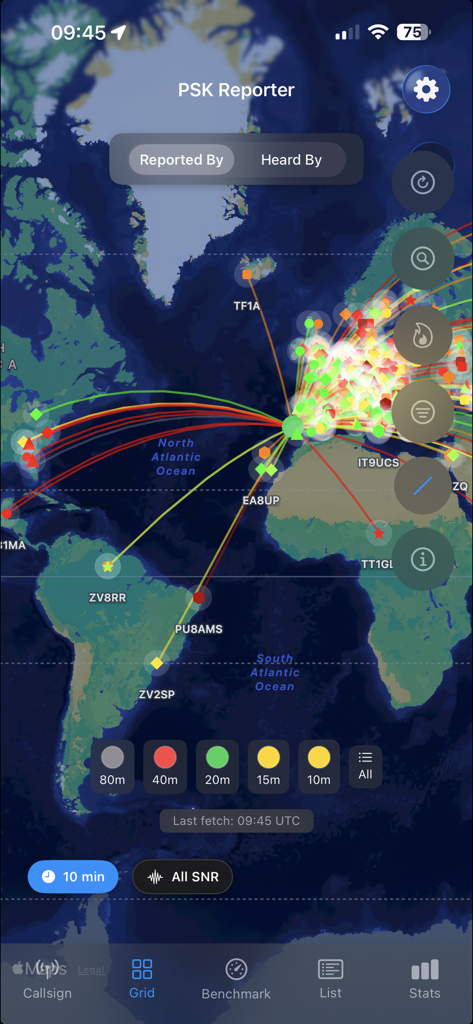
PSKReporter Client - PSKReporter Client app map showing global amateur radio signal propagation paths and band activity

PSKReporter Client app map showing global amateur radio signal propagation paths and band activity
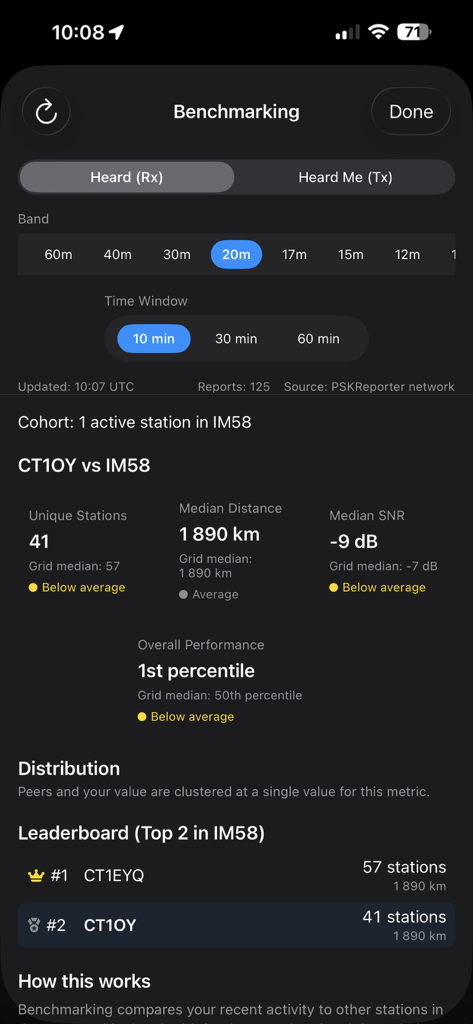
PSKReporter Client - Ham radio station benchmarking dashboard showing performance metrics median distance and local leaderboard rankings
Ham radio station benchmarking dashboard showing performance metrics median distance and local leaderboard rankings

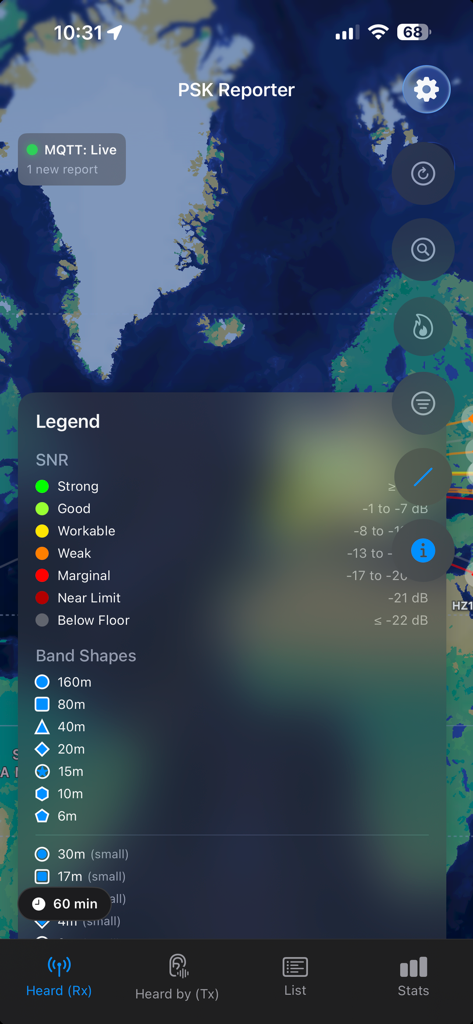
PSKReporter Client - PSKReporter Client app legend showing signal to noise ratio and radio band shapes
PSKReporter Client app legend showing signal to noise ratio and radio band shapes

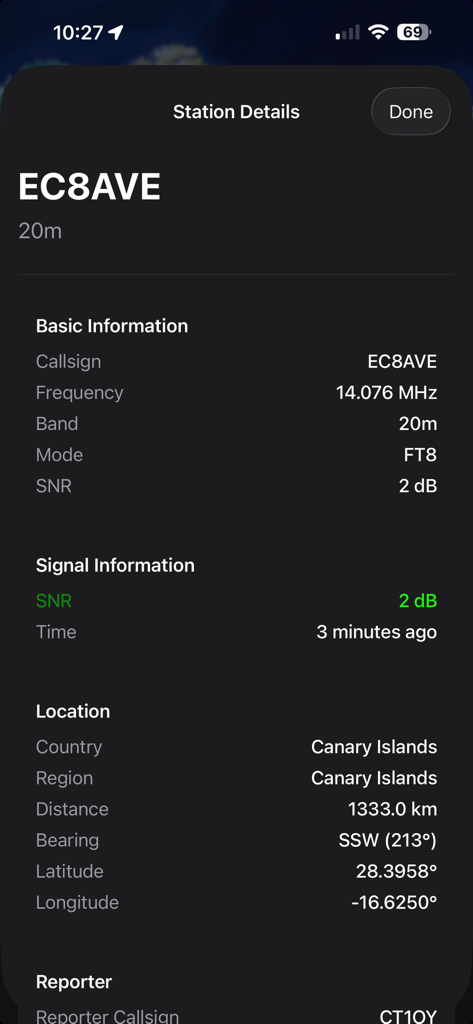
PSKReporter Client - Mobile app screen showing amateur radio station details for callsign EC8AVE including signal strength frequency and location
Mobile app screen showing amateur radio station details for callsign EC8AVE including signal strength frequency and location

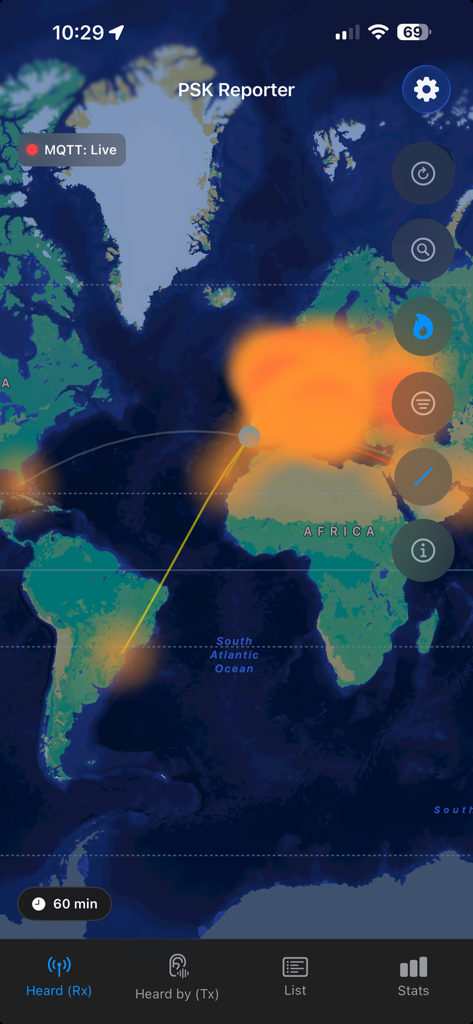
PSKReporter Client - PSKReporter Client world map with signal propagation paths and density heatmap for digital radio modes
PSKReporter Client world map with signal propagation paths and density heatmap for digital radio modes

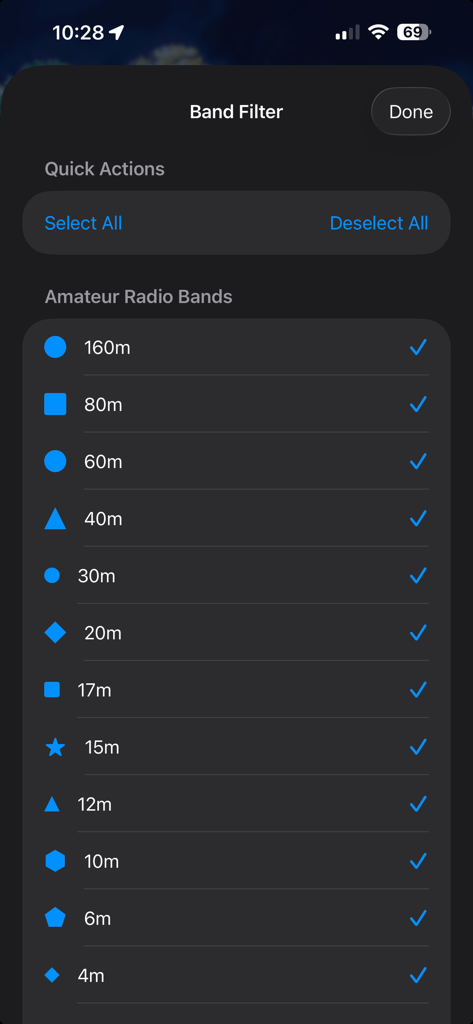
PSKReporter Client - A settings screen in the PSKReporter Client app displaying a list of amateur radio bands with selection checkboxes for filtering propagation data.
A settings screen in the PSKReporter Client app displaying a list of amateur radio bands with selection checkboxes for filtering propagation data.

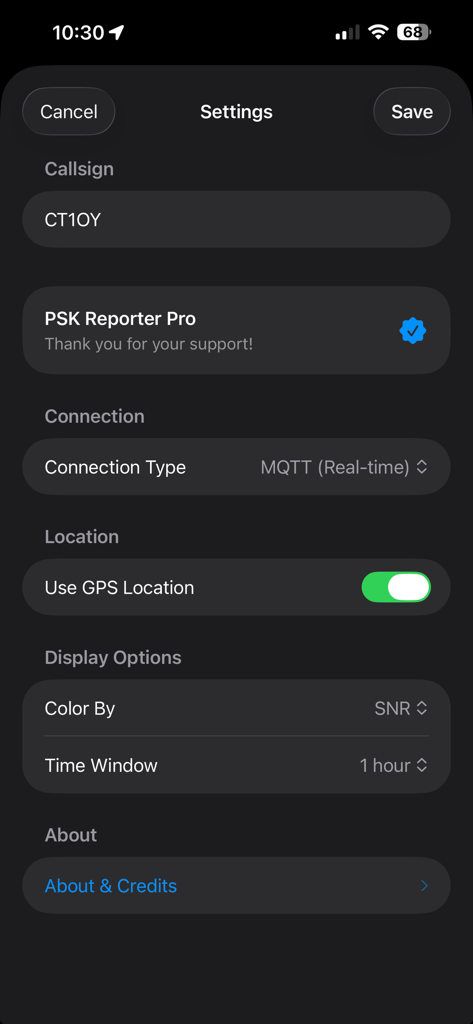
PSKReporter Client - Settings menu of the PSKReporter Client app displaying callsign entry, MQTT connection type, and GPS location toggle.
Settings menu of the PSKReporter Client app displaying callsign entry, MQTT connection type, and GPS location toggle.

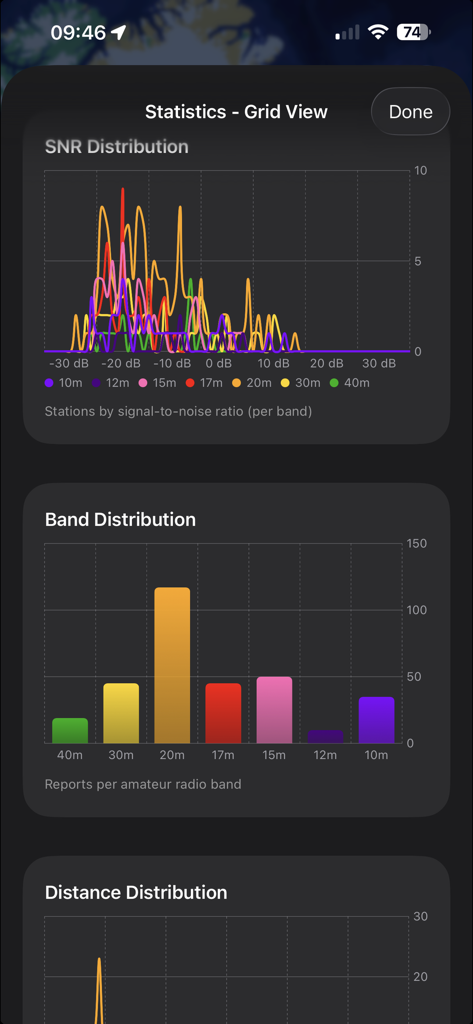
PSKReporter Client - Amateur radio statistics view showing signal to noise ratio and band distribution graphs.
Amateur radio statistics view showing signal to noise ratio and band distribution graphs.

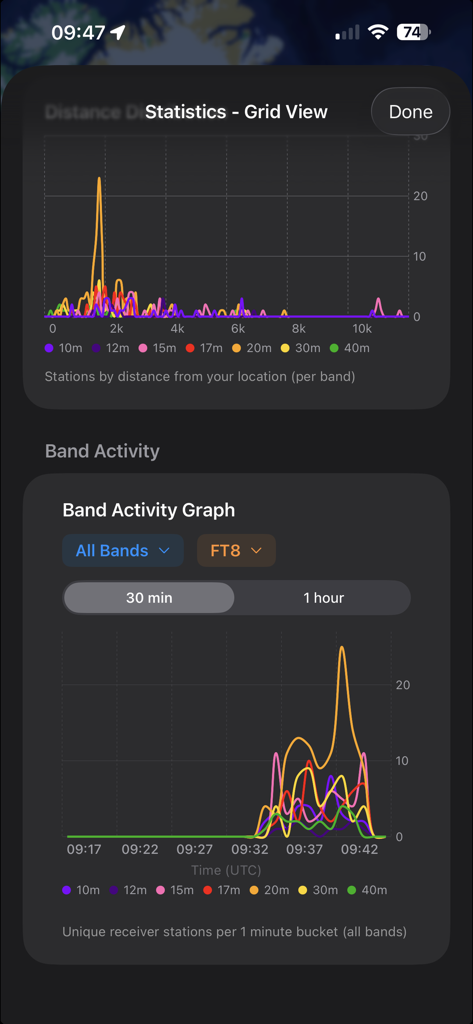
PSKReporter Client - PSKReporter Client app interface displaying band activity graphs and distance statistics for ham radio digital modes.

PSKReporter Client app interface displaying band activity graphs and distance statistics for ham radio digital modes.

Description

Explore FT8, FT4, and other digital mode reception reports on an interactive world map. Instantly see where your signals are being heard and which stations you are receiving using real, publicly available reception data. Watch digital activity unfold globally with intuitive visual feedback: • Real time reception reports plotted geographically • Switch between I Heard Rx, Heard Me Tx, and Grid based views • Visualize propagation paths, distance, and bearing • Density visualization reveals propagation hotspots and patterns Designed to make complex propagation behavior immediately understandable. Band Conditions at a Glance Understand band activity instantly: • Traffic light indicators showing band status Active, Moderate, Quiet • Detailed per band activity metrics • Live band condition list with spots, transmitters, and receivers • Band activity graphs showing propagation trends over time Pro A fast and practical way to decide which band to operate. Greyline and Propagation Intelligence Go beyond simple day and night propagation with advanced twilight analysis: • Identify contacts occurring in daylight, night, or twilight • Detect paths crossing the greyline • Compare SNR and distance performance between propagation modes • Greyline Gain Index to evaluate twilight performance versus full daylight • Per band greyline statistics Understand not only where contacts occur, but why they occur. DXCC Tracking Pro Import your ADIF log and automatically detect unworked DXCC entities appearing in your current view. Even when your station is off the air, monitor activity in your grid and see if nearby operators are hearing or working countries you do not yet have. Identify real propagation opportunities and react faster when new DXCC becomes active. Benchmark Your Station Performance Pro Measure how your station performs compared to others in your grid. The Benchmarking view analyzes recent activity and compares it with nearby active stations: • Compare unique stations, distance, and SNR • View percentile ranking versus local peers • Understand whether your reach is above or below average • Distribution charts and leaderboard views • Works in both I Heard Rx and Heard Me Tx modes • Band and time window aware analysis Ideal for testing antennas, optimizing setups, and evaluating real world performance. Grid Based Exploration Go beyond individual callsigns with geographic insights: • Search and explore activity using Maidenhead grid squares • Grid View map showing stations active within your grid • Grid based statistics and charts • Compare propagation behavior across regions Ideal for studying regional propagation patterns and band openings. Advanced Statistics and Analytics PSKReporter delivers deep, band aware insights: • Statistics adapt to Callsign, Heard, and Grid views • Per band graphs and distributions • Signal to noise ratio SNR analysis • Distance and activity distributions • Band specific trends and comparisons Turn raw reception data into actionable propagation intelligence. Signal Aware Visualization Reception reports are color coded by signal to noise ratio SNR, reflecting real world digital mode performance including weak signals that still decode successfully. Powerful Filtering • Filter by band, time window, and SNR • Reduce noise in busy conditions • Tailor the view to your operating style PSKReporter Pro - Real Time and Advanced Features Upgrade to PSKReporter Pro to unlock: • Real time MQTT streaming with no polling delay • Benchmarking and station performance ranking • Band activity graphs and advanced analytics • Grid search and advanced grid analysis • Enhanced greyline statistics and visualizations • DXCC tracking with ADIF import and live new entity detection. Note PSKReporter is an independent client that visualizes publicly available reception data and is not affiliated with or endorsed by PSKReporter.info.

Download

This page is not an official page of the app or its developer, but an independent editorial publication created for informational and commentary purposes. Unless expressly stated otherwise, neither the app nor its developer is affiliated with, endorsed by, sponsored by, authorized by, or otherwise officially connected with MWM, Apple, Google Play, the app publisher, or the app's developer, and nothing on this page implies that the app was developed using MWM's services. Any trademarks, logos, screenshots, and other content remain the property of their respective owners.








