
RØDE Central Mobile


Unlock legendary Aphex® processing, customize device settings, and keep your firmware updated. The ultimate companion for creators who demand studio-quality sound on the go.
Publisher
Category
MusicDownloads
1M+User Rating
Total Ratings
900Locales
1Discover the interface used by 1M+ users.
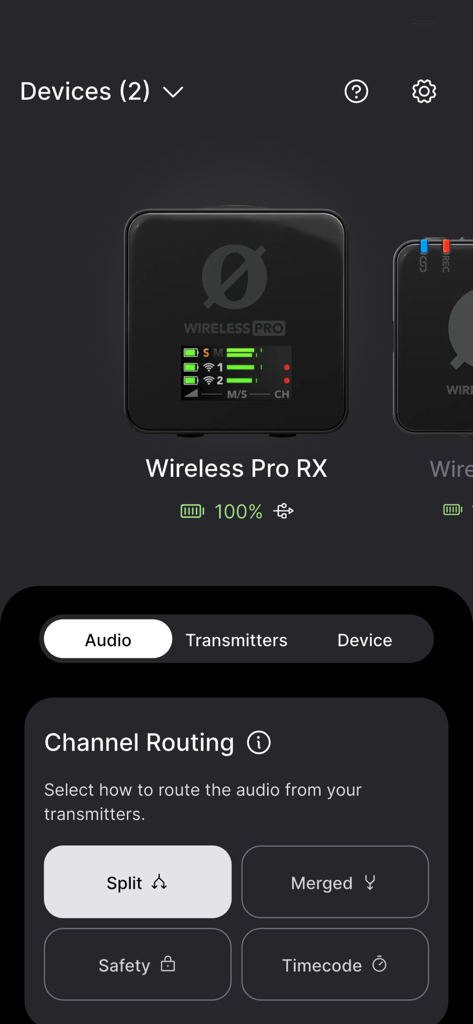
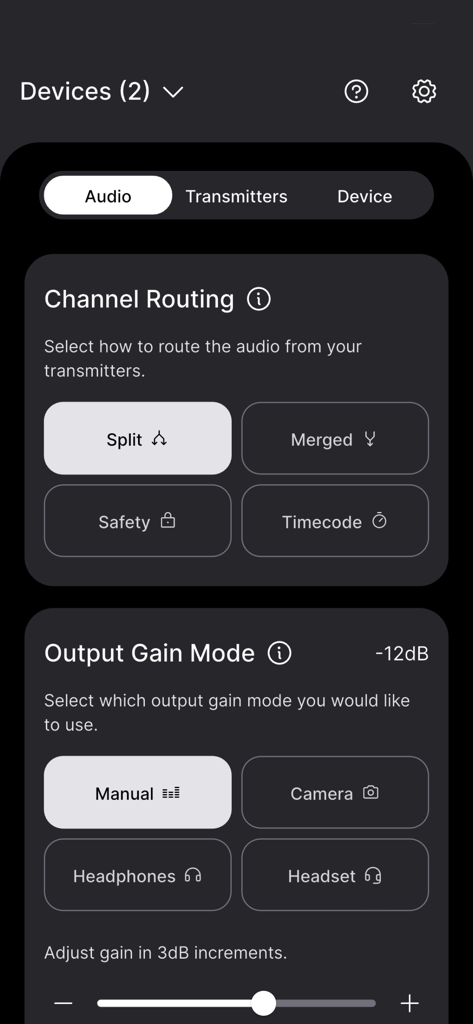
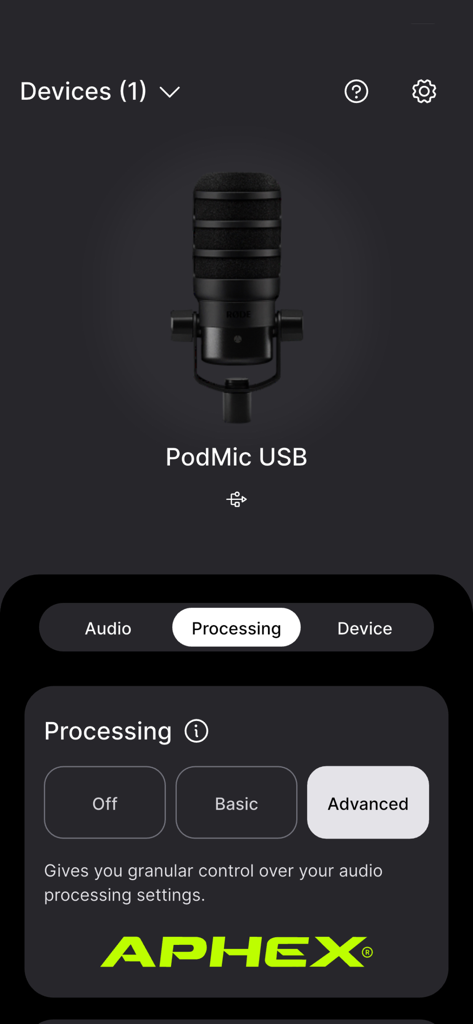
The tools that make this app stand out, trusted by 1M+ users.
Fine-tune gain, toggle safety channels, and customize button functions on-the-fly without ever needing a laptop.
Access powerful Aphex® processing, including Aural Exciter™ and Big Bottom™, to get broadcast-quality audio in any environment.
Keep your gear performing at its peak with instant firmware updates, real-time battery monitoring, and critical device info.
Insights from user reviews.
Sentiment Score
Summary
The mobile app receives predominantly negative feedback, with widespread complaints about its inability to connect to various Rode microphones, including Wireless Go II, ME, NT-1 5th Gen, and Videomic Go II, across different iOS devices (e.g., iPhone 14, iPhone 17, iOS 26). Many users also experience frustration with firmware updates, which often fail or necessitate a desktop application. A significant number of international users are unable to use the app due to it being stuck in Chinese or Japanese without a language-change option. Despite these issues, a subset of users reports significant improvements and smoother operation after recent updates, praising the redesigned, more intuitive user interface, faster device connections, and convenient settings management. Some also noted improved audio quality and successful firmware updates, albeit sometimes through workarounds.
Common Themes
Everything you need to know about RØDE Central Mobile.
Description
Latest Version
2.0.108
Size
68.1 MB
First Released
Sep 21, 2021
Download RØDE Central to unlock advanced features, update firmware, and access professional Aphex® processing directly from your smartphone.
Everything you need to know about RØDE Central Mobile
RØDE Central Mobile is a companion app for compatible RØDE microphones. It allows users to configure device settings, unlock advanced features, access device information, and update firmware directly from their mobile device.
Yes, you connect your RØDE microphone to RØDE Central Mobile using an MFi-certified Lightning Accessory cable. Examples include the RØDE SC15 or SC21 cable.
No, RØDE Central Mobile does not directly access on-board recordings from the Wireless GO II. You must use the desktop version of the RØDE Central app to access these recordings.
RØDE Central Mobile offers powerful on-board audio processing. These features include compression, high-pass filtering, noise gating, and the legendary Aphex® Aural Exciter™ and Big Bottom™.
RØDE Central Mobile supports various RØDE microphones including Wireless ME, Wireless GO II, VideoMic GO II, AI-Micro, and NT-USB+. It provides specific settings for each device.
Yes, RØDE Central Mobile allows users to update their device firmware. This ensures access to the latest features and improvements for compatible RØDE microphones directly from the app.
Yes, RØDE Central Mobile provides channel routing controls for devices like Wireless Pro RX. Users select audio routing from transmitters using options such as Split, Merged, Safety, and Timecode.
RØDE Central Mobile controls output gain modes for compatible devices. Options include Manual, Camera, Headphones, and Headset, allowing precise gain adjustments in 3dB increments.
RØDE Central Mobile provides settings for Wireless GO II such as Split/Merged Mode, Backlight, various Gain Modes, Safety Channel, Button functions, On-board Recording options, Pad, and Recording Quality.
Yes, RØDE Central Mobile offers direct monitoring capabilities for the VideoMic GO II. Users can enable or disable direct monitoring and adjust the monitoring level within the app.
Apps with similar features and user experience

Bose Corporation

Marshall Group AB (publ)

Harman International Industries

Bose Corporation

Bose Corporation

Harman International Industries

Power Mobile Life LLC

Harman International Industries

Beijing Xiaomi Co., Ltd
App information, icons, screenshots, and descriptions displayed on this page are sourced from the Apple App Store and are the property of their respective developers. Download estimates and rankings are based on MWM's proprietary models and may not reflect actual figures. This page is provided for informational and analytical purposes only.
Believe this page infringes your intellectual property? File a dispute