
This page is not an official page of the app or its developer, but an independent editorial publication created for informational and commentary purposes. Unless expressly stated otherwise, neither the app nor its developer is affiliated with, endorsed by, sponsored by, authorized by, or otherwise officially connected with MWM, Apple, Google Play, the app publisher, or the app's developer, and nothing on this page implies that the app was developed using MWM's services. Any trademarks, logos, screenshots, and other content remain the property of their respective owners.

RealDNS - Dynamic DNS
Seamlessly manage 16+ providers with background automation and location-triggered updates. Keep your home lab, NAS, and servers accessible from anywhere, effortlessly.
Downloads
32K+User Rating
Total Ratings
0Publisher
Category
UtilitiesLocales
2Latest Version
7.2.1Size
11.3 MBFirst Released
Apr 20, 2016Master Your Remote Infrastructure
The ultimate Dynamic DNS utility for prosumers who demand reliable, automated access to home labs, NAS, and private servers.
Universal Provider Support
Manage all your hostnames in one place with native support for 16 major providers including Cloudflare, Google, and NoIP.
Automated Sync Ninja
Maintain 100% uptime with silent background updates and location-aware triggers that sync your IP the moment it changes.
Frequently Asked Questions
Everything you need to know about RealDNS - Dynamic DNS
What is RealDNS Mobile?
RealDNS Mobile is a dynamic DNS application that supports 16 providers, enabling dynamic DNS updates for both IPv4 and IPv6 addresses. It manages multiple accounts, hostnames, and IP sources, offering background and location-triggered updates.
Which DNS providers does RealDNS Mobile support?
RealDNS Mobile supports 16 providers, including Dyn, NoIP, FreeDNS, ChangeIP, DuckDNS, Strato, DynDNS.it, EasyDNS, DNS Made Easy, CloudFlare, Google Domains, Namecheap, Hurricane Electric, Loopia, OpenDNS, and GoDaddy.
Does RealDNS Mobile support both IPv4 and IPv6?
Yes, RealDNS Mobile supports both IPv4 and IPv6. It manages dynamic DNS updates for both IP address types, ensuring comprehensive compatibility for network configurations.
Can RealDNS Mobile track different IP address types?
Yes, RealDNS Mobile tracks various IP address types. It supports tracking local, gateway, external, or manually defined IP addresses. This feature ensures accurate dynamic DNS updates.
Can I manage multiple accounts and hostnames with RealDNS Mobile?
Yes, RealDNS Mobile allows management of multiple accounts, hostnames, and IP sources. It serves any interface or hostname from any account, providing flexible dynamic DNS management.
Does RealDNS Mobile perform background updates?
Yes, RealDNS Mobile performs background updates. It operates covertly, following OS restrictions to ensure silent and continuous dynamic DNS updates without foreground interaction.
Does RealDNS Mobile offer location-triggered updates?
Yes, RealDNS Mobile offers location-triggered updates. It automatically initiates dynamic DNS updates in the background when the device changes locations, keeping hostnames current.
How does RealDNS Mobile configure IP address sources?
RealDNS Mobile configures IP address sources as External, Gateway, Local, or Manual. It also supports specifying network interface sources like Wi-Fi, Mobile Data, or both, for precise updates.
The following screenshots and description are sourced directly from the app's official store listing and are the property of the app developer.
App Store
Screenshots
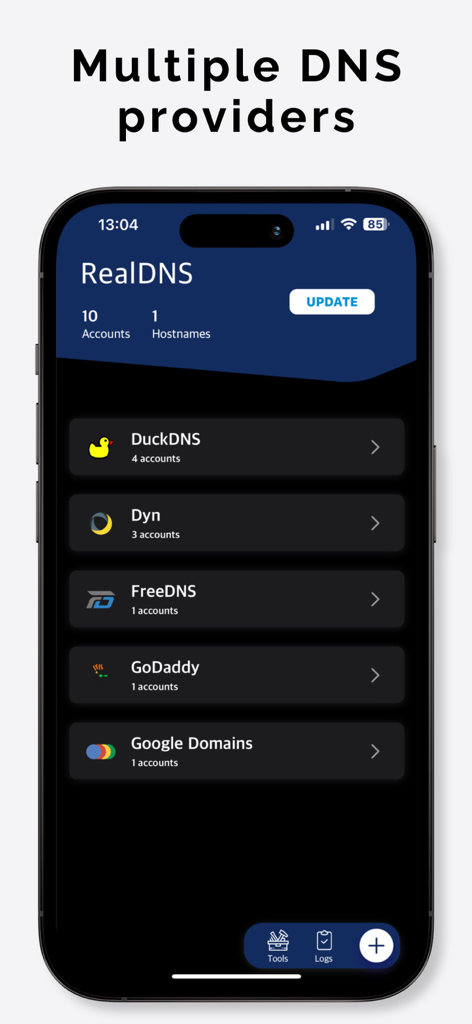
RealDNS mobile app interface showing a list of configured Dynamic DNS providers including DuckDNS Dyn and GoDaddy
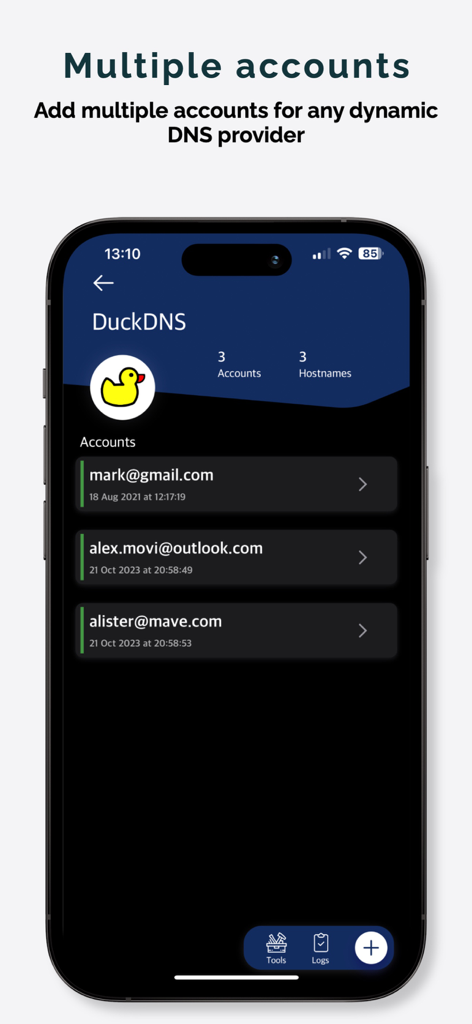
RealDNS mobile app screen showing three different accounts managed under the DuckDNS provider.
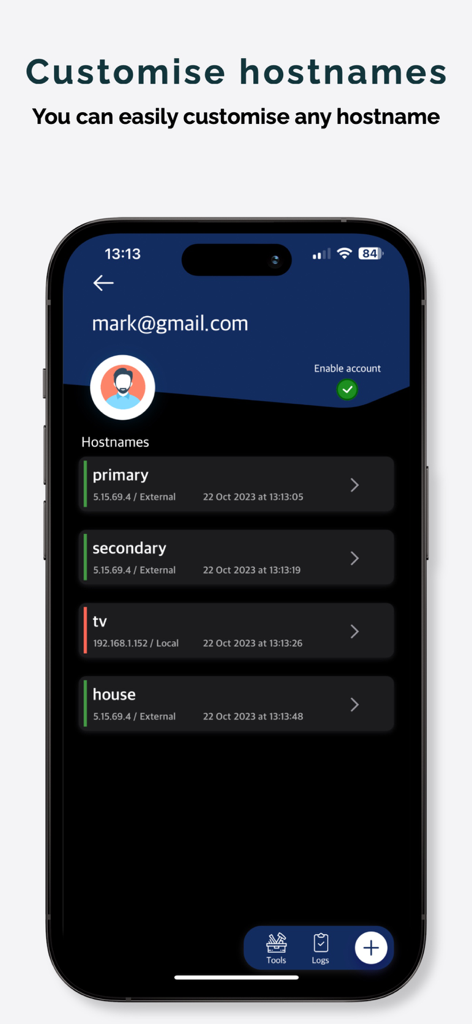
RealDNS app interface showing a list of hostnames and their corresponding IP addresses.
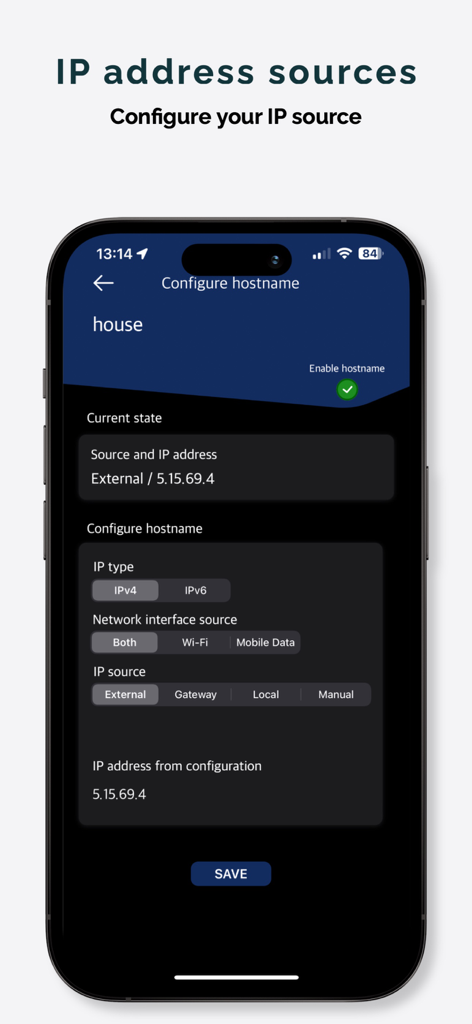
RealDNS app interface for configuring IP address sources and hostnames
Description
Download
More Like This
Top-ranked apps in the same category

Google LLC

Google Chrome
Google LLC

中国移动(手机营业厅)
China Mobile Online Services Co., Ltd.

Google Authenticator
Google LLC

CNH do Brasil
Servicos e Informacoes do Brasil

Cleanup: Phone Storage Cleaner
DEEP FLOW SOFTWARE SERVICES - FZCO

gov.br
Servicos e Informacoes do Brasil

中国电信-全国统一官方服务平台
CHINA TELECOM Corporation Ltd.

Microsoft Edge: AI Browser
Microsoft Corporation
This page is not an official page of the app or its developer, but an independent editorial publication created for informational and commentary purposes. Unless expressly stated otherwise, neither the app nor its developer is affiliated with, endorsed by, sponsored by, authorized by, or otherwise officially connected with MWM, Apple, Google Play, the app publisher, or the app's developer, and nothing on this page implies that the app was developed using MWM's services. Any trademarks, logos, screenshots, and other content remain the property of their respective owners.