
This page is not an official page of the app or its developer, but an independent editorial publication created for informational and commentary purposes. Unless expressly stated otherwise, neither the app nor its developer is affiliated with, endorsed by, sponsored by, authorized by, or otherwise officially connected with MWM, Apple, Google Play, the app publisher, or the app's developer, and nothing on this page implies that the app was developed using MWM's services. Any trademarks, logos, screenshots, and other content remain the property of their respective owners.


RecipeChef: Recipe Manager
Stop the recipe hunt and conquer decision fatigue. Store your family's favorite meals, plan your week, and master the grocery store with smart, aisle-sorted shopping lists built for your busy lifestyle.
Downloads
163K+User Rating
Total Ratings
100Publisher
Category
Food & DrinkLocales
16Latest Version
15.4Size
63.5 MBFirst Released
Dec 14, 2021Master Your Kitchen, Stress-Free
The all-in-one digital recipe box designed to help busy households plan, shop, and cook without the daily decision fatigue.
Your Entire Cookbook, Digitized
Import recipes from other apps or add your own photos. Keep every family favorite in one searchable hub, synced across your iPhone and iPad.
Shop Smarter, Not Harder
Breeze through the grocery store with lists automatically sorted by aisle. Customize the order to match your local shop and save precious time.
Frequently Asked Questions
Everything you need to know about RecipeChef: Recipe Manager
What is RecipeChef and its main function?
Yes, RecipeChef is a comprehensive recipe manager. It organizes recipes, creates shopping lists, plans meals, and helps users find the perfect dish quickly and efficiently.
How do I add recipes to RecipeChef?
Users can add their own recipes and photos. RecipeChef also imports recipe files from other apps like CookBook, Crouton, Mela, My Recipe Box, Paprika, Pestle, and Recipe Keeper.
Does RecipeChef provide a shopping list?
Yes, RecipeChef includes a shopping list feature. It automatically sorts ingredients by category and allows users to customize the order to match grocery store aisles.
Can I plan meals using RecipeChef?
Yes, RecipeChef features a meal planner. Users can plan meals in advance and add iOS widgets to their home screen to quickly view upcoming meals and access recipes.
What search and discovery options does RecipeChef offer?
RecipeChef offers search by ingredients, prep time, calories, quick recipes (15 min), easy recipes (5 ingredients), and no-cook recipes. The "Inspire Me" feature suggests random recipes.
Is RecipeChef a free application?
Yes, RecipeChef has a free version, which allows management of up to 20 recipes. RecipeChef Pro is available for purchase to unlock unlimited recipes and additional features.
What are the benefits of RecipeChef Pro?
RecipeChef Pro offers unlimited recipe storage, cloud backup and synchronization, and multi-device access for recipes and shopping lists across multiple iPhones and iPads in a household.
Can I adjust ingredient quantities in RecipeChef?
Yes, RecipeChef allows users to easily adjust ingredient quantities. You can increase or decrease quantities for various serving sizes, such as 1, 2, 3, or 4 people.
How do I get support for RecipeChef?
For support or questions, users can contact the RecipeChef team directly via email at contact@recipechef.app. This ensures timely assistance with the app.
Can RecipeChef organize recipes into custom categories?
Yes, RecipeChef allows users to create custom categories, such as 'main dish', 'dessert', or 'vegan'. This enables effective organization of a personal recipe collection.
The following screenshots and description are sourced directly from the app's official store listing and are the property of the app developer.
App Store
Screenshots
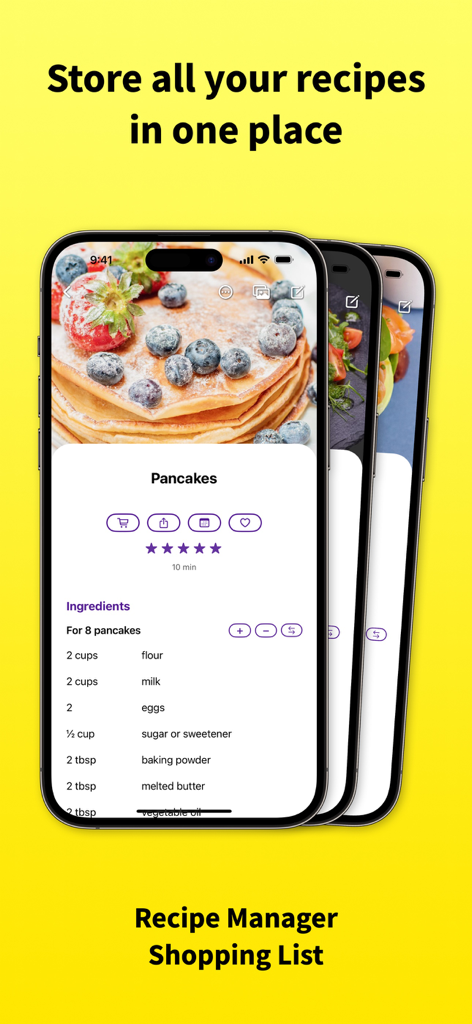
RecipeChef app interface displaying a pancake recipe with ingredients on an iPhone screen
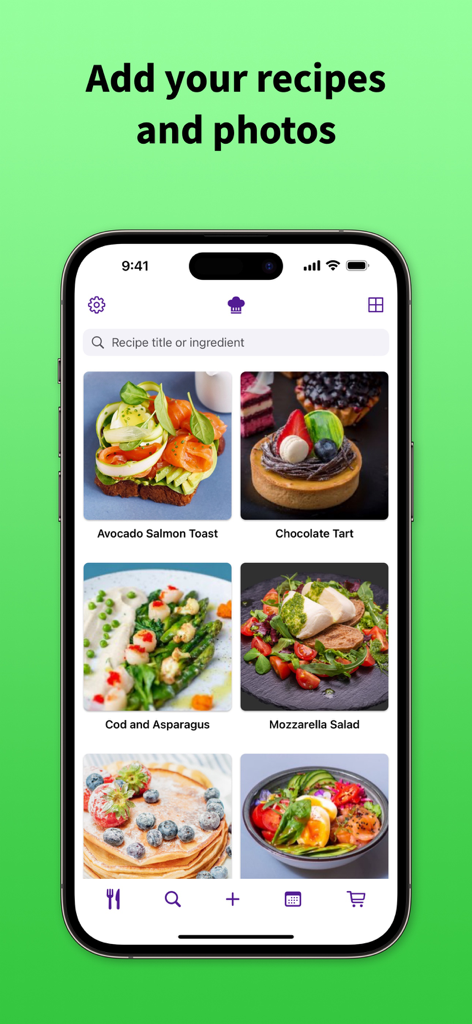
RecipeChef app interface showing a grid of saved recipes with high-quality food photos on an iPhone.
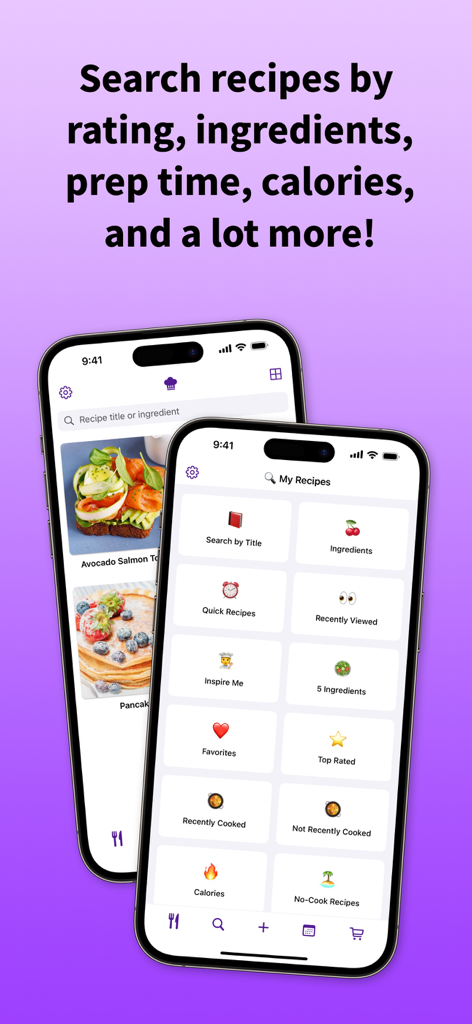
RecipeChef app search screen showing filters for ingredients calories and prep time on two iPhones
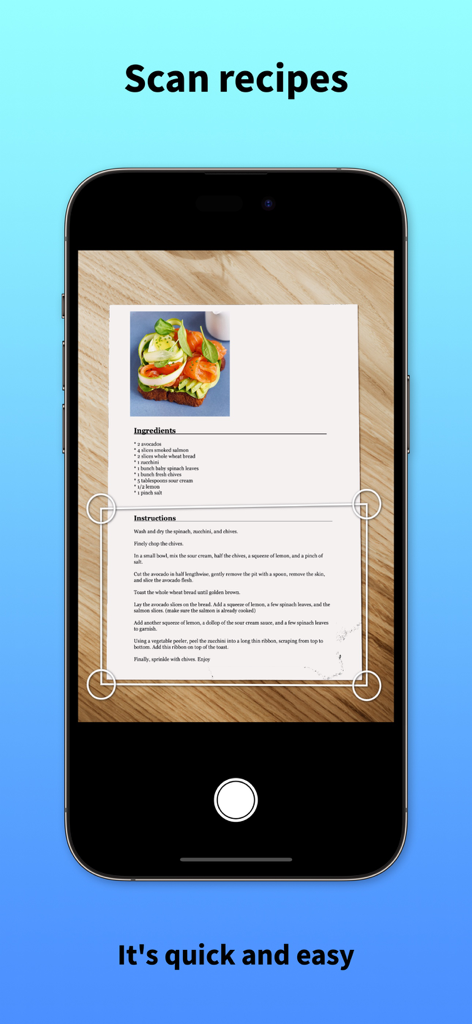
iPhone screen showing the scan recipes feature of RecipeChef app
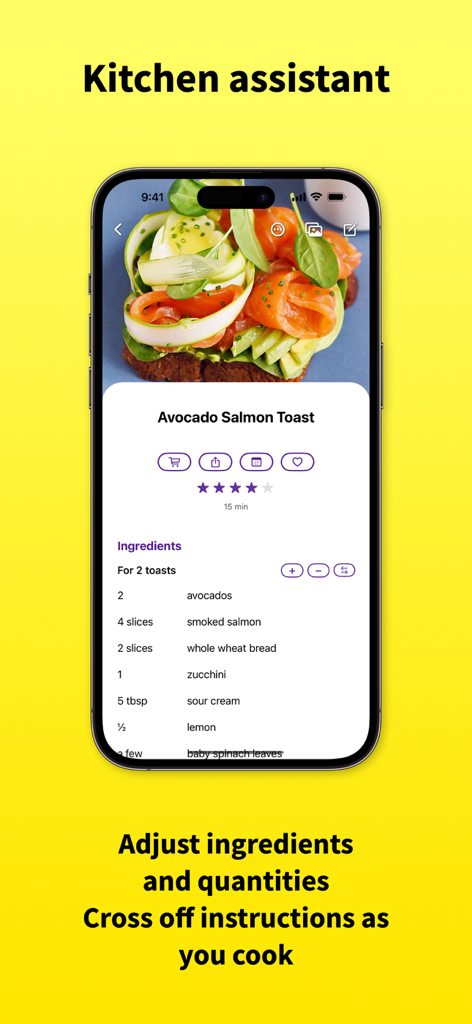
RecipeChef app showing an Avocado Salmon Toast recipe with adjustable ingredient quantities and portion sizes on an iPhone screen.
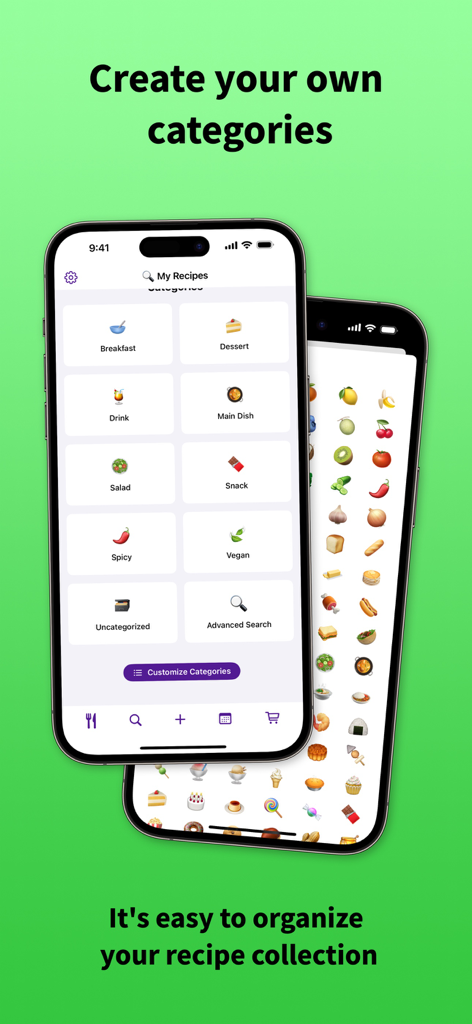
Two iPhone screens displaying recipe categories like breakfast, dessert, and main dish in the RecipeChef app.
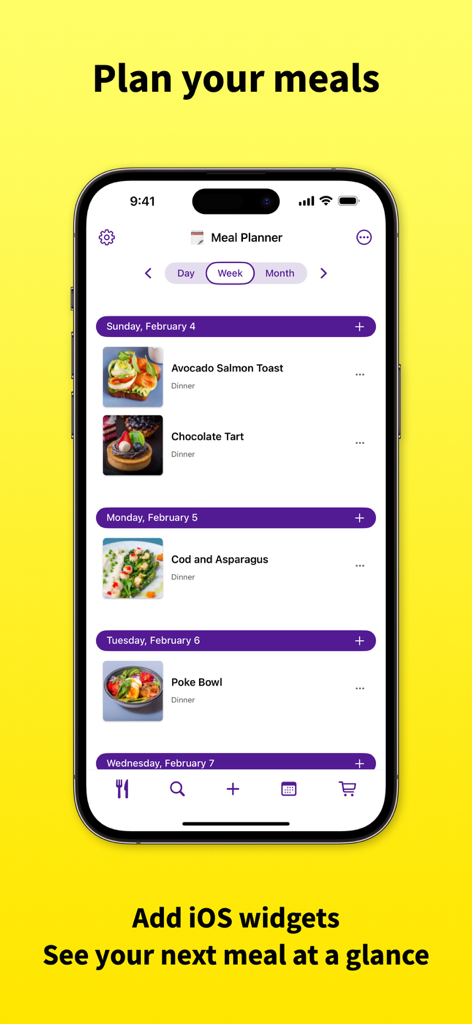
iPhone screen showing the RecipeChef weekly meal planner with recipes like Avocado Salmon Toast and Poke Bowl organized by day
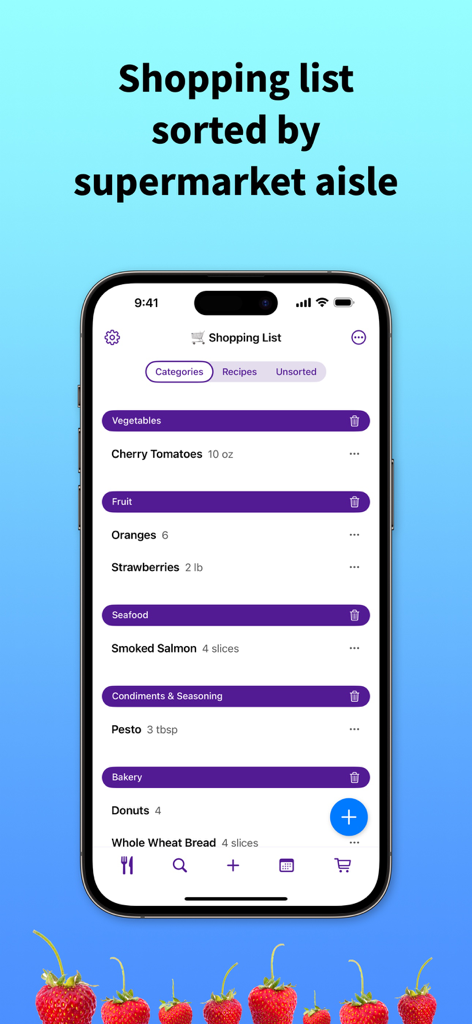
RecipeChef app showing a grocery shopping list organized by supermarket categories like vegetables fruit and seafood
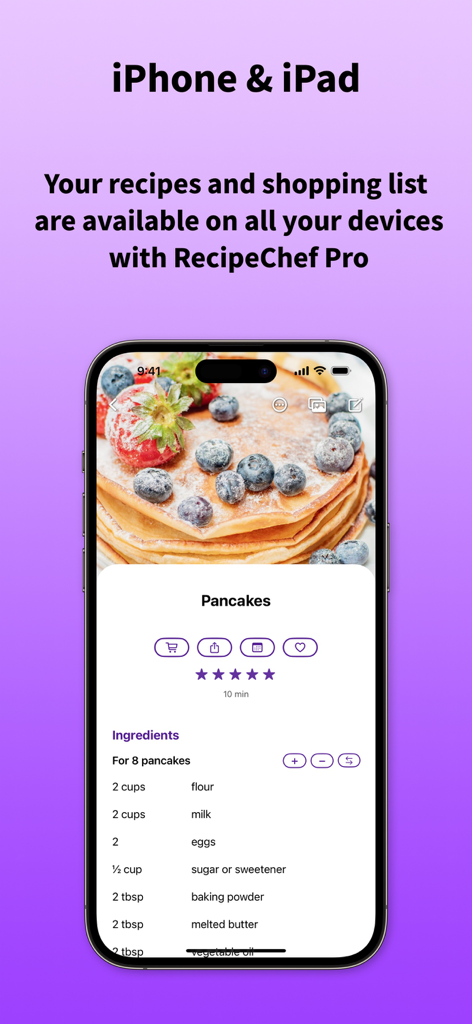
RecipeChef app on iPhone displaying a detailed pancake recipe with ingredients and quantity adjustments
Description
Download
More Like This
Apps with similar features and user experience

ReciMe: Recipes & Meal Planner
ReciMe Pty Ltd

NYT Cooking: Quick Tasty Meals
The New York Times Company

Jow - easy recipes & groceries
Jow

Tasty: Recipes, Cooking Videos
BuzzFeed

Recipe Keeper
Tudorspan Limited

Cookpad Recipes, homemade food
COOKPAD INC. (CA)

Pepper - Recipe Organizer
Pepper App Inc.

AnyList: Grocery Shopping List
Purple Cover, Inc.

Kitchen Stories Easy Recipes
AJNS New Media GmbH
This page is not an official page of the app or its developer, but an independent editorial publication created for informational and commentary purposes. Unless expressly stated otherwise, neither the app nor its developer is affiliated with, endorsed by, sponsored by, authorized by, or otherwise officially connected with MWM, Apple, Google Play, the app publisher, or the app's developer, and nothing on this page implies that the app was developed using MWM's services. Any trademarks, logos, screenshots, and other content remain the property of their respective owners.